Issue 203 of the Random Wire newsletter brings you AllStar, WiRES-X, and networking topics. A new Notices section near the top has announcements of interest. I highlight three new articles on EtherHam.com, plus bring you the weekly report. Closing out issue 203 is a real story of a maintenance worker, a circuit breaker, and a broken network.

1. QRV: Are You Ready
It’s been a full week. Last Friday, issue 202 published. That same day I dove into using fail2ban to help block login attempts to my Allmon3 dashboard and the AllScan favorites management tool. Along the way, I discovered a bug in Allmon3 that had been fixed and then resurfaced in a later change. That bug is fixed now.
Sunday, I made a long day of it with an early morning drive to Portland. Driving Interstate 5 is not nearly as bad at 5 am on a Sunday morning, compared to the rest of the week. It felt relatively peaceful. While there, I packed up my old WiRES-X station and brought the bits to the lake house. That resulted in a write-up about getting my WiRES-X station back online. I chose to stay on version 1.57 for compatibility with legacy rooms and nodes, and to avoid some known operational issues with version 2.x.
One of the issues I ran into in Portland was bringing my network back online. That story is in this newsletter. It revealed to me that my documentation of my own network was so poor that it took longer than it should have to get things running right again. So on Monday and Tuesday, I built a simple wiki system for tracking my gear and connections. It runs off a USB device for portability. I wrote that up in case you want to try something similar.
When Wednesday dawned, I could feel my newsletter deadline looming, so it was time to stop playing with tech and finish writing issue 203 of the Random Wire! While I did that, I had my WiRES-X node running right beside me, catching some traffic from the Kansas City Wide network and the local Yaesu System Fusion repeater.
Next week, I have two all-day meetings. One is in Silverdale, Washington and the other is in Vancouver, Washington. Add in a day trip to Portland and it means I’ll get no writing done on Sunday, Tuesday and Wednesday, so expect a lighter Random Wire newsletter in issue 204.
2. Notices
2.1 It’s World Space Week!
World Space Week ends tomorrow. I missed alerting you to it last week, and it seems silly to bring it up now. But for those of us interested in space topics, it’s good to be aware of this. Mark your calendar for next year!
2.2 RadioID to Begin Verifying Numbers
Find the full notice at https://radioid.net/
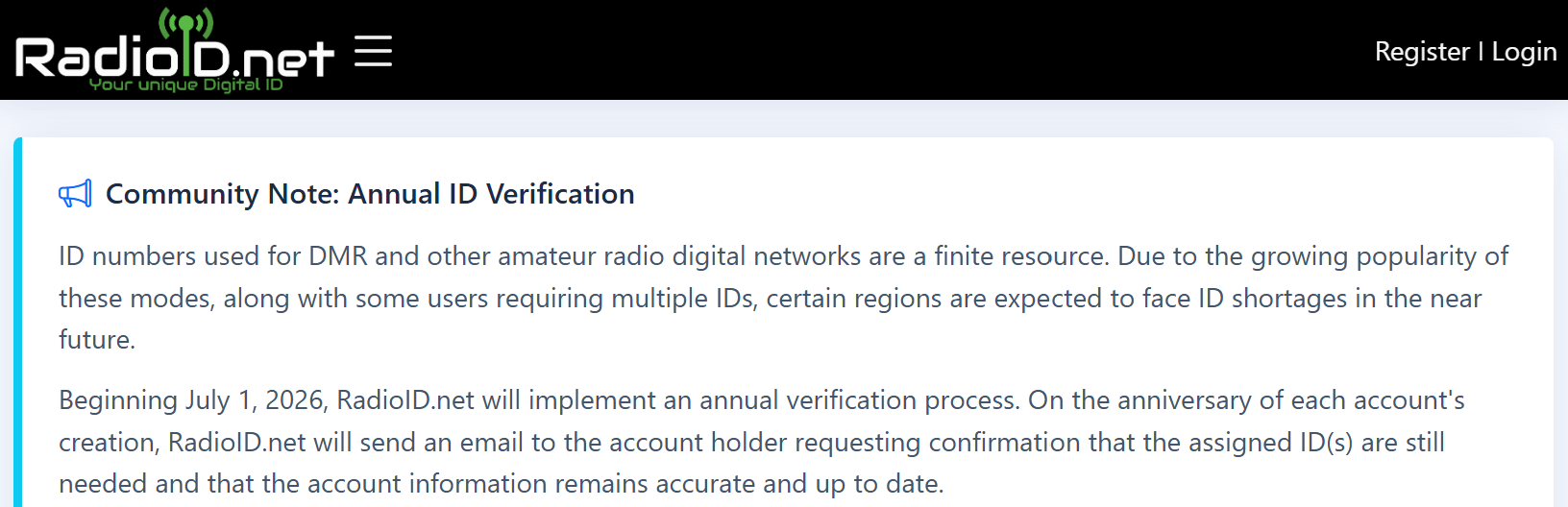
I recommend everyone log onto RadioID and see if your account is now “due for annual review.” Mine was. It was a multi-step process to verify information, and the prompts are a little confusing. Even though I wasn’t deleting anything, I had to check the box that said I understood what it meant if I was deleting something. On the plus side, it was all self-certification, so it only took a few minutes.
Thank you to Jeff for sharing this.
2.3 Search for Random Wire Content
Reminder: you can search the Random Wire newsletter history on EtherHam at https://etherham.com/rw_search/. This is a custom archival system that takes my exported data from Substack (the entity that hosts the Random Wire) and pushes it to a database on EtherHam. Someday, I’ll find time to properly index my content. For now, at least there is search.
2.4 Zero Retries Conference is October 16
Live Attendance via Zoom: Price $45.00
The ZR team writes:
We have hired an AV team to provide a live feed into the conference so that people can be part of the live conference without being there. The URL will be sent a few days prior to the conference and a link to download the materials.
2.5 AllScan Web App Updates
The release notes tell the tale: version 1.02 added a touchscreen option and 1.03 fixed one issue with it. The touchscreen is a pretty big deal, in my opinion. If you run AllScan on a tablet or phone, it makes a real difference in usability.
v1.03 2026-10-07
Fix issue in TouchGUI where it would not use the favorites file selected in the main GUI. Add check to ignore duplicate node entries in favorites files.
v1.02 2026-10-03
Added a new touchscreen / small screen optimized GUI that can be accessed by clicking/touching the “TouchGUI” link in the header links at the top of the page. To then exit the TouchGUI just click/touch the AllScan link at the top left. Thanks to Ben WY2K for this contribution.
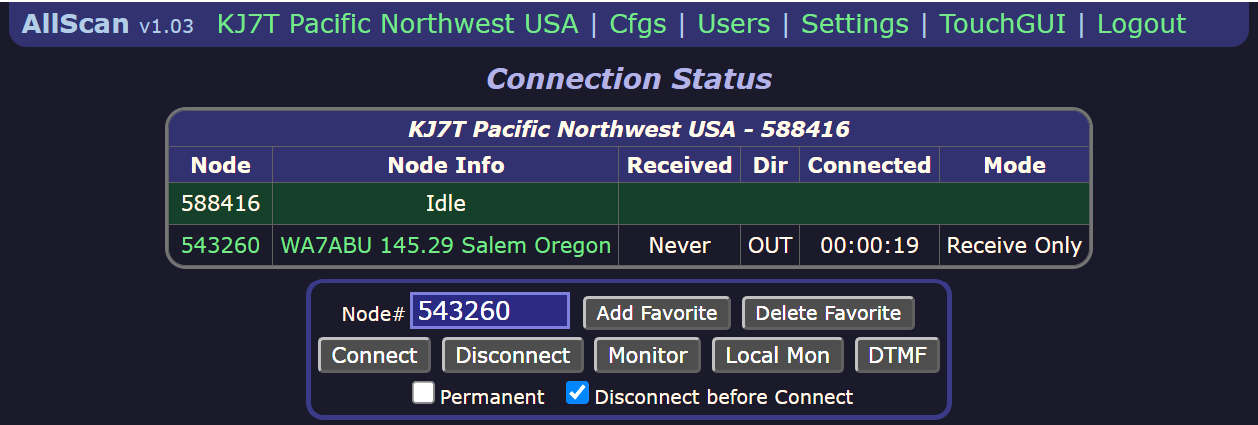
Once updated, you’ll see version 1.03 on the left side of the top bar, and over to the right, you’ll find the new TouchGUI option.
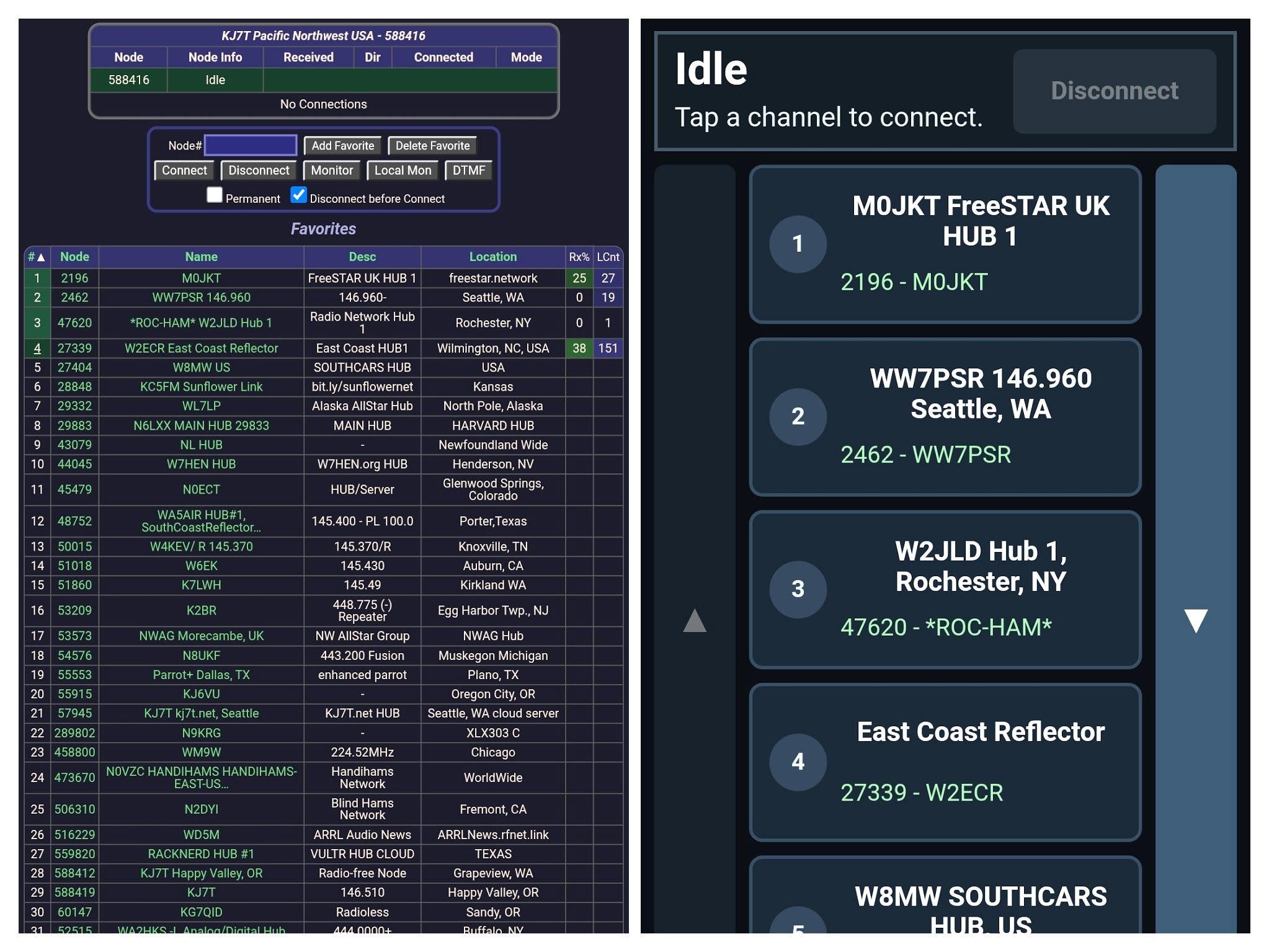
In the side-by-side view above are two views of my phone screen. The left view is the standard AllScan interface. The right panel is the new TouchGUI. Now imagine you are walking or driving. Which interface seems easier to use? For me, the big touch buttons are far easier on a small device.
3. Thank You

Jonathan and Marty, thank you for the coffee! It seems as if my world runs on caffeine, so this is much appreciated.
4. New on EtherHam
4.1 Getting My WiRES-X Node Back Online
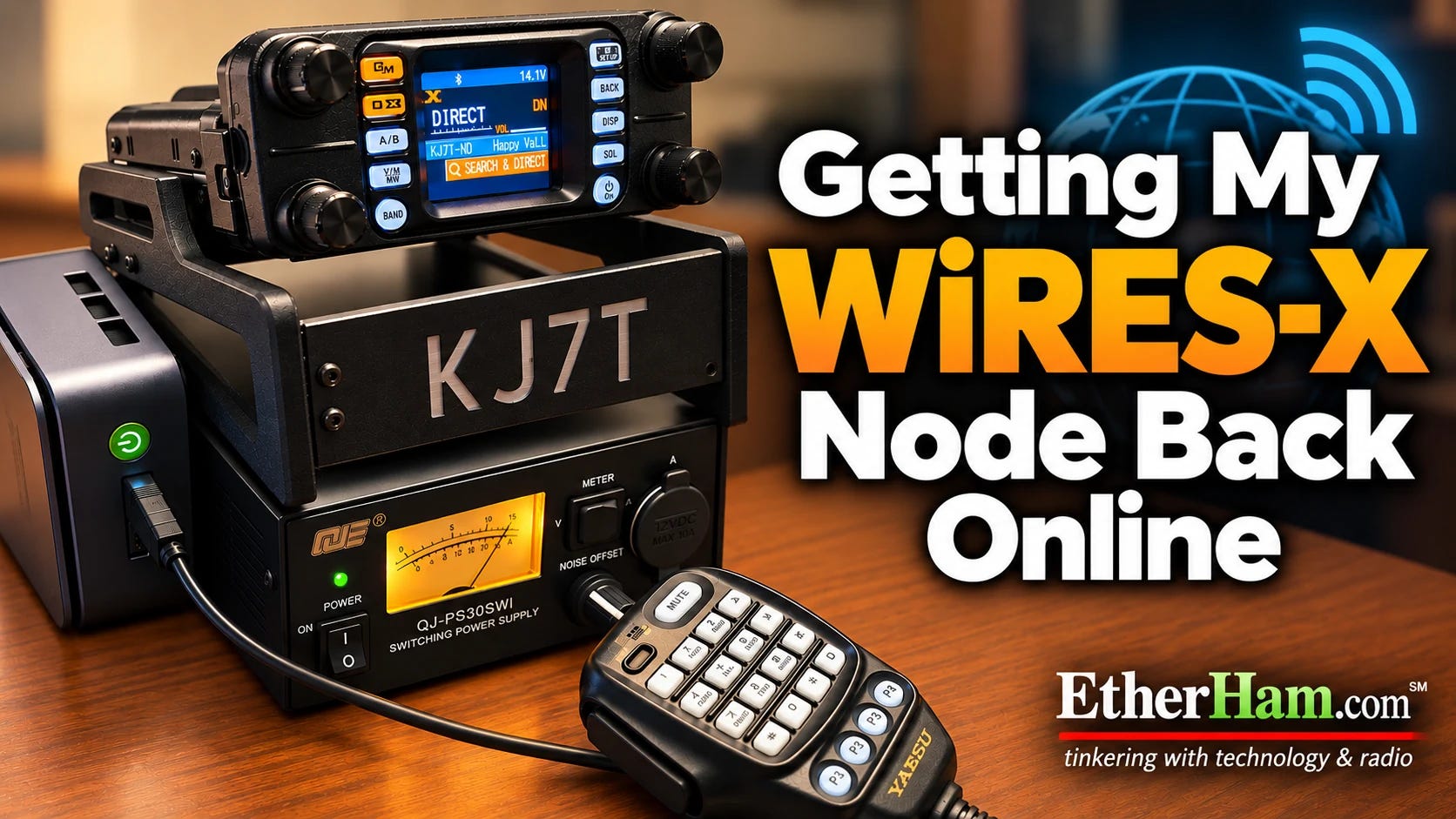
Months ago, the computer that ran my WiRES-X system in Portland died. This week, I finally got around to replacing it. As part of that process, I moved it to the lake house and got it set up there. I’ll add a bit more below, but if you want to jump straight to the full story, visit Getting My WiRES-X Node Back Online, on EtherHam.com.
When looking for a new computer, I knew I wanted small, inexpensive, and capable enough to run the WiRES-X application. I read several reviews before I ordered a GMKtec NucBox G10, and I think the tradeoffs are reasonable for a WiRES-X platform. Here is one of those reviews: GMKtec NucBox G10 mini PC review.
This budget model PC uses DDR4 memory, not the more modern and faster DDR5 RAM. What this means is the available bandwidth for the CPU is effectively reduced. And since the GPU shares main memory, video performance is also impacted by the use of DDR4. But none of that matters much for WiRES-X on Windows 11.
I do have to say that when I went shopping, I quickly discovered there are no good deals anymore on new computers. A few years ago, you could score a solid little computer like this for a few hundred bucks. Not today, it seems!
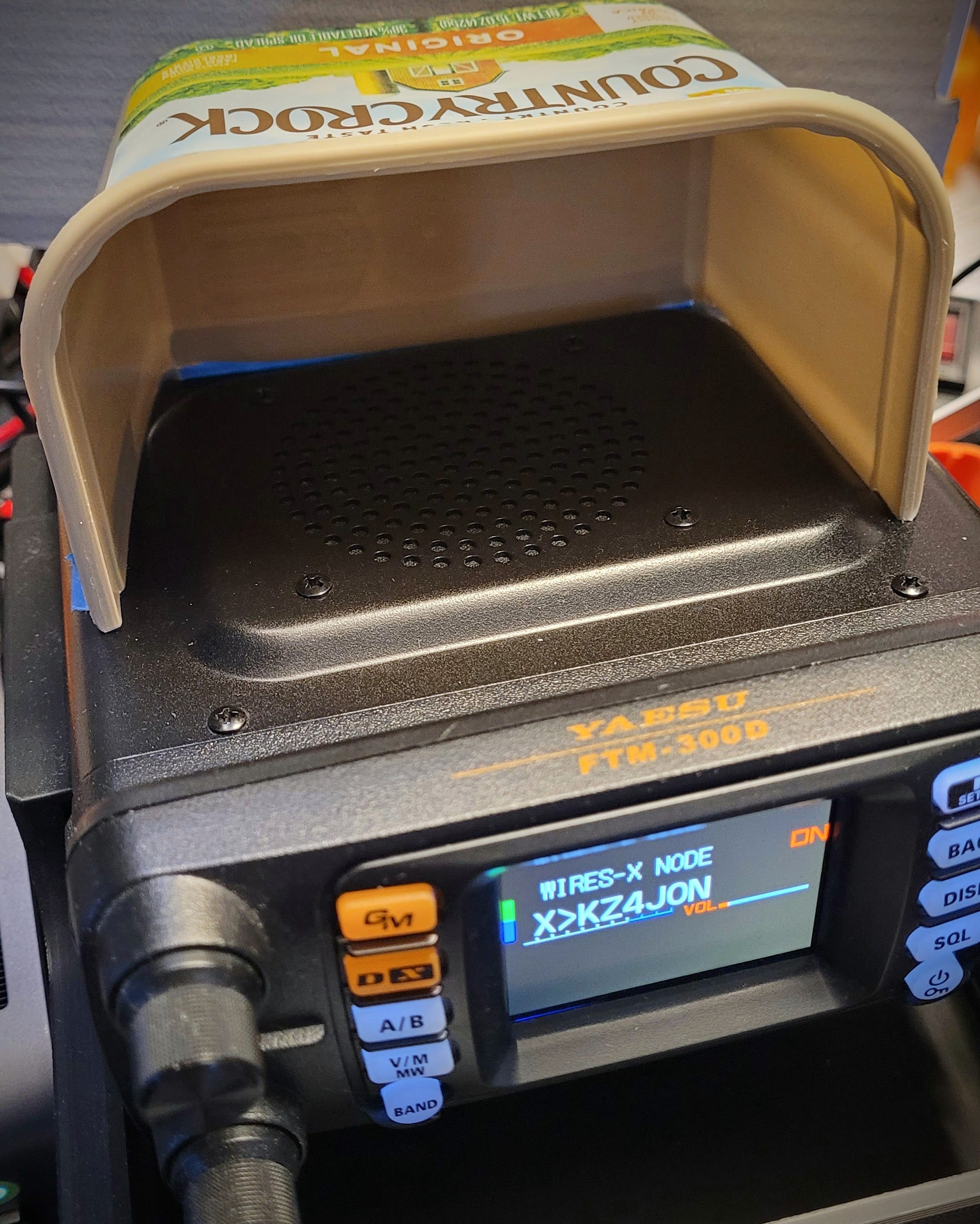
To redirect the audio from the radio speaker more toward me, I made a temporary shroud from a margarine container. It looks odd but works fine, pushing the audio toward my ears instead of to the entire room. Read the story in Getting My WiRES-X Node Back Online, on EtherHam.com.
4.2 Putting fail2ban on Allmon3 and AllScan, and the Bug That Bit Back
I started working on hardening a few of my AllStar nodes, and one of the first things I did was to implement fail2ban for Allmon3 and AllScan logins. Usually, you see fail2ban used to jail unruly folks trying to break into your SSH port. But it can do more, and I was eager to try this.
What I thought would be a simple fail2ban setup for node logins revealed an unexpected surprise: a password leak. I privately reported the issue, which was resolved the very same day. If you saw a version change in your Allmon3 package to 1.11, that’s the fix.
Read all about it in Putting fail2ban on Allmon3 and AllScan, and the Bug That Bit Back, on EtherHam.com.
4.3 Documenting My Networks with a Wiki
I wanted a way to document my network topology, equipment, and all the other details one must remember — including why I picked certain things and what they were expected to do. The system had to be simple. I’ve tried network scanners and complicated, SQL-based systems. No thank you. My solution needed to be a flat-file system I could take with me, something I could read even if the software died.
I settled on DokuWiki on a Stick, installed on a Lexar external device. The wiki is beginning to take shape.
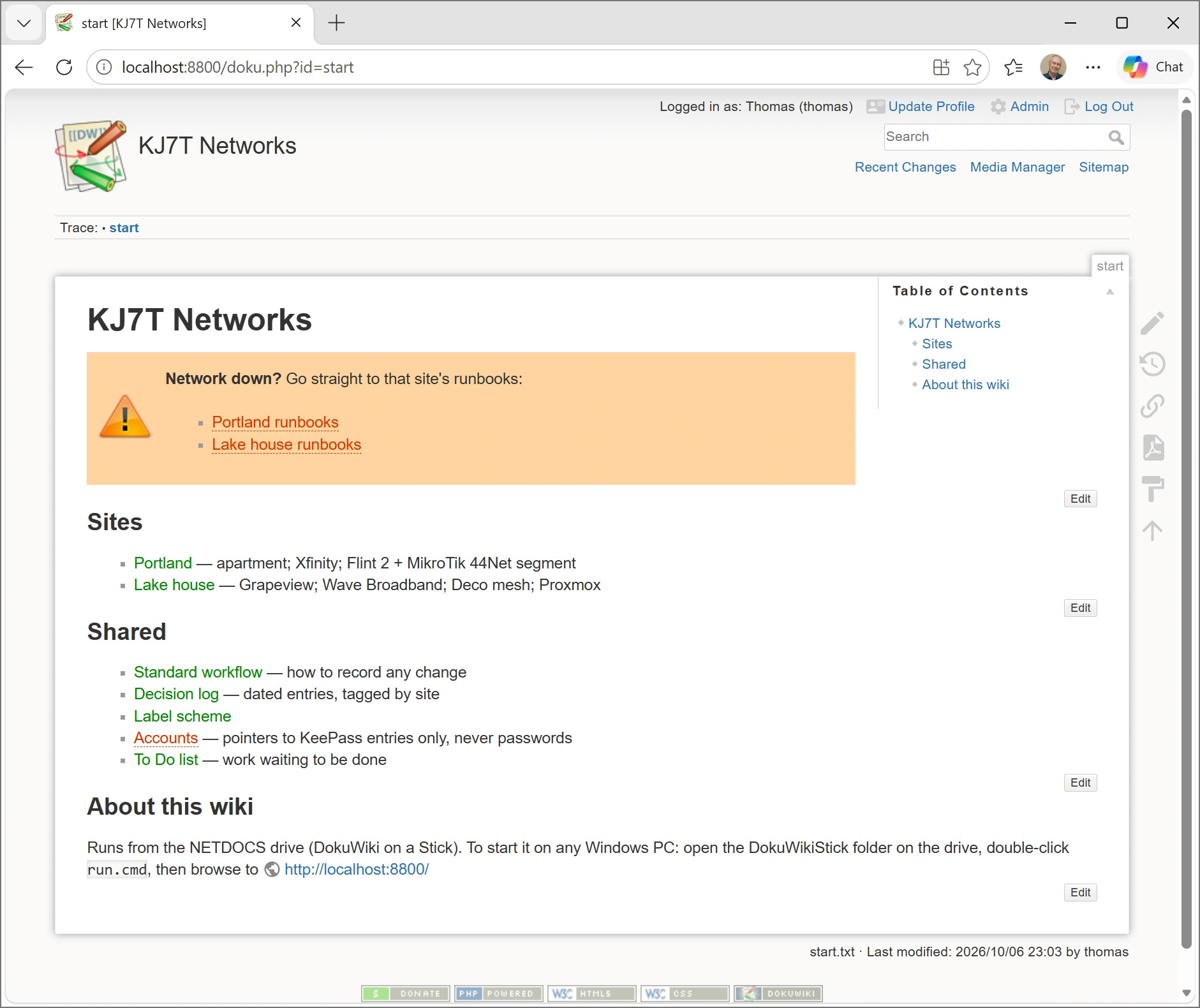
The catalyst for this was a power loss at the Portland QTH. As I worked on recovering my network, I discovered that my records were not complete. I had to dig more than expected to find information, and that cost me a few extra hours of work. I realized that centralizing much of this information in one place would be helpful, so I started thinking about how to do that.
And I’m starting to put how-tos into the wiki because frankly, I’ve got so many different devices and ways of doing things, I’m forgetting important steps.
Read the write-up in A Wiki That Lives on the Rack.
4.4 The Weekly Report
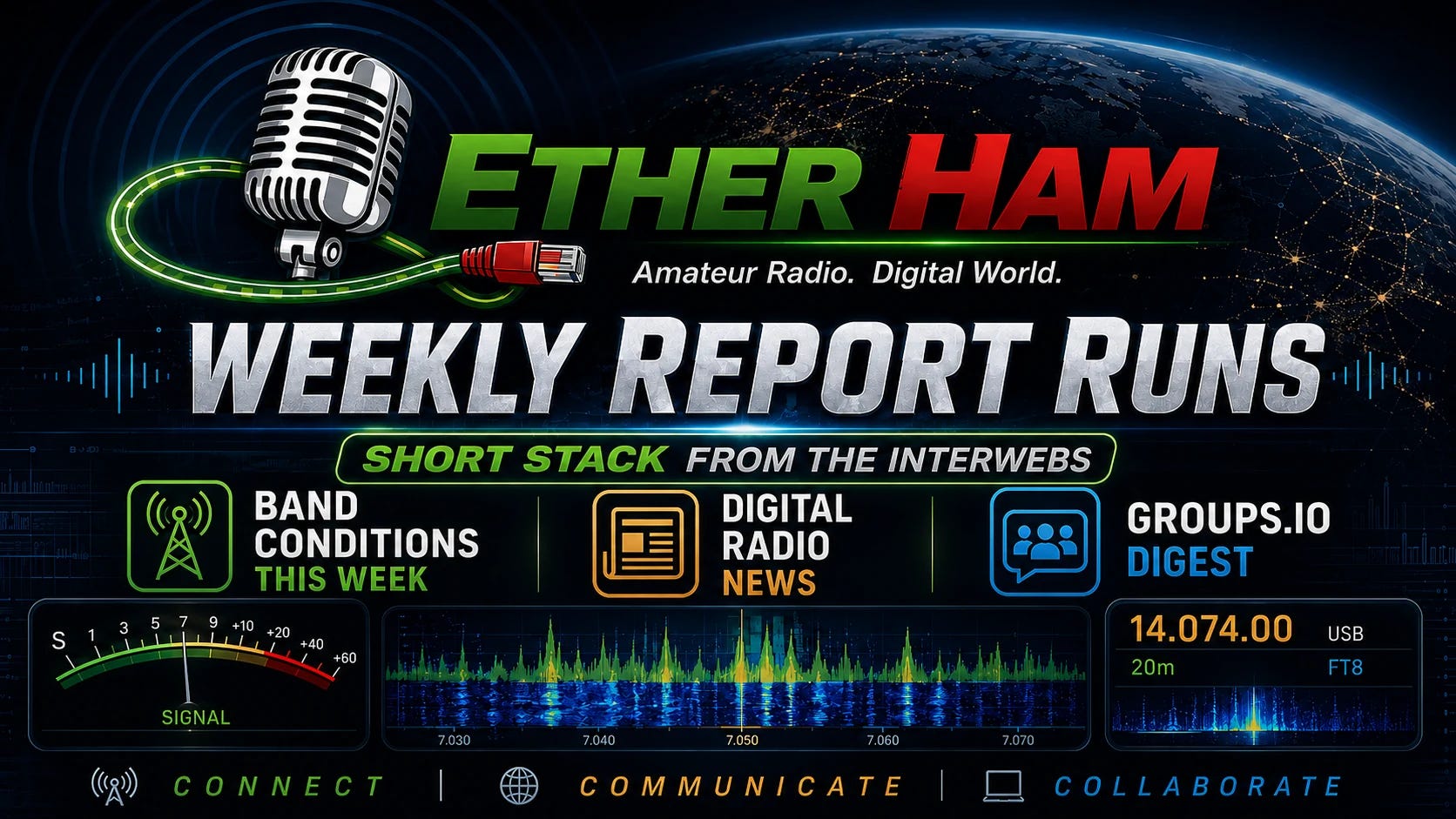
Jump to your favorite section:
Or click through for the full report: Weekly Report: October 8, 2026
5. In The Lab
5.1 Recipes at EtherHam.com?
A reader suggested taking some of the content on EtherHam and making it more succinct. I have to admit I do get wrapped up in the storytelling sometimes, so I can certainly understand the desire for more concise, step-by-step instructions.
I’m testing that idea with information about the 44Net allowlist I added to my MikroTik router, and I’m calling it a recipe. Personally, I like the recipe idea. We can all relate to it, and it sounds a lot less daunting than “installation procedures” and similar descriptors.
Find the first recipe at: https://etherham.com/recipes/mikrotik-44net-allowlist/
Take a look and let me know how this lands with you. Thumbs up? Thumbs down? Let me know with a comment or email me at etherham@pm.me.
5.2 Changed at EtherHam.com
I run a bot blocker at EtherHam.com because I don’t want the overhead of bots constantly crawling the site. This week I made one exception: ChatGPT-User. Unlike a crawler, it only visits a page when a person asks ChatGPT to read it. So now people can have ChatGPT read and cite EtherHam articles, while OpenAI’s training crawler stays locked out. That seems like a reasonable balance to me.
5.3 AllScan Fix: Favorites Files Now Work Across Nodes
I have more than one AllStarLink node, and I wanted them to share the same list of AllScan favorites. AllScan stores favorites in a file called favorites.ini, so I copied that file from one node to another. That’s when I hit a problem.
The favorites.ini file can group favorites under a heading for a specific node number. My copied file had a heading for the node it came from. When I used Add Favorite on the new node, AllScan added the new favorite to the end of the file, which put it under the other node’s heading. AllScan only displayed favorites for the node it was running on, so the favorite I had just added never appeared.
I shared this with David Gleason NR9V, the author of AllScan. He fixed it within days. AllScan now reads the favorites under every node heading in the file and merges them into one list. As David put it, favorites files “ideally should be interchangeable between various nodes.” If you want different favorites on different nodes, he suggests keeping a separate favorites file for each node instead.
If you upgrade AllScan (the latest version is 1.03), it should bring in that fix.
Thanks, David, for the quick turnaround.
5.4 WA7ABU Tech Net (Tuesday)
I listened to the WA7ABU tech net at 10 am Pacific last Tuesday, October 7th. This net has a regular group of participants who have technical proficiency in many aspects of amateur radio. I learn something new every time I tune in. Here’s a glimpse of some of the content discussed in just this one net.
Net Schedule & Repeater Info
Meets weekdays from 10:00 AM to 11:00 AM PDT on 145.290 MHz (Alternate: 145.190 MHz, CTCSS 100.0 Hz) via the WA7ABU repeater in Oregon’s Mid-Willamette Valley. Linked via AllStar (Node 543260) and EchoLink (WA7ABU-R).
Technical Discussion Highlights
-
Digital Voice Modes & Vocoders:
-
The group discussed the differences between hardware vocoders (such as the AMBE-3000 chip used in DMR, D-STAR, and System Fusion) and software codecs.
-
Brett (KG7GDB) and John (K7JCD) noted that AMBE chips analyze speech and model a simulated vocal tract on the receiving end, which often yields a distinct “robotic” voice quality and discards original audio data.
-
-
FreeDV & The RADE Codec:
-
Discussion centered on recent ARRL/QST coverage of FreeDV and the new RADE (Romeo Alpha Delta Echo) auto-encoder. RADE uses machine learning/AI techniques to train an encoder/decoder pair over Orthogonal Frequency Division Multiplexing (OFDM) parallel carriers. [KJ7T comment: RADE stands for Radio Autoencoder. Like AMBE, it is a vocoder system. It sends a compact set of speech features (pitch, spectrum, voicing) rather than the original audio, and the receiver synthesizes the voice from them. RADE’s advantage is better speech quality and robustness on HF, not lossless audio.]
-
Unlike AMBE, software codecs like RADE compress audio without discarding voice information, delivering clearer, more natural SSB-width voice without squelch crashes or background hiss. [KJ7T comment: not quite. As noted above, RADE is lossy, like AMBE.]
-
-
Web Apps & M17 Project:
-
Rogene (K7OLI) shared information about K1FM’s web application that integrates Icom CAT control with browser-based digital voice streaming.
-
Dan (W3HDB) brought up M17, an open-source digital protocol using Codec 2. Nate (N8NAT) mentioned recent community discussions regarding hotspot support and open-source emulation efforts.
-
-
AllStar & Hotspot Bridging:
-
Nate (N8NAT) detailed his homemade dual-antenna MMDVM setup on a Raspberry Pi 4, bridging digital modes to AllStar using CPU emulation rather than a physical AMBE chip.
-
This content was captured on my AllStar node 588416 using an AI-assisted net logging system. The transcript was then processed through Gemini AI to help summarize and improve readability. The Gemini output is what you see in the bullet points above.
6. QRT
Throw a Breaker, Break the LAN
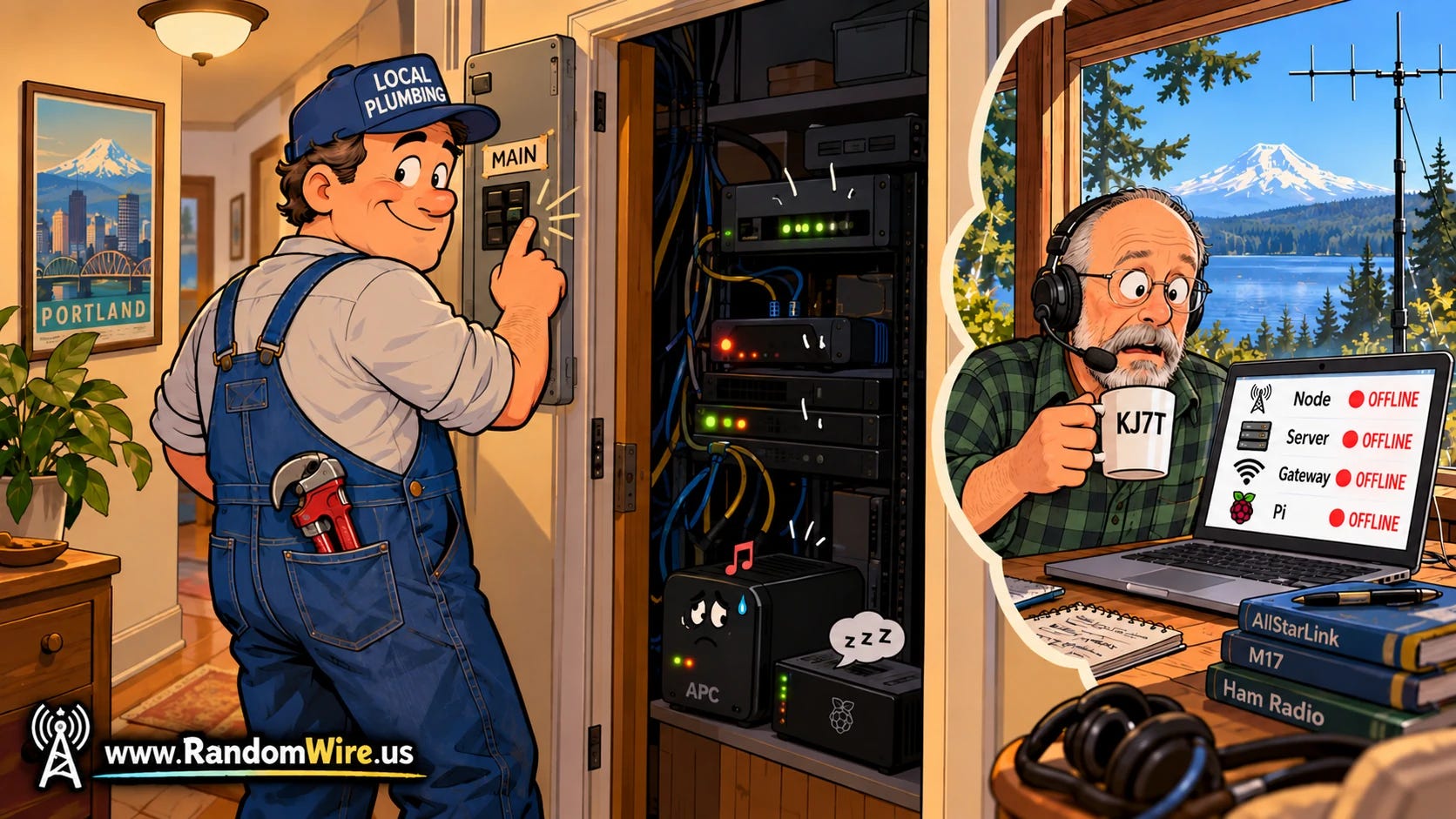
Last Saturday afternoon, a maintenance worker was in my Portland apartment to repair some plumbing and “heard a tone,” said his report. I was 150 miles away at the lake house. He didn’t know where the sound was coming from, so he did the sensible thing from his point of view: he switched off the circuit breaker for that part of the apartment. The tone stopped. So did my entire home network, once the battery in my uninterruptible power supply (the battery box that keeps equipment running through short outages) ran out.
Watching from the lake house, everything went dark at once. My security cameras were not on the UPS, so they went dark instantly. As soon as the UPS battery bank died, AllStar node 588416 dropped off the network, and so did the MikroTik router that connects it to 44Net, as well as the GL.iNet router that serves my home LAN. Every remote path I have into that rack runs through those routers, so from where I sat, it looked like one of them had died.
When I got to the apartment Sunday morning and switched the breaker back on, the routers came right back up. The GL.iNet Flint 2 connected to Xfinity and the MikroTik router reconnected to the 44Net server in Dallas. The Synology storage box, the Mac Mini running my packet BBS, and the Wyse thin client running node 578493 all restarted on their own too.
However, node 588416 didn’t come back up. It sat there dark, because I had never set the computer’s firmware (the BIOS) to power on automatically after a power loss. I figured the UPS had the loss-of-power situation covered. But the UPS covers short outages, not long ones, and this one lasted longer than the battery. One press of the power button and the node booted up and registered with AllStarLink. It became reachable from the internet about 18 hours after it went down.
During the several hours I was at the apartment, I did not hear the sound the maintenance person heard. It’s possible it was a warning chirp from the UPS, which could occur if the load on the system was too high. Then again, a UPS on battery usually beeps more, not less, so that theory has a hole in it.
I’ve temporarily removed a couple of devices from the UPS. The old UPS has remained silent. The one sound my security camera caught afterward turned out to be a wall being bumped next door, not a beep. The camera now records audio, so if it happens again, I’ll have data instead of an “I heard something” report.
Two changes come out of this:
-
First, every machine in that rack now gets checked for the power-on-after-outage setting. Node 588416 gets it on my next visit, once I bring an adapter for its DisplayPort-only video output.
-
Second, I’m replacing the small APC Back-UPS 450 with a CyberPower CP1000AVRLCD (this is an affiliate link), the same model I use at the lake house. It has more than twice the capacity, and its display shows the load and estimated runtime at a glance. I’ll configure it to cleanly shut down node 588416 if the power is lost for more than ten minutes.
The lesson for me: the UPS was the safety net I thought was rock solid, and the BIOS setting was one thing I forgot. An outage can come from a neighborhood power failure as easily as from a maintenance worker, and each device has to be able to come back on its own when the power does. Otherwise, the safety net has a big hole in the bottom of it.
73, and remember to touch a radio every day!

Notice: As an Amazon Associate, I earn from qualifying purchases.