ARRL The National Association for Amateur Radio® will close our headquarters at 12 PM Eastern time on Friday, October 9, 2026, for a staff event.
The ARRL Headquarters lobby and store, as well as W1AW, will be open to visitors from 8 AM to 12 PM EDT. Members are reminded that many transactions may be completed on our website at www.arrl.org.
There won’t be any interruptions to the W1AW bulletin …
American Radio Relay League | Ham Radio Association and Resources Read More
Issue 203 of the Random Wire newsletter brings you AllStar, WiRES-X, and networking topics. A new Notices section near the top has announcements of interest. I highlight three new articles on EtherHam.com, plus bring you the weekly report. Closing out issue 203 is a real story of a maintenance worker, a circuit breaker, and a broken network.
1. QRV: Are You Ready
It’s been a full week. Last Friday, issue 202 published. That same day I dove into using fail2ban to help block login attempts to my Allmon3 dashboard and the AllScan favorites management tool. Along the way, I discovered a bug in Allmon3 that had been fixed and then resurfaced in a later change. That bug is fixed now.
Sunday, I made a long day of it with an early morning drive to Portland. Driving Interstate 5 is not nearly as bad at 5 am on a Sunday morning, compared to the rest of the week. It felt relatively peaceful. While there, I packed up my old WiRES-X station and brought the bits to the lake house. That resulted in a write-up about getting my WiRES-X station back online. I chose to stay on version 1.57 for compatibility with legacy rooms and nodes, and to avoid some known operational issues with version 2.x.
One of the issues I ran into in Portland was bringing my network back online. That story is in this newsletter. It revealed to me that my documentation of my own network was so poor that it took longer than it should have to get things running right again. So on Monday and Tuesday, I built a simple wiki system for tracking my gear and connections. It runs off a USB device for portability. I wrote that up in case you want to try something similar.
When Wednesday dawned, I could feel my newsletter deadline looming, so it was time to stop playing with tech and finish writing issue 203 of the Random Wire! While I did that, I had my WiRES-X node running right beside me, catching some traffic from the Kansas City Wide network and the local Yaesu System Fusion repeater.
Next week, I have two all-day meetings. One is in Silverdale, Washington and the other is in Vancouver, Washington. Add in a day trip to Portland and it means I’ll get no writing done on Sunday, Tuesday and Wednesday, so expect a lighter Random Wire newsletter in issue 204.
2. Notices
2.1 It’s World Space Week!
World Space Week ends tomorrow. I missed alerting you to it last week, and it seems silly to bring it up now. But for those of us interested in space topics, it’s good to be aware of this. Mark your calendar for next year!
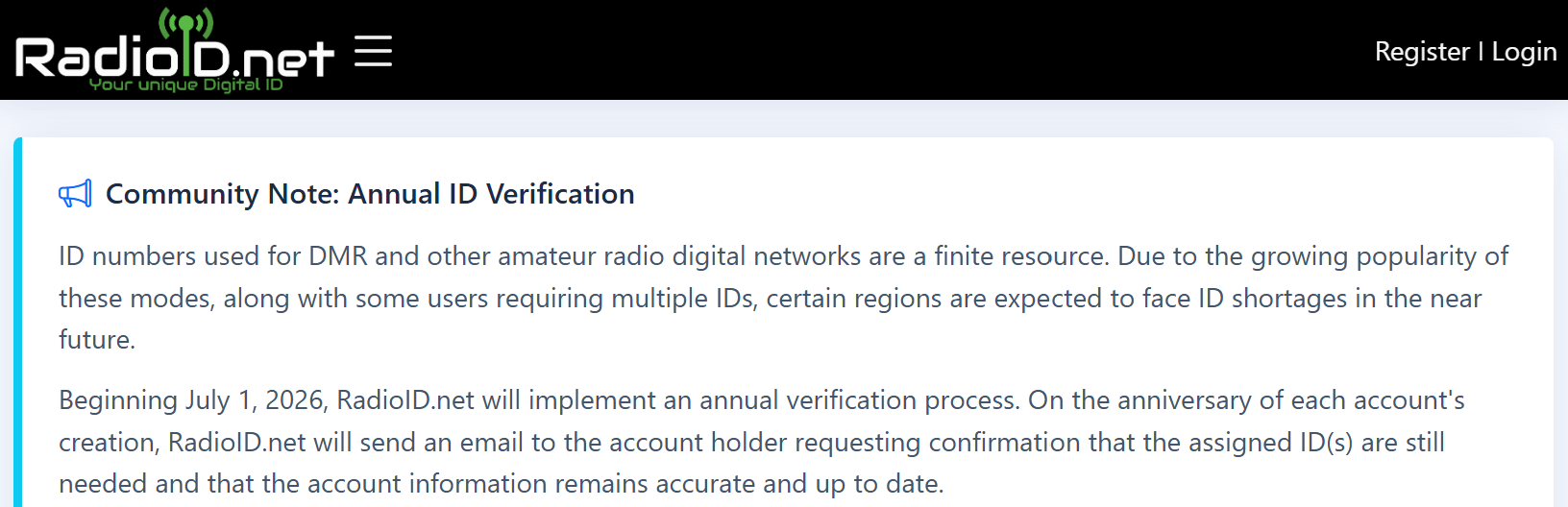
I recommend everyone log onto RadioID and see if your account is now “due for annual review.” Mine was. It was a multi-step process to verify information, and the prompts are a little confusing. Even though I wasn’t deleting anything, I had to check the box that said I understood what it meant if I was deleting something. On the plus side, it was all self-certification, so it only took a few minutes.
Thank you to Jeff for sharing this.
2.3 Search for Random Wire Content
Reminder: you can search the Random Wire newsletter history on EtherHam at https://etherham.com/rw_search/. This is a custom archival system that takes my exported data from Substack (the entity that hosts the Random Wire) and pushes it to a database on EtherHam. Someday, I’ll find time to properly index my content. For now, at least there is search.
2.4 Zero Retries Conference is October 16
Live Attendance via Zoom: Price $45.00
The ZR team writes:
We have hired an AV team to provide a live feed into the conference so that people can be part of the live conference without being there. The URL will be sent a few days prior to the conference and a link to download the materials.
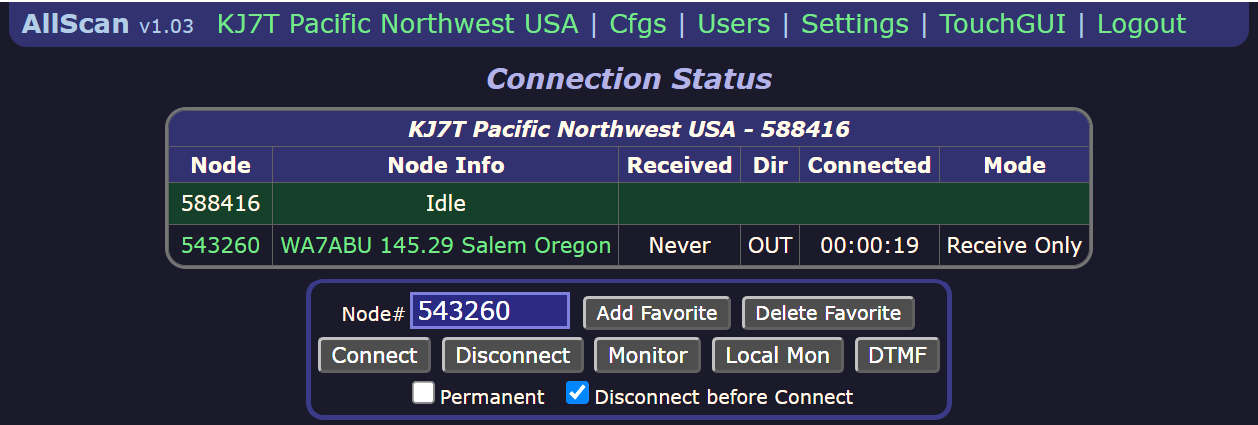
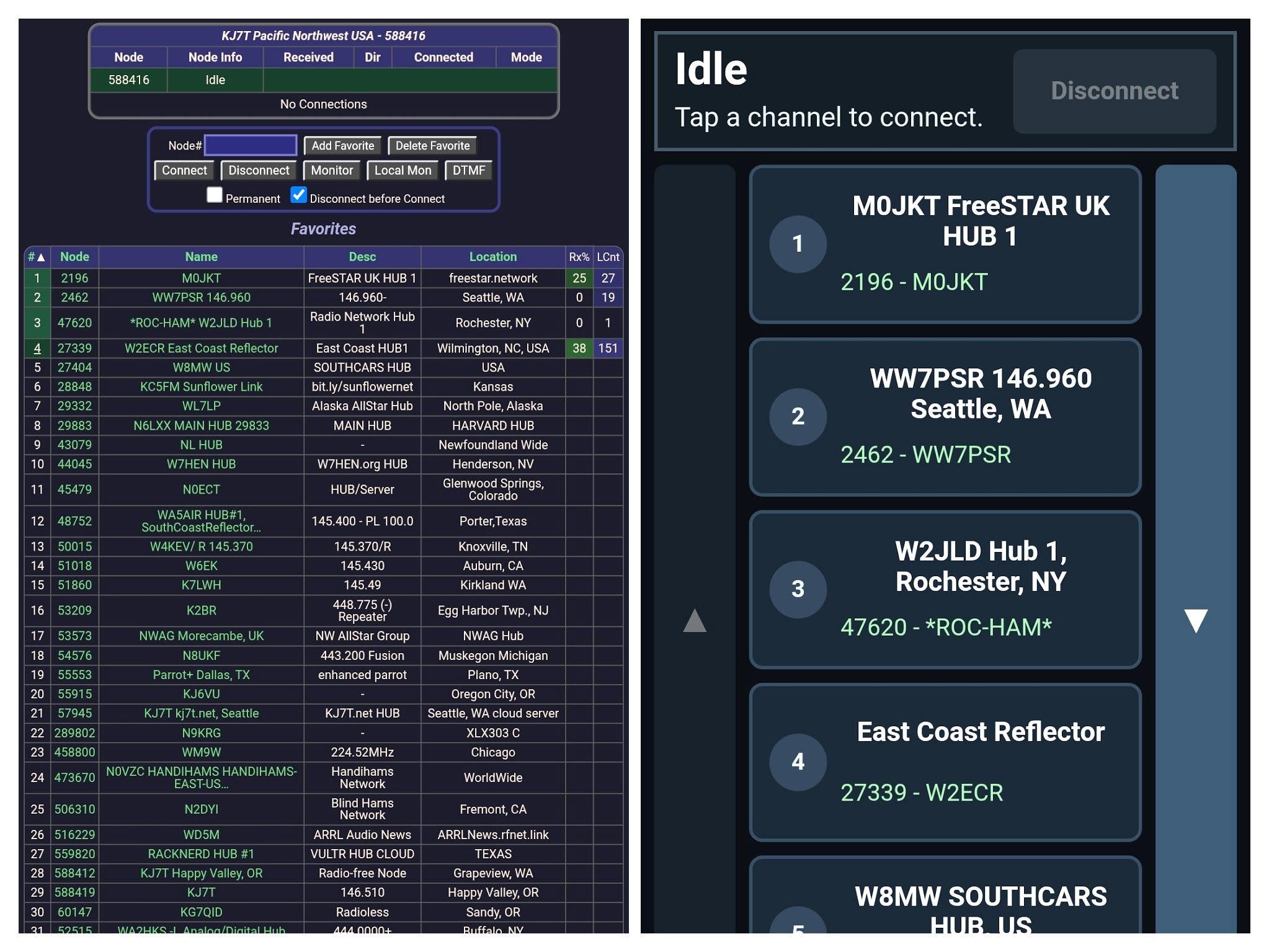
The release notes tell the tale: version 1.02 added a touchscreen option and 1.03 fixed one issue with it. The touchscreen is a pretty big deal, in my opinion. If you run AllScan on a tablet or phone, it makes a real difference in usability.
v1.03 2026-10-07 Fix issue in TouchGUI where it would not use the favorites file selected in the main GUI. Add check to ignore duplicate node entries in favorites files.
v1.02 2026-10-03 Added a new touchscreen / small screen optimized GUI that can be accessed by clicking/touching the “TouchGUI” link in the header links at the top of the page. To then exit the TouchGUI just click/touch the AllScan link at the top left. Thanks to Ben WY2K for this contribution.
AllScan header after updating
Once updated, you’ll see version 1.03 on the left side of the top bar, and over to the right, you’ll find the new TouchGUI option.
Standard AllScan (left) and the new TouchGUI (right) on my phone
In the side-by-side view above are two views of my phone screen. The left view is the standard AllScan interface. The right panel is the new TouchGUI. Now imagine you are walking or driving. Which interface seems easier to use? For me, the big touch buttons are far easier on a small device.
3. Thank You
Jonathan and Marty, thank you for the coffee! It seems as if my world runs on caffeine, so this is much appreciated.
4. New on EtherHam
4.1 Getting My WiRES-X Node Back Online
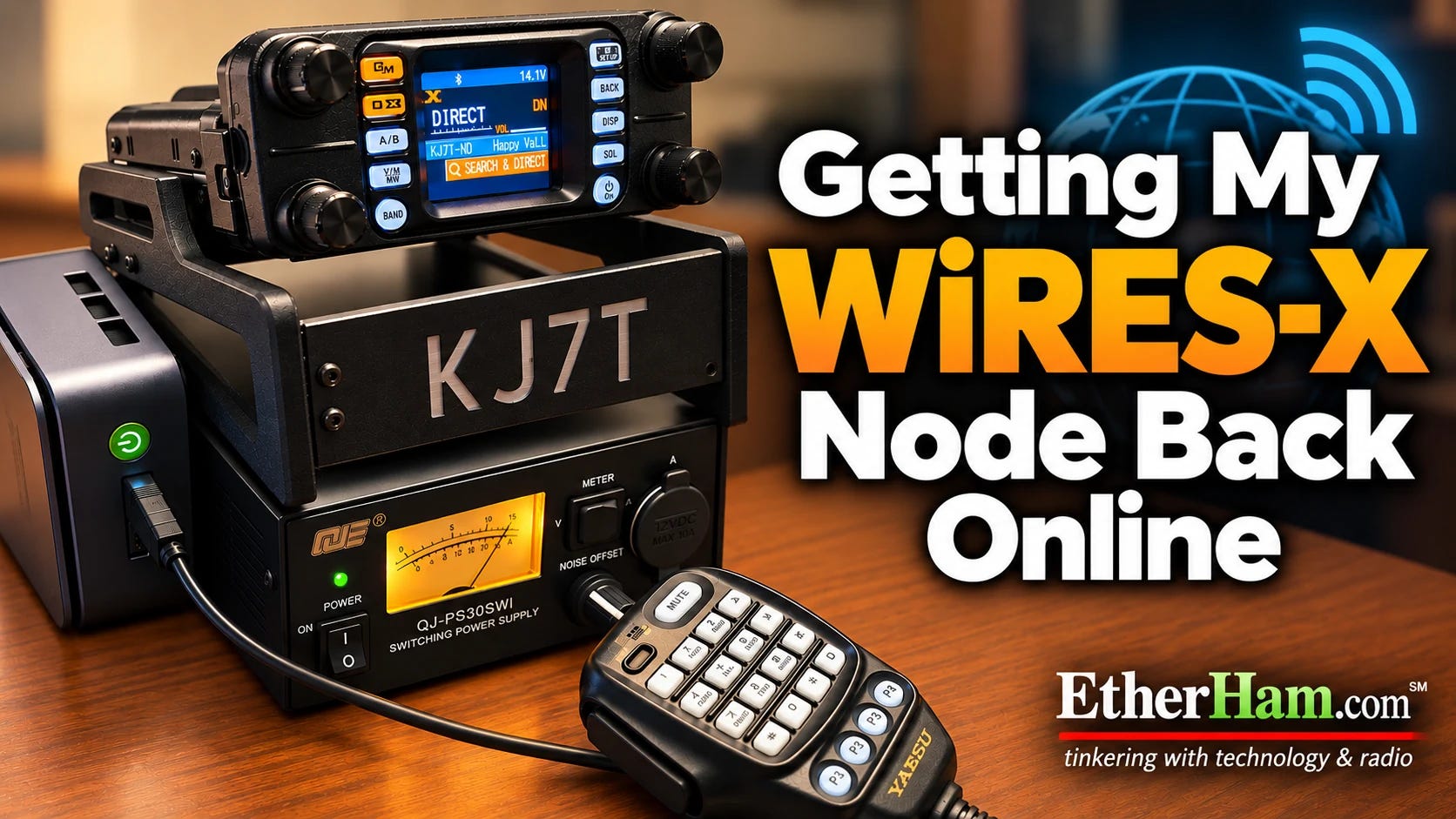
Months ago, the computer that ran my WiRES-X system in Portland died. This week, I finally got around to replacing it. As part of that process, I moved it to the lake house and got it set up there. I’ll add a bit more below, but if you want to jump straight to the full story, visit Getting My WiRES-X Node Back Online, on EtherHam.com.
When looking for a new computer, I knew I wanted small, inexpensive, and capable enough to run the WiRES-X application. I read several reviews before I ordered a GMKtec NucBox G10, and I think the tradeoffs are reasonable for a WiRES-X platform. Here is one of those reviews: GMKtec NucBox G10 mini PC review.
This budget model PC uses DDR4 memory, not the more modern and faster DDR5 RAM. What this means is the available bandwidth for the CPU is effectively reduced. And since the GPU shares main memory, video performance is also impacted by the use of DDR4. But none of that matters much for WiRES-X on Windows 11.
I do have to say that when I went shopping, I quickly discovered there are no good deals anymore on new computers. A few years ago, you could score a solid little computer like this for a few hundred bucks. Not today, it seems!
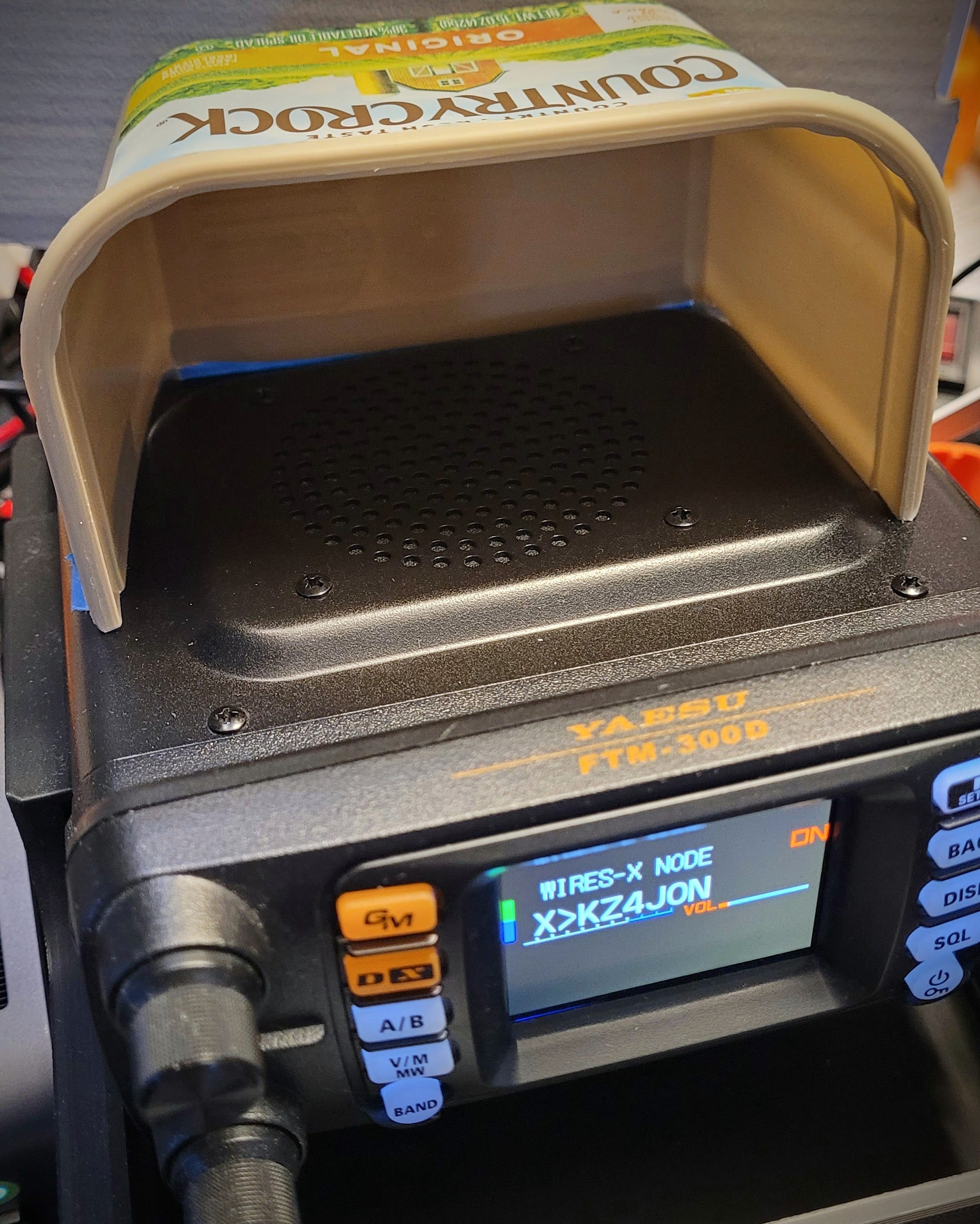
Margarine container to redirect sound from radio speaker
To redirect the audio from the radio speaker more toward me, I made a temporary shroud from a margarine container. It looks odd but works fine, pushing the audio toward my ears instead of to the entire room. Read the story in Getting My WiRES-X Node Back Online, on EtherHam.com.
4.2 Putting fail2ban on Allmon3 and AllScan, and the Bug That Bit Back
I started working on hardening a few of my AllStar nodes, and one of the first things I did was to implement fail2ban for Allmon3 and AllScan logins. Usually, you see fail2ban used to jail unruly folks trying to break into your SSH port. But it can do more, and I was eager to try this.
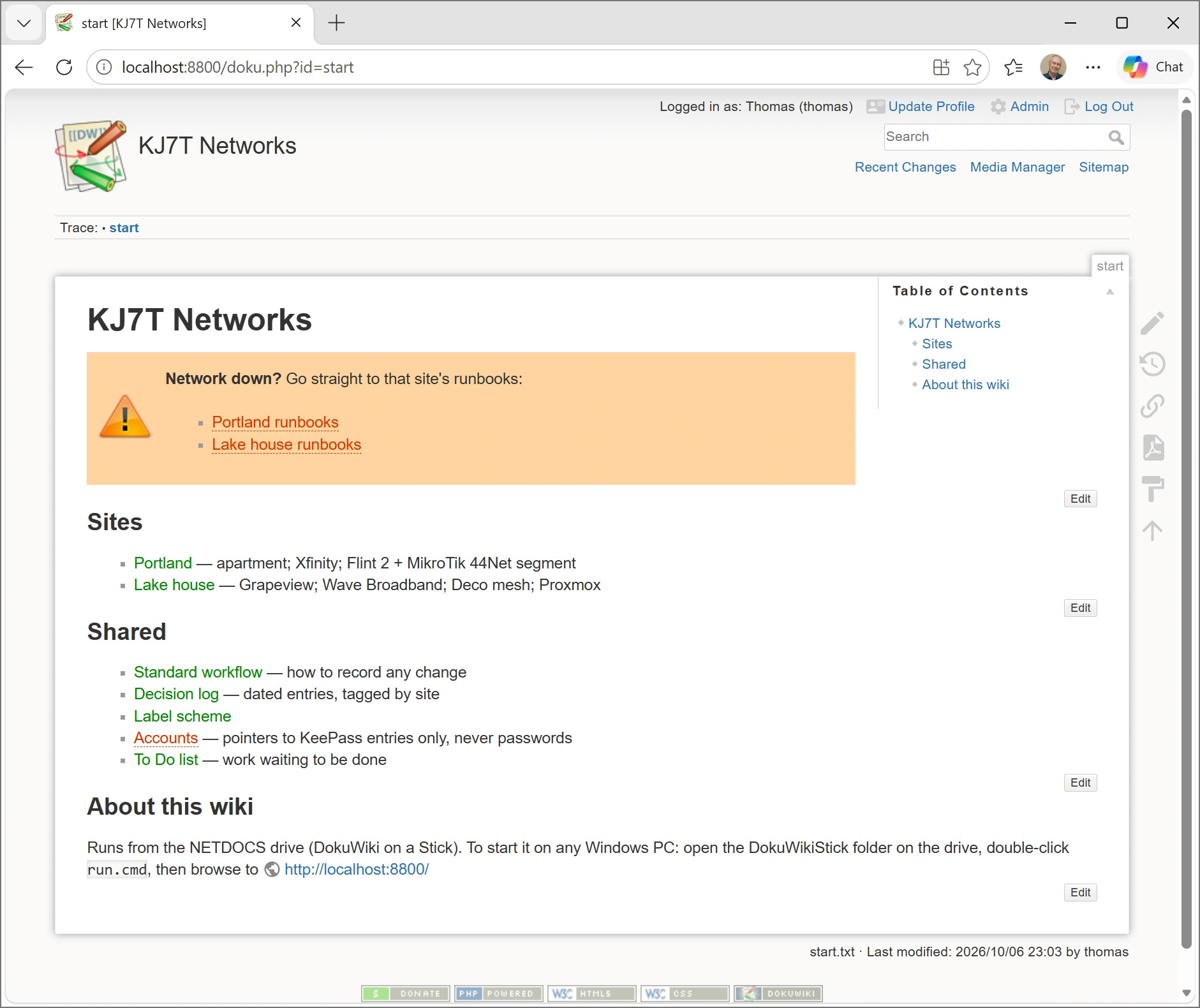
I wanted a way to document my network topology, equipment, and all the other details one must remember — including why I picked certain things and what they were expected to do. The system had to be simple. I’ve tried network scanners and complicated, SQL-based systems. No thank you. My solution needed to be a flat-file system I could take with me, something I could read even if the software died.
I settled on DokuWiki on a Stick, installed on a Lexar external device. The wiki is beginning to take shape.
The KJ7T Networks wiki start page, running from the NETDOCS drive
The catalyst for this was a power loss at the Portland QTH. As I worked on recovering my network, I discovered that my records were not complete. I had to dig more than expected to find information, and that cost me a few extra hours of work. I realized that centralizing much of this information in one place would be helpful, so I started thinking about how to do that.
And I’m starting to put how-tos into the wiki because frankly, I’ve got so many different devices and ways of doing things, I’m forgetting important steps.
A reader suggested taking some of the content on EtherHam and making it more succinct. I have to admit I do get wrapped up in the storytelling sometimes, so I can certainly understand the desire for more concise, step-by-step instructions.
I’m testing that idea with information about the 44Net allowlist I added to my MikroTik router, and I’m calling it a recipe. Personally, I like the recipe idea. We can all relate to it, and it sounds a lot less daunting than “installation procedures” and similar descriptors.
I run a bot blocker at EtherHam.com because I don’t want the overhead of bots constantly crawling the site. This week I made one exception: ChatGPT-User. Unlike a crawler, it only visits a page when a person asks ChatGPT to read it. So now people can have ChatGPT read and cite EtherHam articles, while OpenAI’s training crawler stays locked out. That seems like a reasonable balance to me.
5.3 AllScan Fix: Favorites Files Now Work Across Nodes
I have more than one AllStarLink node, and I wanted them to share the same list of AllScan favorites. AllScan stores favorites in a file called favorites.ini, so I copied that file from one node to another. That’s when I hit a problem.
The favorites.ini file can group favorites under a heading for a specific node number. My copied file had a heading for the node it came from. When I used Add Favorite on the new node, AllScan added the new favorite to the end of the file, which put it under the other node’s heading. AllScan only displayed favorites for the node it was running on, so the favorite I had just added never appeared.
I shared this with David Gleason NR9V, the author of AllScan. He fixed it within days. AllScan now reads the favorites under every node heading in the file and merges them into one list. As David put it, favorites files “ideally should be interchangeable between various nodes.” If you want different favorites on different nodes, he suggests keeping a separate favorites file for each node instead.
If you upgrade AllScan (the latest version is 1.03), it should bring in that fix.
Thanks, David, for the quick turnaround.
5.4 WA7ABU Tech Net (Tuesday)
I listened to the WA7ABU tech net at 10 am Pacific last Tuesday, October 7th. This net has a regular group of participants who have technical proficiency in many aspects of amateur radio. I learn something new every time I tune in. Here’s a glimpse of some of the content discussed in just this one net.
Net Schedule & Repeater Info
Meets weekdays from 10:00 AM to 11:00 AM PDT on 145.290 MHz (Alternate: 145.190 MHz, CTCSS 100.0 Hz) via the WA7ABU repeater in Oregon’s Mid-Willamette Valley. Linked via AllStar (Node 543260) and EchoLink (WA7ABU-R).
Technical Discussion Highlights
Digital Voice Modes & Vocoders:
The group discussed the differences between hardware vocoders (such as the AMBE-3000 chip used in DMR, D-STAR, and System Fusion) and software codecs.
Brett (KG7GDB) and John (K7JCD) noted that AMBE chips analyze speech and model a simulated vocal tract on the receiving end, which often yields a distinct “robotic” voice quality and discards original audio data.
FreeDV & The RADE Codec:
Discussion centered on recent ARRL/QST coverage of FreeDV and the new RADE (Romeo Alpha Delta Echo) auto-encoder.RADE uses machine learning/AI techniques to train an encoder/decoder pair over Orthogonal Frequency Division Multiplexing (OFDM) parallel carriers. [KJ7T comment: RADE stands for Radio Autoencoder. Like AMBE, it is a vocoder system. It sends a compact set of speech features (pitch, spectrum, voicing) rather than the original audio, and the receiver synthesizes the voice from them. RADE’s advantage is better speech quality and robustness on HF, not lossless audio.]
Unlike AMBE, software codecs like RADE compress audio without discarding voice information, delivering clearer, more natural SSB-width voice without squelch crashes or background hiss. [KJ7T comment: not quite. As noted above, RADE is lossy, like AMBE.]
Web Apps & M17 Project:
Rogene (K7OLI) shared information about K1FM’s web application that integrates Icom CAT control with browser-based digital voice streaming.
Dan (W3HDB) brought up M17, an open-source digital protocol using Codec 2. Nate (N8NAT) mentioned recent community discussions regarding hotspot support and open-source emulation efforts.
AllStar & Hotspot Bridging:
Nate (N8NAT) detailed his homemade dual-antenna MMDVM setup on a Raspberry Pi 4, bridging digital modes to AllStar using CPU emulation rather than a physical AMBE chip.
This content was captured on my AllStar node 588416 using an AI-assisted net logging system. The transcript was then processed through Gemini AI to help summarize and improve readability. The Gemini output is what you see in the bullet points above.
6. QRT
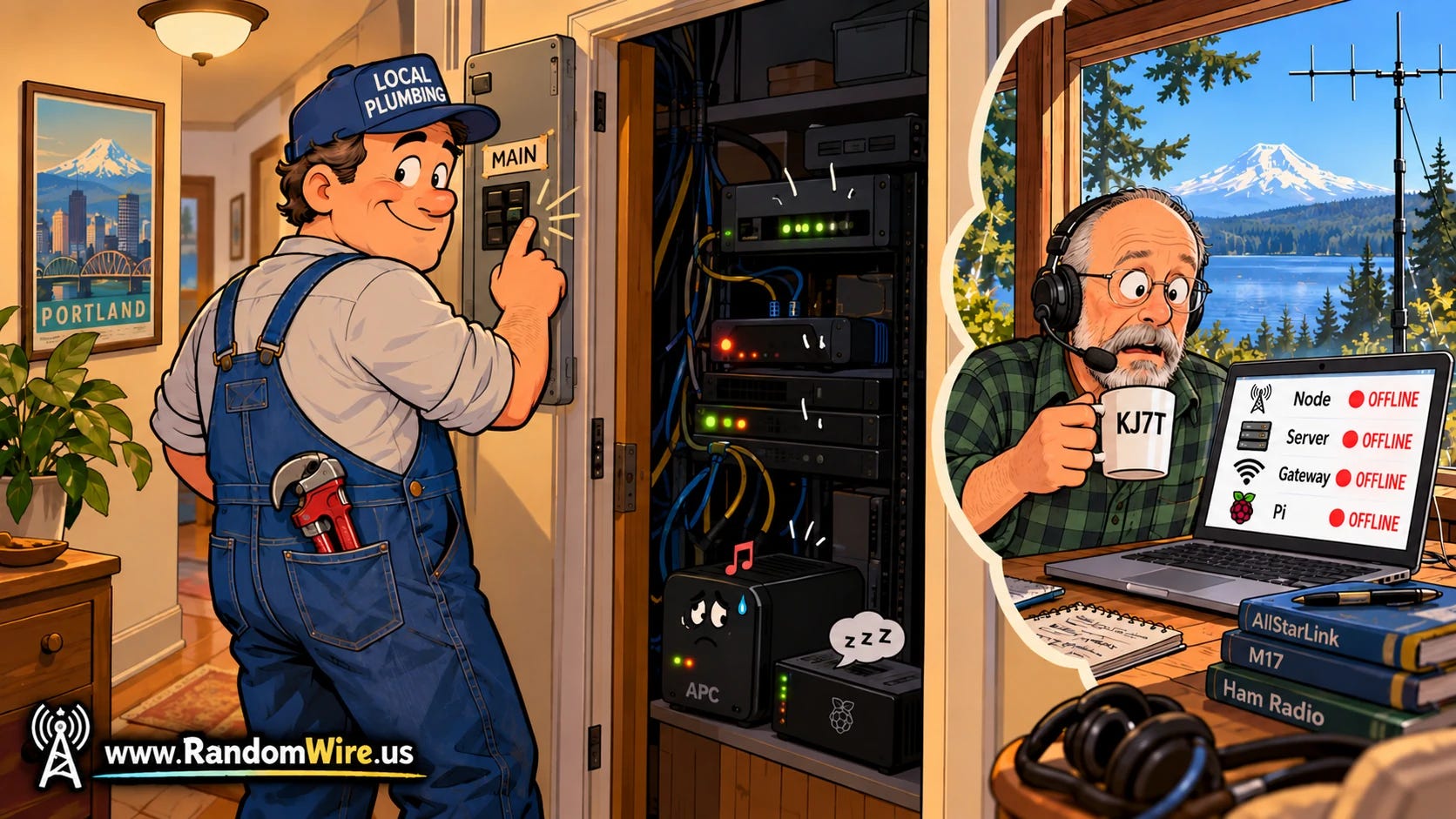
Throw a Breaker, Break the LAN
One breaker in Portland, everything shows as offline from the lake house
Last Saturday afternoon, a maintenance worker was in my Portland apartment to repair some plumbing and “heard a tone,” said his report. I was 150 miles away at the lake house. He didn’t know where the sound was coming from, so he did the sensible thing from his point of view: he switched off the circuit breaker for that part of the apartment. The tone stopped. So did my entire home network, once the battery in my uninterruptible power supply (the battery box that keeps equipment running through short outages) ran out.
Watching from the lake house, everything went dark at once. My security cameras were not on the UPS, so they went dark instantly. As soon as the UPS battery bank died, AllStar node 588416 dropped off the network, and so did the MikroTik router that connects it to 44Net, as well as the GL.iNet router that serves my home LAN. Every remote path I have into that rack runs through those routers, so from where I sat, it looked like one of them had died.
When I got to the apartment Sunday morning and switched the breaker back on, the routers came right back up. The GL.iNet Flint 2 connected to Xfinity and the MikroTik router reconnected to the 44Net server in Dallas. The Synology storage box, the Mac Mini running my packet BBS, and the Wyse thin client running node 578493 all restarted on their own too.
However, node 588416 didn’t come back up. It sat there dark, because I had never set the computer’s firmware (the BIOS) to power on automatically after a power loss. I figured the UPS had the loss-of-power situation covered. But the UPS covers short outages, not long ones, and this one lasted longer than the battery. One press of the power button and the node booted up and registered with AllStarLink. It became reachable from the internet about 18 hours after it went down.
During the several hours I was at the apartment, I did not hear the sound the maintenance person heard. It’s possible it was a warning chirp from the UPS, which could occur if the load on the system was too high. Then again, a UPS on battery usually beeps more, not less, so that theory has a hole in it.
I’ve temporarily removed a couple of devices from the UPS. The old UPS has remained silent. The one sound my security camera caught afterward turned out to be a wall being bumped next door, not a beep. The camera now records audio, so if it happens again, I’ll have data instead of an “I heard something” report.
Two changes come out of this:
First, every machine in that rack now gets checked for the power-on-after-outage setting. Node 588416 gets it on my next visit, once I bring an adapter for its DisplayPort-only video output.
Second, I’m replacing the small APC Back-UPS 450 with a CyberPower CP1000AVRLCD (this is an affiliate link), the same model I use at the lake house. It has more than twice the capacity, and its display shows the load and estimated runtime at a glance. I’ll configure it to cleanly shut down node 588416 if the power is lost for more than ten minutes.
The lesson for me: the UPS was the safety net I thought was rock solid, and the BIOS setting was one thing I forgot. An outage can come from a neighborhood power failure as easily as from a maintenance worker, and each device has to be able to come back on its own when the power does. Otherwise, the safety net has a big hole in the bottom of it.
The National Hurricane Center (NHC) has issued public advisories for Tropical Storm Isaias, which is forecast to pass north of the Yucatan Peninsula on Thursday, October 8, 2026, and approach the U.S. northern Gulf Coast on Friday. Landfall is anticipated late Friday night into Saturday morning. ARRL North Florida Section Emergency Coordinator Arc Thames, W4CPD, who also serves as the Amateur R…
American Radio Relay League | Ham Radio Association and Resources Read More
The Hurricane Watch Net is up and running on both 14.325 and 7.268 MHz due to propagation conditions. Hurricane Isaias has increased in strength to Category 3 with maximum sustained winds of 120 miles per hour, making it a major hurricane as it continues to head toward the Florida panhandle and Alabama coast. Landfall is expec…
American Radio Relay League | Ham Radio Association and Resources Read More
The Hurricane Watch Net (HWN) is closely monitoring Invest 92L, which is expected to become Tropical Storm Isaiasin the next 24 hours. According to HWN Manager Bobby Graves, KB5HAV, the potential area of concern for this storm is a wide swath of the Gulf coast, extending from Louisiana to Florida. Graves says there is no HWN activation at this time, but the net will go into operation if officia…
American Radio Relay League | Ham Radio Association and Resources Read More
Get ready to contact college and university radio clubs during this weekend’s Collegiate QSO Party, 0000 UTC October 3 through 2359 UTC ImageOctober 4 (Friday evening through Sunday in the US). Students, faculty, staff, and alumni will be on the air using the call sign of a college, university, or other post-secondary academic institution. Look for stations on CW, phone, and digital modes on an…
American Radio Relay League | Ham Radio Association and Resources Read More
This is breaking news…but let’s hope it won’t break AllStar!
If you use an app to connect to an AllStar node from your phone or computer, without a radio or a node of your own, the way that connection gets approved is about to change. On September 25, the AllStarLink team announced that it will retire WebTransceiver authentication. A new App Authentication standard, called ASL002, will replace it.
What WebTransceiver Is (and Isn’t)
The name comes from a Java applet that once let a web browser talk to AllStar nodes. The applet was retired long ago, but its login method survived. It became the standard way apps such as DVSwitch Mobile, Repeater Phone, Transceive and QSOone get onto the network. The ASL team calls this “nodeless” access: you connect as a user with an AllStarLink account, not as a node.
WebTransceiver isn’t a separate mode. It uses IAX2, just like every AllStar connection. IAX2 is the voice-over-IP protocol that AllStar nodes use to talk to each other. What’s changing is how a node decides whether to let an app user in.
Why Change It
The ASL002 document is blunt about it: the old method has “no session security of any form.” Its login tokens also weren’t built to be unique, so in principle two different logins could look the same to the network.
How the New System Works
Under ASL002, your app will send your AllStarLink username and password to an ASL server once. The server sends back a token that works like a single-use ticket, good for 24 hours. When the app connects, it gives the node that token along with your call sign. The node checks the ticket with the ASL server, and the server cancels it so it can’t be used again. Your password never goes to the node itself.
The server will also limit how fast any one app or address can request tokens, which makes password-guessing attacks harder. Each app install can hold at most three unused tokens at a time.
For app users, the change should be mostly invisible. You’ll still log in with a username and password. You’ll need an updated version of your app once its developer adopts the new standard.
What Node Owners Need to Know
If you run a node that accepts app connections, this part applies to you.
ASL3 nodes (the current AllStarLink release): a package update is expected to make a one-time automatic change to /etc/asterisk/extensions.conf, the file that tells Asterisk how to handle incoming calls. However, if you’ve customized the [allstar-public] section of that file, you’ll want to check it after the update instead of assuming the automatic fix worked. I’ll be checking my nodes after the update.
Pre-ASL3 nodes: operators will need to edit extensions.conf themselves before the transition period ends if they want to keep accepting app connections. The ASL002 document includes the new configuration lines.
Unknown at this time is how HamVOIP nodes may be affected. That was not part of the announcement.
My thoughts: ASL writes standards for software it maintains. It can’t say how HamVOIP will behave because it doesn’t control HamVOIP’s code or release schedule. Like pre-ASL3 AllStarLink nodes, HamVOIP runs a much older version of Asterisk (1.4-era). The new configuration lines ask Asterisk to check each app user’s token with an ASL server over the web, then read the first few characters of the server’s reply. There’s no word yet on whether those lines have been tested on older installations, whether HamVOIP or pre-ASL3 AllStarLink.
The Timeline
Now through October 2 (yes, one day after this newsletter is published): the “fatal flaw” review period (the announcement doesn’t specify a time or time zone). Questions and concerns go in the forum thread.
Mid-to-late October: the new login service is expected to be available for testing.
First or second week of November: expected to go live. ASL says a formal announcement will follow.
About six months after go-live: the old WebTransceiver login is scheduled to retire, along with most of the older compatibility options.
About a year after go-live: the last compatibility option, which lets older nodes accept connections from updated apps, is scheduled to end.
The standard is still a draft, and some of the server addresses in the document are placeholders. Details could change before November.
I expect to write more about this change as the important dates get closer.
I put the AllStar story ahead of QRV because it’s breaking news that matters to a lot of AllStar users.
There is a lot of computing content in Random Wire issue 202. That tracks with the nature of digital radio. I finish up the four-part series on 44Net by adding a second firewall to my system (The Third Tent Stake: A Router That Says No First).
I also recap last weekend’s M17 net because it was packed with great information (M17 Next: A $60 Radio, a Linux HT, and Data on the Way). There is a lot happening behind the curtain, and it’s all positive. I also started working on the CC1200 HAT for M17, with a note below (Working on CC1200 HAT for M17). Expect a thorough article soon.
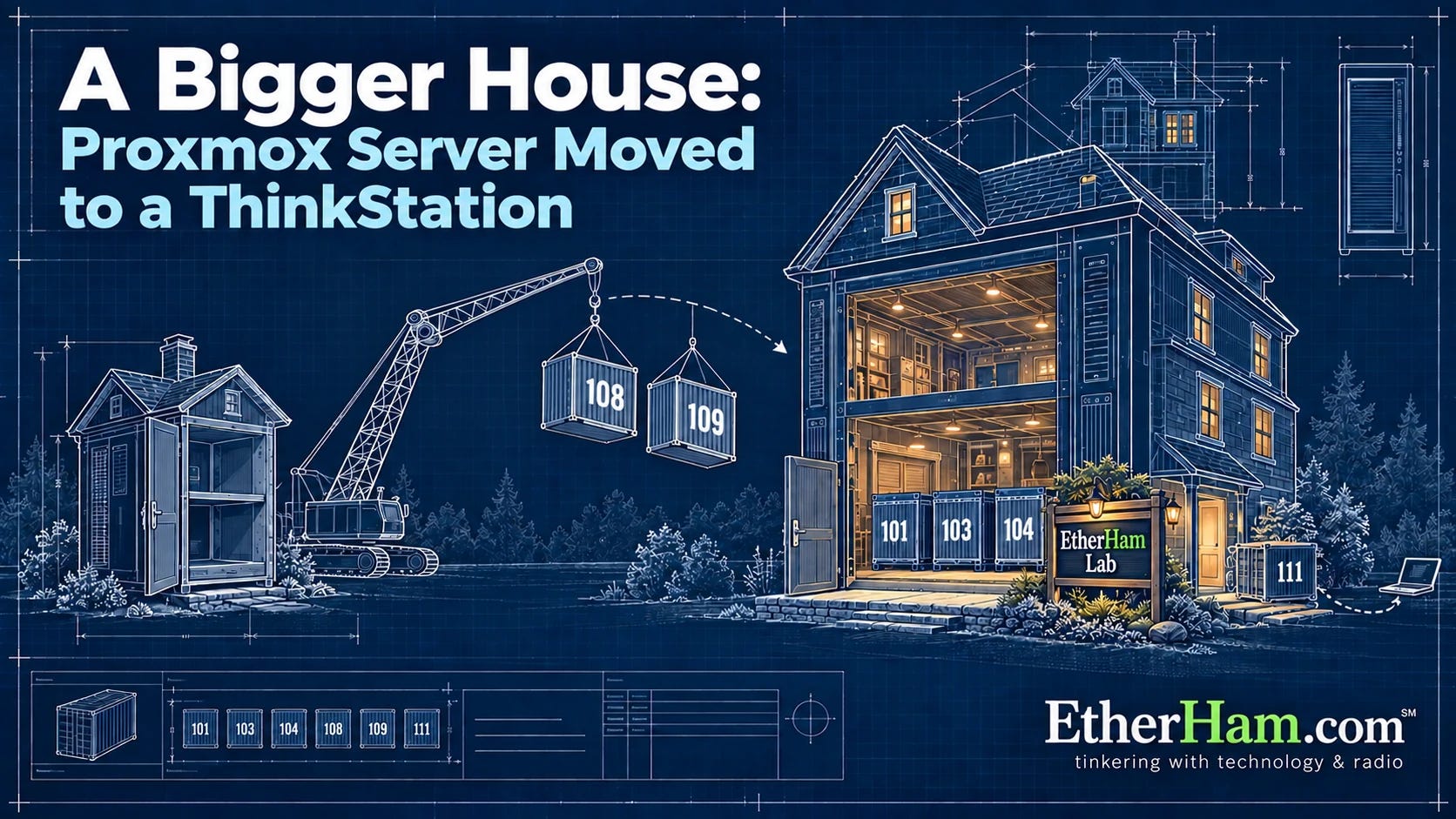
Then I moved my Proxmox server containers from a small i7-powered PC to my large Lenovo P510 ThinkStation machine with a 14-core Xeon processor (A Bigger House for the Homelab). It’s not the cheapest computer to run, but I keep it around because it is such an incredible workhorse.
Finally, the Weekly Report captures a lot of information in one place.
2. Thank You
Thank you to Brian, who wrote: “A few coffees to help you write Part 4 on 44 Net/Mikrotik.” The coffee helped, article is done (see 3.1 below)!
3. New on EtherHam & Random Wire
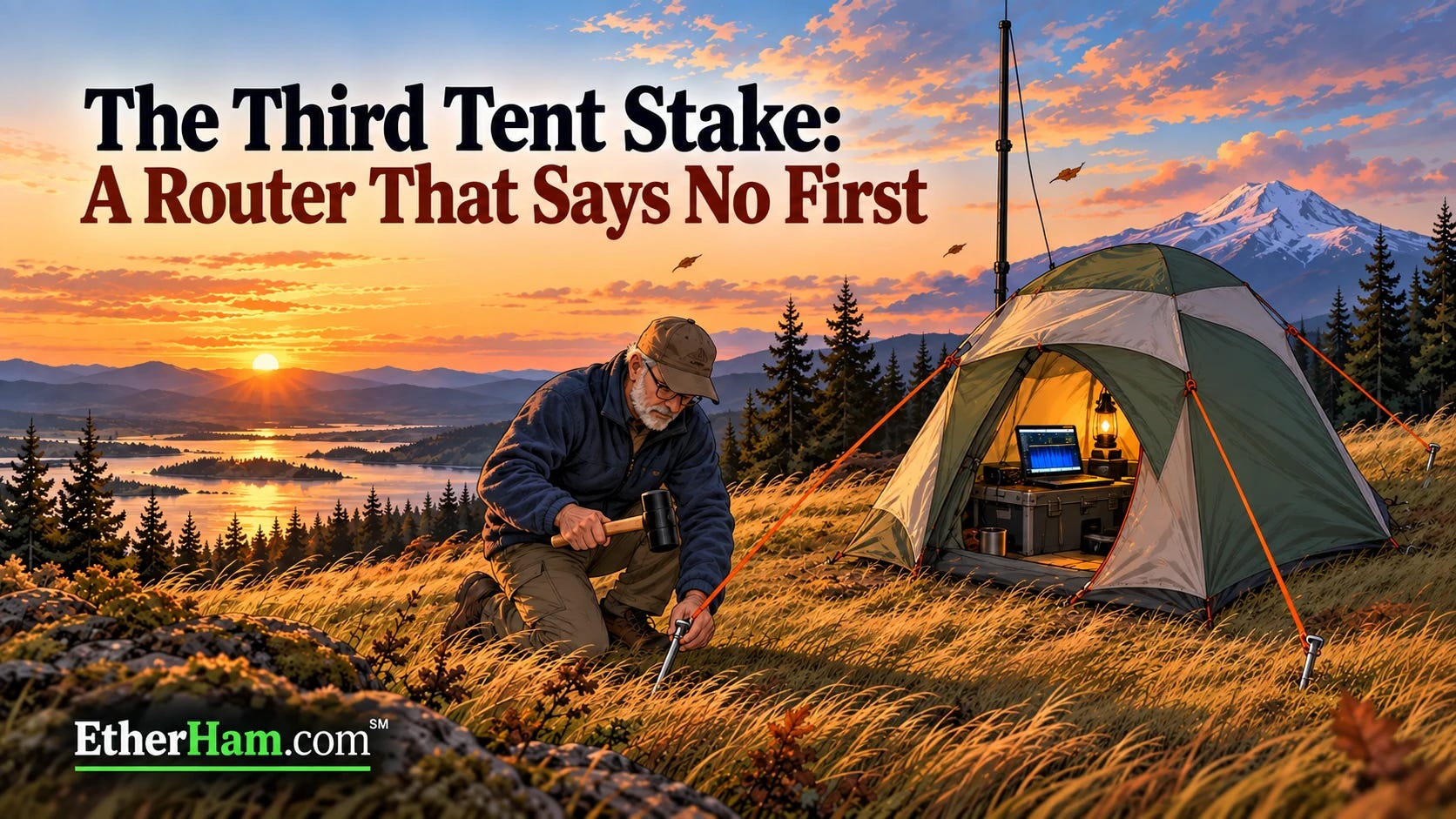
3.1 The Third Tent Stake: A Router That Says No First
This is the fourth article about putting AllStar node 588416 on 44Net. Part 1 raised the tent. Part 2 and Part 3 drove the first two stakes. This one drives the third: an allowlist on the MikroTik router, so that new connections arriving over the 44Net tunnel are filtered, reaching my machines only on the ports they actually serve. Everything else is dropped at the router, before a machine’s own firewall ever sees it.
The router’s log turned up two surprises. About 980 connection attempts arrived in the first eleven minutes, most of them aimed at addresses in my block that I assumed were empty. And one of those addresses wasn’t empty: it was my packet BBS, which the new rule had just cut off from the internet. The article covers how I found it, how I fixed it, and why the identical spare router I keep on the shelf turned out to be out of date, too.
The big takeaway: before you build a firewall allowlist, ask the router what’s connected. It already knows, and asking takes two easy commands. Read about it at: The Third Tent Stake: A Router That Says No First.
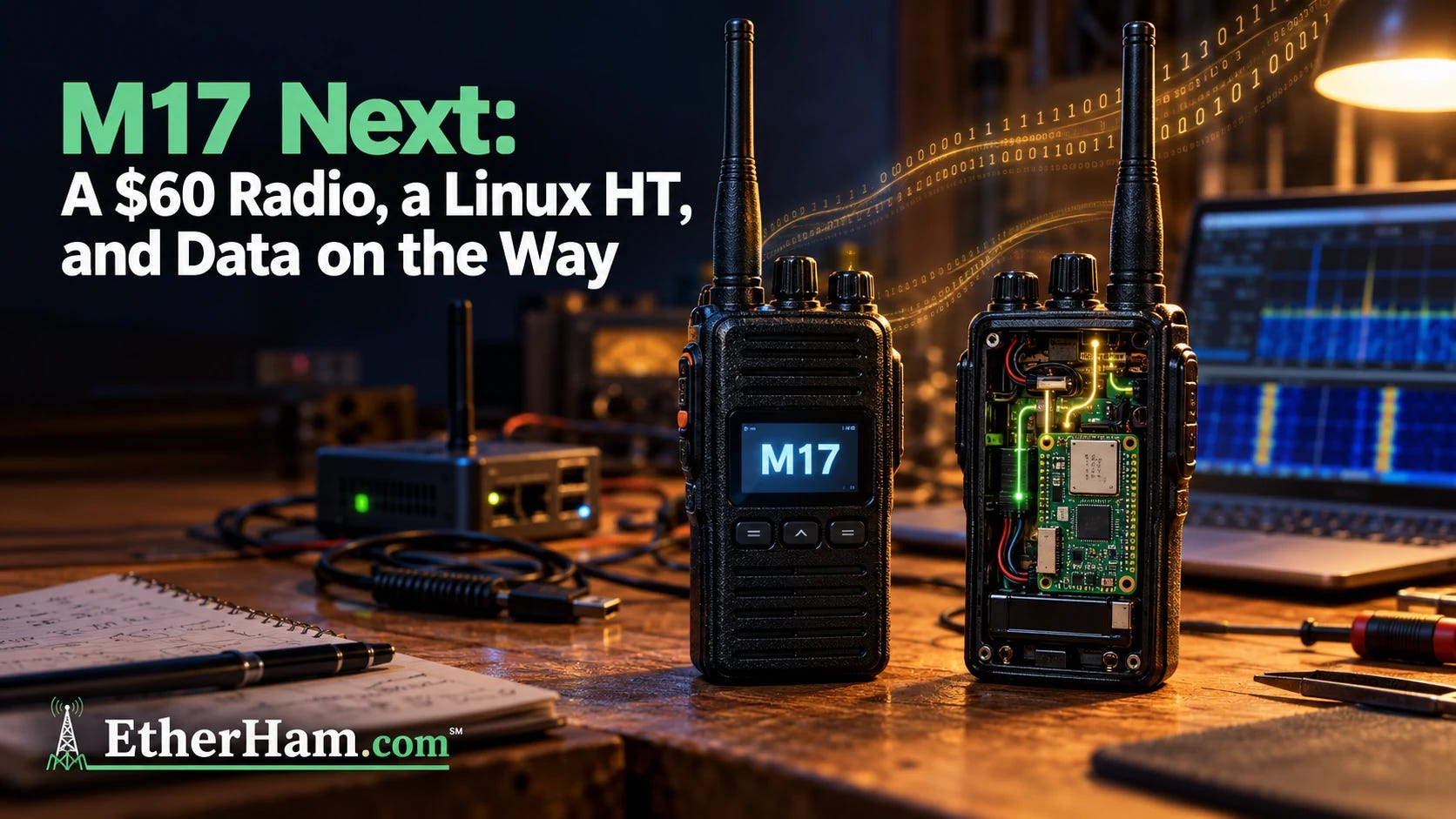
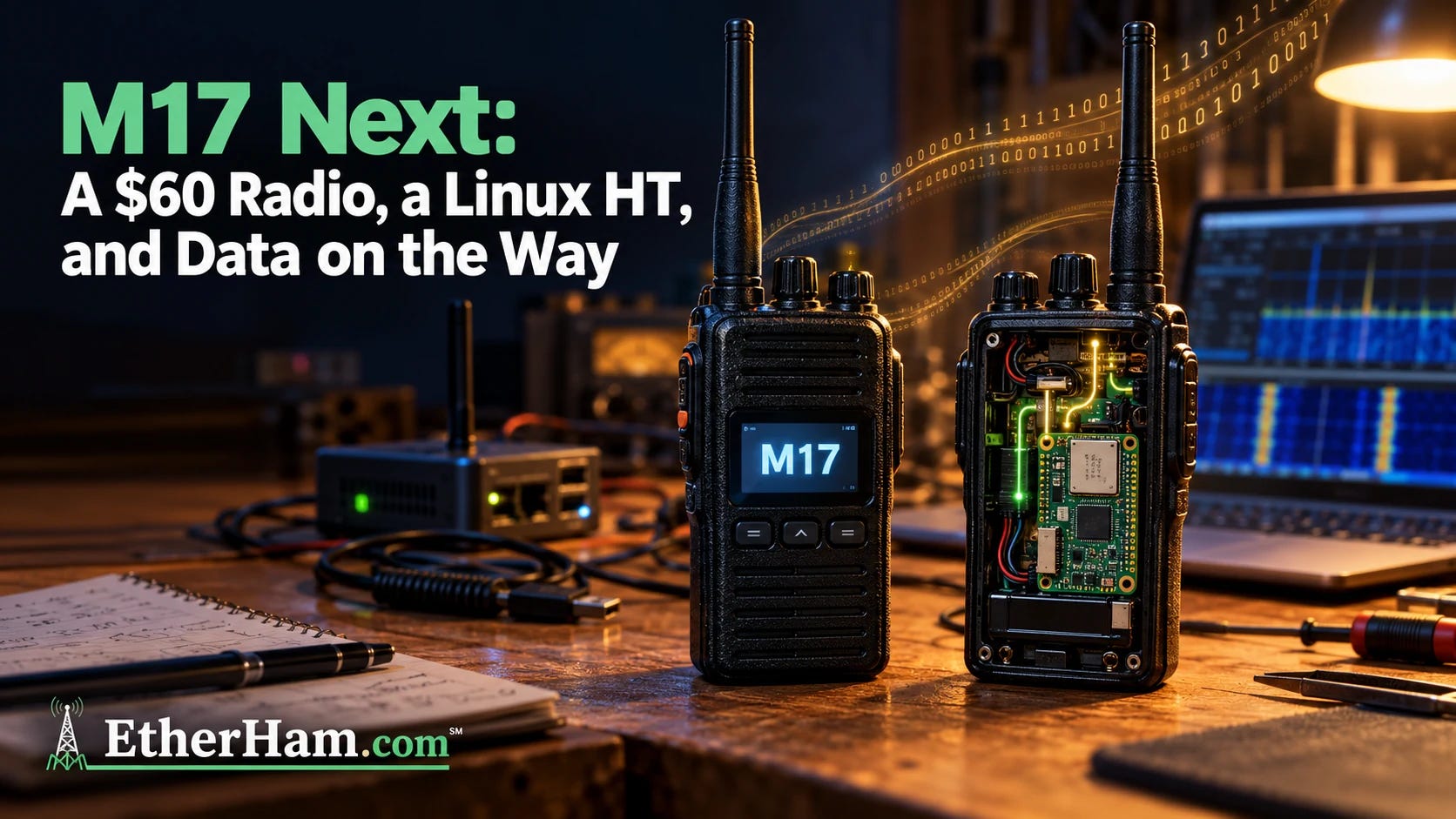
3.2 M17 Next: A $60 Radio, a Linux HT, and Data on the Way
M17’s hardware has lagged behind its protocol. That’s starting to change. The Retevis C62, an inexpensive FM handheld, is on the way to running M17 with a firmware update and no hardware mods. It’s early days: transmit works, but receive and saved settings are still being finished, and the firmware is waiting for review in OpenRTX pull request #510. Close behind is the LinHT, which uses the same C62 case but puts a full Linux computer and a software-defined radio inside. That means it can learn new modes after you’ve bought it.
There’s more. OpenRTX 0.5 is expected before the holidays and will bring text messaging and APRS to M17 radios people already own. Codec 2 got a big speed boost, old DVMega hotspots can move to M17, and an Oklahoma club has converted a multimode MMDVM repeater to carry M17 alongside its other modes. And because every piece of this is open (the protocol, the codec, and the firmware), no single vendor gets to decide where it goes next. Read the full article on EtherHam →
3.3 A Bigger House: Proxmox Server Moved to a ThinkStation
My Proxmox server has been living on an old i7 desktop with a single drive and a UPS it had never been configured to talk to. When I looked at the logs, I found it had been through 127 unsafe shutdowns!
This week I moved everything to a refurbished Lenovo ThinkStation P510 that had been sitting under my desk. This platform was made and marketed as a workstation but it serves quite well in the role of a home server.
My objective was to make each container’s move completely transparent: it would retain its number, network address, and data, so everything else on the home network would continue working as if nothing had changed. Before I could start, though, I had to break into my own computer. I’d installed Ubuntu on it at some point and written down nothing about it. That lesson made it into the article, along with a Tailscale subnet router that lets me reach the whole lake house network from 150 miles away without installing Tailscale on every box.
There was one surprise after the move. My local AI models slowed to under a word per second, and I nearly went shopping for a pricey graphics card. The real cause was a mismatch between the processor cores the container was allowed and the number the AI software assumed it had. Changing one setting made it about 80 times faster. If you run a homelab, or are thinking about moving one to bigger hardware, the full write-up is on EtherHam: A Bigger House: Proxmox Server Moved to a ThinkStation.
I want the Random Wire to be a place where people can disagree freely, treat each other with respect, and come away with better ideas. Substack, which hosts the Random Wire newsletter, lets authors set “reply rules” for commenters. I’ve written mine, squeezing them into the 500 characters allowed:
Stay on topic: the post or amateur radio.
No politics.
Welcome every ham; no gatekeeping by license class, mode, or experience.
Argue with ideas, not people.
Share firsthand experience and sources.
Selling used gear you own is fine; promoting a product you make or sell is not.
Makers may join discussions if they disclose, and can email me about reviews.
For the benefit of this community, I remove comments that break these rules.
Judgment calls are mine.
73, Tom KJ7T
I’d love to hear your feedback. Please leave a comment or email me at tsalzer@pm.me.
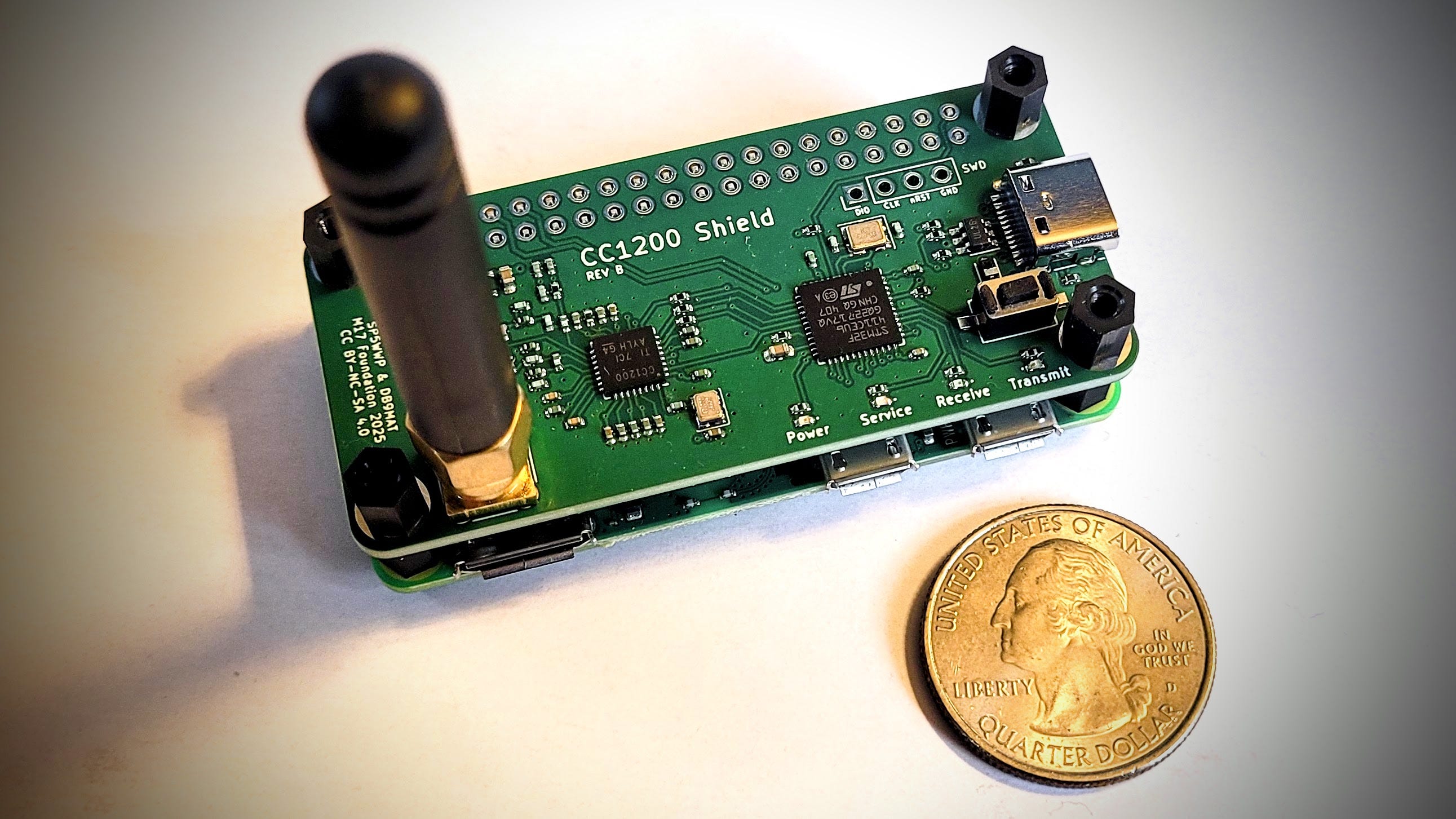
One year ago, I placed the minimum order with PCBWay for five CC1200 HATs for M17. This week, I pulled one out of the box and prepared to install it. The HAT is designed to fit on a Raspberry Pi Zero 2 W.
The first dilemma I faced was finding the right standoffs to separate the HAT from the RPi. If the standoffs are too tall, the RPi’s GPIO pins don’t reach through the holes in the HAT. If they are too short, the soldered legs of the SMA connector come into contact with the mini-HDMI port shell.
Eventually, I decided to use some side snips and trim the SMA legs shorter. That allowed me to use some standoffs I had in the lab. The GPIO pins barely extend past the top of the holes in the HAT. They are ready to be soldered.
CC1200 HAT – pins not soldered yet
That’s where I stopped this week. I need to get my soldering station space cleared for the next step. I did ask Claude for soldering advice, and I appreciate the “tiny volcano” description. Maybe Claude said this because I’m a geologist. Whatever it was, it made me smile:
…heat the pad and pin together, feed solder where they meet, and stop when a small shiny cone forms around the tip. A good joint looks like a tiny volcano hugging the pin. If you see a ball sitting on top, the pad didn’t get hot enough.
Once I get it soldered, configured, and tested, I’ll write it up properly with an in-depth article on EtherHam.com.
4.2 Audio Upgrade for Lake House
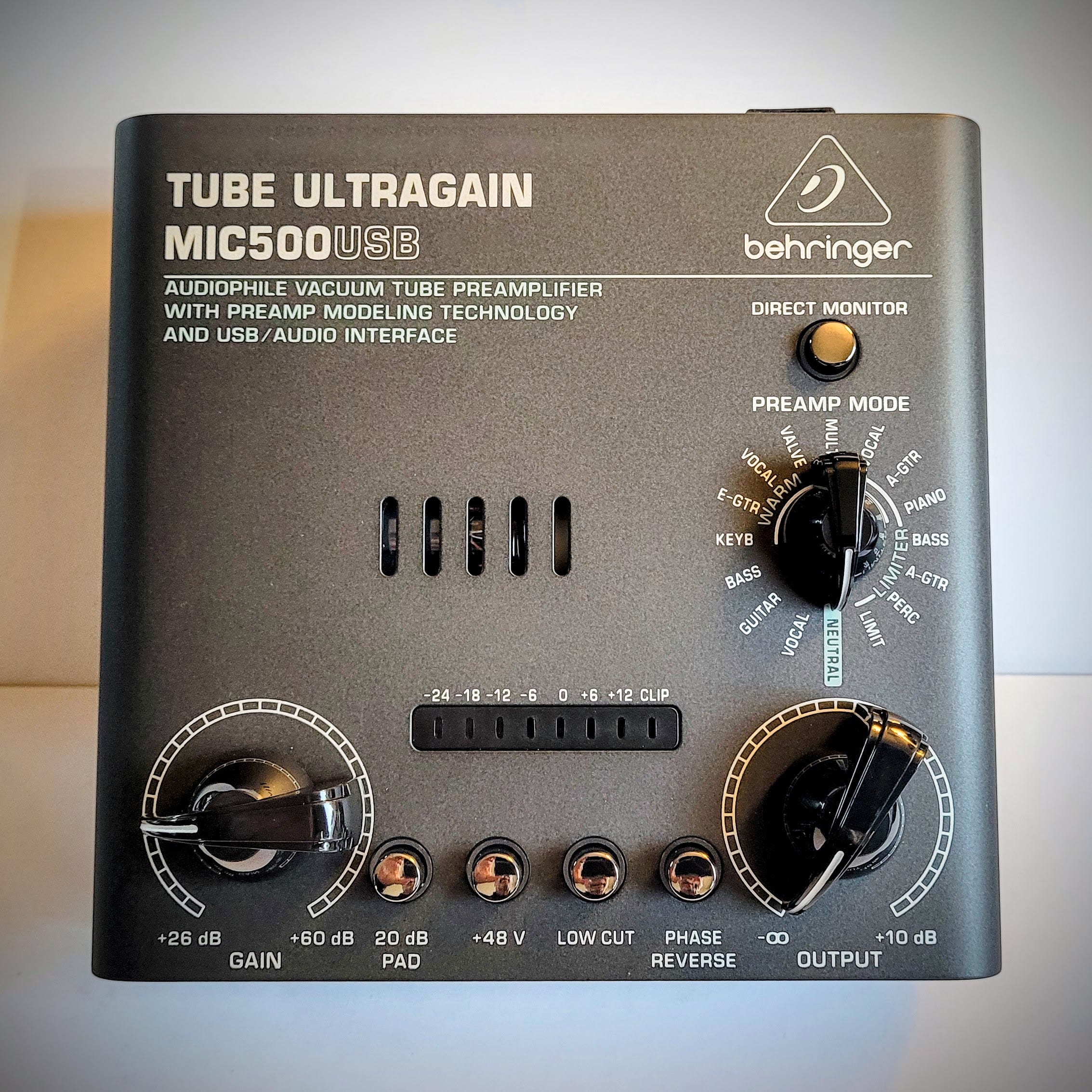
At the Portland QTH, I have an inexpensive-but-adequate audio setup, with an Audio-Technica AT2005USB dynamic microphone(affiliate link). Audio from the mic travels via XLR cable to a Behringer MIC500USB preamp. The preamp’s USB output goes directly into Audacity on my computer. I do my trimming and some sound leveling in Audacity, then push the audio file through Auphonic for final cleanup and leveling.
At the lake house, I’ve been using a Maono PD200W dynamic microphone(affiliate link) plugged straight into my laptop over USB, with no preamp. It sounds fine that way, but I like what the Behringer does for my voice in Portland, so a second MIC500USB is on its way. UPDATE: It arrived last night:
Behringer MIC500USB preamp
The PD200W will run over XLR into the Behringer, and the preamp’s USB output will go into Audacity on the laptop. The rest of the workflow stays the same: trimming and leveling in Audacity, then final cleanup in Auphonic. With the same preamp at both stations, episodes recorded in either place should sound more alike.
I have used both microphones for video calls over Zoom and Microsoft Teams, but most of the time I use a Poly Blackwire 5220 Wired Headset(affiliate link) for those. My voice comes through fine, and incoming audio is clear. The Poly headset is not a candidate for piping audio through the preamp.
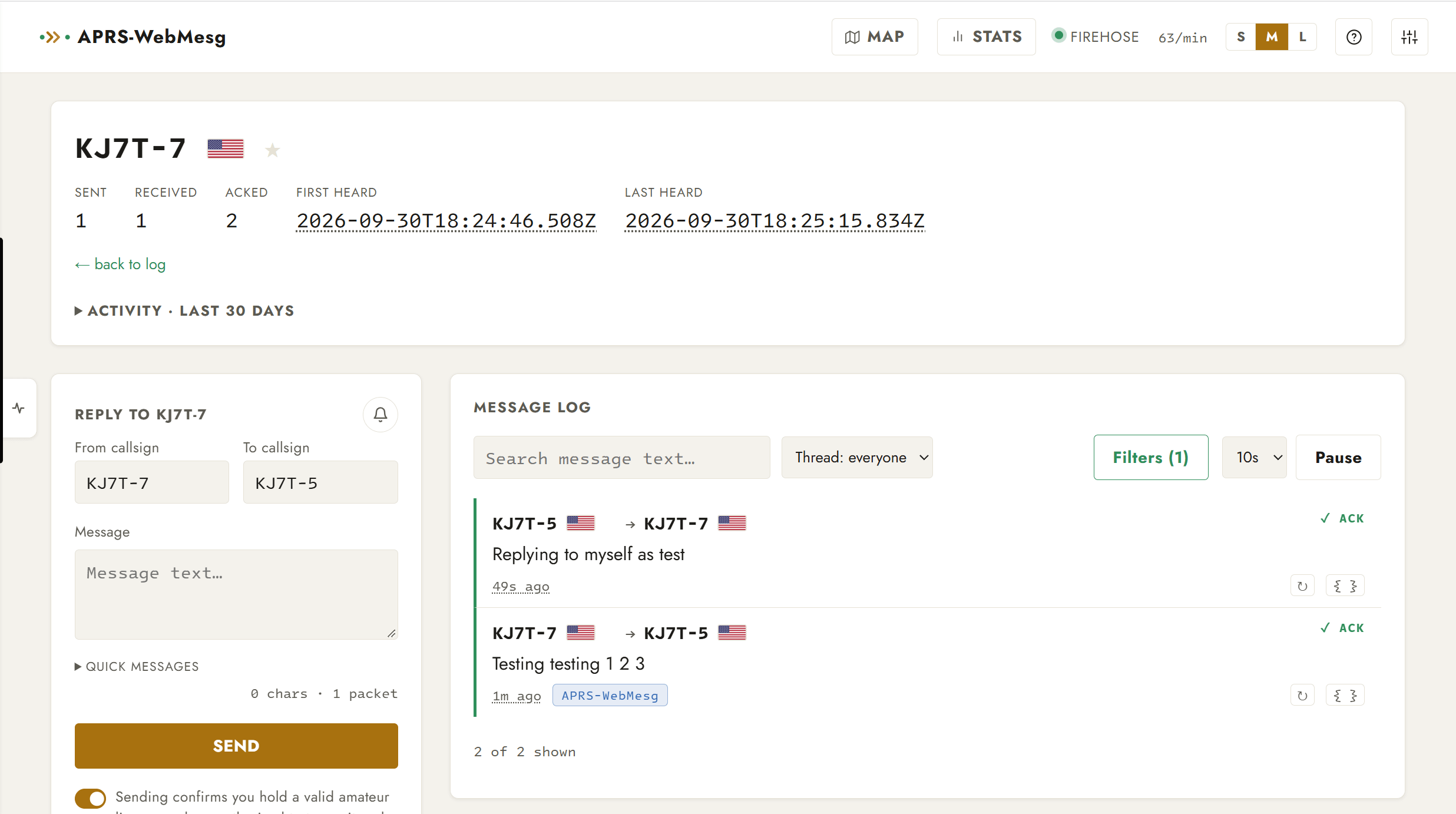
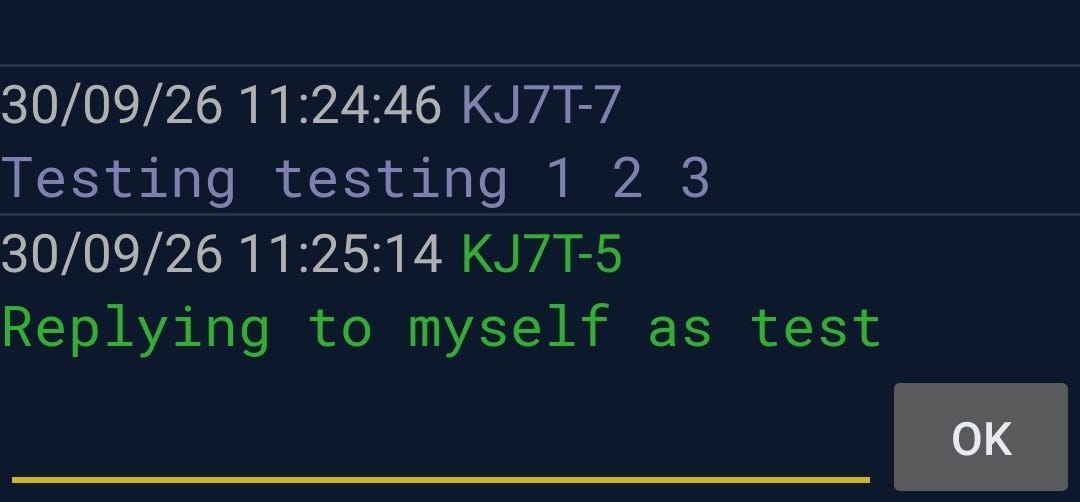
I was curious, so I tested by sending a message from APRS-WebMesg to my APRSdroid app (KJ7T-5), and then replied from APRSdroid back to the sender (me as KJ7T-7). Here is what that exchange looks like in WebMesg:
APRS-WebMesg interface
That was nearly instantaneous. Pretty cool. In APRSdroid:
Screenshot from APRSdroid on phone
You might wonder if APRS will store-and-forward messages. I asked myself that and then heard from a highly trusted source that it does not work that way. I verified that: messages sent via the APRS-WebMesg service are carried by APRS-IS, and APRS-IS does not store-and-forward messages. It only delivers a message to a station that’s connected at that moment. Winlink will do store-and-forward, but not APRS.
There is, however, one “kinda sorta” fallback: aprs.fi logs APRS-IS messages. If your message was carried at some point by APRS-IS, it will show up on your station’s messages page. In this screenshot from that page, you can see how my exchange was captured in the aprs.fi log for KJ7T-5:
Screen capture from aprs.fi messages page
6. QRT: End Transmission
6.1 HamClock Update Available
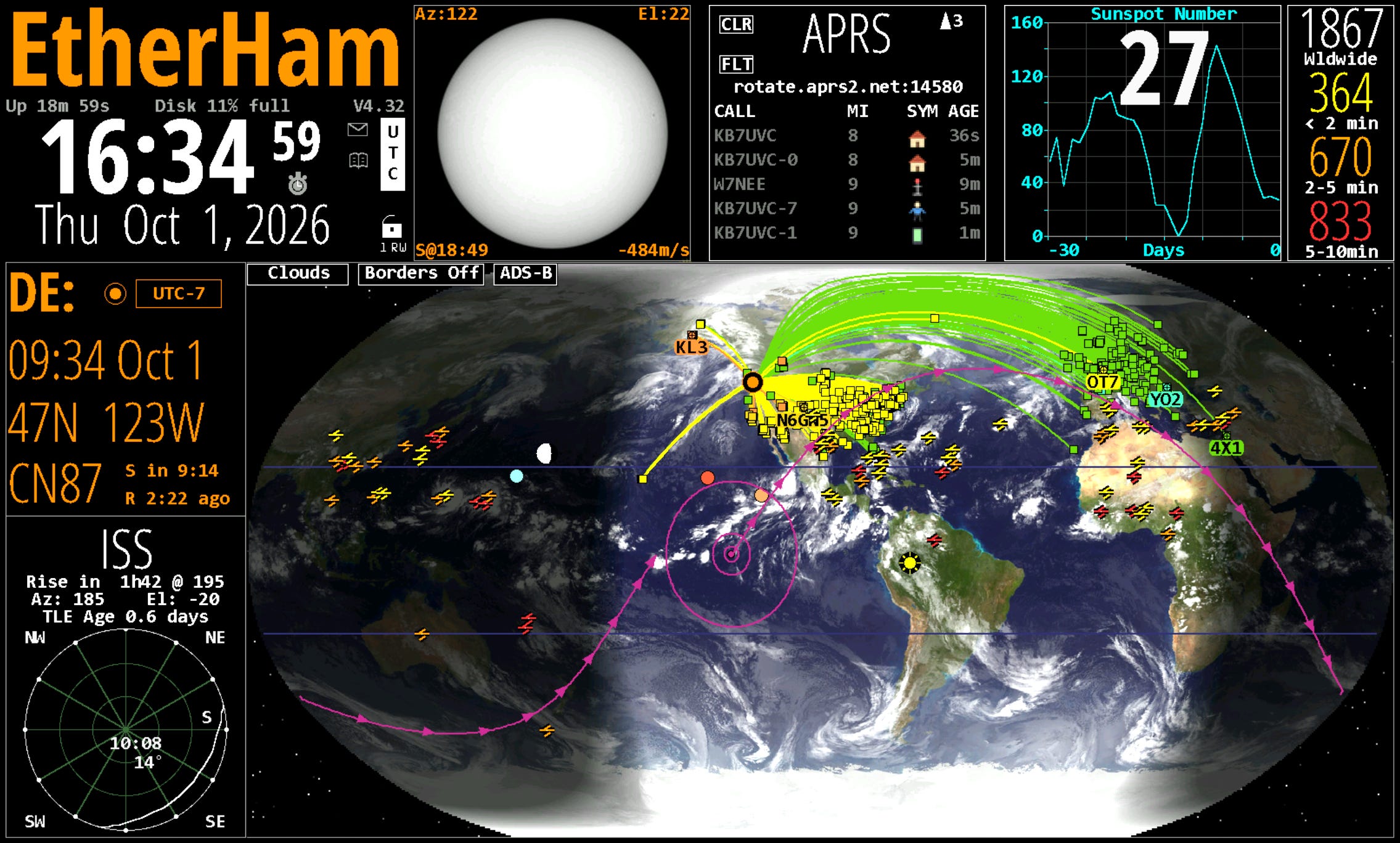
For those of us using the traditional HamClock connected to the Open Hamclock Backend, version 4.32 is now available. In the HamClock display, look to the right of the big current time in the upper left part of the screen to find the current version number. If an update is available, that version number will be shown in bold red letters (I’ve already clicked mine, so v4.32 is no longer red).
HamClock running on current OHB release
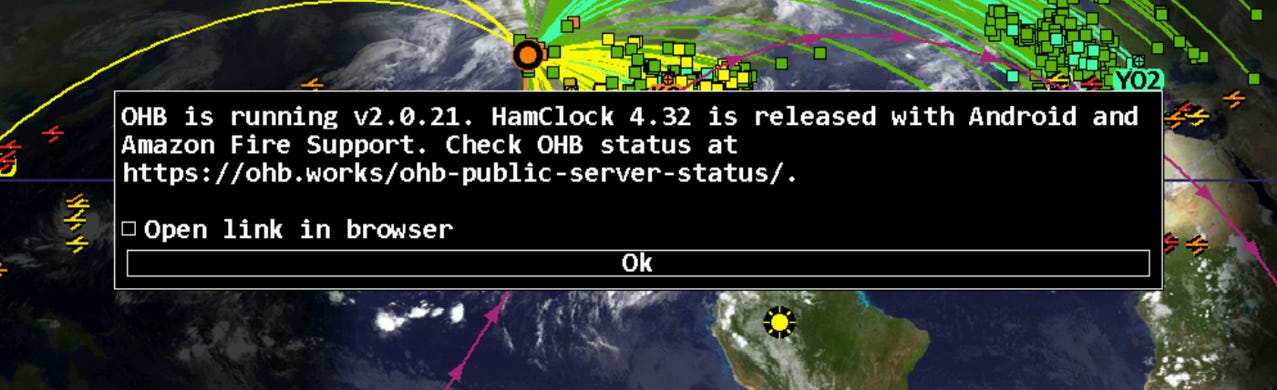
When you click that version number, you’ll get a popup in the middle of the screen:
Popup when you click the version number
6.2 WordPress Alternative?
I’ve known WordPress since the early days when it was, quite frankly, horrible to use. It was so bad when I first tried it, I moved to Joomla and Drupal for a few years. Then I rolled my own for a couple of years before recognizing that I couldn’t keep up on the security side and continue developing, at least as a one-person shop. That’s when I took another look at WordPress and found it much easier to understand and use.
But WordPress — the engine behind EtherHam.com — remains problematic. That’s why I continue to keep my eyes open for alternatives. Now comes a new CMS (content management system) from Cloudflare called EmDash that looks attractive. I may try a local install on my Proxmox server and see how it actually functions. It sounds like EmDash is still early days, but I’m hopeful something more secure will come along to replace WordPress. Fingers crossed.
6.3 Busy Season for Me
My busy season has officially started. I have six regional meetings in October, plus the usual committee and board meetings. My team is simultaneously putting the final touches on our statewide annual conference, coming up right after Thanksgiving. We get a slight break for the Christmas holiday and then the Legislature convenes a long session where we are proposing some special legislation. In the middle of all this, I’m working with attorneys and partners on an amicus brief for a case that will affect my state association members.
Thank goodness I have amateur radio to lean on when paid work gets overwhelming!
You won’t be scanning for veteron radiation with this, but you do get a scintillation crystal to get a spectroscopic analysis of beta- or gamma-ray sources; there’s also a visible light spectrometer, thermal camera, and magnetic field camera along with a standard magnetometer and the usual environmental sensors to give you temperature, pressure, and humidity, plus particulate, VOC and CO2 concentration.
That’s a lot packed into one handheld device. Trekkies will find one of the comments humorous: “Ah! A keyboard! How quaint.”
We are saddened to report this week on the passing of four well-known amateurs, including two members of the extended “ARRL family.”
Longtime ARRL Rhode Island Section Manager Robert George “Bob” Beaudet, W1YRC, became a Silent Key on September 10, 2026, at age 88. An ARRL Life Member, Gold-Level Diamond Club member, and Maxim Society member in the President Class, Beaudet served as Rhode Isla…
American Radio Relay League | Ham Radio Association and Resources Read More
ARRL CEO David Minster, NA2AA, was a guest on episode 103 of The DX Mentor, which aired September 19, 2026. Hosted by Bill Salyers, AJ8B, with Joe Pater, W8GEX, the discussion covered highlights from the ARRL Board of Directors’ annual Second Meeting, held July 17; the International Amateur Radio Union (IARU); the August ARRL National Convention hosted by the Huntsville Hamfest, and recent supp…
American Radio Relay League | Ham Radio Association and Resources Read More
It’s been a half century since single sideband (SSB) supplanted amplitude modulation (AM) as the most popular voice mode on HF, due largely to its spectrum efficiency, occupying roughly half the bandwidth of an AM signal. Now, there’s a new digital voice mode from FreeDV called Radio Autoencoder, or RADE, that occupies half the bandwidth of an SSB signal and reportedly provides more natural-sou…
American Radio Relay League | Ham Radio Association and Resources Read More