1. QRV: Are You Ready?
Random Wire and EtherHam: Why Two?
Some new subscribers showed up this week. Welcome! Two of the most common questions I get are: what is the Random Wire about, and why do you have two publications?
Random Wire is my ham radio journal. It’s where I write about what’s happening — what I built this week, what broke, what I’m noticing, what’s rattling around in my head. It doesn’t have to be finished or tidy. A half-formed thought about digital modes, a detour into geology or fly fishing, a reaction to something going on in the hobby — those things land in the Random Wire (hence the word “random” in the title). When I write this, I’m writing to you, one of 2,500 people who get it in their inbox every Friday.
EtherHam is my workbench. It’s where the ideas from Random Wire actually get expanded or built. The full how-to, the firmware quirk that cost me an afternoon, the radio that doesn’t leave the bench until I’ve pushed on it from every angle — that level of detail lives there, not here. If Random Wire tells you I moved my AllStar node onto 44Net this week, EtherHam is where I show you exactly how, mistakes and all.
Short version: read Random Wire to keep up with what’s happening. Read EtherHam when you’re ready to do it yourself.
Hint: The Weekly Report on EtherHam is chock-a-block full of information. It’s an underutilized resource, a great choice for keeping up on tech and radio. Take a look at Weekly Report: November 19, 2026

2. Thank You
A big thank you to Mike for finding an error in my asl-node-check script. He let me know exactly what the error was and at what point in the script it occurred. That let me track it down in minutes, correct the script, and get version 2.4 posted to GitHub. Thank you, Mike!
Next week is Thanksgiving in the United States. I’m choosing to treat it as a chance to feel grateful for the many people in my life, including the hams who write in, catch my mistakes, and help each other on the air. More and more, I notice that most people are kind, and that everyone is going through something. A phrase I heard a few days ago stuck with me: when we know better, we do better. Here’s to that, and to being there for each other.
Right now, I’m feeling thankful for subscribers. The Random Wire sailed past the 2,500 subscriber mark this week. I appreciate you, because without you, there would be no Random Wire. I enjoy being part of this community. Please do share the Random Wire with your ham radio and tech friends.
3. QST: News & Notes
3.1 One scary sentence carrying a lot of weight
The opening line of the article titled Google warns that fully-automated AI attacks are coming soon is: “Threat actors are now relying on agentic workflows powered by AI-based offensive frameworks to automate vulnerability discovery and exploitation, accelerating attacks to machine speed.”
The headline is clearly alarming, but I’m not going to walk through the article. You’ll read it if it interests you. Instead, I want to slow down and look at its opening sentence, because that one sentence carries most of the story by itself.
Let’s break that into its component pieces and examine them, one by one.
“Threat actors.” This is security-industry shorthand for attackers, and it’s deliberately vague. It could mean a government-backed team with a big budget, or someone in a basement with a downloaded toolkit. The sentence doesn’t say which, or how many. Leaving that blank lets the reader imagine the worst. I usually say “bad actors,” but I admit “threat actors” sounds more official.
“Are now relying on.” Two words in that phrase, “now” and “relying,” make two big claims. “Now” says this isn’t a forecast; it’s already happening. “Relying on” says attackers aren’t just tinkering with these tools, they depend on them. Notice that this doesn’t quite match the headline. The headline says fully automated attacks are coming soon. The opening sentence says attackers are relying on them now. My reading is that both are true in part: attackers already use AI to speed up pieces of the job, and the fully hands-off attack is the part that’s still arriving. Either way, “soon” and “now” are close enough that the difference shouldn’t comfort anyone.
“Agentic workflows.” This is the buzzword of the year. “Agentic” just means the AI carries out a series of steps on its own instead of answering one question and waiting for the next. Think of the difference between asking a stranger for directions and simply handing them your car keys. With the keys, they make all the turn-by-turn decisions on their own.
“Powered by AI-based offensive frameworks.” Attack toolkits aren’t new. Packaged hacking tools have been around for decades, and plenty of them are free. What’s new is the AI layer on top that decides what to try next, without a person picking each move.
“To automate vulnerability discovery and exploitation.” That’s two different jobs folded into one phrase. Discovery is finding the unlocked window. Exploitation is climbing through it. Automating just the first would be a big deal, because finding weaknesses has always taken skill and time. The sentence claims attackers are automating both, and that is even more alarming.
“Accelerating attacks to machine speed.” This is where the buzz reveals a stinger, and it’s the part that matters most to us. For years there’s been a gap between the day a flaw becomes public and the day attackers start using it widely. That gap was our window to patch and protect our machines and data. When a machine does both the finding and the exploiting, the window shrinks toward nothing. That’s the difference between human speed and machine speed.
What this means in the shack. Most of us have a few small computers running around the clock: an AllStar node, a hotspot, a Raspberry Pi doing APRS, maybe a box we set up two years ago and haven’t touched since. None of them are interesting targets to a human attacker. An automated attacker doesn’t care whether something is interesting. It cares whether it’s reachable and unpatched, and it can check thousands of devices while you’re eating breakfast.
So the scary article boils down to a plain to-do list: update your gear, close ports you don’t need open, and stop putting off the “one of these weekends” maintenance. The attackers have stopped waiting for weekends.
This threat trend is why I’ve increased my posts about securing our network-connected devices, e.g.:
3.2 More Hams Around Me Than I’ve Met
I thought I had a fair sense of the ham radio community around me in Mason County, Washington. I know the call signs I hear on the local repeaters and the folks who turn up at club meetings.
Then I spent a few minutes with the Amateur Radio License Map at haminfo.tetranz.com. You can search by call sign, grid square, or ZIP code (the US postal code), and it drops a red tag on the map for each licensed ham at that address. I typed in a ZIP code near the lake and watched the map fill in. Numerous red tags clustered around Allyn, along the shoreline of Case Inlet, up toward Belfair, and down around Grapeview. (Tip: if the tags look like they’re in the wrong place after you zoom, drag the map a little and they’ll snap into position.)
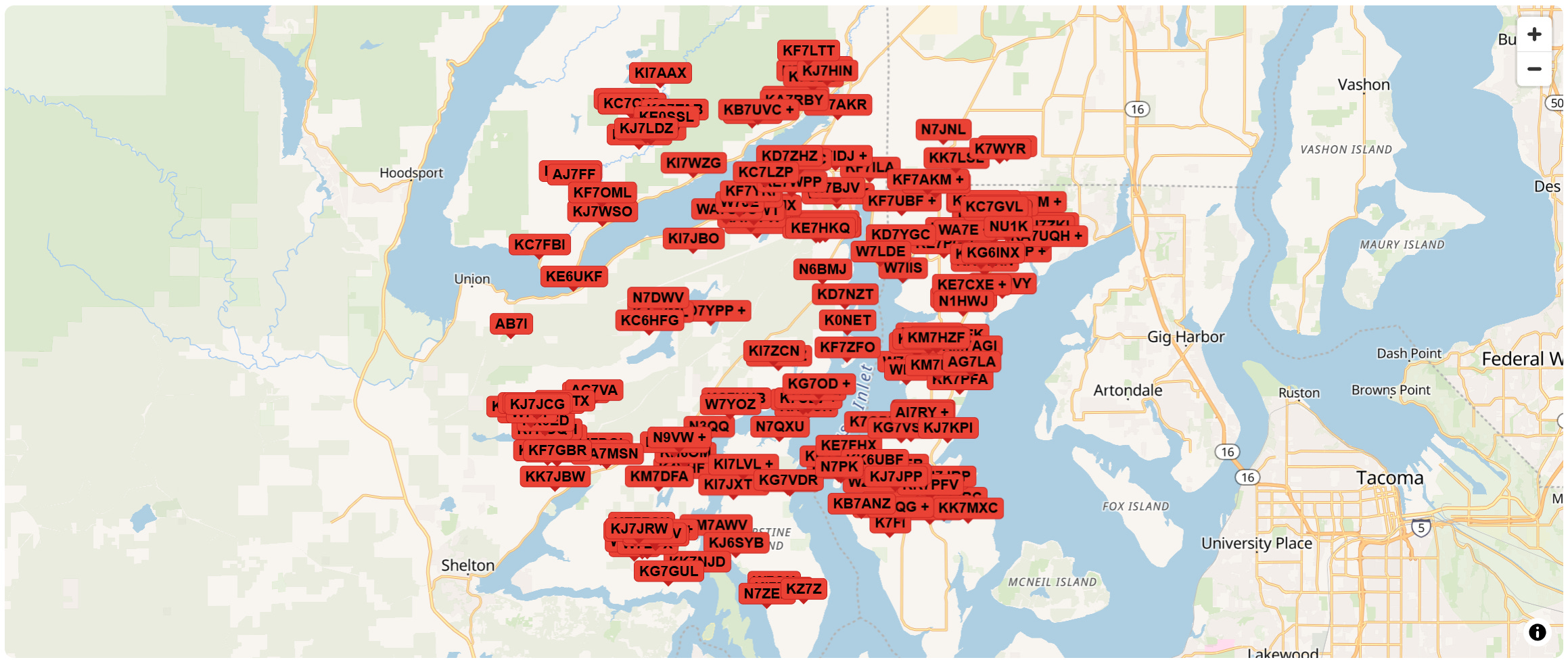
I’ve met but a small fraction of them. There are far more hams around us than the ones we meet.
I’ll bet that’s true where you live, too. If you’re in the United States, put your own ZIP code into the map and see. The map uses FCC license data, so it only covers US licenses.
The Map Isn’t Perfect, and That Cuts Both Ways
Some of those red tags belong to silent keys or to hams who have moved. The map is built from active FCC licenses, and a license stays active until it expires or someone tells the FCC otherwise. Be aware that “active” doesn’t necessarily mean living.
The map also leaves people out. Addresses that look like a PO box aren’t mapped at all. Nationally, that’s about 6 percent of license records, but it climbs fast in rural places: about 17 percent in Montana and Wyoming, and more than 20 percent in Hawaii and Alaska. In much of the rural West, the post office is the only place the mail goes. (Conclusions drawn from data on the map’s website.)
So the crowd on the map is a rough count, not a census. Even so, it’s a crowd.
This Isn’t a Knock on Anyone
Not every ham wants to join a club, and that’s fine. Some people operate happily on their own. Some got licensed for emergency preparedness and keep a radio charged and ready in a drawer. Some tried the hobby, got busy with life, and may come back to it later. None of that is wrong.
Still, I suspect some of those red tags belong to people who would say yes to the right invitation, if we asked.
Here’s My Question for You
Who are the hams near you that you’ve never met? And what has actually worked to reach them? Maybe a welcome note mailed to newly licensed hams, a session to help people program their radios or build a J-Pole antenna, a coffee meetup, or a weekly net with quick check-ins. Maybe something else entirely. I’d love to hear your ideas.
In the meantime, take another look at your own map. There are probably more of us out there than you think.
Sources
-
Amateur Radio License Map: https://haminfo.tetranz.com
-
Geocoding status page, with PO Box counts by state: https://haminfo.tetranz.com/status
4. New on EtherHam
4.1 Pulling My Kenwood TH-D7 Out of Storage
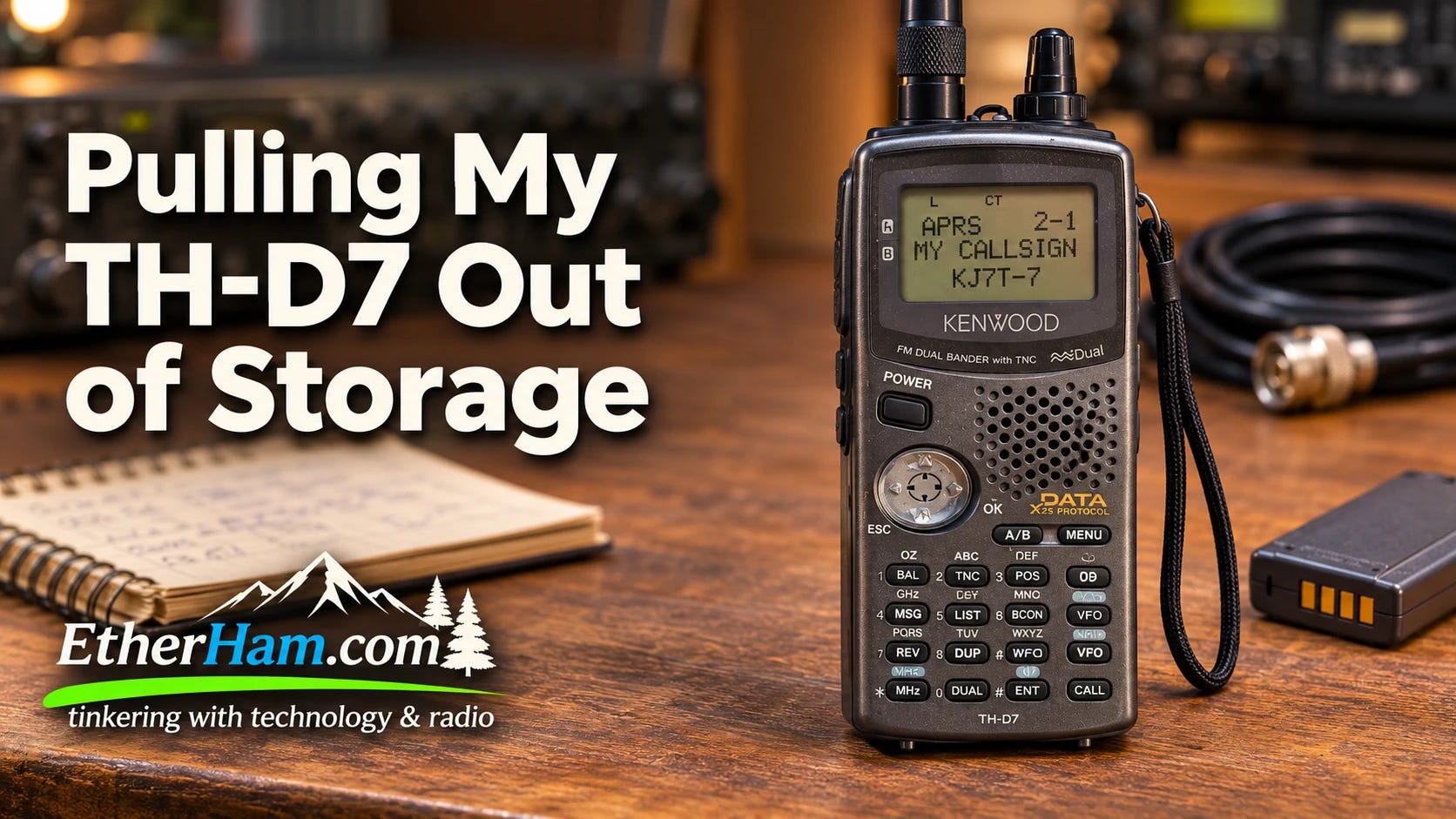
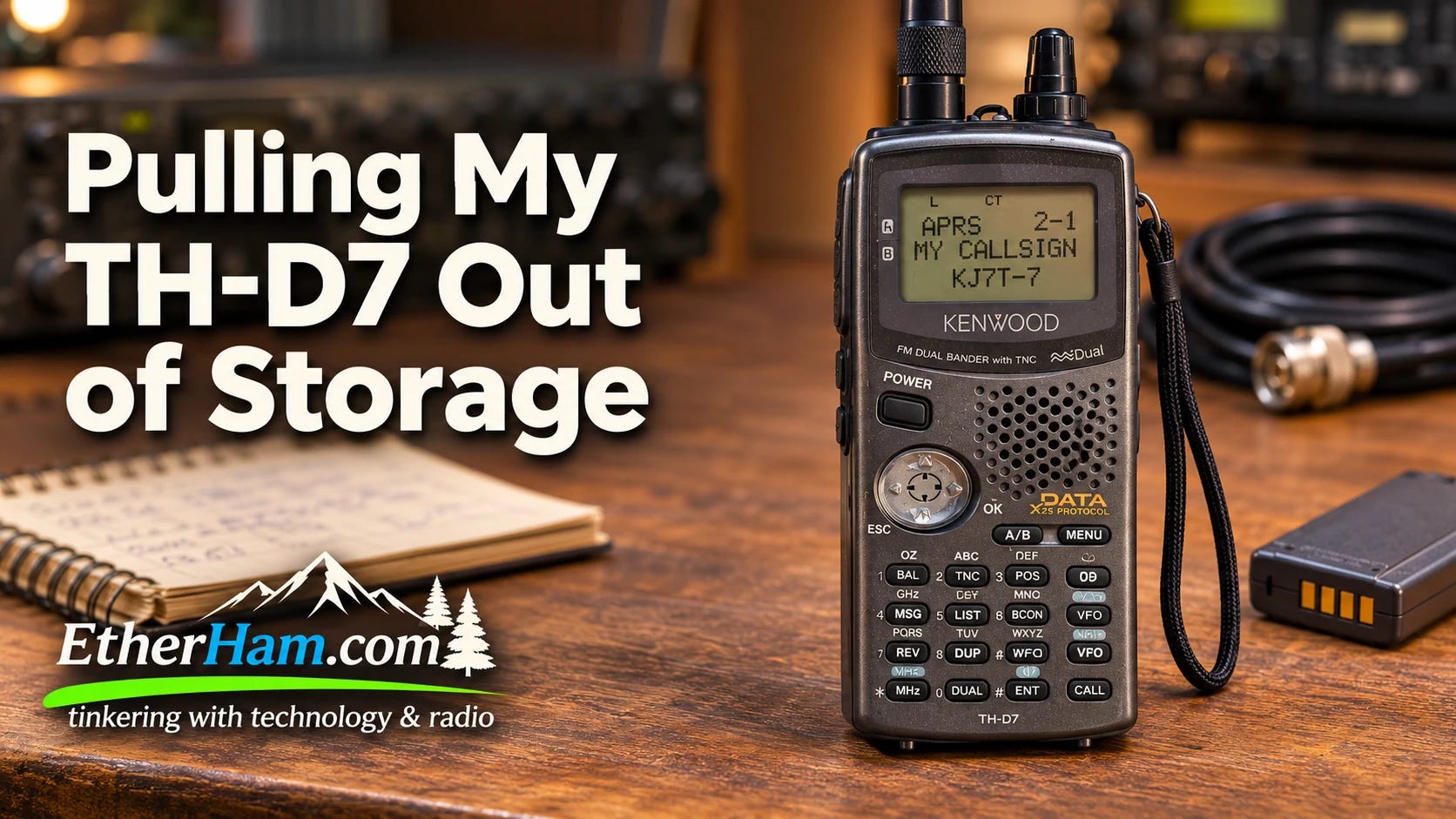
While going through boxes, I came across my old Kenwood TH-D7A, a dual-band handheld from 1998. It was the first of Kenwood’s APRS handhelds, with a packet TNC built right in. (APRS is the Automatic Packet Reporting System, the ham radio network for sharing position reports and short messages.) That line of radios continued with the TH-D72, TH-D74 and TH-D75.
The radio powered up fine on its wall charger, but years in storage had ruined the battery. A new pack is on order. I set my APRS call sign, ordered a programming cable so I can use CHIRP with it, and tried it on my AllStar node. That test didn’t go as planned. The node could hear the D7’s signal but wouldn’t respond to it, apparently because of the radio’s nearly 30-year-old tone.
The article also covers what the D7 still does well, including FM satellite work through its cross-band full duplex, and the limits that show its age.
Got a Li-ion battery source for the D7, or memories of your own D7? I’d love to hear from you.
Read the full story on EtherHam
4.2 Radios at Rest: Caring for Your Gear on the Shelf
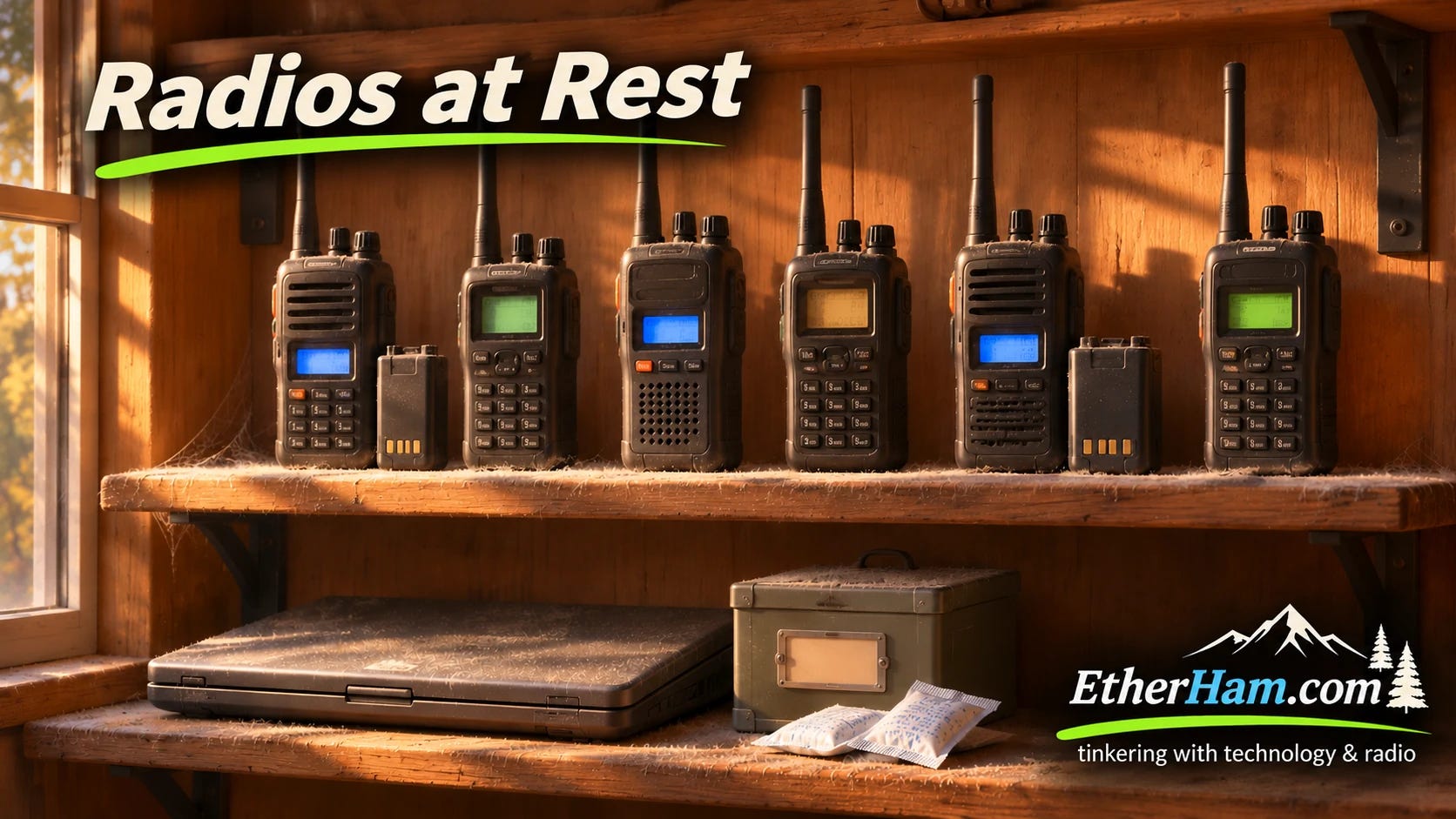
My spare Surface laptop died after sitting unused for a few months. That got me thinking about the radios on my shelf. A modern handheld is really a small computer with a transmitter attached: a processor, firmware, a codeplug of saved settings, and a lithium-ion battery. It can fail in a drawer the same way my laptop did.
So I compared what Icom, Yaesu and Kenwood recommend with the folk wisdom, and boiled it down to a handful of simple habits:
-
Store lithium batteries about half charged.
-
Take batteries out of anything you won’t use for a month or more, and never leave alkaline AAs in a radio.
-
Keep gear somewhere cool and dry.
-
Back up your codeplug somewhere other than the radio.
-
Set a reminder to check on stored gear every few months.
The article also covers cleaning up after leaked batteries, waking a radio back up safely after storage, disposing of old batteries, and wiping your data before you sell or give away a radio.
4.3 Previously Owned: Checking a Used Windows Laptop From eBay
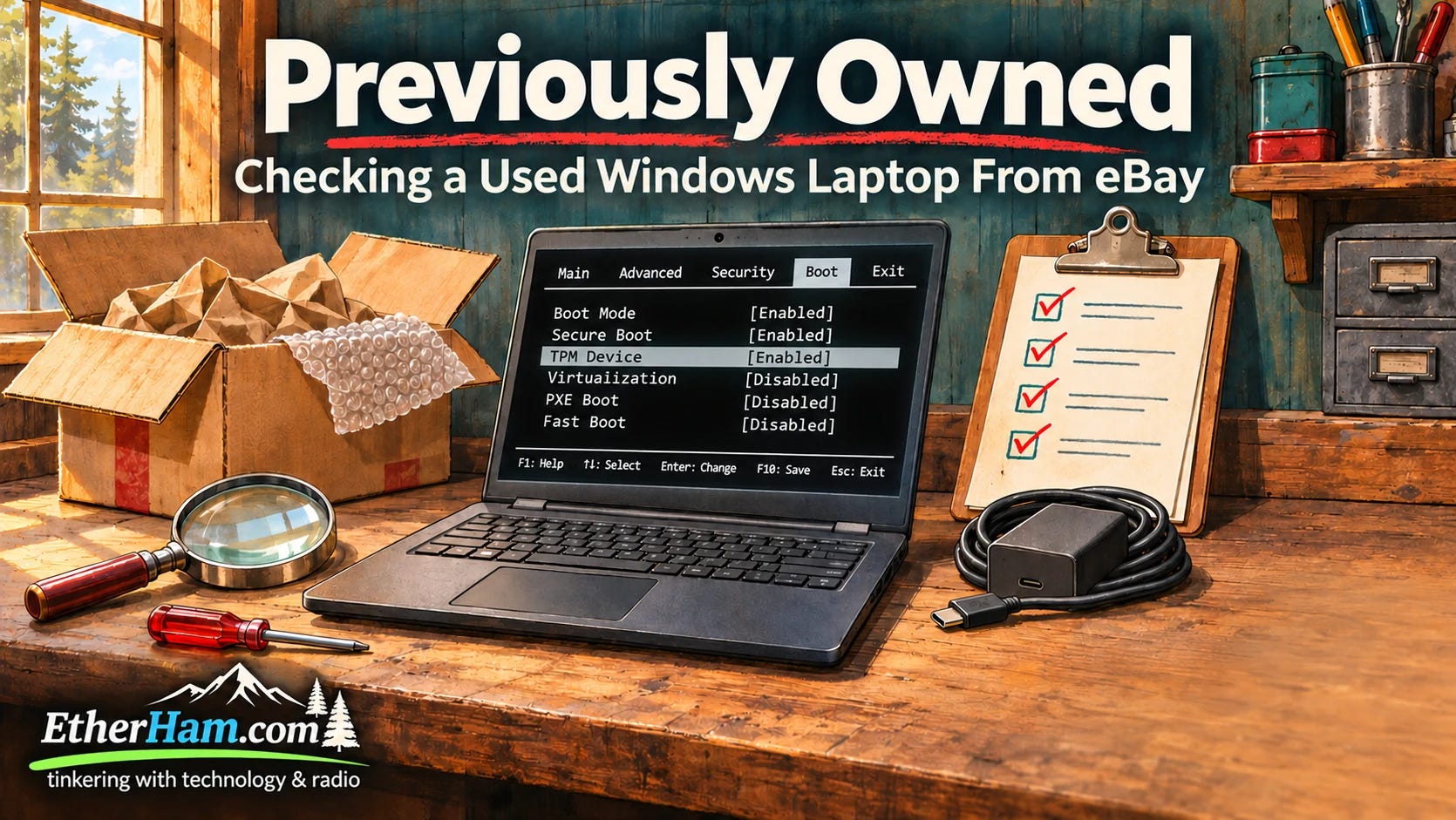
My spare computer, an old Surface Pro 4, died after sitting unplugged for about three months. I wanted a replacement that could also back up my everyday Surface Laptop 7. There was a ham radio reason too. The Laptop 7 runs on an ARM processor, and some radio programming cables need drivers that just won’t work on ARM. So I went looking for an Intel machine and found a ThinkPad X1 Carbon Gen 8 on eBay. My offer of $230 was accepted, which came to $255.20 with shipping and tax.
The seller didn’t accept returns, so before I trusted the laptop with anything of mine, I put it through a checklist:
-
the battery’s health report
-
hidden BIOS passwords
-
company management or anti-theft tracking left on from a previous owner
-
a screen test
-
a full cloud reset of Windows, then rounds of updates
The laptop passed every check, and the seller turned out to be honest. The reset did hit one snag, and the article explains how I got past it. I also share how I keep a spare laptop’s battery healthy between uses.
My rule of thumb: a used computer is a stranger’s computer until you prove otherwise.
The laptop is running fine and I’m happy with this purchase. I think of it as my good friend, Justin Case, the backup that waits in the wings for my Surface Laptop 7.
The full checklist, with commands, is on EtherHam
4.4 Weekly Report: November 19, 2026
Two stories lead this week’s report, and anyone who cares about open-source radio and software will want to read both.
VARA and xara. The developer of xara, the open-source modem that could talk to VARA, has discontinued it and given no reason. That came alongside reports that VARA HF 4.9.1 would stop working with older VARA versions on January 1, 2027. Then on November 19, VARA’s new official site posted HF 4.9.2 and FM 4.4.2, which it says are compatible with older versions, along with word that native macOS and Linux versions are in the works. As Steve Stroh N8GNJ of Zero Retries points out, at face value that reverses the January 1 cutoff, so the xara forks should, in theory, keep working with VARA. Still, if you run VARA, hold off on updating for now. At least one operator says 4.9.2 hung when connecting to a gateway that hadn’t updated yet; details are in the report.
LiberNT. LiberNT is a new fork of ReactOS that aims for Windows 11 compatibility on Intel/AMD, ARM64 and RISC-V. Its developers are open about using AI to build it quickly.
From the Short Stack:
-
It was a rough week for big systems: Microsoft 365 and Apple both went down, and two routers caused an FAA ground stop. In the report I explain why I think we’ll see more of this, and what hams can do to be ready.
-
Almost anything can be an SDR now. HaxaWave turns the modem in an old Qualcomm phone into a receiver, and the new Flipper One offers an optional SDR module.
-
On the open digital voice front, an open AMBE codec now encodes and decodes D-STAR and DMR, and the M17 Project released Specification 2.1.0.
-
MultiPSK becomes free in January 2027.
-
OH8STN reports that Amazon is removing popular Chinese radios.
-
Voyager 1 is now one light-day from Earth.
The full report also has this week’s Band Conditions, Digital Radio News and the Groups.io Digest: Weekly Report: November 19, 2026
5. On The Bench
It was a scattershot week, with a variety of topics and activities in front of me, including:
-
Another fix for the asl-node-check script
-
Fiddling with Vince’s time zone map
-
Pulling my Kenwood TH-D7 out of storage (see New on EtherHam above)
-
USB audio interface for capturing clean audio from ASL nodes
-
Ordered a Chromebook to convert to Debian Linux
-
Captured the Let’s Talk Digital net on Thursday, November 12
-
Strengthened the band conditions report
-
Anyone using the H9 Toolbox?
-
SIP phone kept triggering block
5.1 asl-node-check 2.4: a fix for a stray apt notice
A reader (Mike) wrote in this week with a puzzle. Ever since he ran my asl-node-check and its companion update script, every apt update on his node ended with this line: “N: Ignoring file ‘20auto-upgrades.bak-…’ in directory ‘/etc/apt/apt.conf.d/’ as it has an invalid filename extension.”
That was my fault. When the update script turned on automatic security updates, it saved a backup of the old settings file in the same folder apt reads its settings from, and apt complains about any file name there that it doesn’t recognize. The notice is harmless, and automatic updates work fine, but nobody wants a mystery message on every update.
Version 2.4 (update script 0.6) keeps that backup in /var/backups instead, and it moves any old copies there the next time it runs. If you’d rather fix it by hand right now, this one command clears the notice:
sudo mv /etc/apt/apt.conf.d/20auto-upgrades.bak-* /var/backups/
The next time you run the check, it will tell you a newer version is available. Bug reports like this are how these tools get better.
5.2 Fiddling with Vince’s Time Zone Map
I liked the time zone map that Vince VE6LK coded with Claude, but I wanted to add some additional zones and offer user-selectable settings. Claude helped me do that. I sent my changes to Vince as a pull request and he accepted those, but then his map stopped working correctly on his Raspberry Pi.
Apologies to Vince! That was not what I intended!
So I modified the code again so it fails more gracefully when a browser doesn’t recognize one of the newer time zone names: that one clock shows a dash instead of blanking everything after it. And then I added the ability to show all three countries (Canada, the US and Mexico), just two, or just one. But when changing views, the time zone labels were either too big or too small, so then I added scaling to the fonts so they would fit better.
I’ve also tested it on an iMac and a Windows laptop. The screenshots are from a Raspberry Pi 4B, viewed over a RustDesk connection in “kiosk mode.”
I don’t know if these changes will land well for Vince, but I love the idea he brought forward and have had fun trying some modifications.
Meanwhile, I’ve submitted some additional changes to Vince via a GitHub pull request. And I have one more change I’m working on that would allow the land mass to fit the end user’s screen better. That will be coming forward soon.
5.3 USB Audio Interface
Some hams may find this item interesting. I bought a Cubilux CB5 USB Audio Interface. It’s a very small metal box with inputs on the front and a USB-C port on the back.
On the front, from left to right, ports 1 and 2 are stereo microphone/instrument jacks. Port 3 is a line-in jack. Port 4 is for line-out. Port 5 is a headphone-out jack.
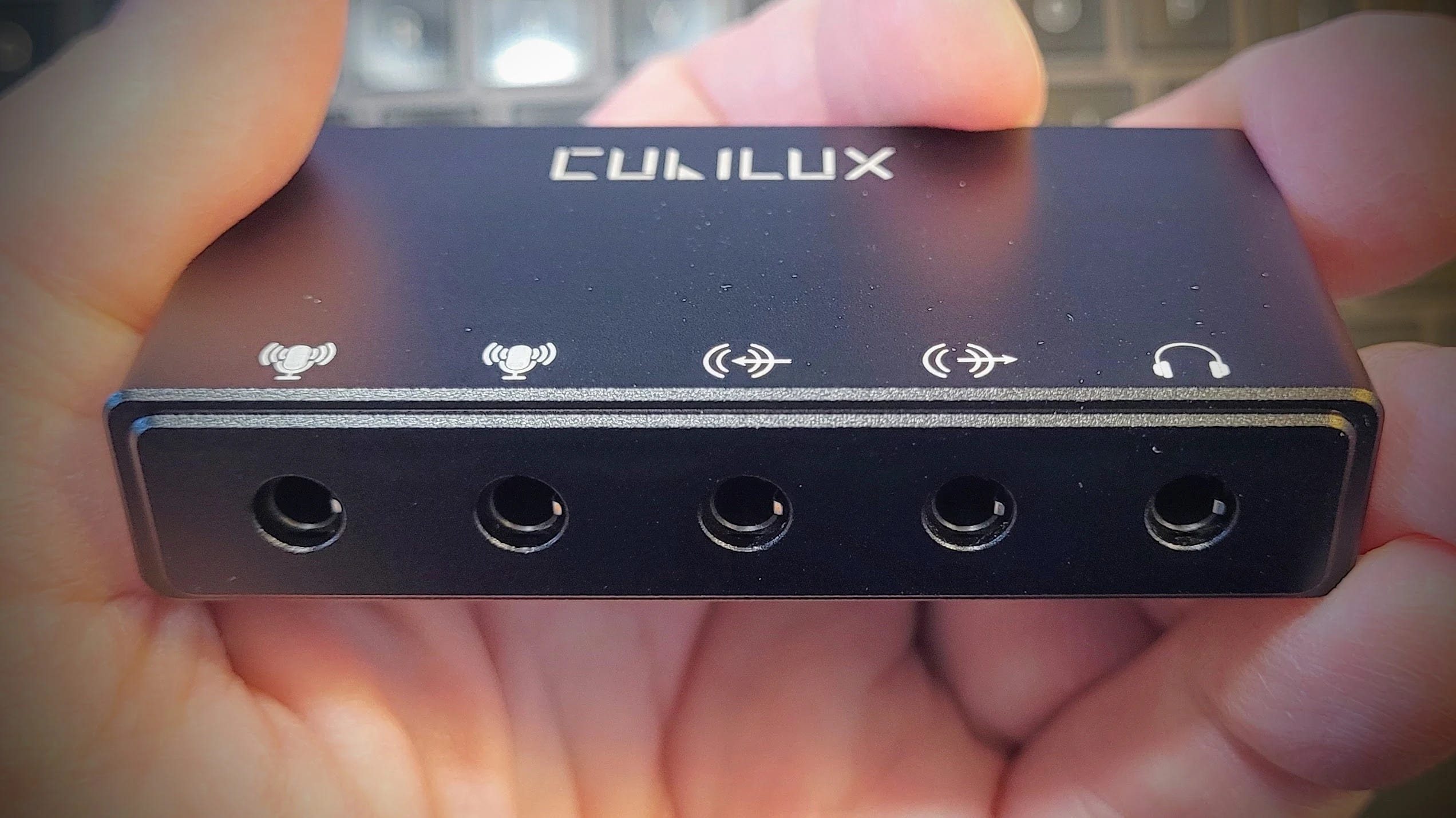
What’s it for? I can connect a line-out from one of my AllStar nodes to the line-in on the CB5, which is connected to my computer. With that arrangement, I can capture clean sound clips from my nodes, where clean means I’m not using my cell phone to capture all the audio in the room. Audacity has a feature that will analyze the captured audio, so using different nodes, set to identical levels, means I can compare the audio quality using something other than my ears.
This is described as a “5-In-1 Audio Hub — Cubilux CB5 USB Audio Interface converts the USB port of your laptop into 2 stereo microphone jacks, 1 line-in jack, 1 line-out jack, and 1 headphone jack, letting you conveniently connect microphones, instruments, and headphones or speakers as needed. Please note that the line-out jack and the audio output jack cannot be used simultaneously.”
For about $32, this is an inexpensive way to capture audio without also recording room noise.
5.4 Ordered a Chromebook. Why?
I just ordered a Lenovo Chromebook 100e. This might seem particularly odd, considering that I just described the backup laptop I purchased.
What I want to do with the Chromebook is replace ChromeOS with Debian 13 Linux. This can be a bit chancy on the 100e because not all CPUs used in the 100e are compatible with MrChromebox firmware.
The chips you’ll find in Lenovo’s 100e and 300e education Chromebooks:
-
Intel Celeron (1st Gen, board ROBO, or 2nd Gen): Supported. MrChromebox lists the Lenovo 100e Chromebook | ROBO with both RW_LEGACY and full UEFI firmware. Write protection is handled by CR50 (SuzyQ, battery): you unplug the battery inside and run it on the charger while you flash, so no special cable is needed. This is the easiest Debian 13 path.
-
AMD A4-9120C (2nd Gen “AST,” board TREEYA): Also supported with full UEFI. Recent MrChromebox releases fixed S3 sleep/resume on AMD Stoneyridge devices. Expect a few more quirks than the Intel version, mostly around audio.
-
MediaTek MT8173C (ARM): Don’t buy this one for Debian. The MrChromebox project does not support these devices at all. This includes devices with MediaTek, Rockchip, Qualcomm, or NVIDIA Tegra processors. MediaTek usually turns up in the 300e line.
I queried the vendor before making the $75 purchase. What CPU, I asked. Answer: Intel. That’s good news. I placed the order and will let you know how this goes.
5.5 Captured the Let’s Talk Digital net on Thursday, November 12
If you’re interested in digital radio, I recommend tuning into the Let’s Talk Digital net held Thursday evenings on America’s Kansas City Wide Network. Using my AllStar node 588416 net logger, I captured the net on Thursday, November 12.
I capture nets from time to time to help nudge readers to participate. “You should listen to such-and-such net” means less than seeing an example of the topics covered, at least for me.
Fair warning: there are several places in the chain where transcribing can break down. My AllStar node is connected to the KCW YSF channel through DVSwitch. Audio problems of individuals transmitting on YSF don’t get better as they move through DVSwitch to my node, and then to the net logger. The logger captures audio files and later creates a text transcription using Whisper AI. That raw transcript can look pretty rough but it’s usually understandable to human readers.
I fed that transcript to Gemini and asked it to summarize the net, and to not guess at call signs. Any errors or misrepresentations in what follows belong to me, not to the Let’s Talk Digital Net folks.
-
Net: Let’s Talk Digital Net (hosted on the Kansas City Wide network, participants logged via netcontrol.live)
-
Date & Window: November 12, 2026 (18:00 – 19:45 Pacific)
-
Net Control Team: Bucky (W0SUN) – Primary Net Control (Littleton, CO) and
Chris / “Dr. Parrot” (KB2IDX) – Co-Net Control (Bloomington, IN)
-
Supporting Team: Dave (WD0HDR), Josh (KF0LPT), and newly announced incoming team member Gwen (NG3P) in Pennsylvania, who will officially join the crew in the new year
-
Total Check-ins: 119 stations across web logger (netcontrol.live) and over-the-air bridges
Key Technical Topics & Discussions
QSO One App & The New “Beacon” Feature:
-
A major portion of the net focused on the rapid growth of the QSO One digital app (created by Francesco/Frank), which has reportedly surpassed 330,000 registered users (with projections toward 500,000) and draws roughly 900+ concurrent connections—comparable to BrandMeister.
-
Beacon Network: Bucky and several participants highlighted QSO One’s newest feature, Beacon—a native VoIP room system similar to Yaesu WIRES-X or Peanut/BlueDV, complete with language/regional rooms and a newly gifted XLX303 Colorado HD room.
-
Infrastructure & Onboarding: Bill (W0KBZ) shared insights from an earlier Q&A with Frank regarding future bridging between Beacon and other reflectors, transcoding considerations, and server scaling (noting the lower cost of the software vocoder compared to hardware-dependent networks). Danny (VK4…) and Randy (N9JUJ) discussed how QSO One lowers the financial and technical barrier to entry for beginners and younger operators, while Chris (KB2IDX) reminded newcomers that apps operate in simplex and don’t expose deeper RF concepts like DMR time slots and code plugs.
Hardware & Firmware Updates (AnyTone, Yaesu, PoC):
-
AnyTone: Chris (KB2IDX) reported upcoming firmware updates across the AnyTone lineup (168, 878, 890, and 578), with the 890 update officially adding NXDN support. AnyTone is also preparing a replacement model for the 578 mobile that will natively include NXDN alongside DMR and analog.
-
Yaesu DR-3X Repeater: Both Chris and Bucky discussed the forthcoming Yaesu DR-3X System Fusion repeater (featured in the latest Ham Radio Outlet catalog, expected within ~30 days). Unlike the dual-band DR-2X, the DR-3X is a brand-new architecture offered in dedicated VHF (85W, DR-3X-V) and UHF (65W, DR-3X-U) models, featuring a direct USB-C interface for Windows/WIRES-X without needing an HRI-200, paving the way for “System Fusion 3”.
-
10m FM WIRES-X Concept: Bucky floated the idea of pairing the new Yaesu FTX-1 (specifically the 100W Optima configuration) with WIRES-X 2.01 to create a 10-meter FM WIRES-X node.
-
PoC Radios: The BTech/VGC/N39 Plus PoC handheld received a firmware update enabling Over-The-Air (OTA) updates without a PC cable. Later, Bucky and Danny discussed the paradigm shift from traditional RF repeaters/hotspots toward Android-based Push-to-Talk over Cellular (PoC) radios using either SIM cards or smartphone tethering.
VARA / “ZARA” Open-Source Dispute & DigiPi:
-
Gwen (NG3P) reported on a recent community dust-up involving the VARA digital protocol (used for Winlink) and a competing open-source alternative called ZARA (or xara). Following community friction and threats of underlying protocol changes, the creator of ZARA abruptly halted development, prompting some operators to pull VARA setups until things stabilize.
-
DigiPi: Gwen and Bucky discussed DigiPi (digipi.org, developed by KM6LYW)—a Raspberry Pi Linux distro that acts as a self-contained hotspot/server for Winlink, FT8, APRS iGates, and other HF/VHF digital modes, allowing field/POTA operators to run digital modes via a phone or tablet browser without a full laptop.
Operating Reminders & Network Etiquette:
-
Both Bucky and Chris reminded operators to pause 1–2 seconds between transmissions (”leave a gap” every few overs) so linked reflectors, bridges, and WIRES-X rooms don’t split into separate, one-way conversations due to network latency. Bucky also noted intermittent WIRES-X drops and personal PC/timer glitches early in the net.
5.6 Strengthened the Band Conditions Report
I’ve not been very happy with the rather terse summary report my script generates each week about band conditions…so I went deeper for better information and amped it up a bit. You’ll find the new version in the Weekly Report. I think it’s an improvement.
5.7 Anyone using the H9 Toolbox?
Do you have a TIDRADIO TD-H9, and have you used the third-party H9 Toolbox app? Probably not, so I charged one of my two H9 radios and gave it a go.
Interestingly, H9 Toolbox requires that the radio be at firmware version 1.0.38. Mine was at 1.0.32, so first I had to flash the 1.0.38 firmware to the radio. I could not get a USB-C to USB-C data cable to work, but what did work was a known good USB-A to USB-C data cable. Maybe it had to do with the resistors in USB-C cables? I don’t know.
Once I got the firmware bumped up to v1.0.38, I used the H9 Toolbox web flasher to install the Toolbox firmware, plus the APRS module. And that’s about as far as I got. I fiddled with the menus a bit and could not get APRS smart beaconing to work…yet. I’ll keep poking at this.
5.8 SIP phone kept triggering block
I have two Polycom VVX 401 SIP phones with identical firmware. The one at the lake house works fine, with Hams Over IP (HOIP) on line 1 and AmateurWire on line 2.
The Portland phone still had old accounts on it, including some voip.ms lines, so I unplugged it until I could do something simple: back up the lake house phone’s configuration and restore it to the Portland phone. That was a few weeks ago. As soon as I restored the config, HOIP and AmateurWire both stopped working on the Portland phone. What I didn’t know: the VVX backup captures everything except the passwords.
It got worse from there. The phone kept trying to log in to HOIP with the wrong password, over and over, and each round of failed logins triggered HOIP’s Fail2Ban protection and blocked my line. HOIP has a self-service page for clearing a block, and it worked, but the phone just tripped the block again. With the line blocked on and off, it was hard to tell what was actually wrong.
Finally I asked HOIP Support to reset my password. Once I entered the new password on the Portland phone, the HOIP line came right up. The next time I was at the lake house, I updated the password on that phone too.
AmateurWire still isn’t working on the Portland phone. If that line was getting blocked the same way, the block may have cleared by now, so it’s next on my list.
The lessons: after restoring a VVX backup, re-enter every line’s password, because the backup doesn’t include them. If a phone keeps retrying with a bad password, clearing the block won’t stick, so enter the correct password first, or disable the line until you have it, and then clear the block. And save each line’s password in your password manager, so you can type it in again without asking support for a reset.
6. QRT: End Transmission
6.1 The Last Ice on Puncak Jaya
I spent a couple of years doing exploration work at a huge mine very close to the highest peak in Oceania: Puncak Jaya (or Carstensz Pyramid) in Central Papua, Indonesia. Puncak Jaya is a massive limestone spine on the highest ridges in the range. You can see the limestone layers on Google Maps (you may need to zoom out a little to see the mining site immediately west-northwest of Puncak Jaya). It was amazing to me that a glacier existed on a mountain about four degrees south of the equator.
In 1984 and 1985, I worked underground and on the surface. Some drilling projects were completely remote and required helicopter support. The two images below are the same scene. The one on the left is the original printed photo and the one on the right is cleaned up and enhanced for me by ChatGPT.
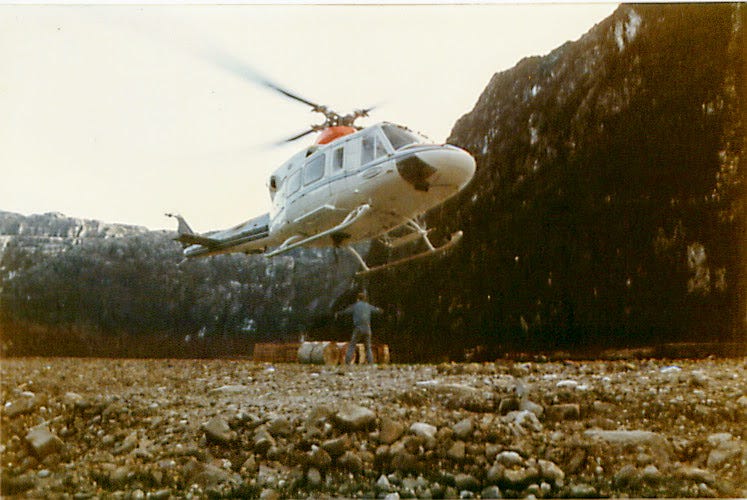
I got to see the glacier many times from one of the company’s helicopters, a sight that is unforgettable. And I walked some of the nearby ridges that were so high above sea level the air was hard to breathe. Learning that the glacier is fast disappearing really landed for me.
I tried to get ChatGPT to clean up this next photo, too, because the lack of detail makes it hard to understand what I’m doing below the helicopter (I had just finished motioning to hover in place and was starting to hook up the sling load). But with each “improvement,” the AI added hallucinated details which changed the character of the scene. So instead of the enhanced photo, here’s the original, in all its faded, out-of-focus, washed-out-highlights glory.
6.2 Closing on a humorous note
I ran across this package that is sadly retired. Many hams — myself included — could have used this at least once! The link is to the original product listing as archived on the Wayback Machine:

73, and remember to touch a radio every day!

Notice: As an Amazon Associate, I earn from qualifying purchases.