ARRL with ARRL The National Association for Amateur Radio® is following two new federal proceedings concerning radio frequency (RF) exposure. On September 17, 2026, the FCC and the U.S. Department of Health and Human Services (HHS) initiated parallel comment periods on RF safety issues. Neither inquiry changes the current FCC RF exposure rules that apply to all radio amateurs but could lead to …
American Radio Relay League | Ham Radio Association and Resources Read More
Solar activity is likely to continue at low levels with isolated to occasional C-class flare activity, along with a slight chance for R1-R2 (Minor-Moderate) M-class flare events, through September 25, according to NOAA’s Space Weather Prediction Center. The SWPC reports that nine sunspot regions are on the visible disk, including a new Region 4541. There were three solar flares observed in the past …
American Radio Relay League | Ham Radio Association and Resources Read More
I had no idea AllStar was going to figure so prominently in my radio week. The firewall for my node 588416 on 44Net was important to get done. Building an AllStar node and adding DVSwitch Server and an AMBE stick was on my long-standing to-do list, and I’m pretty pleased with the result.
Then I enabled audio prompts on my AllStar node 578494…but they didn’t work. When I investigated, I found a few gotchas you should be aware of if you’re going to do this. The audio prompts and DTMF commands add usability to an AllStar node.
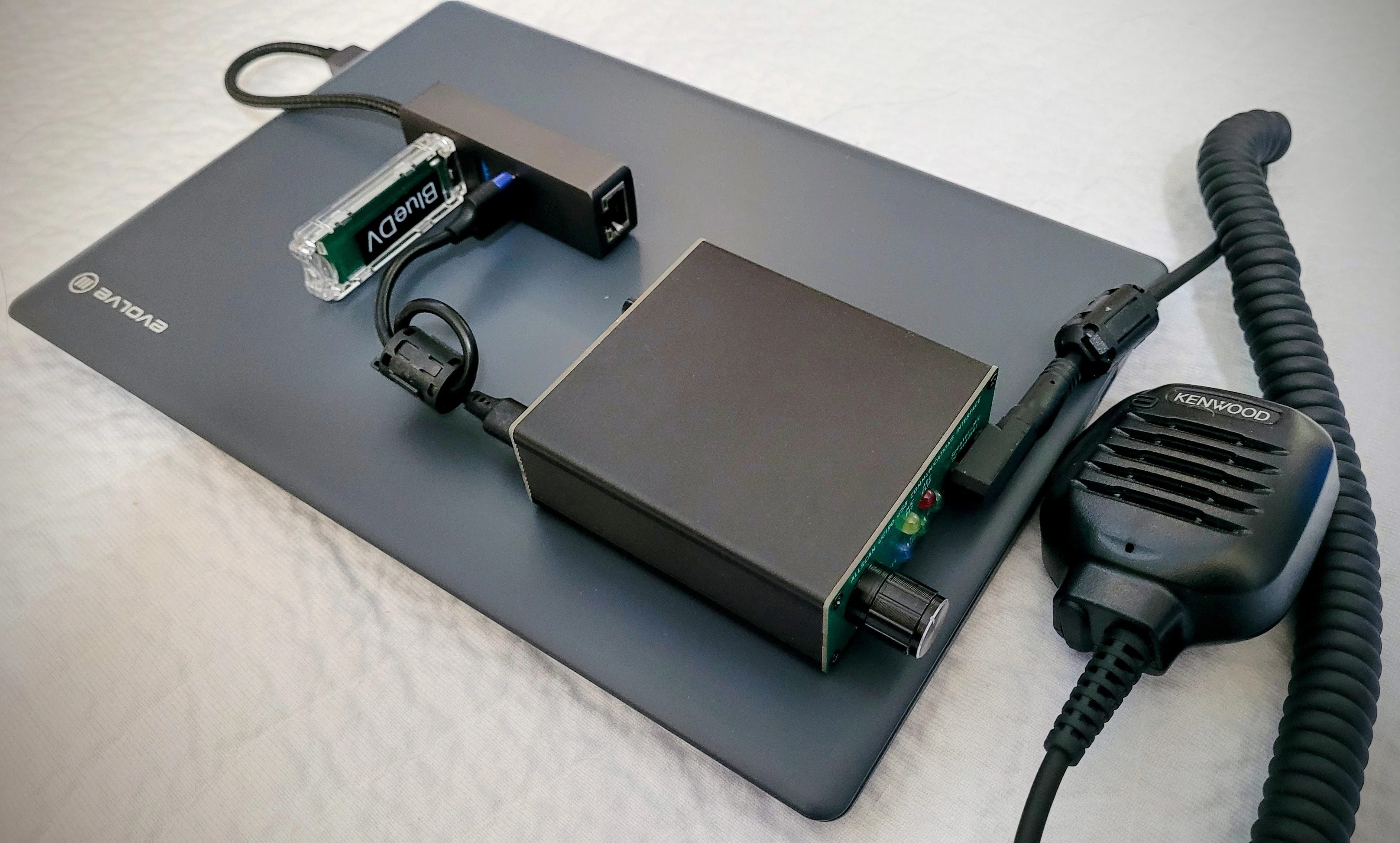
AllStar node 578494 with DVSwitch Server and AMBE stick
While working with node 578494, the node authentication check threw scary-looking errors at me, so I wrote up what they all mean.
While I was fiddling with the audio prompts, I thought I might as well install my click-three-times shutdown script on the node. But I found that my published directions were not as clear as they could be, so I updated that information on GitHub.
I modified my node information page on GitHub that I described last week three times. I added a status indicator, made the starter pages easier to implement, and then made a front door for the pages. All of this is free to do on GitHub.
2. Thank You
I’m sending a big Random Wire/EtherHam thank you to Brian and Mike for their support. It helps a great deal and I appreciate it.
Random Wire and EtherHam.com will stay free for readers, but running them still costs money. The Random Wire newsletter now reaches more than 2,400 subscribers, up about a third in the past year, and drew 161,000 views over that time. These subscribers are engaged, technically minded amateur radio operators who build, test, and buy gear. If you’d like to support this work, email me at tsalzer@pm.me or visit the Support page.
This is the third article about putting AllStar node 588416 on 44Net, and it may not be the last. If the series is a tent, Part 1 put it up: the hardware, the tunnel, the certificate, and the remote administration. Part 2 was the first anchor, two one-line router fixes. This article is the second anchor: the firewall, and the logging that shows you what it’s doing.
The big takeaway: if your system has changed since you set up its firewall, the firewall probably hasn’t kept up, and it’s time to review it.
I proved that to myself again last night. While preparing for the next step, I found two leftover rules for a SIP phone that is no longer connected. The rules didn’t do what I thought they did, so I deleted them.
Today, I’m adding a second protective layer in front of the node’s own Uncomplicated Firewall (UFW). The MikroTik router will get an allowlist, so new connections arriving over the 44Net tunnel reach node 588416 only on the ports it actually serves. Everything else gets dropped at the router, before UFW ever sees it. If I write that up, it will become Part 4.
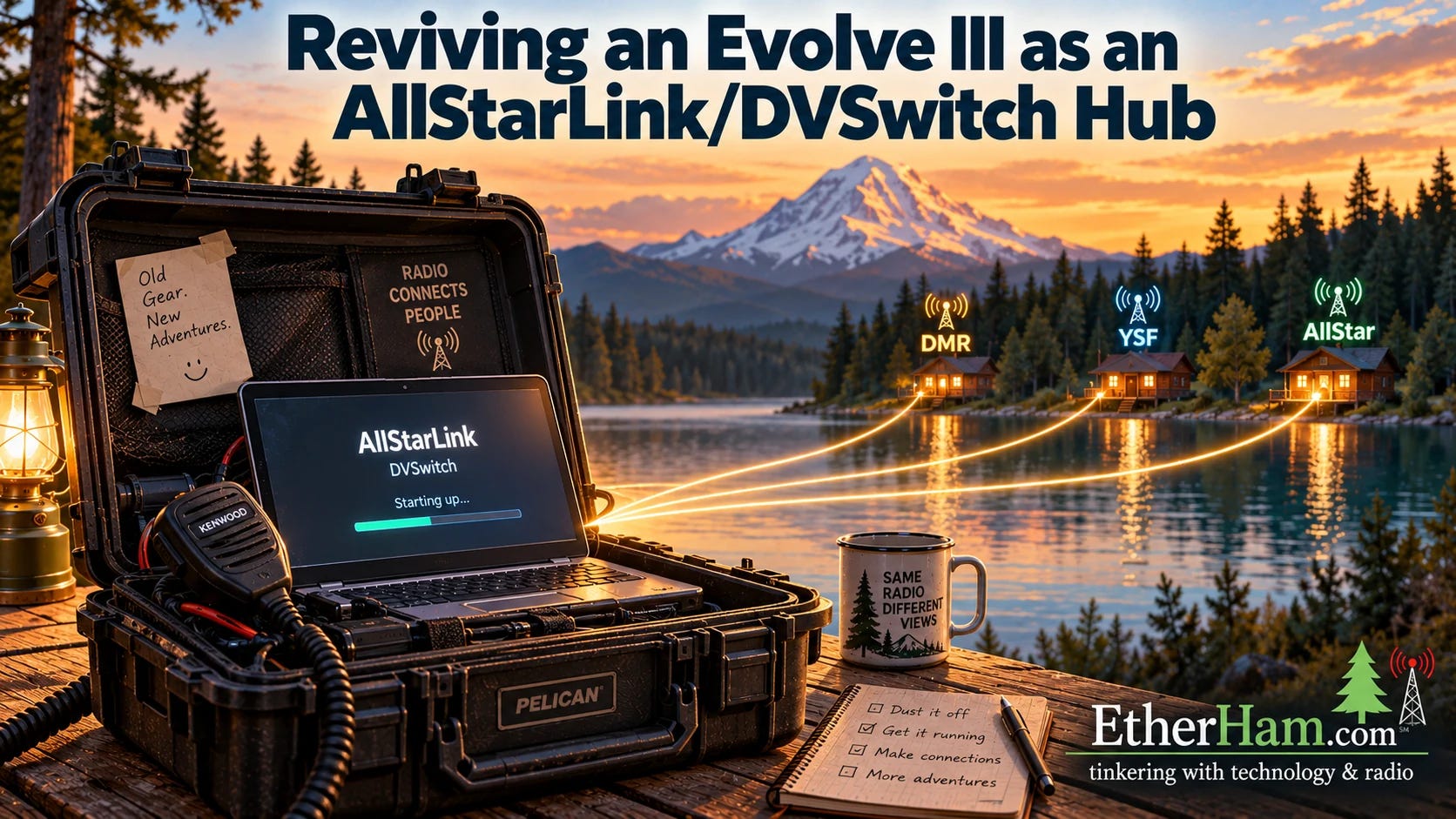
I went looking for my old Winlink-in-a-box station, contained in a heavy-duty Pelican briefcase. When I opened the case, I found an old Evolve III laptop hiding in a document slot. This was a hot item several years ago and I remember picking one up to experiment with. What I didn’t remember was where I had stashed it. And then I recalled something from my ham radio to-do list: install DVSwitch Server and document not only how to install and configure it, but how to control it. I did that on the Evolve laptop. This is that story.
Ever have that feeling like the bottom is falling out of your stomach when you see an AllStar error message? If so, this article is for you. AllStarLink 3 includes a handy tool, asl-node-auth-check, that tells you whether your node is registered and whether other nodes can reach it. It’s genuinely useful, but its report is full of “Error” and “Warning” lines, and many of those scary messages aren’t problems at all. On my own node, it flagged five errors in one afternoon, even though the node was working. Some of those pointed to things worth fixing. Others were false alarms, and one was AllStarLink’s own server telling me to slow down.
This new EtherHam article sorts every message the tool can print into three groups: normal, “the check couldn’t run,” and real problems worth fixing, with what to do about each. It also shows the three lines to look for first, and how to see exactly what address and port AllStarLink gives other nodes when they look you up. It starts at 10,000 feet over Indonesia, with a warning light and a pilot who wasn’t worried. Read it here: Don’t Panic: Reading The AllStarLink Node Authentication Check.
I have written a lot about AllStarLink over the past year, and it turns out I can lose track of my own work. I went looking on EtherHam for the post where I explained how to make a node announce its IP address at boot. It isn’t there. It was a single sentence in Random Wire 145, back in August 2025, and the DTMF commands behind it were in Random Wire 142. Both track back to a post David Gleason NR9V wrote in April 2025 in his AllScan AllStar App & Nodes group on Facebook.
Another jam-packed weekly report for your consumption. What a wonderful time to be involved in amateur radio. There is activity in all aspects of our great hobby. The weekly report captures some of the items, but there is far more activity than I can possibly report here.
I installed my three-key-up shutdown script on another AllStar node this week: node 578494, the Evolve III laptop from the article above.
Three key-ups, a “goodbye,” and a clean power-down. The script worked as written, but the install instructions on GitHub had a few rough spots, including a reboot step buried mid-sentence where it was easy to miss. I’ve rewritten the install section as explicit, numbered steps with the commands spelled out, added a hand test you can run before turning on the service, and expanded the troubleshooting notes. The updated instructions are at github.com/EtherHamRadio/asl-shutdown-monitor.
5. A Free Front Door for KJ7T Nodes
I have to laugh at myself, because after I published AllStar Node Info Pages: A Step-by-Step Guide, I added a postscript. Then I added a second postscript. And finally, an update. Technically, that’s a postscript, a postscript to the postscript, and a postscript to the postscript to the postscript. Whew!
Here’s the shorthand version: I posted the article, then added a live status indicator for a node, then realized I could make the starter script easier to implement. Finally, I saw I needed a front door for my individual node pages so I built that, too.
Let me start with the latest postscript, the one I called an update. In that addition, I finally gave my AllStar node pages a home page. Up until now, kj7t.github.io/588416, /578494, /578493, and /588418 each stood alone. I had built some documentation but provided no top-level home for the information. This week I built a proper landing page at the root (https://kj7t.github.io/), with a personal introduction and a directory tying all four nodes together, plus some information about my HF, mobile, and APRS setups. This is a small project, but it’s the kind of thing that turns a pile of pages into an actual site. It was also rather enjoyable to put this information into one space.
The first postscript
Next is the very first postscript. After publishing AllStar Node Info Pages: A Step-by-Step Guide, I wondered if there was a way to show a live status indicator for the node on the node’s GitHub page. Why yes, yes there was. Details are at the end of the Guide and the download has been updated to include this information.
It looks good — simple, but informative:
The second postscript
I used my “starter kit” template for a new page for node 578494…and found using it to be painful. Entering the same information, over and over, is a process that guarantees errors, and I made plenty. I decided right then: I need to find a better way.
So I rebuilt it. Now, you enter some key information in only two places: the .yaml file and in the index.md file. Those entries are carried into all the other pages. Much simpler. A new and improved starter kit (version 1.2) with updated instructions is now uploaded to the AllStar Node Info Pages: A Step-by-Step Guide article.
GitHub is free, and I find that free is often pretty attractive to radio amateurs. It’s not fancy, but it works. My new content hasn’t been “up” long enough to get indexed by search engines, but it’s on GitHub, so I know it will.
So that is the story of having an idea, improving it, improving it again, and finally giving all the individual node pages a single front door to this house of information.
6. AllScan Favorites Fix
I ran into something unexpected this week while copying an AllScan favorites file from one AllStar node to another. AllScan (from AllScan.info) makes it easy to build and manage a list of favorite nodes, and I’d built up a good list on my node 588418 that I wanted to put on node 578494. Simple enough: download the favorites file from 588418, upload it to 578494.
That worked fine, right up until I tried to add a new favorite on 578494. Nothing happened. The entry never showed up in the list.
AllScan really was saving my change. I could see it in the file on disk. What I hadn’t understood is how a favorites file is organized. It has a [general] stanza, whose entries appear on every node, and it can also have a stanza named for a specific node number, whose entries appear only on that node. My file had [general] plus a [588418] stanza, and [588418] held most of the favorites I actually cared about. On node 578494, AllScan looks for [general] and [578494]. It has no reason to show a stanza named for some other node, so while those favorites were present, they were effectively invisible. On top of that, AllScan adds a new favorite right after the last entry in the file, which dropped everything I added into the very stanza 578494 wouldn’t display. Saved, but hidden. From the browser it looks exactly like a file permissions or ownership problem, and that’s where I spent a good while looking.
The actual fix was one line: rename the [588418] stanza to [578494]. Everything appeared at once, and adding favorites has worked normally since.
So that I don’t have to think about it again, I wrote a small Python script that takes a downloaded favorites file and folds any node-specific stanza into [general], skipping entries that are already there. The result works on any node with no editing. It can also rename the stanza to a different node number, or strip it out entirely, depending on what you want. Eventually I’d like to extend it to merge favorites files from several nodes into one master list I can import everywhere.
This isn’t a flaw in AllScan. What I was doing is probably an edge case that the vast majority of AllScan users won’t do. Those per-node stanzas exist so one favorites file can serve several nodes, which is a sensible design. It’s the download-from-one-node, upload-to-another path that didn’t go quite right for me. I’ve passed the details along to David Gleason NR9V, AllScan’s author. AllScan is a great bit of helpful software and I install it — and will continue to install it — on my AllStar nodes.
7. 44Net Getting Some Press
John Burwell KI5QKX was on the Late Shift on September 18th talking about 44Net Connect. You can catch the show at https://www.youtube.com/live/qKnC682SJuw or view it below:
44Net was featured in Japan’s FB News! The first part of this three-part series describes 44Net’s history and how to get started using the network. You can read the article here: https://www.fbnews.jp/202608/special/.
ARDC showed off 44Net Connect at JARL Ham Fair 2026 in Tokyo. In its September 4 recap of JARL’s centennial Ham Fair, ARDC says visitors at its booth saw 44Net Connect running live. Tom Mabuchi JF3LGC, ARDC’s 44Net Regional Coordinator for Japan, translated and helped run the demos. The recap is at https://www.ardc.net/highlights-from-jarl-ham-fair-2026/.
Software updates this month. 44Net Connect also got a few maintenance updates this month (September 6, 8, and 18), mostly behind-the-scenes fixes. The last big release was 1.1.0 in July. The changelog has the details.
8. Radios and Gadgets
Icom IC-7110 radio
Need and want are interesting things: while I don’t need a full-duplex, all-band, all-mode radio, I want one. And Icom is set to deliver it:
IC-7110, an HF/VHF/UHF all mode transceiver featuring a 4.3-inch color touchscreen, real-time spectrum scope, and comprehensive D-STAR functionality.
That comes straight from the Icom website (hit the link to see a promotional photo of the radio), except the full-duplex behavior was surfaced by the Ham Radio Workbench crew in HRWB 271. No word on cost, but my observation has been that prices from all major suppliers have been rising, so we can expect some sticker shock when the IC-7110 price is announced.
No matter the price, it looks like a great radio. Having full duplex available makes this a natural for working satellites.
FX-4CR Transceiver
FX-4CR is currently SOLD OUT! proclaims the headline at https://bg2fx.com/fx-4cr-transceiver-so. I don’t see a provision for a waiting list. If you are thinking about this great little radio, you’ll need to monitor the website, or consider joining the FX-4CR HF SDR Transceiver User Group on Facebook to catch informational updates. This is another radio on my want (not need) list.
9. Net Transcription
As I continue to experiment with net logging, I captured the weekly M17 net on Saturday, September 19. I thought it would not be a successful test because the M17 audio I was hearing sounded choppy when I monitored the signal. I was surprised that the transcription actually turned out well.
I pasted the full transcript into ChatGPT and asked for a summary. I find that it accurately reflects what I heard during the net:
The weekly M17 Net covered recent developments in the M17 open-source digital voice and data project. Major news included experimental M17 transmission on an unmodified Retevis C62 using OpenRTX, progress on the LinuxHT board, and upcoming firmware releases 0.4.5 and 0.5. Discussion also covered hardware versus software vocoders, DVSwitch, CC1200 Raspberry Pi boards, and National Traffic System training. No formal NTS traffic was passed.
The paragraph was derived from this pathway:
M17 over the M17-KCW reflector, which also carries the net onto the Kansas City Wide system;
on 588416, the transcription system captured audio files in .wav format;
the .wav files were then transcribed on the node itself by OpenAI’s open-source Whisper speech-recognition model (via faster-whisper, running locally on the node’s CPU — no cloud service, no per-minute fees);
then call sign matching was done using regular expressions (no AI);
production of the transcript;
final summary produced by feeding the transcript to ChatGPT.
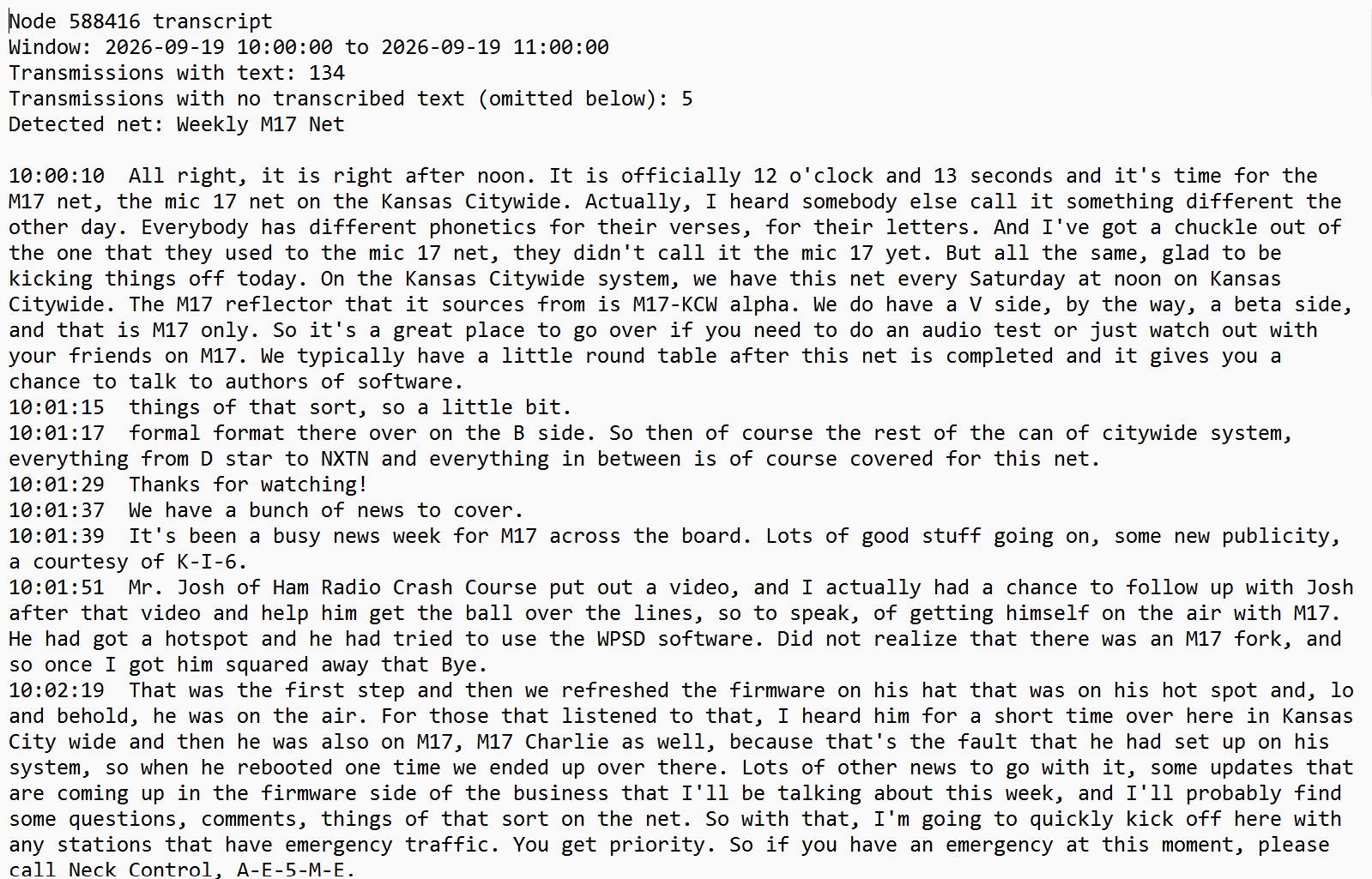
Here are the first few minutes of the net, as created by the transcription system:
Notice there are some errors in the transcription (for example, “Kansas City Wide” was transcribed as “Kansas Citywide”, NXDN captured as NXTN, and “Neck Control” instead of “Net Control”), but all of these are decipherable without additional AI help.
Then I took one more step, which is optional and not automatic: I pasted the text transcript of the entire net into ChatGPT and asked for a summary. That summary is what’s quoted above.
What pleases me most is the balance between AI use and accuracy. The only AI in the automated pipeline is Whisper, running locally on the node. As you can see in the raw text above, the transcript is usable on its own, without the extra processing performed by ChatGPT.
I have to say that Jeff AE5ME runs a fabulous net: clear, clean, well structured, plenty of pauses for other stations, and something I rarely encounter: room allowed for emergency traffic. Kudos to Jeff!
10. Driving with Claude
Last Sunday, I made a day trip to Portland, about a three-hour drive on state and federal highways. On the way, I did something I thought I would never do: I talked with Claude (hands-free, voice mode) through the app on my phone while I drove.
I left the lake house at 5:00 am Pacific time — still dark, with little traffic and only a few deer wandering about. This is the time of day when I like to think. It’s a creative period of the day for me, and it’s often when I do my best thinking about writing.
10.1 Packet radio: AX.25 vs. FX.25
I started the conversation wanting to learn more about the differences between AX.25 and FX.25. Before the conversation, I knew a little bit about AX.25, but I knew next to nothing about FX.25.
AX.25 packets are validated by CRC (Cyclic Redundancy Check) and simply discarded on error, with no retransmission request on one-way links. FX.25, on the other hand, wraps AX.25 packets in a forward error correction layer. FX.25 works alongside existing AX.25 gear since a standard AX.25 receiver can still decode an FX.25 signal. Direwolf natively supports FX.25. It particularly helps satellite links at low elevations where signal quality suffers.
FX.25 is really an RF error rate solution. For an internet-based packet system running over TCP, TCP already handles error correction and retransmission, so you wouldn’t gain anything by trying to use FX.25 in that path. It would only earn its keep if the packets ever moved over-the-air.
10.2 M17 packet mode and the data channel angle
Then I pivoted the FX.25 discussion to M17. M17 has two modes: stream mode, which offers one continuous 3200 bits-per-second channel of encoded speech or data, or two 1600 bits-per-second channels carrying speech and data simultaneously; and packet mode, for discrete data transfer.
M17 packet mode is interesting to me. It already supports text messaging, APRS, AX.25, 6LoWPAN (IPv6 over Low-Power Wireless Personal Area Networks), Winlink, and raw data. The M17 spec defines all of these, and pyM17 looks like a possible starting point, so I parked this as a future Python exploration idea.
10.3 Winlink’s threading gap
Then I jumped from M17 to Winlink, where I think there is also some potential for two-way packet communications. Winlink has a store-and-forward bulletin system that functions as a one-way broadcast…a one-to-many system. If there was a way to intake replies to bulletins and show them in context — threaded — you would have a two-way Winlink-based BBS.
What I really like about this idea is Winlink is well established within the amateur radio community, both as a system and by reputation. That provides the potential for better adoption if a positive change could be implemented. Layering a many-to-many system on top of the existing one-to-many broadcast capability might add value. I’m thinking of this as a modernized BBS system built on the Winlink framework.
To be clear, this is just me thinking about possibilities. These aren’t proposals, just ideas.
10.4 APRS Chat, ANSRVR, and “next generation packet BBS”
As the Winlink thread was percolating in my mind, it triggered some thoughts about APRS Chat, APRS Connect, and the ANSRVR group-messaging server that powers #APRSThursday via CQ and join commands. As I talked with Claude, I recognized that the command style used by ANSRVR actually resembles classic BBS commands. That took me to the idea of an APRS-based (which is packet radio, after all) BBS. ANSRVR seems slightly more modern than old-school packet, and as #APRSThursday has shown, can be robust for wide-area communications.
10.5 Debian on phone for portable node?
And then I went to a new place, at least for me: the idea of installing Debian, AllStar, and DVSwitch on a phone to create a truly compact multi-mode node.
A phone-based build would need root access, an unlocked bootloader, and either a proper chroot or a full Linux install, none of which is guaranteed across phone models. It would also still need external USB audio hardware (the UCI90, the hub, the DV stick) riding alongside the phone, so the actual size and weight savings over using a small laptop becomes insignificant.
However, with the advent of all-in-one apps like QSO One that handle all of these modes in software, a compact hardware solution is probably a moot point.
10.6 Wrap-up
Well there you have it. That represents about an hour of talking with Claude while I was driving. That was an enjoyable way to burn up about 60 miles of highway, thinking about amateur radio and conceptually exploring some of the little sparks flitting around in my mind. I think this time was well spent, so I plan to do it again.
How about you? Do you ever go driving with Claude?
11. QRT: End Transmission
11.1 Net news
Heard on September 23rd on the morning Coffee Break Net on the W6EK repeater (AllStar node 51018): a schedule change. If I caught it correctly, the Coffee Break Net will move to 9:00 am Pacific time beginning October 1. This net is sponsored by the Sierra Foothills Amateur Radio Club.
11.2 Radio in the garage
I have a VHF APRS iGate/digipeater in the garage, along with a LoRa APRS iGate/digi. But what about FM broadcast radio? At the lake house, Dad used to have a small AM/FM receiver out in the garage, along with a few beat up speakers. I’m pretty sure he sourced those items a long time ago at a local Radio Shack store. His old twin-lead FM antenna is still tacked to the wall, but the rest of that setup is long gone.
In his memory, I purchased a low-cost FM receiver/amplifier and a pair of speakers to mount in the garage. The cheap radio only has a small telescoping aerial, so I attached about five feet of insulated wire to it to make a more-or-less half-wave FM antenna. It works fine. Dad would be happy about it, and it will remind my family members of him. It’s also a reminder to me that radio, in some form, touches all of us, in some way.
11.3 Notation Polish Reverse used you have?
I have a calculator nobody around me wants to touch, because it is a complete mystery to them. It’s a Hewlett Packard HP-15C, still going strong, built like a tank, and utterly indecipherable to the uninitiated. You see, it uses RPN logic: reverse polish notation. The best explanation might not be from XKCD but it’s my favorite, where RPN is presented in the guise of RPS: Reverse Polish Sausage. (I’m a big fan of the ultra-nerdy XKCD humor.)
I love that calculator. I love it so much, in fact, that I also have the financial version, the 12C. Both are still going strong after all these years. More importantly, each one brings a smile to my face when I pick it up. I can’t explain why. It’s like a favorite radio, I guess. I just like how it feels and functions.
11.4 Update on the book manuscript
My conservation book manuscript is at the publishing house. They tell me it will be about 330 pages in paperback. That’s a bit more than I expected. The manuscript still needs professional editing. We’ve finalized the title and settled on a conceptual cover design. I’m expecting publication by spring 2027, but my fingers and toes are also crossed for luck! I’ll share more as publication gets closer.
My Bitaxe’s best-ever share looked impressive until I did the math. It’s still 4,400 times short of a block, but a block win is more likely than getting struck by lightning. Read: More Likely Than Lightning on EtherHam.
With that, I’ll say 73. My best wishes to all. Remember to touch a radio every day!
Solar flare activity is expected to remain at very low levels, with a chance for isolated C-class flares through September 19, according to NOAA’s Space Weather Prediction Center (SWPC). Solar wind speed was steady near 530 km/s, and negative polarity CH HSS (coronal hole high-speed stream) effects are anticipated to persist through September 18, with additional enhancements likely today due to flan…
American Radio Relay League | Ham Radio Association and Resources Read More
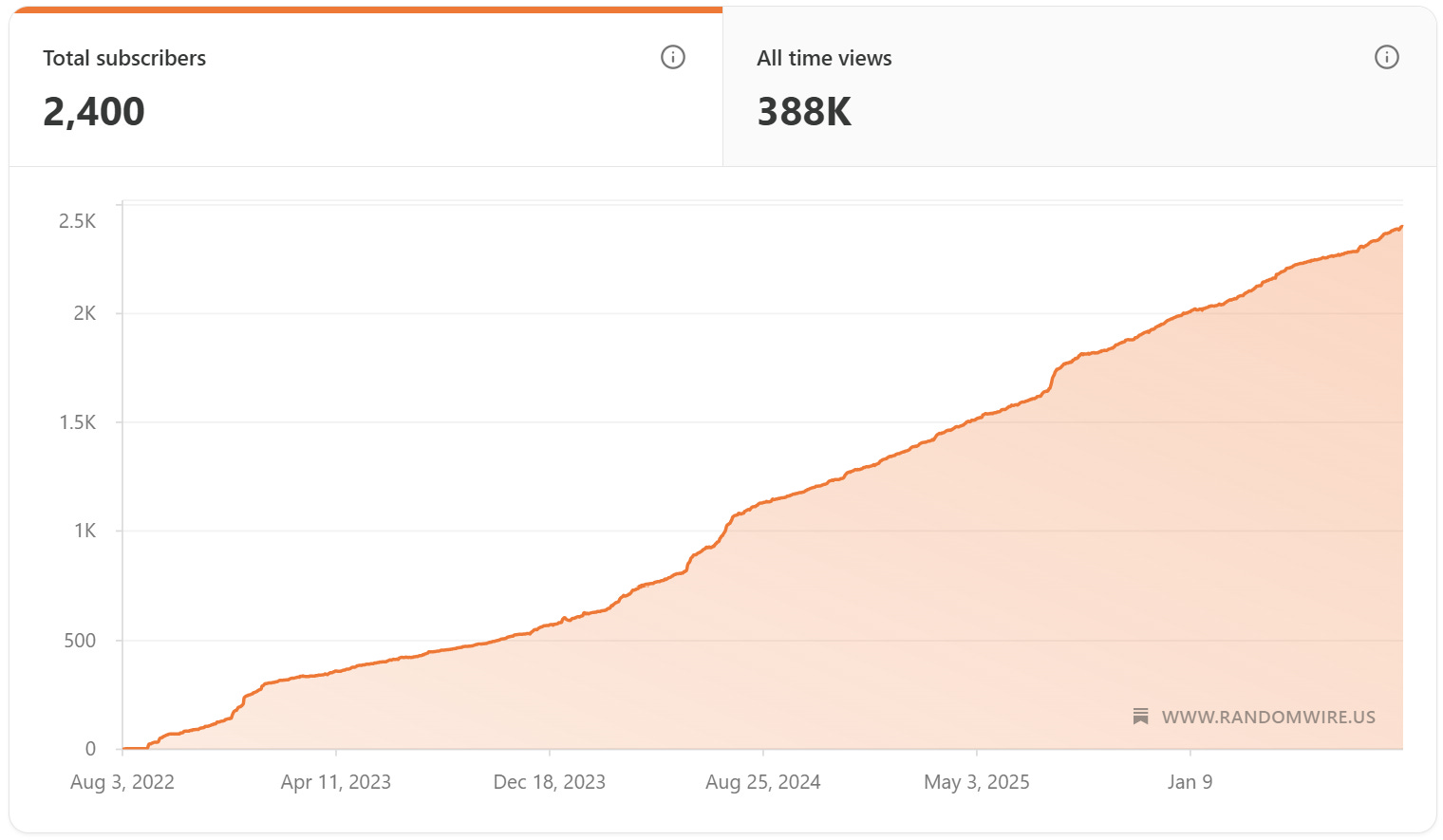
Welcome to issue 200! Remarkable! Without you (as of Wednesday: 2,400 subscribers!) this would not have been possible. Thank you to every person who subscribes.
Thank You
It’s been a pretty steady march forward over 4+ years for the Random Wire newsletter, with a few bumps along the way from mentions in the Zero Retries newsletter and on the Ham Radio Workbench podcast.
Line graph of subscriber growth since August 2022
Simply amazing. I continue to learn so much from so many, it makes this effort well worth it. I hope you find value, too.
Issue 200 has been a challenge because I’ve been dwelling in the land of computer code and remote machines. Last week was all kinds of AllStar goodness. This week I’m cleaning up a bit of that work from last week and diving into more. For example, I bridged M17 to a private AllStar node, giving me a bidirectional path: M17-to-AllStar and AllStar-to-M17. Along the way I learned I don’t need to have a costly M17 radio or an M17 hotspot to get on M17 — I can do this with an AllStar node and some software. It’s not perfect, but if you have an AllStar node and wanted to dabble in M17 without spending money, you can!
This is also a big work week for me. We’re putting together an amicus brief (technically, an amicus curiae brief) for a case before a higher court in Washington State. My team is fully consumed with preparing for multiple regional meetings next month, plus putting the finishing touches on our annual statewide conference. We are also preparing for what promises to be a very challenging legislative session that launches in January. And this week has many meetings, including a meeting of the primary state agency we work with, plus a meeting on Friday with our nonprofit association members. All of these things have pulled me away from radio this week. The flipside of this is returning to radio will taste sweeter when I get more time.
With that, let’s dive and see what happened in my radio week.
2. New on EtherHam
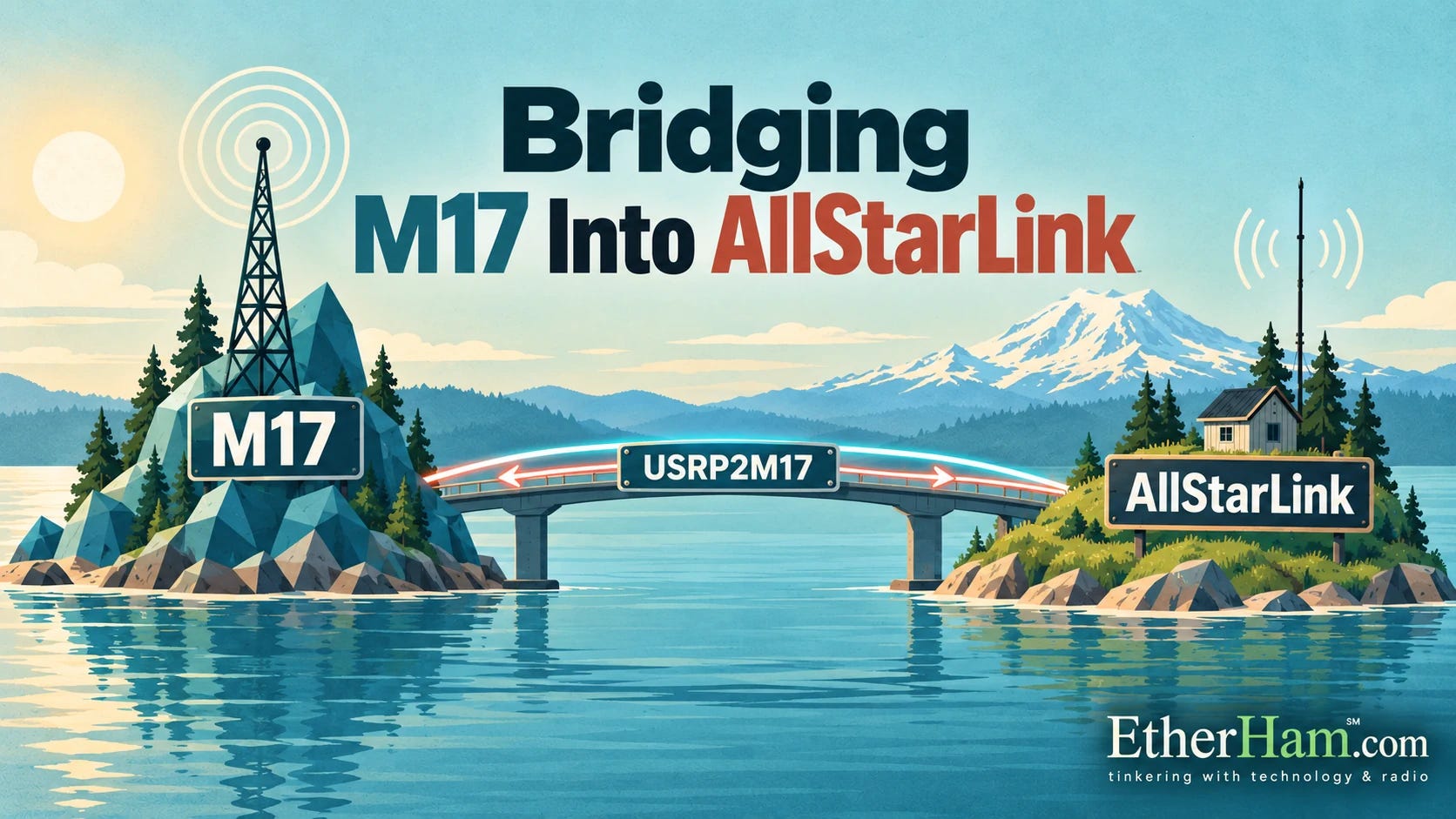
Bridging M17 Into AllStarLink
This item is, to me, pretty cool, and has a great takeaway.
I spent a chunk of this week connecting my M17 reflector (M17-PNW) to an AllStarLink node. These two systems have been running as two separate worlds since they were launched. The mechanism is USRP2M17 talking to a private AllStar node over the loopback interface.
I am certainly not the first person to do this. In fact, I recall a 2024 article in Zero Retries was where I first heard about it. I am standing on the good work of others.
The most interesting part turned out not to be building it — that went about as expected — but something I did not see until later. I had been testing the whole chain through my M17 hotspot, because that is how I built it. I never questioned my assumption that this was the correct configuration.
Then it landed: USRP2M17 is itself an M17 client. It connects to the reflector on its own, appears in the client list like any other station, and receives the module’s stream directly. The hotspot was never required. I do not need an M17 radio, or a hotspot, or any M17 hardware at all to put a reflector’s audio into AllStarLink.
That is a huge takeaway for me. Until that moment, I really did not recognize that the software I was fiddling with functioned as an M17 client, negating the need for a hotspot. That reframes what the bridge is. It is not an accessory to a hotspot; it is an independent gateway, and it can be pointed at any reflector I choose. I proved it by accident, monitoring a net on an ordinary analog handheld several links downstream and noticing the audio was markedly cleaner than anything I had managed in a morning of test transmissions. Of course it was. My transmissions had been going out through a radio whose microphone I cannot adjust, which is its own story and cost me most of a morning to pin down.
One of the very best takeaways, though, is this: you don’t need a special M17 radio or hotspot to use M17 if you have an AllStar node. Install and configure USRP2M17 and use your existing analog radio to get started with M17.
The full account is on EtherHam, including the gain setting that is not really decibels, and the very first test that failed for a reason I had deliberately built into the node myself.
This is Part 3 of a series about building an automatic net logger on an AllStarLink hub node. Part 1 covered who it’s for and how to get audio out of a node with no radio. Part 2 covered the bugs that live traffic exposed in the detection logic. In Part 3, I describe the bug I nearly missed entirely and what it taught me about trusting my own tools. It closes with where the whole project ended up:
But overall, it works. A net happens, and twenty minutes later there’s a record of it — searchable, exportable, and reasonably accurate about everything except the call signs. That last one turned out to be more tractable than I expected, but that’s a story for another day. Radio traffic is gone the moment it ends. It doesn’t have to be.
This is the second of three articles about putting AllStar node 588416 on 44Net. Part 1 is the tent: the hardware, the tunnel, the certificate, the remote administration. This one is an anchor that keeps the tent secured.
I found two bugs in my MikroTik hAP ax2 router configuration. Each was fixed by a single line. Both took hours to find. In both cases, the configuration that caused the problem looked entirely reasonable on the screen — plausible values, in the right fields, doing something close enough to the right thing that reading it told you nothing.
The takeaways, summarized:
When symptoms contradict your theory, go find a counter.
Check what you’re measuring before you trust what you measured.
A vendor configuration is correct for the traffic its author anticipated.
Redundancy that shares a dependency is not redundancy.
I did share my notes with the 44Net folks who acknowledged my concern. It felt good to try to help make the campsite better for all of us.
I found a simpler solution for the one-on-one help session in my SSH reverse-tunnel article, and added a postscript about it. That solution is Tailcat, a tool that creates lightweight, temporary, peer-to-peer encrypted tunnels, built by the same people who built Tailscale. Instead of a permanent tailnet, you download a file, share a key, and make an ephemeral connection that goes away when you’re done.
I could have used that in helping “Dan” with his radio configuration. I did not learn until this week that he is setting up the same full-duplex AllStar node that I have!
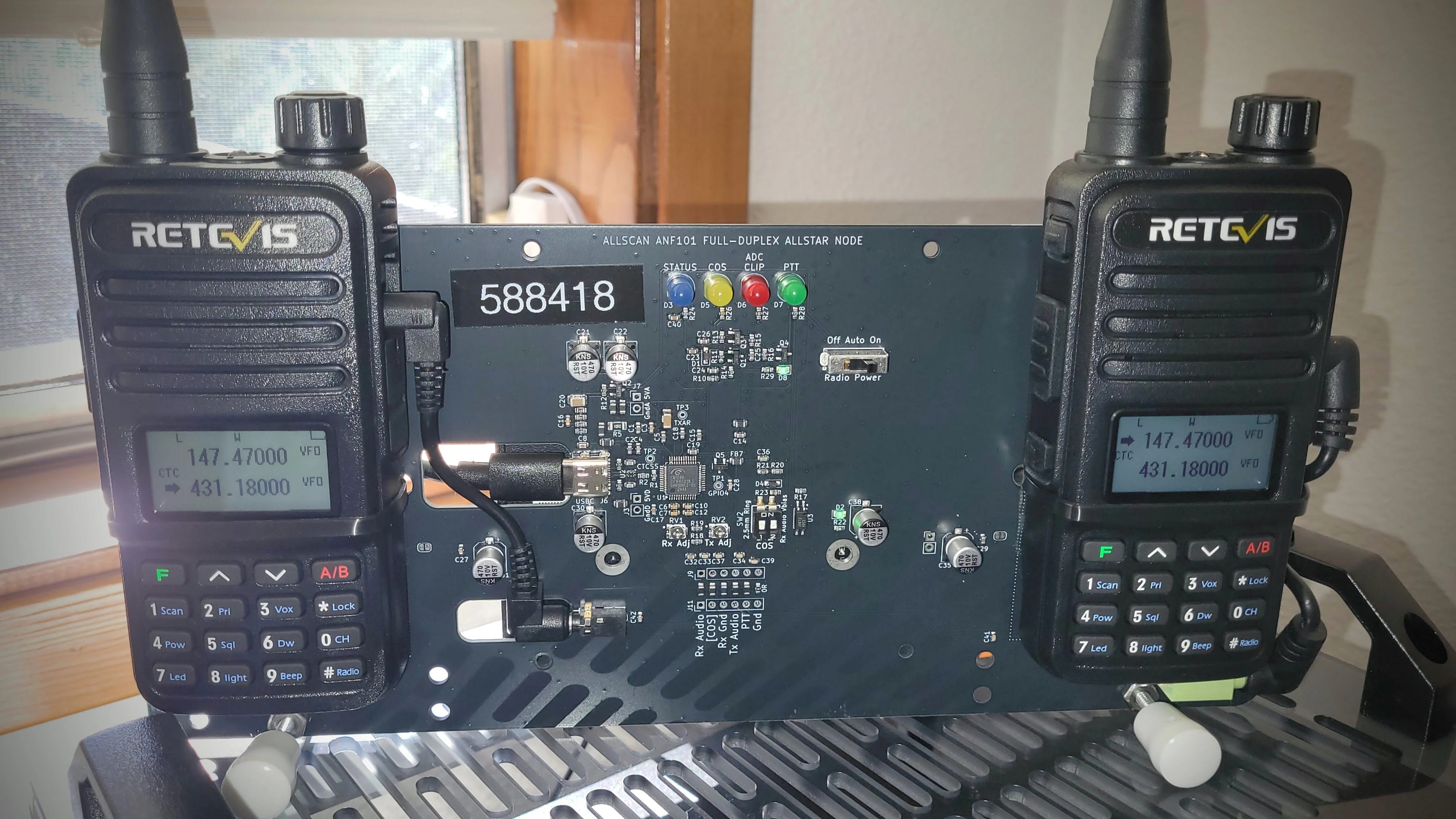
AllStar node 588418 on AllScan ANF101
The device is an AllScan ANF101 full-duplex node. Behind the backplane is a Dell Wyse 3040 thin client machine that powers it. It runs my AllStar node 588418. You can see the frequency I transmit into (431.1800 MHz) and the frequency the node transmits over to me (147.4700 MHz). This is one of my favorite AllStar devices.
I was really tickled to help “Dan” get his machine up and running.
8-Day Contest Feed Removed
The 8-day contest feed on EtherHam.com was swamping other results in the feeds. Since no one has ever said “I like the contest feed” I removed it. Please let me know if you’d like it to return!
When I say “shack,” I really mean all the places where I have a ham radio presence: the Lake House (Washington), the QTH (Oregon), and the cloud server (Seattle).
My 1980s-Style BBS at a Real IP Address
Let’s cut to the chase: why? Why put an old-school-ish BBS online?
Well, why not? I wanted to learn more about packet systems, and I wanted to put one of my 44Net addresses to use on a low-bandwidth service. A packet BBS is exactly that.
There’s something quietly satisfying about standing up a BBS on my own public IP address — not a port forward, not a dynamic DNS name that breaks when the cable modem hiccups, but an actual routable address on 44Net, amateur radio’s own slice of the internet. I now have two: 44.27.19.242 for AllStarLink node 588416, and 44.27.19.243 for an old Intel Mac Mini running LinBPQ as a packet node, BBS, and chat server at packet.etherham.com. Both sit behind a MikroTik hAP ax2 in a Portland rack — power and internet aren’t reliable enough at the Lake House for a public-facing box, so Portland was the better choice.
The 44Net Connect side turned out to be the easy part. ARDC’s self-service tunnel provisioning handed me a WireGuard endpoint and a /28 within minutes, and adding the Mac Mini to an already-working setup was close to anticlimactic — new port, new bridge, done.
The hard part had nothing to do with networking. LinBPQ runs three separate engines — node, BBS, and chat — and by default only the node starts. Setting BBS=1 merely permits applications; an APPLICATION line merely adds “BBS” to the command list. What actually launches the mail server is a bare LINMAIL line in bpq32.cfg, and without it every symptom points somewhere else: no config file, because the engine that writes it never starts; no debug log, rather than an empty one; a web config page that appears to save and then quietly reverts. I chased permissions, session tokens, and form behavior before finding the answer in G8BPQ’s own install notes — one sentence, easy to miss. LINCHAT does the same job for chat. Once both lines were in place, everything came up on the first try.
The last piece was making sure it comes back by itself. LinBPQ runs as a systemd service now, and a small unit flips the bit that tells this 2014 Mac Mini to power itself back on after an outage — the same thing macOS does behind the “start up automatically after a power failure” checkbox. I tested it the only way that counts: pulled the cord and watched it come back on its own. For a station I administer from three hours away, that’s the part that actually matters.
I now have a small cadre of folks helping me test this system. We are all learning together. I don’t know if there is a solid place for an old-school BBS in these modern times, but without trying it, I really can’t know.
Insta360 ACE Camera Is Back in Service
Not radio but technology.
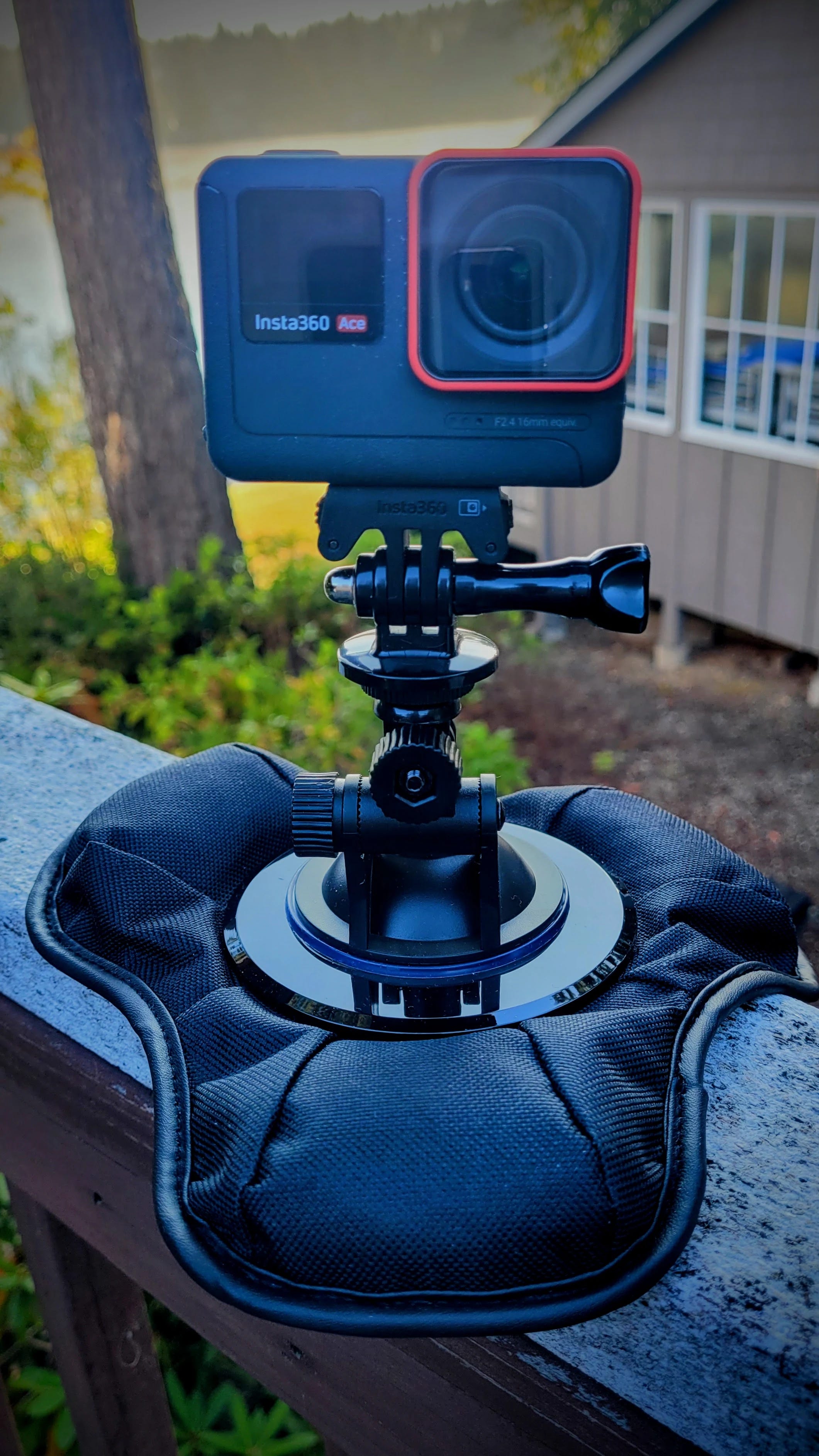
When my wife and I made a long road trip to Kansas, I included a (then) new Insta360 ACE camera. That sat on the pickup truck dash with a sandbag mount which kept it in place, most of the time.
Well, I was digging through a box and ran across a 1-terabyte microSD card. Back when I bought it, I think I paid $88 for it. Today, a new 1TB card is like buying gold! I stuck it in my laptop to read the card and found videos from that trip, particularly the stretches in and around Moab, Utah. Great memories.
I dug around some more and found the Insta360 ACE camera. The mount was missing so I bought a new one and have been using the camera+mount on the truck dash for the past few weeks.
No longer current Insta360 ACE action camera
The other morning, on a dark, early drive for my morning coffee (this is my thinking time) I rounded a corner to find a deer standing in the middle of the road. I slowed down and let the animal finish crossing. The Insta360 ACE caught it:
Of course, the cam also picks up people who cut me off in traffic, or who pass me and then hit their brakes. I’m sure I have one video where someone has shown me with their hand that I’m #1. I don’t need to share those videos but it’s good to have a record.
I just looked at the price of this camera on Amazon. Oh my. That cost has gone up — way up. I think I bought mine on sale when Insta360 was transitioning to the new ACE PRO series, because I don’t remember prices anywhere near what I’m now seeing.
4. APRS
Here’s a nice product to point you toward: the iGateMini. This is a VHF, single-board device with one-watt out that can serve as a tracker, an iGate, or a digipeater. I think it is particularly well suited to serve as a fill-in digi/iGate in your shack. Hat tip to Ham Radio Workbench for this. See HRWB 270 – Satellite Tracking with CSN Technologies.
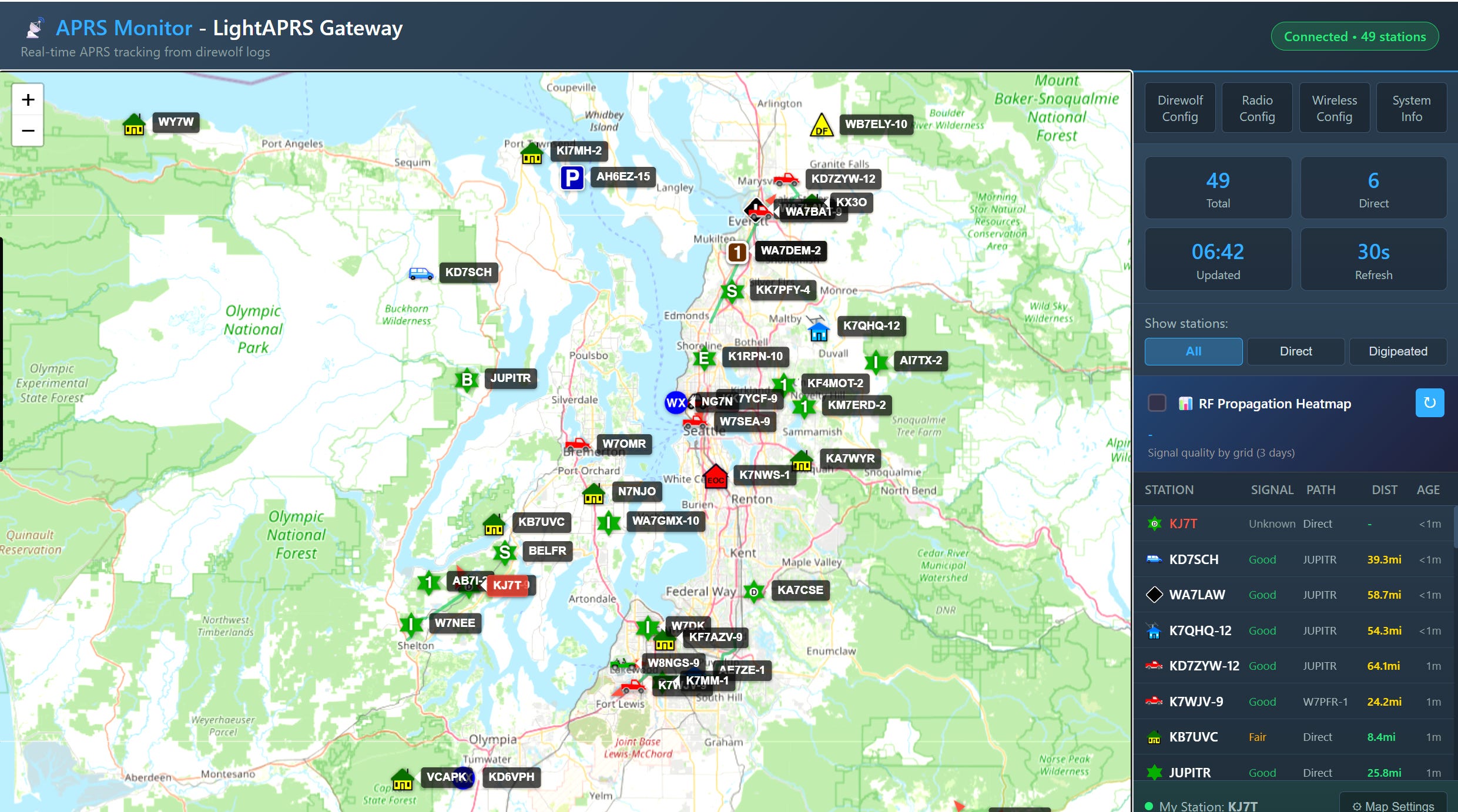
And while I like the looks of the iGateMini, I must say I do like my LightAPRS Gateway 1.0 device that I wrote about here and here. At $130, the price is quite reasonable for a tracker, iGate, and digipeater. There’s a lot to like with this little device. As you can see below, it is working well for me, despite the antenna being inside the garage, located in a basin surrounded by hills.
Screenshot of my LightAPRS Gateway display, 2026-09-16
Does it seem like APRS applications are proliferating? There is the long-standing #APRSThursday check-in, and I do that occasionally over LoRa APRS. There is APRS OTA, and I confess it looks like fun. There is SpaceAPRS which will become more useful when the ISS APRS station comes back online.
And there is APRS Connect and APRS Chat for Android. Although I don’t have a modern iPhone, there are great apps for Apple phones, too.
In fact, there are so many new APRS things going on I know I’ve forgotten a few that I meant to share. Hopefully I’ll remember them before Friday’s publication deadline! Bottom line: APRS seems to be making a bit of a resurgence. I’m okay with that.
5. A Repeater 250 Miles over Your Head
Since I touched on the ISS APRS station above, what about the VHF/UHF repeater on the ISS? Do you know how to work it?
Aboard the International Space Station, in the Columbus module — ESA’s European lab, built in Italy by Thales Alenia Space — the amateur radio crossband repeater is up and running. Heads up, though: ARISS has a scheduled outage coming September 18 (15:20 UTC) through September 19 (16:50 UTC) for spacewalk support, so don’t be surprised if it goes quiet for a day.
▸ Uplink: 145.990 MHz FM, 67 Hz CTCSS tone
▸ Downlink: 437.800 MHz FM
▸ Radio: any dual-band FM handheld or mobile will do
▸ Antenna: a handheld whip works; a small directional gains you the margins, best is a little portable YAGI antenna
The technique:
1. Look up the next high pass for your location (any ISS tracker app or website — pick passes above 40° elevation).
2. Program both frequencies before you go out — remember the 67 Hz tone, or the repeater stays silent.
3. Listen on 437.800 first. When the pass starts you’ll hear traffic from stations already working it — the downlink comes with Doppler shift, so tune around slightly.
4. Transmit on 145.990 when there’s a gap, give your call, and listen for yourself coming back through the orbiting machine.
That’s it. Your signal goes up, gets retransmitted from space at up to 25 watts out, and comes down half a continent away.
6. QSO One Continues to Grow
I’ve got to hand it to Frank KD8JKK — he has really pushed QSO One forward. He writes:
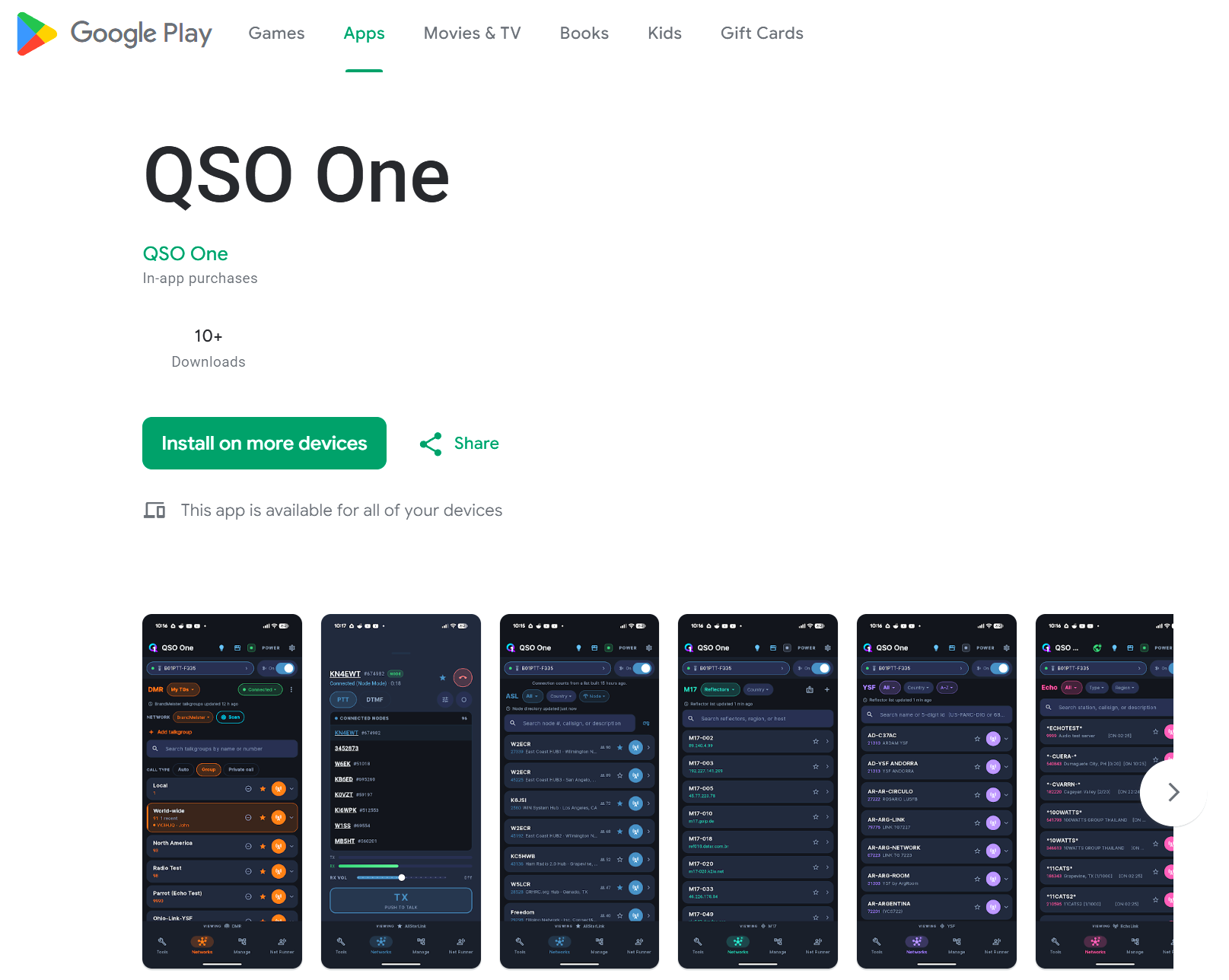
That’s a pretty big deal. I feel better knowing the code has passed through Google’s gauntlet. No guarantees that it is safe, but it feels safer than before, so I installed it on my phone.
Screenshot of QSO One on Google Play Store
There is one aspect to setting up your AllStar credentials in the phone app that I think is incorrectly described. For the IAX2 password, Frank says to go to AllStarLink.org and find your node password. That is not what I think of as my IAX2 password. I have passwords for various contexts in my /etc/asterisk/iax.conf file. Those are the ones I think of as IAX2 passwords, so that’s where I went first…and none of them worked. What did work is exactly what Frank described. I used the node password from my AllStarLink.org portals page for node 588418 and that worked. I just don’t think it is best described as an IAX2 password. That confuses me.
Other than that small quirk, this is brilliant software for the Android smartphone ecosystem. Job well done, Frank!
7. ARDC Seeks Volunteers in 2027
Amateur Radio Digital Communications (ARDC) needs your help.
ARDC is now accepting applications for our 2027 volunteer cohort. Applications are open Sept. 15 – Oct. 30, 2026. They are looking for qualified individuals to contribute their time and expertise across several committees and teams:
Several days ago, I heard a fair question about the AI net-transcription project I’ve been running on my AllStarLink node 588416: should participants be told their traffic is being captured?
The short answer: probably not required by U.S. law. Amateur radio carries no expectation of privacy under FCC rules or federal wiretap law, and that’s by design, not an oversight. But the more interesting answer turned out to be practical, not legal: even if I wanted to notify people, AllStarLink’s own infrastructure gives a node owner almost nowhere to say anything at all. The node registration portal, which is where you might expect people to go to find node details, has exactly one optional text field, capped at 20 characters, meant for a frequency label. That’s it.
But not legally required doesn’t mean not necessary. The very first item in the Radio Amateur’s Code is Considerate. Informing people they may be recorded — even though it’s not required to do so — is courteous amateur radio behavior.
For AllStar nodes, there is no standard place to publish this kind of information.
The gap is worse for a node like mine. It’s a hub — no radio, no coverage area, nothing that fits neatly into the tools that already exist for this hobby. QRZ covers callsigns, not node numbers. RepeaterBook covers physical repeaters with frequencies and PL tones, not link nodes. And the one thing I’d already built — a small web page served directly off the node itself — had an obvious flaw: it disappears exactly when the node goes down, which is precisely when someone might most want to know what’s going on.
My fix was to stop hosting that information on the node at all. I built a free node page on GitHub Pages instead — no server to run, no uptime to maintain, and it publishes automatically from plain text files the moment I push a change. I put it under a new GitHub organization named for my callsign rather than folding it into my existing EtherHam brand, since a callsign is what is associated with my node number, and it keeps my station’s own documentation independent of whatever EtherHam does or doesn’t become down the road.
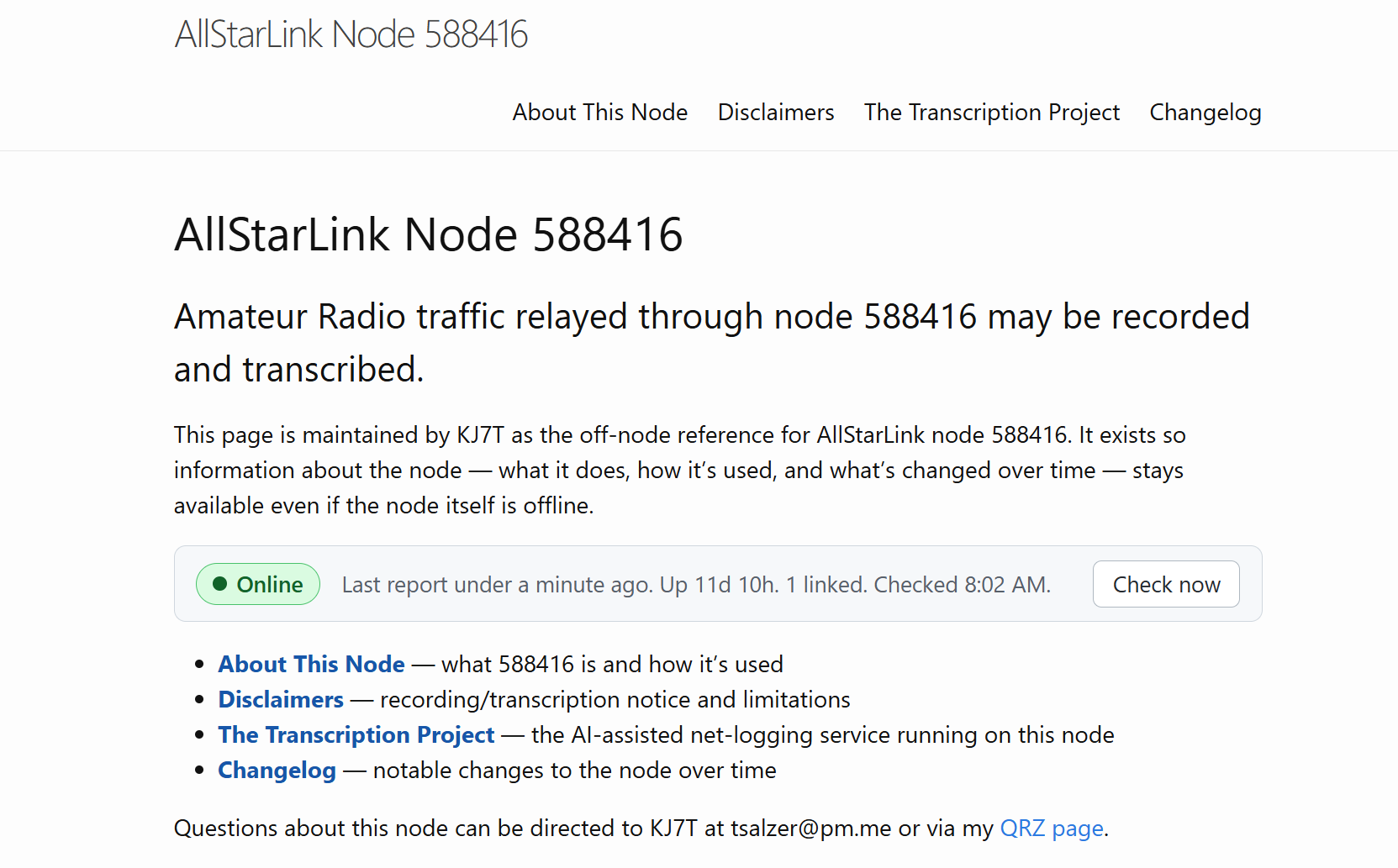
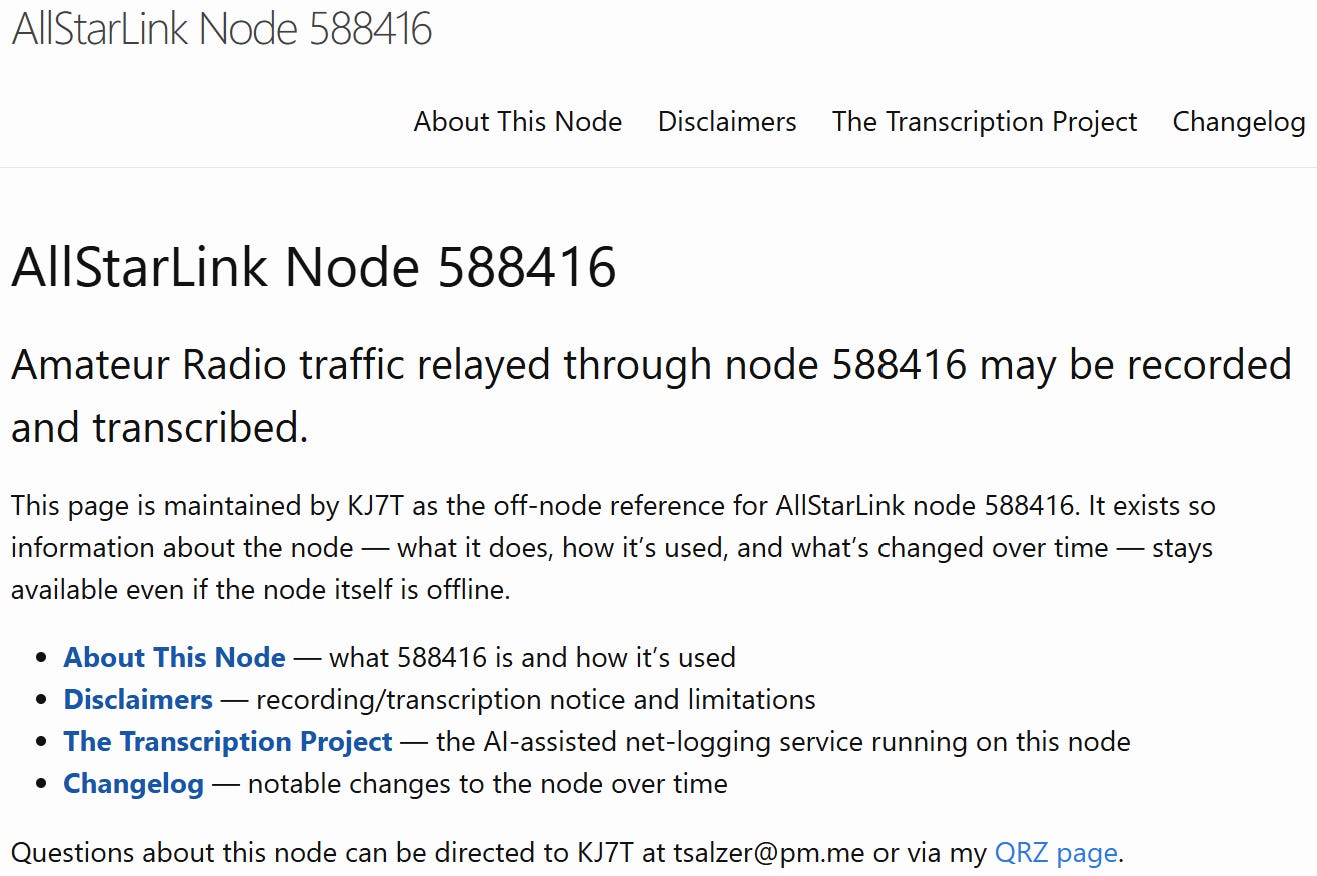
The page itself is short: what the node is and how it’s used, a plain-language disclosure that traffic may be recorded, a description of the transcription project specifically, and a running changelog of what’s changed on the node over time. I then pointed the node’s own web address (which lives on the node at /var/www/html/index.html) at this new page with a simple redirect, so there’s exactly one place to keep current rather than two drifting copies.
A simple page about AllStar node 588416
None of this took more than an evening, and most node owners are in an easier spot than I was — running one or two nodes rather than a dozen, which makes this a single small repository rather than anything to architect around. If you operate a hub or link node in particular, where there’s no repeater and no physical footprint for the usual directories to hang a listing on, I think this is worth thirty minutes of your time. I’ll be writing up the full how-to soon; consider this the introduction to what may be a best practice for AllStar node owners.
PocketCHIRP is an Android radio programming app for amateur radio, GMRS, radio enthusiasts, commercial/business users, DMR, and other supported radios, with tools for reading, editing, saving, and programming compatible amateur radios over Bluetooth or USB — plus repeater search, satellite Doppler channel generation, custom groups, cloud backups, Android TalkBack accessibility, custom drivers, diagnostics, and more.
My WPSD-driven DMR hotspot is set up to look to Brandmeister first, then to PNWDigital. I’m not sure that works well when I’m keying up to connect to PNWDigital. For my purposes, this hotspot only needs to contact PNWDigital, so I’m wondering if I should remove Brandmeister altogether. I’d appreciate thoughts from folks more experienced in DMR than me! Contact me at KJ7Tom@gmail.com.
Rain barrels…not radio but it is technology of a sort
My technology interests range widely, and sometimes they intersect with my natural resources conservation field. Rain barrels can be useful but they are hard to site in a way that looks attractive (which is probably why most people put them in the backyard or behind a side yard fence). You can also use cubic IBCs (Industrial Bulk Containers), but again, they take up a lot of space and look, well, industrial.
In contrast, I love this concept I just ran across: the Rainwater Wall. Jump to The Rainwater Wall: A Space-Saving Water Harvesting Tankand scroll down to see it. It’s clever. Compared to round barrels and cubes in cages, it looks pretty nice situated along a wall or fence. I hope this idea takes off.
Windows RDP and drive redirection
I learned something new about Windows Remote Desktop (RDP), which I use over Tailscale to operate my work computer remotely. The new thing: I can map a local drive so it shows up on my work computer. (Technically, it’s called drive redirection.)
How?
Open Remote Desktop Connection on your Windows computer (search for it in the Start menu)
Click Show Options in the lower left corner
Click the Local Resources tab
Click More… under “Local devices and resources”
Expand Drives and check the drive(s) you want accessible
Click OK, then click Connect
I needed to move a script from my Lake House NAS box to the work PC, by through drive redirection, it was easy. I could simply drag-and-drop or copy-and-paste the folder I needed. I don’t know why I never knew this before, but that was a gold nugget AHA moment. It saved me from the whole zip-the-folder-and-email-it-as-an-attachment method.
All you networking gurus who are rolling your eyes, well, I’m just happy to learn a new, useful thing. Old dogs, new tricks, and all that!
The Yagi-Uda beam antenna was invented 100 years ago, in 1926, and Contest University (CTU) is celebrating its centennial with a live Zoom webinar this Saturday, September 19, 2026, at 1600 UTC (noon Eastern). The free webinar, titled “The Yagi Turns 100,” will be available online at https://w3lif.org/yagi. There is no pre-registration. Click on the link before 1600 Zulu on Saturday to watch. Q…
American Radio Relay League | Ham Radio Association and Resources Read More
Solar flare activity was at low levels in the past week with isolated C-class flare activity, according to NOAA’s Space Weather Prediction Center. The largest flare of the period was a C3.4 on September 8 from otherwise stable Region 4528. Region 4530 developed asymmetric penumbra on both its leading and trailing poles while undergoing consolidation in its intermediate area. New flux emergence in the…
American Radio Relay League | Ham Radio Association and Resources Read More
To commemorate the 25th anniversary of the September 11, 2001 attacks on the United States, the High-frequency Active Auroral Research Program (HAARP) at the University of Alaska Fairbanks will be making a special transmission on 9.11 MHz at 0030-0035 UTC on September 12, 2026 (8:30-8:35 PM eastern time Friday evening). The transmission will consist of a Morse code QST, followed by a slow-scan …
American Radio Relay League | Ham Radio Association and Resources Read More
Educator Everton Henriques, KD2ZZT, shared his experience using amateur radio to inspire students and bring engineering and technology to life in the classroom during his keynote at the 2026 ARRL New England Division Convention, hosted by Northeast HamXposition in Massachusetts on August 15. A video recording is available on ARRL’s YouTube channel.
Everton is an Engineering and Technology Teache…
American Radio Relay League | Ham Radio Association and Resources Read More