Ed. Note: Details in this article were culled from the November 2001 QST article, “9/11/01: ‘This is Not a Test’ ” by Rick Lindquist, N1RL, and Diane Ortiz, K2DO. The original article is available here (PDF).
Twenty-five years ago, on September 11, 2001, the United States came under attack from al-Qaeda terrorists who hijacked passenger planes and flew them into buildings in New York City and Wa…
American Radio Relay League | Ham Radio Association and Resources Read More
Welcome to Random Wire issue 199. We are one week away from hitting the 200 issues milestone! I’m not sure why this surprises me but it does. The Random Wire exists because you subscribe to this free newsletter. Thank you, and please share with your radio friends.
I get asked now and then why I run two publications instead of one. Here’s the short answer.
Random Wire is the journal. It’s where I write about what’s happening — what I built this week, what broke, what I’m noticing, what’s rattling around in my head. It doesn’t have to be finished or tidy. A half-formed thought about digital modes, a detour into geology or fly fishing, a reaction to something going on in the hobby — it all belongs here. When I write this, I’m writing to you, one of 2,500 people who get it in their inbox every Friday.
EtherHam is the workbench. It’s where the ideas from Random Wire actually get built. The full how-to, the firmware quirk that cost me an afternoon, the radio that doesn’t leave the bench until I’ve pushed on it from every angle — that level of detail lives there, not here. If Random Wire tells you I moved my AllStar node onto 44Net this week, EtherHam is where I show you exactly how, mistakes and all.
Short version: read Random Wire to keep up with what I’m doing. Read EtherHam when you’re ready to do it yourself.
A reader wrote in, stuck on getting Debian Linux onto a Dell Wyse 3040 thin client machine. After I responded, I realized my older guidance from June 2023 was quite outdated…so I updated it and published the fresh guide on EtherHam.com.
And then I realized I was simply wrong on some points, so I went to David Gleason’s (NR9V) AllScan.info site for truth and found it. That means if you read the article last Friday evening before 8:30 pm, it had incorrect information. The article as posted now is much better.
If you have a 3040 on the bench you want to dust off, or if can get your hands on a used unit in good shape, it remains a superb platform for building an AllStar node.
This is the thing that took much of my time this week: moving my AllStar node 588416 from an address on my LAN to a 44Net static IP address. Sounds simple but it wasn’t. I feared this would be too complicated for me so I put this off for months, but it turned out to be a little easier than I expected. Simple? No. I was challenged, but I also achieved a positive outcome.
I moved my AllStarLink node 588416 onto a public 44Net address, nine months after ARDC announced the WireGuard-based 44Net Connect service in December 2025. The article opens by admitting the node already worked fine, so why do this? My motives may be just as interesting as the technical details: learning routing and tunnels by hand rather than in the abstract, owning an address block tied to a call sign instead of renting one from Comcast, and actually occupying address space the hobby already owns rather than admiring it from a distance.
My build centers on a MikroTik hAP ax2 router placed behind an existing GL.iNet Flint 2 router, which achieves complete isolation between 44Net and household traffic without VLANs or a managed switch.
The article closes on the day’s actual lesson: the modern, unfamiliar part worked on the first try, and every real problem was local — port defaults, PoE behavior, and a bug in a config file.
Over on EtherHam, I’ve published Part 2 of my automatic net logging series, and this one’s about what happens when your code works perfectly in isolation but falls apart against real traffic. I tested my AllStarLink net-detection system against five actual nets and found four separate bugs — the kind that only surface once you throw real repeater audio at something instead of a clean test case. Each one alone just nudged the accuracy down a little; together, they made the whole system unreliable.
The bigger lesson wasn’t about any single bug, though. It’s this: unit tests can tell you every piece works and still miss the failure that only shows up when the pieces interact. Fixing that took real listening, not just better regex. If you’re building anything that has to survive contact with real-world audio, it’s worth a read.
This is the tale of helping someone get AllStarLink installed on their Dell Wyse 3040 thin client machine, using an SSH reverse tunnel to take control of the terminal on the other end of the pipe. With no desktop environment installed, the usual screen sharing applications were not going to work. On top of this, the user was not an accomplished computer user, so I needed to find the simplest steps he could accomplish to provide me with remote access.
Weekly Reports
Short Stack is even longer this week with the addition of some space-related feeds.
Band Conditions look to be on the mend, so now’s a good time to get on the air and make up for lost time.
Digital Radio News — The M17 Project released a new draft of the M17 specification. AllStarLink’s app_rpt code received more fixes. There’s a new commit for MMDVMHost. And LoRa APRS iGate posted some updates.
Groups.io Digest saw RepeaterBuilder leading the pack with 155 messages, followed by TinySA (85 messages), ARDC 44Net Connect (75 messages), and APRS (46 messages).
Retevis RT85 Cheat Sheet
A subscriber asked if I had a cheat sheet for the Retevis RT85 dual-band handheld radio. I did not…so I made one. There are still a few unresolved or unconfirmed items, but if you have one of these radios, find version 7 of the cheat sheet at https://etherham.com/downloads/#how-to
I have several of these radios so the cheat sheet is a help to me, too. This is one of the easiest dual-band VHF/UHF HTs available that is both reliable and usable. When I checked earlier this week, the price for the 2-pack was about $35 on Amazon. Yes, $35, for two radios, antennas, batteries, desk chargers, belt clips, and hand straps.
Creating the cheat sheet was an interesting exercise because some published information was missing or conflicting. The Retevis RT85 cheat sheet joins another cheat sheet I made for the RT3S when flashed with OpenGD77 firmware. Both are in the Downloads section of EtherHam.com: https://etherham.com/downloads/.
New Reference Pages
I’ve added some Reference Guide pages to the EtherHam site. The first set are:
Find these in the main menu under the Downloads selection. Please let me know if you have suggested edits, or if there are topics for which you’d like a simple reference sheet.
There is so much going on today with all-in-one dashboards! What a great time to be a ham.
One of the newest suites comes from Terry Claiborne KC3KMV. Terry first contacted me about a year ago about IAX and AllStar nodes. He dove in and hasn’t looked back. He writes:
I have a deep background in the IS field, spanning everything from Assembler, Fortran, and COBOL to C, B, C++, Unix, and Turbo Pascal. I retired at 55 and am turning 70 next year. My journey into this space started with HamVoip before I transitioned to ASL3. When I first emailed you about creating a user in iax.conf, it sparked a deep dive, and I haven’t stopped since. My main goal now is to share different options and presentations to make things easier for others in the community.
Alltune2 is a high-performance utility for BM, TGIF, YSF, D-Star, P25, NXDN, AllStar, and EchoLink nodes on ASL3.
AllStar View is a standalone, read-only web monitor for AllStarLink 3 / app_rpt systems.
AllStar Connect is a web dashboard for controlling and monitoring AllStarLink and EchoLink connections on an ASL3 node.
DVSwitch Cockpit is a modern web dashboard for watching what your ASL3 / DVSwitch node is doing in real time.
AllStar Web Transceiver — Windows is a native AllStarLink client for Windows.
AllStar Web Transceiver — Android is a native AllStarLink client for Android 12+.
I installed the AllStar Web Transceiver on my Windows laptop. I was curious if it would install because my laptop runs on an ARM processor, but it installed just fine via the Microsoft Store. I’m listening to the W6EK Coffee Break Net using Terry’s AWT (my abbreviation) application while I type this.
It sounds great:
AWT is pretty convenient. Once you add some stations to the Favorites list, a click of the mouse and you’re connected. If you install AWT, be sure to connect to node 55553 over Web Transceiver mode to test your audio. Mine returned with “just about right.”
The dark mode is particularly nice:
I’ll be trying some of the other applications as time permits. I’m particularly interested in AllTune 2, billed as “One Dashboard. All Your Networks.” That sounds like a very practical way to use a Raspberry Pi.
Kudos to Terry for providing some great tools to the amateur radio community. Well done.
Add a new /simple/ interface focused on quick, touch-friendly favorite node control. The interface is designed to behave more like a channelized radio than the full AllScan control page: favorites are shown as large channel buttons, and the normal workflow is to select one channel/node at a time.
When a channel is selected, the Simple interface uses the existing connect API with autodisconnect enabled so the local node is first disconnected from other nodes before connecting to the selected favorite. If additional connections are still present, the page shows a warning state and offers a disconnect-all control instead of treating that as the normal single-channel state.
Having a compact AllStar device that incorporates a touchscreen and simple user interface seems like a winning combination. It will be interesting to watch how this develops.
The OrcSDR project centers on the M5Stack Tab5, a battery-powered handheld tablet powered by a dual-core RISC-V ESP32-P4 processor. By plugging an RTL-SDR directly into the Tab5’s USB host port, the ESP32 handles the heavy lifting: it processes the raw digital radio stream, demodulates audio, and renders a live, touch-responsive spectrum and waterfall display on a 5-inch color screen without a PC.
This is literally a tablet with an RTL-SDR dongle plugged into it:
The simplicity of this approach, the compactness of the configuration, and the capability of the RTL-SDR makes this a very interesting project indeed.
7. These Are a Few of My Favorite AllStar Nets
Set that title to the tune of My Favorite Things from The Sound of Music. Is that stuck in your head now? You’re welcome!
WA7ABU in Salem, Oregon — AllStar node 543260 — A daily tech net at 10 am Pacific. Topical nets each evening. A community filled with rich skills and experiences. The daily tech net is also linked in listen-only mode through AllStar 55915 and AllStar 57945.
W6EK in Auburn, California — AllStar node 51018 — A daily social net, the Coffee Break Net, from 7:30 am to 10 am Pacific. An All-Nodes tech net on Monday at 6 pm Pacific. And just a friendly bunch of hams who know each other well. AllStar node 51018.
PSRG in Seattle, Washington — AllStar node 2462 — Daily social nets at 9 am, noon, and 9 pm Pacific. Also a daily Boater’s Net that starts at 7:47 am Pacific (that time must be a nod to the Boeing 747 aircraft).
8. Another Logo Design
I’m trying — inexpensively — a variation on the EtherHam logo, with an order for vinyl decals from Sticker Mule. These are “two-fers” that tell others you are an EtherHam who enjoys tinkering with technology.
Custom stickers like this are the cheapest way to check the resolution of the design. My cost for 30 decals is $48, delivered. That works out to, what, $1.60 per decal? My calculator says yes.
I can hold it up to a ball cap to see how it looks. I ordered them a bit larger than hat size because I also want to see how they look on T-shirts and sweatshirts. At 4” × 2.25”, they will work well on water bottles and the back window of the pickup truck.
These are “kiss cut” vinyl stickers. What does kiss cut mean? It’s a printing and cutting technique where a blade cuts through only the top layer while leaving the protective backing paper completely intact. Peel and stick. Done. Vinyl is more resistant to washing (think: reusable water bottles) and weather. For a sticker that might go on a laptop, vinyl will also be more resistant to damage from sliding the computer in and out of a bag.
I’m looking for feedback. If you like this, let me know and I’ll add some items to the EtherHam Store. I’d like to get a coffee mug that stares back at me with ”I tinker with technology”.
9. Transcribing Examples
These are excerpts of summaries produced by ChatGPT from my Transcript Viewer captures. Functionally, I specify the start and stop times in the Transcript Viewer page, run the query, then download the resulting text file.
I feed that text file to ChatGPT with this prompt:
Attached is a transcript of an amateur radio net, captured off the air and transcribed automatically by speech recognition. The transcription is imperfect. Call signs are frequently garbled: sometimes spelled out phonetically (“November 6 Quebec Delta Yankee” = N6QDY), sometimes hyphenated (“K-E-6-R-A-X” = KE6RAX), sometimes mangled outright.
Please give me: 1. Net control station — callsign and name, if identifiable. 2. Stations that checked in, in order, with names where mentioned. Reconstruct each call sign as best you can. Mark any you are uncertain about with a trailing question mark. 3. A summary of the net in 3-5 sentences. 4. Anything notable: announcements, technical topics, traffic passed.
Do not invent callsigns. If a station’s identity is genuinely unclear, say so rather than guessing.
W6EK Coffee Break Net, Friday morning, 9/4/26
The entire AI-processed transcript is italicized below:
The Coffee Break Net was hosted by Tom, NN6H, on the W6EK repeater and associated AllStarLink/EchoLink connections. The net followed its usual informal rag-chew format, beginning with quick check-ins and later moving into longer conversations about weather, amateur-radio networking, AllStar nodes, QSO1, and personal activities. Stations checked in from across the United States and internationally, including the United Kingdom, Wales, Idaho, Pennsylvania, Oklahoma, Texas, and Hawaii. The net closed shortly after 10:00 a.m. Pacific, with Brian, AI6US, identified as the next day’s net control operator.
Announcements and Net Information
The net is sponsored by the Sierra Foothills Amateur Radio Club.
It normally runs every morning from 7:30 a.m. to 10:00 a.m. Pacific.
The primary repeater is W6EK, with AllStar node 51018 and EchoLink access.
Tom mentioned the club’s support for the Auburn food bank, in connection with National Food Bank Day.
Brian AI6US was announced as the Saturday net control.
Technical Discussion
The most substantial technical discussion involved:
QSO1, an application used for connecting to AllStar systems.
Possible conflicts when running multiple AllStar nodes or applications behind the same IP address.
The IAX port, 4569, and the need to avoid port conflicts.
The distinction between using QSO1 in IAX/node mode versus WebRTC/web-transceiver mode.
Aaron W1ATV was troubleshooting behavior involving his AllStar node and another node apparently using the same credentials/node number.
Greg reported apparent audio dropouts that occurred in QSO1 while RF audio continued.
You wouldn’t think a headset would be related to AllStar, but this one is. I bought a Retevis headset, not really knowing what would arrive. Thirty bucks later, this arrived:
This was especially chancy, since Amazon notes: “Frequently Returned Item: Consider linking to similar products with lower return rates.” No affiliate link in the product link above because Amazon doesn’t like frequently returned items.
But I took a chance anyway and am not disappointed. This set of cans feels pretty robust. The microphone in the Amazon photo is not covered, but mine arrived with a foam cover over the microphone element.
The K1 connector works on my Retevis radios, of course, but also on other radios with a K1 interface. I’ve tried it on my AllStar node 588411 built on a Computer Module 4 platform with AllScan UCI90 interface and it worked fine…after I figured out I had to turn the volume up on the UCI90.
Comfortable? Not really. These firm-fitting headphones sit very securely on my medium head. They also isolate sound quite well. If you need to hear outside sounds for situational awareness, these are not for you. But if you need sound isolation and a secure fit, these are fantastic.
I get a little bit of hiss (maybe better described as grungy hum) on my transmitted signal but it is not objectionable and does not interfere. If I was working a bike race with an HT while motorized traffic was zipping by — and if I was safely positioned away from traffic — these headphones would be a top choice.
Verdict: a viable choice for a noisy environment, where sound isolation and a firm fit trumps comfort.
11. More on My FTM-300DR Shutdown Problem
The same day Random Wire 198 published, I made a trip to Port Orchard, Washington. The Yaesu FTM-300DR was set up for APRS operation on 144.390 MHz on VFO B, as always. The antenna was the temporary “Justin Case” mag-mount COMPACtenna, the one that I put into service a week earlier because with the old Comet antenna, the radio was shutting off when it beaconed.
And wouldn’t you know it, but the radio shut off when it beaconed, even with the COMPACtenna. I powered the radio up and watched it while I drove, and twice more it shut down when it beaconed.
Two completely different antennas and feedlines, and the identical problem. This points away from the antenna system and shifts my attention to the power delivery system.
Final update: it wasn’t the antenna. I even tried a third antenna with the same symptom appearing. So it was time to test the power delivery and see if that affected the radio’s behavior. That was easy to test by swapping out the 12VDC power cord. The result? Problem solved. Somewhere in the old cord there is a bad connection or corrosion I just didn’t see.
12. QRT: End Transmission
Helping a Ham Get a New AllStar Node on the Air
I was honored to help a fellow ham figure out how to load Debian on his little Dell Wyse 3040 thin client machine and get AllStar running. For those of us who have done this several/many times, it’s easy to forget how utterly daunting it is to attempt this for the first time. As the other ham and I exchanged emails, I could hear his frustration through his words. But he persevered and succeeded. I have to admit that it feels pretty good to help someone experience success.
I have really enjoyed fiddling with Hunter’s creative solution to transcribing net traffic carried by AllStar. He is moving forward on this with a revised system that is running autonomously now. See it in action at https://kk7nqn.net/viewer.html.
I checked into #APRSThursday last week from my LoRa tracker as KJ7T-3:
HamClock OHB Beta Has APRS
Great to see APRS in the HamClock display. It even picked up my portable LoRa APRS station (KJ7T-3) on a LilyGo T-Deck Plus.
Eagle-eyed readers may notice the Starship Enterprise on the display. September 8 was Star Trek Day and the HamClock software includes a built-in easter egg to commemorate it. That was a fun discovery.
Jupiter-Moon Conjunction
If you happened to be looking at the pre-dawn sky on September 8th, you might have seen what one of my radio friends remarked on: a bright star next to the Moon. But it was actually Jupiter, not a star. If memory serves, we saw a Venus-Moon conjunction back in May. It was easy to see the Jupiter-Moon conjunction because most of the Moon’s disc was dark.
13. Closing Reflections
Amateur Radio: More Than Just a Hobby
When the attacks on September 11, 2001, knocked out cell towers, police and fire radio systems — as well as the city’s own emergency command center in 7 World Trade Center — hundreds of amateur radio operators stepped in. RACES and ARES volunteers ran health-and-welfare and medical traffic, supported the Red Cross and Salvation Army, and shadowed city officials so they could keep communicating with each other when nothing else worked. It’s one of the clearest examples of why “emergency” is built into so much of this hobby’s service tradition. We “play radio” because we enjoy it, but we also give back to the communities where we live, work, and play.
Balancing Radio and Life
When I drove to Portland on Sunday to work on putting node 588416 on my 44Net address, I had a feeling something wasn’t right back home with my wife, who needs care around the clock. Nothing to point to yet — just a feeling — so I started packing up to head back to the lake house. Before we’d wrapped up everything we needed to do that day on the node move, my daughter texted: “Dad, something’s up with Mom.” The feeling had been right.
What followed was a 911 call and another ambulance ride by Mason County’s great EMS folks to an Olympia hospital. There, the doctor was certain he needed interventional radiology to assist, but nobody was available. Then came the two-hour scramble as the ER staff looked for another hospital to treat her. Finally, a very experienced nurse popped in and asked: would you mind if I try to fix this? Please do, I said. Ten minutes later, we were arranging transport back home because the problem was fully resolved. I have to say it: nurses rule.
Next week: issue 200!
With that, I’ll say 73. Remember to touch a radio every day!
To Jon, Travis, and Ann: a huge Random Wire Thank You for your support!
Thank You from the Random Wire and EtherHam
1. QRV: Are You Ready?
Welcome to meteorological fall (September 1st). Astronomical fall lands on September 22nd, so I guess this is a “take your pick” kind of thing. For me, when the school buses start to slow my rate of travel between the lake house and some barista-brewed coffee, that’s my signal fall has arrived.
I’ve been asked why I use the tagline “Remember to touch a radio every day” at the close of every Random Wire newsletter. My answer is both simple and perhaps not so simple. On the simple side, when you use a radio frequently, you tend to continue to use a radio frequently. Simple.
The more complex answer is that when you remember to incorporate radio into your everyday life in some way, it becomes more a part of who you are. It lives closer to the surface of your thoughts. You begin to see commonplace things and wonder: how could that be adapted to support my radio play?
And I think it is in that space that we become more involved, more engaged, and more excited about the many ways radio touches our lives.
My tagline is a gentle reminder to work toward having that kind of indispensable relationship with radio, because as we already know, radio touches all of us in some way, every day.
There is some meaty content on EtherHam.com this week. First up is trying to get OpenRTX running on a Retevis C62 for M17, and unfortunately, it’s just not there yet. Then I modified my “shutdown your ASL3 node with three quick key-ups” script, based on reader input. The third item is the start of a three-part series on automatic transcribing of AllStar nets, but guess what? That really means it can capture any voice traffic on AllStar.
The Retevis C62 is one of the more interesting radios to land in the M17 space. Unlike the RT3S and other MD-UV380-class radios — where M17 requires physical hardware modifications, SMD rework and fine wire work — the C62 is a firmware-only target. No soldering. Flash it over the programming jack and you’re done.
That’s the promise. This is a field report on how far you can actually get today, written after a full day at the bench with a charged radio, three programming cables and a working build.
Short version: the flashing pipeline works and is now well understood. The firmware doesn’t boot yet. Both halves of that are worth documenting for those of us experimenting with this.
A reader (thank you, Bill) wrote in after upgrading a SHARI Pi3U (kits4hams) node from HamVOIP to ASL3. He’d had a pushbutton triggering shutdown just fine before, and gave this script a try — but found three quick key-ups weren’t being recognized. He got it working by bumping WINDOW_SEC up to 10, and specifically by keying up, waiting for his node’s ack/courtesy tone to finish, then keying up again — repeating that three times.
The addendum documents my thoughts about the cause of this condition, and the solution. And then I did what I should have done in the first place: published the script to a proper GitHub repository.
An idle AllStarLink hub node — no radio attached, nothing plugged into it but power and Ethernet — turns out to be a good place to record and transcribe net traffic. Part 1 covers three quite different people who’d want that: someone logging nets, a repeater owner who wants a searchable record of what happens on their machine, and an operator who can’t follow the audio and would rather read it. They need the same pipeline set up differently — the net logger would rather it mistake a rag chew for a net than miss a real one, and the repeater owner wants exactly the reverse.
It’s built on the KK7NQN-TranscriptionLogger project by Hunter Inman KK7NQN, with the audio capture, transcription step and a web viewer added. There’s an awkward bit, too, which is how you record from a node that has no receiver and therefore never fires the event every guide tells you to watch for. Over three days my system captured five live nets across four repeaters and turned up four real bugs, one of them quietly discarding sixteen percent of everything it recorded. Parts 2 and 3 cover those. The code is on GitHub if you’d rather read Python than prose.
One thing in there is worth thirty seconds of your time even if transcription doesn’t interest you at all: check whether your node’s Asterisk Manager Interface is bound to 0.0.0.0. Mine was — port 5038 open to the internet and being actively scanned. One line in manager.conf fixes it.
This week, the Short Stack from the Interwebs is added to the Weekly Report!
The higher HF bands, especially 10, 15, and 20 meters, should be in fine shape for both DX chasing and regional contacts.
AllStarLink code received a batch of stability fixes. The Hams Over IIP wiki was updated with a MicroSIP navigation page.
The top three monitored Groups.io groups are Repeater Builder (205 messages), TinySA (70 messages), and APRS (59 messages). Runners-up include: HotSpot Radios, M17 Users, SHARI, and 44Net Connect.
3. Ham Radio Workbench #269 on AllStarLink
I included the link to this podcast last week, and I include it again this week because it’s just such a great show.
George and the HRWB team kept me company on a drive from the lake house to Portland last Sunday. I’ve been playing in the AllStar space for several years, but I learned quite a few new things, and developed a better understanding of how AllStar works. If you are interested in AllStar, this is worth listening to. It has information for AllStar beginners and aficionados alike.
And Jason dropped some great gems toward the end of the show. He also mentions the Ampersand-ASL project by Bruce MacKinnon, which I’m running on a couple of different devices (but start here if you’re interested in running this software).
One tidbit I particularly enjoyed was learning how the AllStarLink system was designed to avoid a typical star topology (hub and spokes). The federated distribution style of the AllStar ecosystem appeals to me.
The show closes with a live demonstration of Mike Walker VA3MW getting his node up and running, then connecting to nodes for other show members.
AllStarLink is an all-volunteer effort and they need support:
The implementation of this system and its monthly upkeep is very costly. Any monetary help that you can and wish to give will be much appreciated. Allstarlink Inc. is a 501(c)(3) non-profit organization.
ARDC has published a great introduction to FreeDV RADE, the open-source digital voice mode that swaps the usual DSP tricks for a machine-learning “radio autoencoder.” The pitch: SSB-beating voice quality down to -2 dB SNR, in about 1.5 kHz of bandwidth — half what SSB needs. It’s now built directly into FlexRadio’s 6000/8000/Aurora line as a selectable mode, but you don’t need one of those to try it — it runs just fine on a Raspberry Pi 4 or 5.
If you’ve ever had trouble picking voices out of the noise on HF, RADE might make the band feel accessible again. Hams in Australia, Japan, Europe, and South America are already running weekly RADE nets; VK3TPM says it’s noticeably easier on the ears than analog HF.
RADE v2 is in the works, targeting sub-1kHz bandwidth!
However, getting it working required inferring some information and making some choices. A key choice for me was to use regular expressions instead of an AI for some transcription tasks. The system also tries to detect whether it has captured a net. Just like me, it does struggle with call signs.
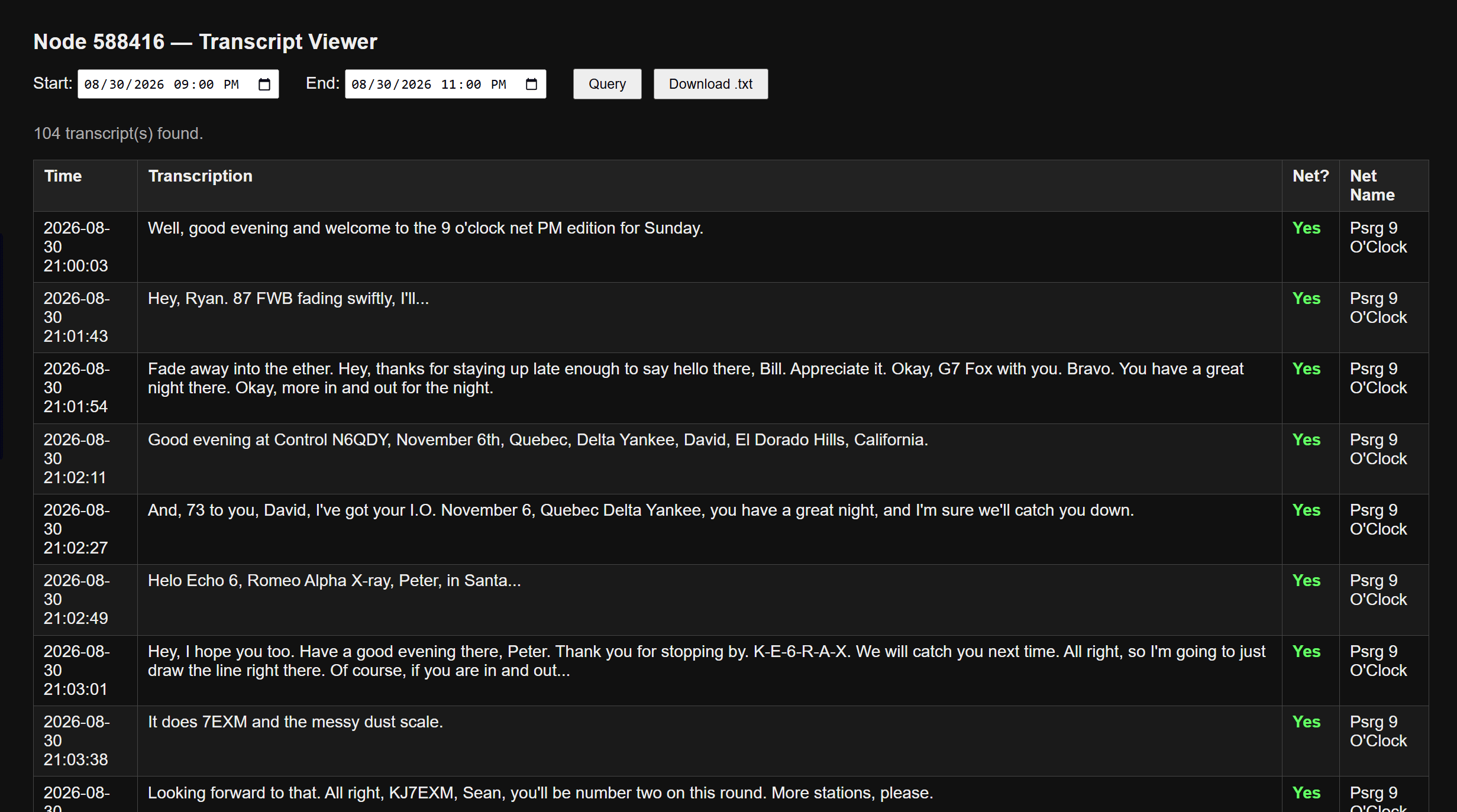
Ultimately, I forked Hunter’s code and incorporated some fixes, including some new files. One of those was creating a simple transcript viewer web page. That saves me from having to SSH into the node and run a complicated MySQL query just to see a transcript. The Transcript Viewer lets me use date selectors to set a start and end date/time for the query. The query output is parsed into a table, and the transcript is downloadable as a text file.
I tested it on Sunday evening with the Puget Sound Repeater Group’s 9 O’Clock net:
Transcript viewer script output
This showed the system is working. Then I tried using my local OpenWebUI machine running gemma3:4b to generate a net summary and correct some call signs, but it was slow. The call sign detection wasn’t much better than what I could do just by reading the transcript. However, I can feed that text file to an online AI (I used ChatGPT) to get an acceptable summary, if desired. With this one test, I think the RegEx transcript will usually be good enough.
I tested the logger again on Monday morning with the WA7ABU TechNet, a daily net at 10 AM Pacific that is often jam-packed with great technical information.
The script I implemented, plus the transcript viewer, are available on GitHub if someone wants to experiment with it.
Part 2 (Automatic Net Logging, Part 2: What Five Live Nets Taught) will publish on September 8, and Part 3 (Automatic Net Logging, Part 3: The Bug That Ate 16 Percent) on September 15.
When Making the AI Smarter Made It Worse
The net logger on AllStar node 588416 has been running well enough that I’ve moved on to its weakest part: call signs. Whisper hears “Whiskey Bravo 3, Charlie, Sierra Yankee” and writes exactly that — which is useless if what you want in the log is WB3CSY. The obvious fix is a bigger transcription model, so Wednesday I sat down to benchmark one.
It didn’t work, and neither did the next two things I tried. Whisper mediumis nearly three times slower than smallon that little i5 computer, and on the clips that actually contained call signs, it won one and lost one across seven tests. Where it lost, it lost badly: “Kilo foxtrot zero Sierra Mike Delta” came back as “Kilo, Flaxstrad 0, Sierra, Mike Delta.” Flaxstrad isn’t a word. Conversely, the smaller model had transcribed it correctly.
So I tried priming instead — feeding Whisper the phonetic alphabet and a list of call signs it should expect. On a transmission with nothing intelligible in it at all, the primed model produced “KJ7T-OR.” That’s my own callsign, which I had put in the primer. It hadn’t heard anything; it just gave me back what I’d told it to look for, formatted to look exactly like a real check-in. Hotwords, the third approach, mangled “Sierra Alpha Yankee” into “ALFAYANKI” — which made me laugh, and which is also unrecoverable.
The pattern took me a while to see. A bigger language model has a stronger sense of what English is supposed to sound like, and the phonetic alphabet is deliberately built from words that don’t sound like ordinary English. They are unique more than normal. That’s the whole point of it. So the model’s instincts, which help everywhere else, actively fight this particular vocabulary. Priming makes it worse, because a model told to expect call signs will manufacture one out of thin air.
What finally worked was about forty lines of Python and a lookup table. small‘s literal, unclever transcription turns out to be the most useful output available, precisely because it doesn’t try to be smart — “Whiskey Bravo 3, Charlie, Sierra Yankee” converts to WB3CSY every time, reproducibly, with no AI model involved. Running it across 1,754 transmissions found more than thirty call signs that no regex could see, because they’d only ever been spoken phonetically. It also turned up a failure mode I hadn’t noticed: the first phonetic word of a call sign goes missing constantly, almost certainly caused by PTT key-up clipping at the start of the transmission. Even the net control operator’s own call sign came through truncated three times in one net.
The best part came last. Digging through Hunter Inman’s (KK7NQN) original database schema, I found he’d already built the lookup table I needed. He included a corrections table with the phonetic alphabet in it, including “king” and “box” from the old military alphabet that still sees plenty of use on the air, plus manglings he’d collected in the field. My resolver now reads from his table. Adding a new correction is one line of SQL instead of a code change.
The code and the full write-up are in the GitHub repo, and parts 2 and 3 in the series are scheduled for publication. As additional refinements are put in play, it’s possible a part 4 will emerge.
6. DroidStar 9M2PJU Mod Update
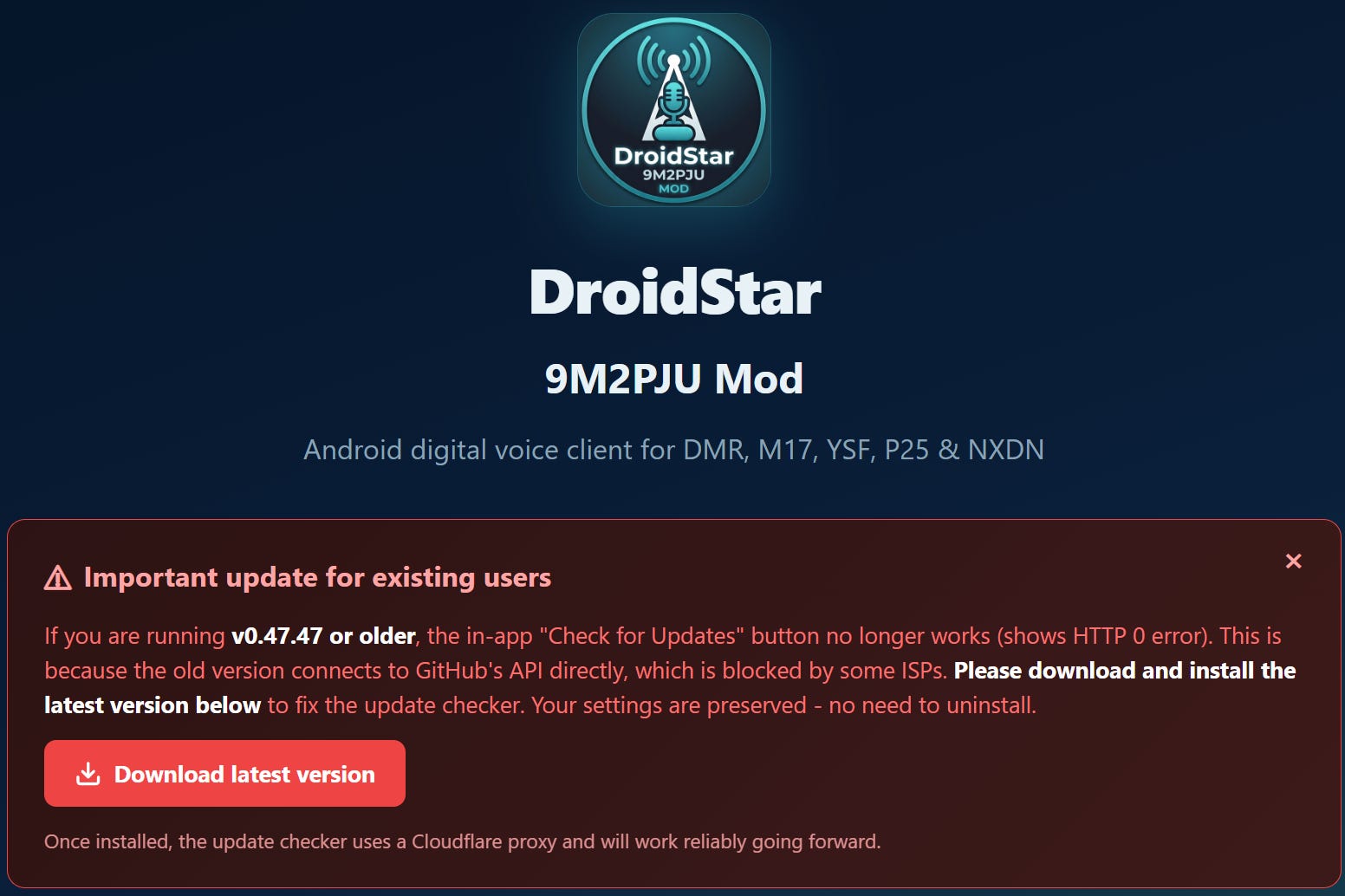
It turns out the DroidStar 9M2PJU Mod app has an update available, but you won’t find it on the Google Play Store. Go to https://droidstar.hamradio.my/ for the link to download the APK directly (but be prepared for nag screens — I counted six popups before I could proceed).
Go to https://droidstar.hamradio.my/ to find updates
7. New and Notable: Nexus Amateur-Radio Software
I picked this up from the Tuesday Project and Ham Radio Hobby Net on the WA7ABU 145.29 MHz repeater (also on AllStar node 51018). I was driving from Portland to the lake house Tuesday evening, so I had my node 588416 connected to 51018 to capture the net and catch up on it later — see the note on Hunter’s Transcription Script above. Glad I did, because I would have missed this otherwise.
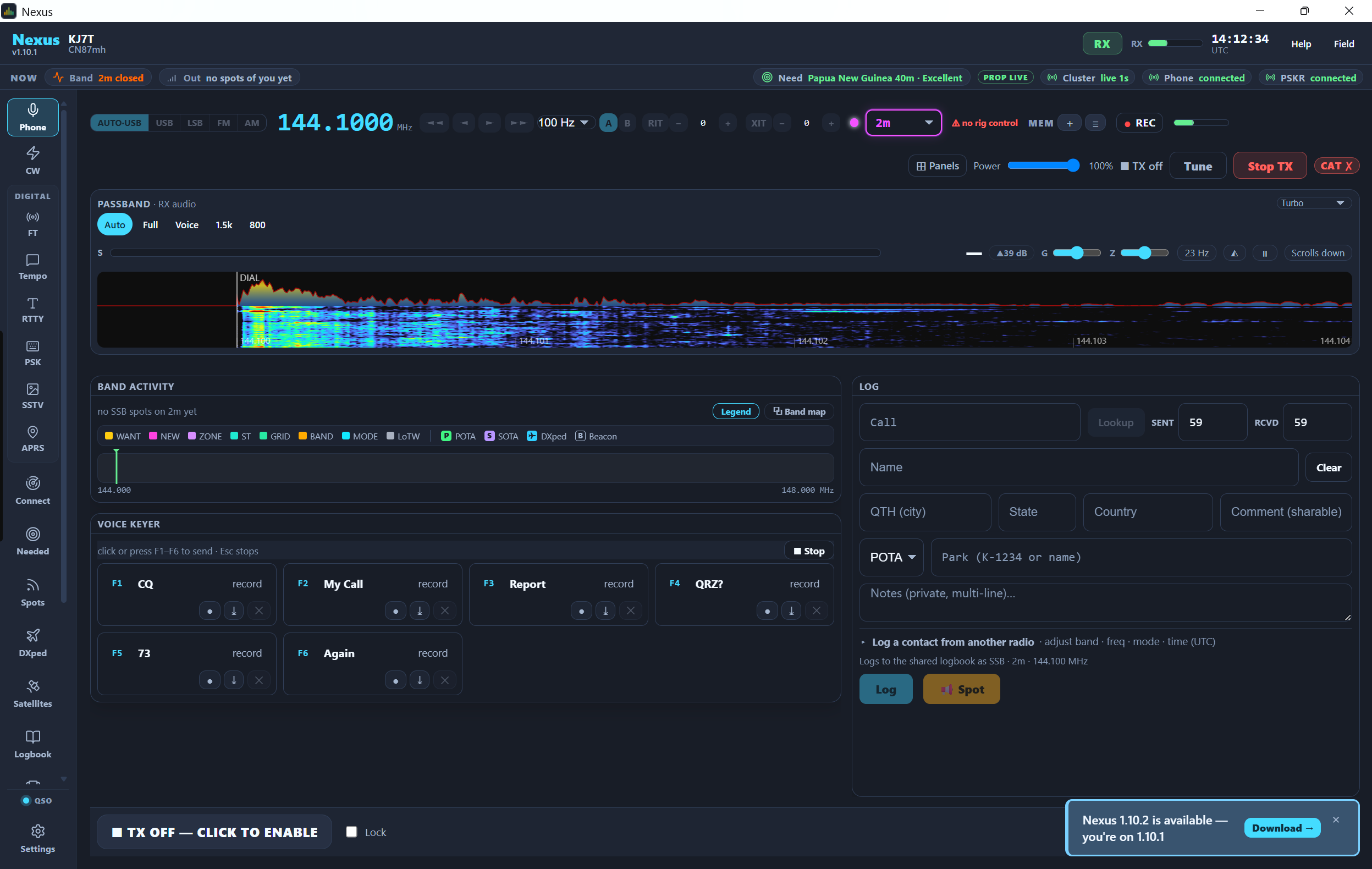
Brett KG7GDB brought up a program called Nexus Modern Operating Workstation and described it as an ambitious attempt to fold a bunch of familiar ham radio applications into one modern environment. According to the net, Nexus handles:
Rig control
WSJT-X-style digital modes, including FT8 and FT4
APRS — beaconing, messaging, mapping, following other stations, weather
Slow-scan television
Logging
A waterfall display and modern GUI
Most of that already exists somewhere else. What caught my ear was having it all in one place. Anyone who’s built a digital-mode station knows how the software stack creeps — one program for the radio, another for FT8, a third for logging, maybe a fourth for APRS, each one wanting its own serial port or audio device or CAT interface. It works, but it gets tangled. An integrated app could cut down on that.
Nexus on my laptop
The APRS talk tied back to some recent conversation the group’s had about projects for radios like the Icom IC-7100. On the SSTV side, nobody had actually put hours into it yet — this was more of a “hey, look what I found” than a review. That’s usually how these things start.
Rob AJ7HR zeroed in on two details: Nexus is GPL-3 open source, and it’s written in Rust. He’d like to see more open-source software in the hobby — a lot of what we depend on is excellent, but plenty of it is tied to one platform, one maintainer, or one development model, and open source gives the community more room to poke at it and keep it alive. Rob also admitted Nexus had already gone farther than the all-in-one app he’d once thought about building himself. I think every technically minded ham has had that “I should build something like that someday” thought, right before someone else does.
It also runs everywhere — Raspberry Pi, Linux (.deb and AppImage builds), Windows, and macOS, including Apple Silicon per Brett. For a hobby that runs on everything from Pi Zeros to Windows shacks to Macs, that cross-platform reach matters.
Nobody on the net claimed Nexus replaces WSJT-X, your logging program, or your rig control software. But it generated enough interest that I’m filing it under “worth downloading and trying.” That’s usually how it goes: one ham finds something, another notices it’s open source, somebody else wonders how it’d fit their station, and pretty soon three people are experimenting. That’s a lot of how amateur radio actually gets done.
8. Meet CORE
I was introduced to the Central Ohio Radio Enthusiasts (CORE, at https://core.radio) by Justin KF8DEU. I have to say: this sounds like my kind of radio club!
From Justin:
It’s a radio club in a very broad sense, as in we talk about not only amateur radio but pretty much ANYTHING radio (mesh technologies, digital radios, reticulum, weather balloons, SDRs, etc) and meet once per month, listen to whoever wants to present something to us, while eating pizza.
Tech talk, radios, and pizza. Sounds like a winning combination! Kudos to the CORE team. They are active on Discord.
9. Configured a Spare DMR Hotspot
Digging through some storage bins, I ran across my first homebuilt hotspot, made with a Raspberry Pi 3 board, a duplex MMDVM board, and a C4 Labs case. Cosmetically, it looks identical to the later RPi 4 hotspot I built.
After futzing with it for a while to get the configuration right, I downloaded a backup of the working RPi 4 hotspot and restored that config to the RPi 3 hotspot. That worked perfectly…probably because the MMDVM board was exactly the same.
Along the way, I realized I only want to use one hotspot for PNWDigital traffic. The Retevis RT3S is flashed with the PNWDigital codeplug, so it’s already set up that way. The hotspot is configured to reach Brandmeister first and PNWDigital second. I’m thinking now this doesn’t make a lot of sense.
10. Forgotten: My ADSB Exchange Machine
On a recent trip to the Portland, Oregon QTH, I pulled up my router admin dashboard to make sure firmware was up to date. And then I noticed a machine in my client list I had completely forgotten about, named adsbexchange.
I had covered this more than two years ago in Random Wire 87.
The other thing I had forgotten was Tailscale running on my local-to-Portland ADSB machine. So I logged in, updated the Debian operating system, and made sure Tailscale was updated.
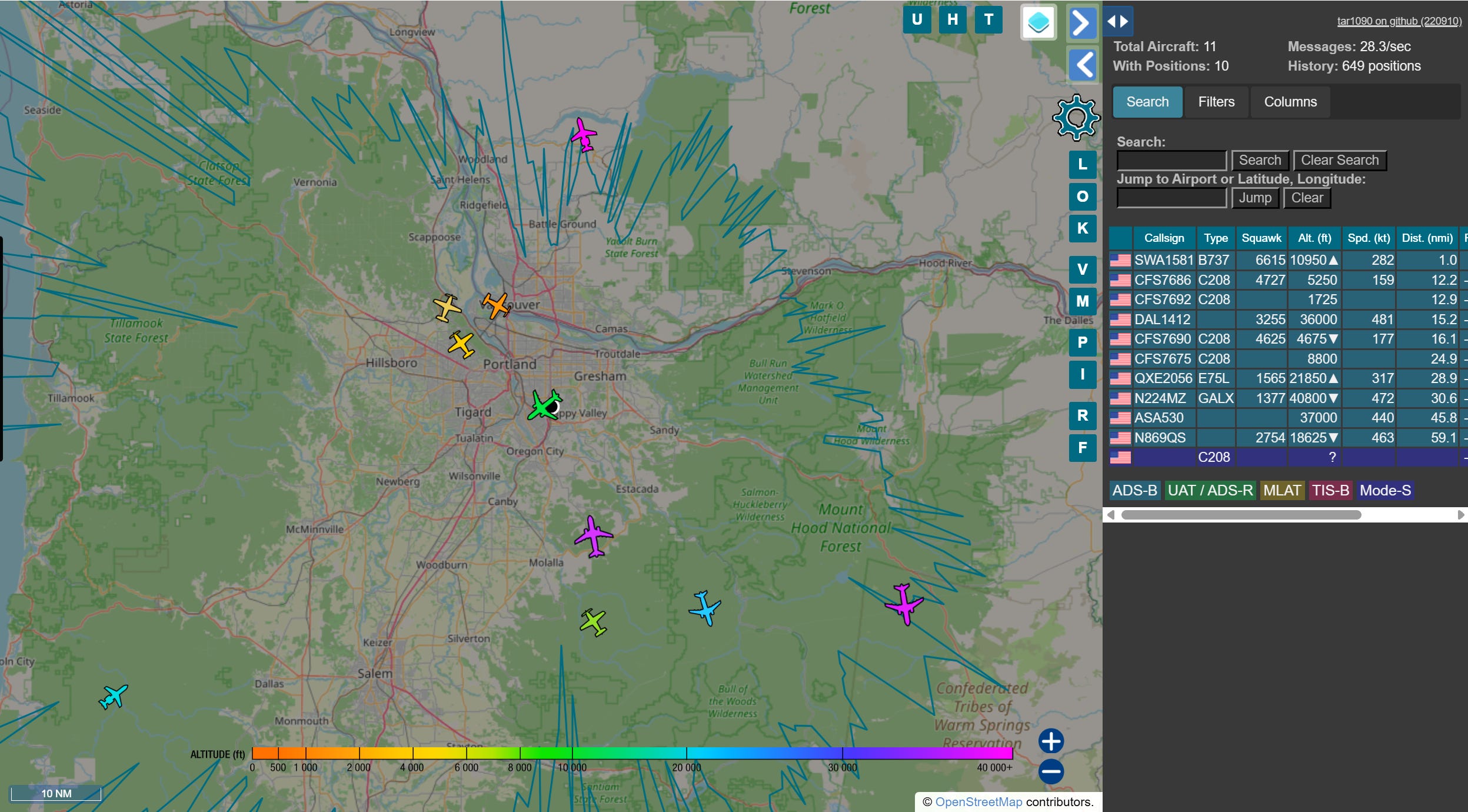
ADSBExchange running on Raspberry Pi
When I got back to the Lake House, I opened the Tailscale address for the machine and there it was: my flight tracker running in Portland, showing on my laptop more than 100 miles away.
I’m surprised at the coverage I’m getting with this simple antenna, mounted inside by the sliding glass doors on the ground floor:
The ADSB Exchange dongle for my Raspberry Pi is no longer listed on Amazon. Try the ADSBx Hardware page if you’re interested in flight tracking.
11. Gadgets
Pocket AI Recorder
I put this off for several months, but finally pulled the trigger on the Pocket recording device (https://heypocket.com/pages/pocket). It is billed as being your personal AI assistant.
Is it life changing? No. Is it helpful? Yes. I’ve started using it to listen alongside me while I monitor nets. The post-net AI-produced summary is generally good enough to provide a solid overview of the topic discussed. Pocket doesn’t do well recognizing different voices, so when there is a statement in the summary that Tom said something, I have to take that with a big grain of salt. But overall, I’m glad I made this purchase.
The M17 Net summary below was generated by Pocket AI. It listened to the net, presented me with a written summary, and I made corrections and some edits for easier reading. Pocket AI, like other AI engines, really has difficulty with amateur radio call signs.
This session was recorded live from the Tulsa Maker Faire (Maker Fest), where Jeff (AE5ME) served as Net Control for the weekly M17 digital voice net on the Kansas Citywide system. The meeting focused on technical updates for the M17 protocol, the M7 application, and upcoming amateur radio events.
M17 Protocol & Hardware Updates
LinHD Project: Development continues on the Linux-based handheld (LinHD). A “Revision C” design is forthcoming. The project utilizes the Retevis C62 as a donor for the case, keyboard, and display.
Hardware Compatibility: Participants emphasized using the English version of the Retevis C62 rather than the European version to ensure compatibility.
OpenRTX Firmware: Version 0.1 is approaching release, which will introduce packet and SMS engine capabilities. Supported hardware includes the CS750, M17 Plus, and Module 17 boards.
Hotspot Options: For high-performance M17 hotspots, the CC1200 and SX1255 boards were recommended over standard MMDVM/Raspberry Pi hats due to superior signal purity.
M7 Application Development
Greg provided a status report on the MSeven app:
Scan Feature: New functionality allows scanning across multiple reflectors and channels.
Dual-Receive Modes: Users can choose between a “stop and listen” mode (full audio for a set duration) or a “priority” mode where the active channel plays at full volume while others are ducked to 30%.
Hardware Pairing: The app successfully pairs with the Mobilinkd TNC4, enabling M17 operation on any 9600-baud capable radio.
Community & Events
Zero Retries Conference: Scheduled for October in San Ramon (about 35 miles east of San Francisco). Jeff confirmed he will attend in person to present on M17, noting that a Zoom attendance option is available for those unable to travel.
Maker Movement: Jeff highlighted the 10th anniversary of the Maker Faire, emphasizing the importance of organic, non-commercial development in amateur radio to attract younger generations (STEM/youth groups).
Zero Retries Info: Registration and details are available at www.zeroretries.org/p/conference.
Net Operations
Due to the high-noise environment at the Maker Faire (35 dB to 50 dB noise floor), the National Traffic System (NTS) portion of the net was bypassed. Technical discussions and check-ins were prioritized via both RF and the netcontrol.live text stream.
I have no experience with other devices that purport to do the same thing, so I can’t make recommendations. I can tell you where Pocket falls down, and that is Bluetooth…because there is no Bluetooth. If it had Bluetooth, maybe a phone call over a headset or earbuds could be picked up. As it is, it only picks up my side of that conversation. The solution is to use the speakerphone function.
I’m not going to touch on privacy laws, since every state has something a little different. My state is a dual consent state (both sides have to agree) so I usually don’t bother with Pocket on phone calls.
Cute Little Radio Project
It’s not two-way radio, but it’s still radio. It’s an ESP32-based web radio, says this Blogspot post:
I built this ESP32 based web radio this week. I’ve used a 1.9” IPS display with ST7789 driver. For the audio I’ve used MAX98357A I2S audio amplifier. This web radio is based on the excellent yoRadio project https://github.com/e2002/yoradio
I’ve said it many times: I like small devices. This build is certainly small!
12. QRT: End Transmission
It was a hectic weekend-ish time. I made three day trips to Portland: one on Friday, one on Sunday, and one on Tuesday. Sunday was particularly long as I climbed into the pickup at 5:30 am and got back to the Lake House around 8 pm. Lots of driving, but that also meant time for audio books, listening to nets, and not-to-be-missed: listening to the Ham Radio Workbench podcast.
Debian 13
I lean heavily on Debian Linux, particularly Debian 13. That is usually my “go to” distro. Turns out I’m in good company. CERN is implementing Debian 13. I guess if it’s good enough for high-energy particle physics, it’s good enough for my home lab!
146.52
I don’t hear hams on 146.52 MHz very often up in the Olympia, Washington area, but it is quite common to hear traffic in Portland, Oregon and Vancouver, Washington. In Portland and Vancouver, 146.52 is treated more as a simplex channel for sometimes long conversations. I don’t think I’ve ever heard a contact in that area on 146.52 followed by a request to QSY to a different frequency. Different places, different customs. Always interesting.
Mobile antenna
And with three round trips, I got to test what was going on with my VHF/UHF antenna on the pickup. I’ve had good luck with Comet antennas, so the dual-bander on the truck is the Comet SS680SB. But something is wrong: when my Yaesu FTM-300DR transmits an APRS beacon, the radio shuts off. I thought: must be high SWR, I’ll check it. I pulled out my RigExpert STICK-500 analyzer and measured a very acceptable SWR below 1.3 near the APRS frequency. So I hooked up the radio again and as soon as it beaconed, it shut off.
I had a spare antenna under the seat, named for my good friend Justin Case. That antenna is a mag-mount dual-band COMPACtenna. Before connecting it to the radio, I measured the SWR and found it was well above 2…but that’s still acceptable. And here’s the part that doesn’t make any sense to me: the radio works fine with the COMPACtenna.
Of course, I’ve had that antenna on the roof of the pickup for more than two years. It’s seen a lot: rain, snow, hail, rocks, tree branches, a Washington-to-Texas road trip, and more. I live in western Washington so salt-laden moisture could be a factor. Maybe there is an intermittent connection that I missed when I tested the SWR. I’ve cleaned and tightened connections, but the radio still shuts down when it transmits an APRS beacon through the Comet antenna. I tested this over and over on my three long drives. (As I think about how the antenna is configured, I’ll bet it comes apart, which means I haven’t really cleaned all the connections yet.)
The next time I pop down to Portland, I’ll grab a spare antenna from the Justin Case antenna tube and try it on the same mount. If that works, then it’s the antenna. If the radio still shuts down, it’s the mount or feedline. In the meantime, my stubby COMPACtenna is doing the job for me.
Former ARRL Chief Operating Officer (COO) Harold Robert Kramer, WJ1B, of Cheshire, Connecticut, passed away on Monday, August 31, 2026, at age 78. Kramer served as COO and QST Publisher from 2005 to 2016, following a career in broadcasting. He was an ARRL Life Member and donor, supporting the Diamond Club, the Second Century Campaign, and the ARRL Lab.
Former ARRL CEO Dave Sumner, K1ZZ, recalled…
American Radio Relay League | Ham Radio Association and Resources Read More
ARRL The National Association for Amateur Radio® has announced that the candidates for the 2026 ARRL Division elections are now official. ARRL members will choose between two candidates for Director in the Delta, Great Lakes, and Midwest Divisions, and two candidates for Vice Director in the Midwest Division. The Director positions in the Atlantic and Dakota Divisions are unopposed, as are the…
American Radio Relay League | Ham Radio Association and Resources Read More
Solar activity reached moderate levels this week. Region 4513 was responsible for an M2.2/1B flare that reached its peak on August 26. This event was accompanied by a 10.7-centimeter radio burst that reached 140 solar flux units (SFU) and a type II radio sweep with an estimated shock speed of 930 km/s despite its relatively impulsive nature. No resulting coronal mass ejection (CME) has been obs…
American Radio Relay League | Ham Radio Association and Resources Read More
It’s been such a busy week my writing time got short. It’s Thursday night and I’m making a late push to get this out the door on time. In the background, I’ve got Solomon Hayes singing in my ears on Spotify. His style reminds me of Joe Bonamassa (who I also enjoy), just a little less electrified.
1. QRV: Are You Ready?
Last week I hit DMR topics pretty hard. Then the weekend brought us a medical issue with my spouse, and Monday I made a day-long trip to Portland and back. Add in the work I did this week on the Retevis C62 build (more on this below) and I lost about four days of potential writing time.
Fortunately, life settled back into place by mid-week, giving me some time to play with the Retevis RT3S/OpenGD77 radio on DMR. Last week, I configured my Yaesu System Fusion hotspot running WPSD software on a Raspberry Pi 4 machine to DMR. That left me without a YSF machine unless I switched the RPi4 back and forth between DMR and YSF. Instead of doing that, I plugged in my spare RPi5 hotspot and configured it for YSF. Works great.
I used the RT3S to monitor the PNWDigital Not-a-Net” gathering on Wednesday evening…with some self-created hiccups along the way. When I got set up a few hours before the gathering, I could not get reliable reception with the RT3S. I went down several rabbit holes before the light went on in my head: my DMR hotspot was using the same frequencies as my YSF hotspot. Whenever the YSF hotspot was active, my DMR reception was terrible. The fix was simple: move the DMR frequencies for TX and RX to a different pair that no longer collided with the YSF frequencies. Problem solved.
I also switched my LightAPRS Gateway antenna from a small mag-mount on a cookie sheet to an actual vertical dipole. Surprisingly, it didn’t do much. My direct connections decreased slightly while my total connections increased. Maybe in my hilly location, the more spherical pattern of the mag-mount works better than the flatter pattern of the vertical dipole. But that is purely a guess. Bottom line: both antennas work, so I’ll leave the dipole up for a while and see how it goes.
And are you ready for fall and winter? Now is the time to check your outside coax and connectors — before you notice your SWR is sky high and you have to brave that cold fall rain dripping down the back of your neck.
And speaking of antennas, my Yaesu FTM-300DR in the pickup truck started shutting itself off yesterday. My first thought was the wiring harness had gone bad…because that had happened before. But as I kept turning it on and watching as it powered down, I realized it was shutting down every time it transmitted an APRS beacon. Uh oh. I probably have a shorted antenna cable somewhere! This happened late yesterday so I’ve not had time to dig into it.
This week, I checked into #APRSThursday over LoRa APRS:
I also did some scoping of a potential project for my daughter. She likes to identify birds, so I looked at software that would allow me to identify birds by their songs. Looks like one of the most reasonable approaches is to use an old cell phone as the outdoor microphone, and have it connected wirelessly to a Raspberry Pi computer inside. More on this if/when it develops!
Weekly Report: August 27, 2026 — Band Conditions This Week / Digital Radio News / Groups.io Digest. Digital Radio News is awfully light this week, with the exception of AllStarLink topics.
3. AllStarLink? Listen to Ham Radio Workbench #269
N8EI is an active technical contributor on the AllStarLink Community Forum, frequently discussing system troubleshooting, software transitions, and node configuration.
4. QSO One Continues to Improve
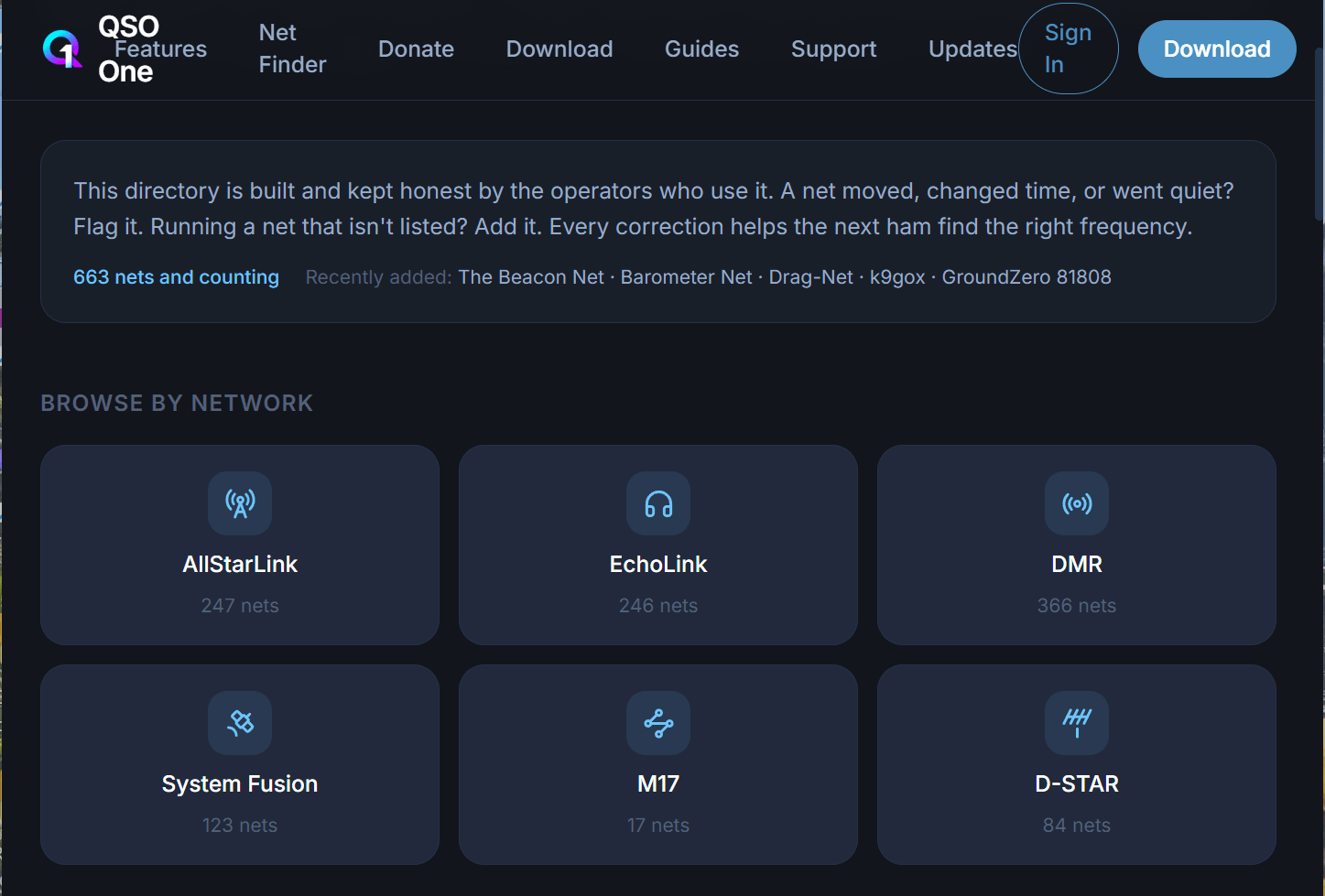
You’ll want to take a look at QSO One, even if you don’t plan on using the software. Why? Because of the convenient Net Finder directory available on the QSO One website:
Why would you want to use QSO One? If you are looking for an all-in-one, integrated platform for all your nodes and modes, this could be what you’ve been waiting for.
For me, it looks like a great solution for my Uniwa F400. Note this excerpt from a post in the QSO One group on Facebook:
Using QSO One on a new Uniwa F400 has brought a ton of fun into my life since first installing the app. The features have helped me to gain access and experience some new-to-me digital networks (Allstar, Echolink, and YSF), and I appreciate that very much.
I wrote this early in the week and saw a few more announcements after I captured this piece. QSO One is rapidly evolving.
5. DroidStar 9M2PJU Replaced My DroidStar App
A strong alternative to QSO One is the DroidStar implementation by 9M2PJU. I’ve been testing it and finally deleted my old DroidStar app from my phone this week. The DroidStar 9M2PJU app won that battle and now reigns supreme, at least on my smartphone.
But I think I’m going to also install it on my Uniwa F400 device. Fingers crossed it works well there, too.
Last Saturday’s weekly M17 digital voice net on the Kansas City Wide system, led by net control Jeff AE5ME, focused on the technical evolution of the M17 protocol, upcoming firmware releases, and the protocol’s advantages over proprietary digital modes.
M17 Project & Technical Updates
M17 is a public domain digital voice and data protocol designed to eliminate the need for proprietary hardware or licensed codecs. It has received two $250,000 grants from Amateur Radio Digital Communications (ARDC) to fund its development.
OpenRTX Firmware: Currently at version 0.4.3. The upcoming v0.5 release will be a major milestone, introducing SMS messaging and packet radio capabilities directly to radios like the MD380, MD390, and the CS7000.
LinHT Project: A Linux-based handy talkie (HT) with a software-defined radio (SDR) core. This project enables multiple modes (M17, Tetra, DMR) and paging protocols like POCSAG to run on a single device.
Hardware Compatibility:
Retevis C62: Development is ongoing for M17 support via the OpenRTX PR branch (Pull #15). Currently, it supports FM only. There was a brief discussion regarding the complexity of building the OpenRTX firmware from source for the Retevis C62. While the PR branch exists, it is not yet an “official” binary, requiring users to use a Linux command-line environment.
CC1200 Boards: New hats for the Pi Zero W 2 are available for M17-only hotspots.
Module 17: A project that allows converting existing mobile rigs into M17-capable radios.
Technical Q&A & Signal Routing
A significant portion of the net focused on how M17 signals move through different layers of infrastructure.
SMS in QSO1: It was confirmed that the QSO1 software supports SMS text messaging via the M17 chat feature.
Emergency Communications: The net highlighted the risks of relying on PTT over Cellular (POC) radios during disasters due to network congestion. M17 and the National Traffic System (NTS) were emphasized as more robust alternatives for handling health and welfare traffic when infrastructure fails.
7. Coming Soon: Cracking Open the Retevis C62 for M17
A $50-ish dual-band handheld built around a chip most hams have never heard of, running an open-source firmware port that’s still wet cement — that’s the Retevis C62, and it’s the next radio through my test bench. OpenRTX, the same open firmware project behind those RT3S M17 mods you’ve read about here, is now being ported to the C62’s ListenAI CSK6011B chipset, and I’ve spent the last few evenings getting a Windows toolchain to actually produce working firmware for it. Spoiler: it compiled clean, memory headroom to spare, on the first successful run — which sounds simple until you hear what it took to get there.
To be clear, what I’m trying to do is still experimental. Translation: it’s not ready for production. But I’m curious, and I know I’m not alone in trying to do this.
Well, it didn’t go smoothly. The official build instructions pointed at a Git branch that doesn’t exist where the docs say it does — turns out it only lives on a contributor’s personal fork. Then the container-based build tool quietly configured itself against the wrong internal workspace entirely, silently failing every dependency-fetch command with errors that looked like typos but weren’t — the kind of bug that eats a whole evening before you find the one diagnostic command that exposes it. I ended up manually placing four separate module repos by hand once I figured out what the build system actually wanted, and only then did the whole thing link successfully.
And that was just the build. Getting the finished firmware onto the actual radio turned into its own saga — burn mode entered fine, but the PC flatly refused to see the radio over USB, no matter what cable or computer I threw at it. Two “should’ve worked” programming cables later, and a lot of Device Manager archaeology across two completely different machines, I finally landed on the real culprit: not a driver problem, not a Windows problem, but the cable itself missing the one active chip this radio’s flashing mode actually requires. The right cable is in hand now.
I haven’t had a chance to actually flash the radio yet — that’s the next step, and I didn’t want to rush it just to hit a publishing deadline. So consider this the trailer: full build procedure, the module-workaround nobody’s documented anywhere else, the cable gotcha that cost the most time, and — assuming the C62 boots up on the other side — first impressions of OpenRTX running on genuinely new hardware. Next issue, once I’ve had the chance to actually pull the trigger.
8. PNWDigital Not-a-Net Gathering
I listened to much of the Wednesday evening “Not-a-Net” gathering held by the PNWDigital folks. I noted check-ins were made via Zumspot, Pi-Star, OpenSpot, BlueDV, and DV Mega devices, along with RF via DMR repeaters. That was a bit more texture than I expected —> many ways to get your message out on DMR.
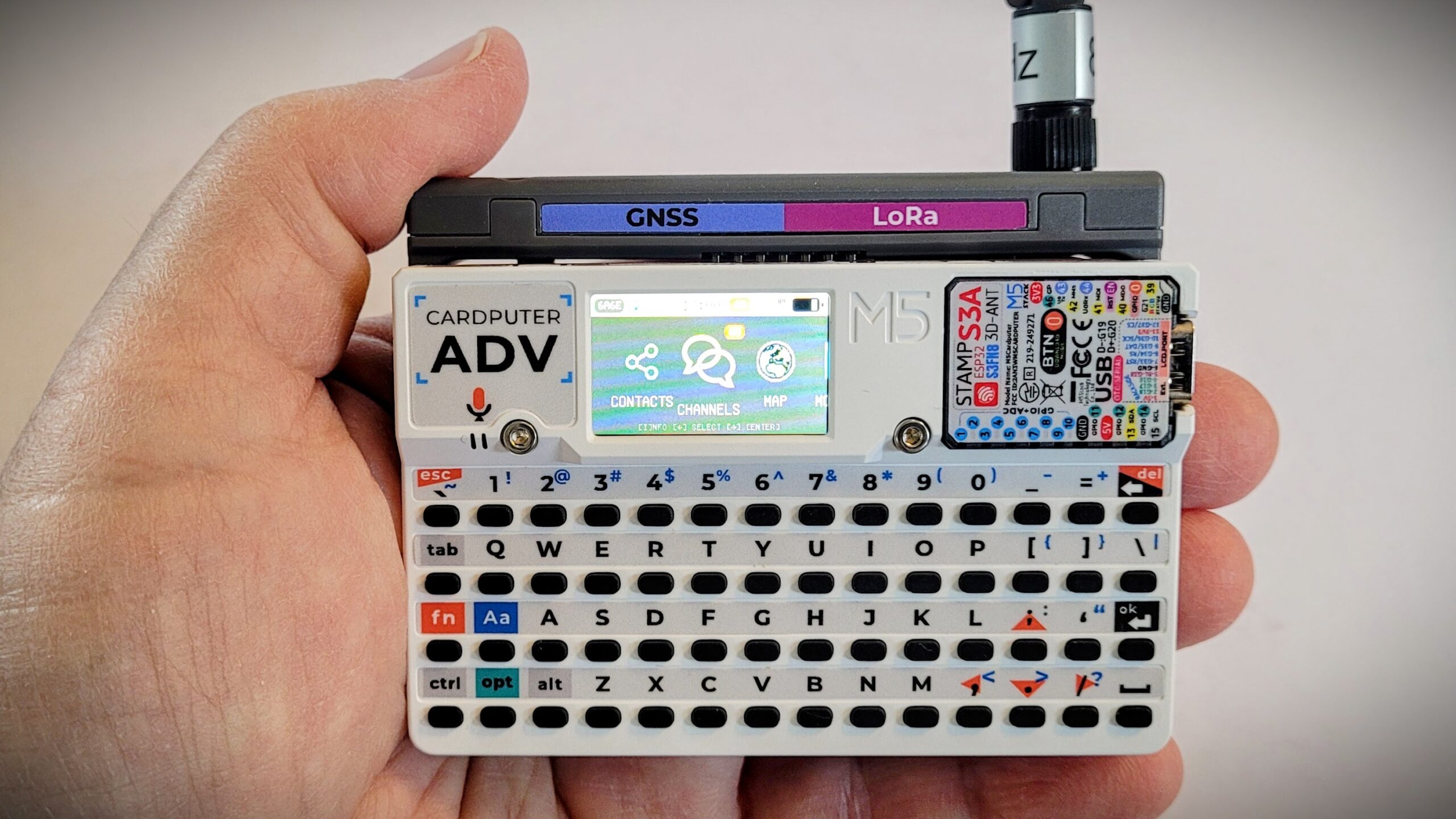
I traveled a bit off the beaten path with this: the Cardputer ADV. It was about $42 from Amazon (affiliate link). As I flashed different firmwares to it and explored this tiny platform, I decided to give it a try with MeshCore. That required a special hat for the Cardputer: SX1262 LoRa Module w/GPS GNSS for Meshtastic (affiliate link).
Was this a useful purchase? Absolutely not. It was just for fun. The firmwares are interesting and I look forward to discovering what else I can do with the Cardputer.
Some people use these for hacking, but that’s not me. This is just a fun little device that slips into a shirt pocket. A word to the wise: if you use reading glasses, you might need a second pair to read the tiny screen!
I expected a fun weekend dev-platform toy. What I got instead was a proper hands-on review project, complete with a firmware bug, a Bluetooth mystery, and eventually a working MeshCore node. If you’re eyeing one of these for your own bench, here’s what actually happened, warts and all.
The keyboard takes some getting used to. There’s no touchscreen, so everything — including menus that look like they want a tap — is driven through the Fn key and a cramped arrow cluster hiding under the semicolon, comma, period, and slash keys. The keys themselves have a habit of double-registering if you’re not deliberate about your typing, which cost me a garbled WiFi password more than once.
The bigger surprise was the stock “factory” firmware — the demo suite M5Stack preloads, with its little hardware-test apps for the keyboard, IMU, SD card, and so on. The Clock app turned out to have a hardcoded UTC+8 offset that I could not override.
From there I went firmware-hopping, which turned out to be very interesting. You load firmware with the M5Burner app on your computer and a data-capable USB-C cable. M5Apps (a community launcher) fixed the keyboard quirks but couldn’t get WiFi to stick. Bruce (yes, that’s the name of the software) nailed the clock and timezone handling on the first try, confirming that the clock problem was not the hardware but the M5Stack demo firmware.
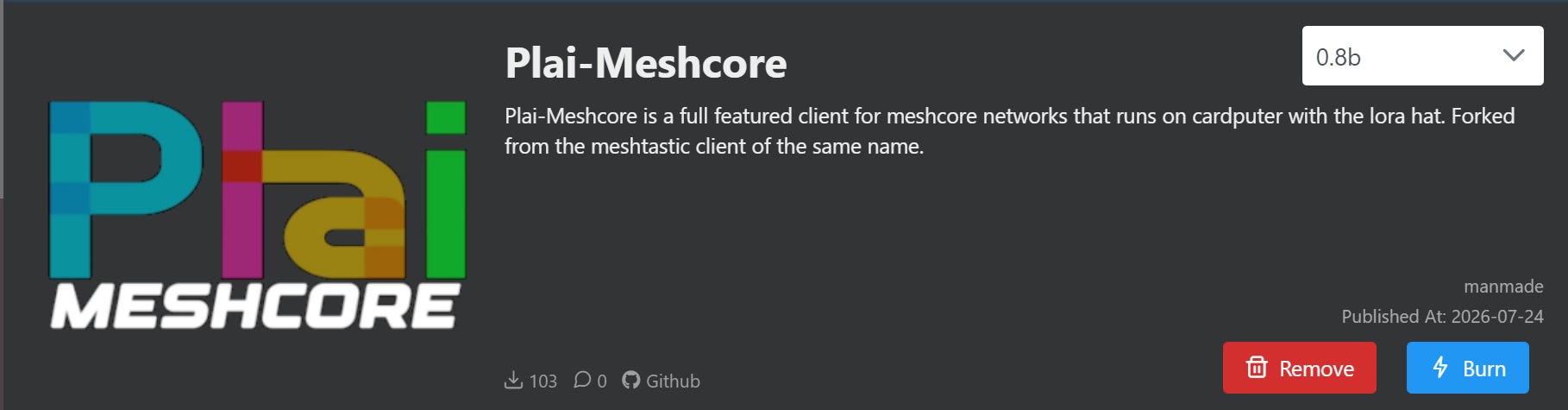
None of that was really the point, though. With a LoRa+GPS cap clipped onto the top, the real goal was turning this thing into a MeshCore node that could talk to the repeater already running on my roof and to my phone app.
That last stretch was the real adventure. Getting a MeshCore build flashed and receiving traffic on the Public channel was straightforward once the LoRa cap was installed. But getting it to join my own private #etherham channel was not easy. Bluetooth pairing failed repeatedly, even with the correct PIN. USB serial access turned out to be flash-mode-only on that particular build (a nice meshcore-cli detour taught me that the hard way). Even manually copying the channel’s secret key over didn’t get channel messages flowing.
What did work was sidestepping channels entirely. MeshCore nodes discover each other via broadcast “adverts,” and once the Cardputer and my T-Echo Plus heard each other’s adverts, direct messages worked immediately. No shared key was needed, since DMs use per-contact key exchange instead of a channel secret.
This is a genuinely capable (albeit quirky) little radio node, provided you’re willing to treat the software side as part of the hobby rather than as an inconvenience. If you’re comfortable flashing firmware, poking around GitHub issues, and treating a stuck menu as a puzzle instead of a dealbreaker, you may find the Cardputer ADV to be a fun diversion. However, if you just want a mesh terminal that works out of the box, this likely isn’t it.
Interesting: Mecha Comet
Shipping October 2026:
Mecha Comet, handheld Linux computer that’s truly yours to own, build and mod.
I mentioned last week that I bought a charger and a new battery for my Yaesu VX-6R. The original battery would not charge and was not recognized by the radio. I was hoping that putting it on a higher amperage charger might wake it up and allow it to accept a charge, but alas, that is not what happened. In fact, nothing happened. So that battery will go to hazardous waste. The new one charged swiftly and works fine. And the wall charger also works with my Yaesu FT-70D, so this is a “two-fer” for me.
TRMNL
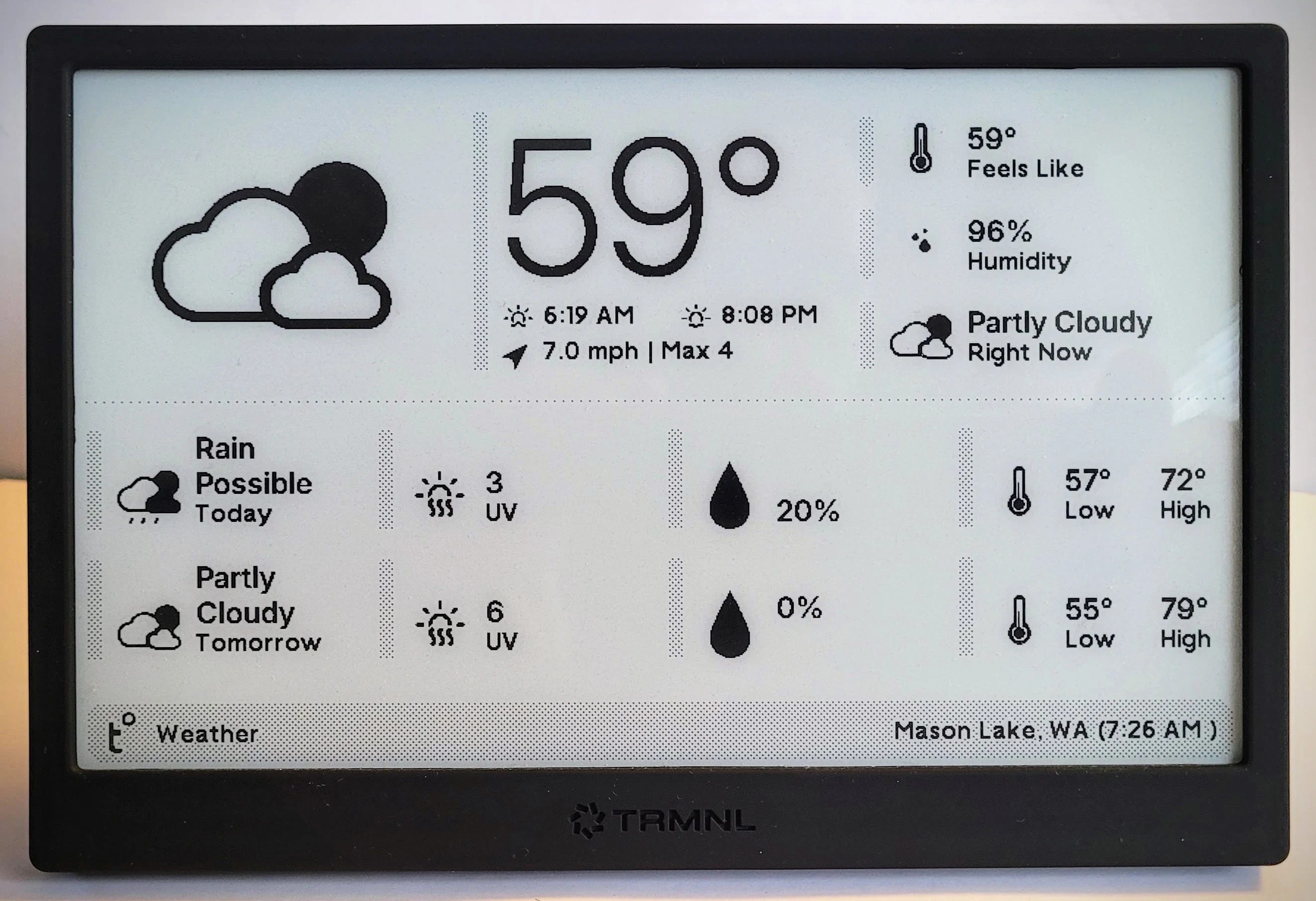
Many moons ago, I supported a Kickstarter for a programmable display called TRMNL. I plucked it off the wall during a recent trip to the Portland QTH and brought it up to the Lake House.
It’s not doing anything fancy, like showing news or quoting famous people. I just want to see the weather at a glance, and for that, it works just fine.
The e-ink display draws very little power from the internal battery. I usually only have to charge this thing once every several months.
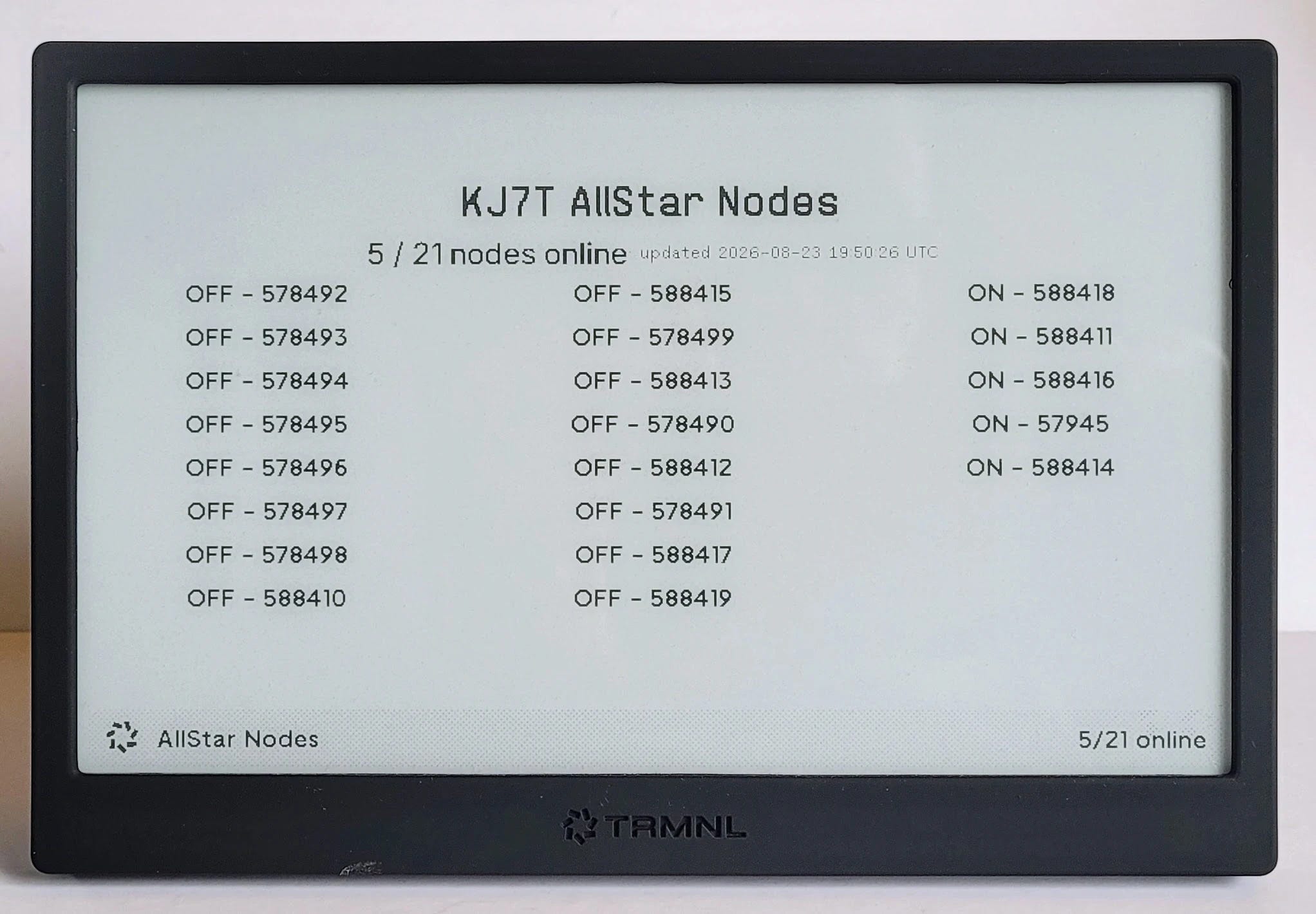
But I got to thinking about other ways I could use this nice screen. One thing I am always interested in is the status of my AllStar nodes. I have many because I experiment with them, but I usually only keep a handful “up” at any one time. So I wrote a custom Python script to poll the status messages at AllStarLink about my nodes. Then, with a little HTML magic, I was able to display the statuses of my nodes on the TRMNL.
Of course, it was really more complicated than that, so I’ve covered the ins and outs at EtherHam.com. That article also has the actual Python script I built to accomplish the polling of my node numbers.
10. QRT: End Transmission
Whew. Not the quality I like to share, but there is probably a little of something for everyone in this casserole-like issue of the Random Wire!
This week marked our 49th wedding anniversary. Those who have subscribed for a while know my wife has severe medical issues. She can no longer stand, sit, or walk. She can’t swallow or talk. Her disease has substantially impaired her cognition. And yet when I brought a bouquet of flowers to her today, she beamed out a great smile and her eyes told me all I needed to know. Over the past year, I’ve wondered if we’d see this milestone, but here it is: we made it to 49. Seizing these brief moments in the midst of this difficult journey is important and I’m grateful we still have time left together.
I went a bit DMR crazy this week. Hit the DMR category on EtherHam and you’ll see what I mean. Here’s the elevator version: I used OpenGD77 on a $100 Retevis RT3S radio to install the PNWDigital codeplug. What I learned along the way is shared in my new DMR articles.
I also took a dive into Winlink, APRS, and EmComm. I wonder how this essay will land, especially with folks deeply experienced in search-and-rescue, incident command, and related activities. I suspect that my take on incident command may go against the grain for some folks. But maybe not.
A scripting error corrupted my work database, and that took a day to unravel the cause and another day to clean the data. Paraphrasing a database guru I learned from many years ago: there is no such thing as a perfect database, only those with an acceptable number of errors. The number of errors I had this week was unacceptable so I dove in and fixed the problem.
And that pretty much sums up my radio and technology week: a lot of digital radio and little bit of coding and cleanup.
I saw good uptake of the new EtherHam Groups.io space. Remember: in this first phase rollout, it is limited to 100 subscribers. We’re almost halfway there so sign up now if you are interested!
2. New on EtherHam
Winlink Tells You What Happened. APRS Tells You What’s Happening. — I’m afraid I went a bit overboard on this essay, simply because of my background in emergency services/management. I’ve been an EMT on a rural ambulance service, a hospital commissioner, an underground mine rescue EMT, a search-and-rescue member. I was part of an ARES group for a while and also served as a state agency representative to the state’s emergency management department. Those roles gave me deep appreciation for how incidents actually unfold and get managed in real time…and I think that biases my point of view toward those working at the forward edge rather than those in the command center. It’s a long read so I included a table of contents to help you. One of the best moments for me while I wrote this was learning more about how LoRa radio actually works to pick out signals buried in the noise.
This was “DMR week” at EtherHam, with parts 2, 3, and 4 published. Part 5 will cover on-air etiquette and troubleshooting — including PTT habits, why they matter more on digital than on FM, and the answer to: if you can’t scan the band to find people, how do you actually find someone to talk to?
Introduction to DMR, Part 2: The ID, the Radio, and the Hotspot — Part 1 promised the ID, the radio, and the hotspot before ever touching a codeplug — this is that piece, delivered after the fact. It walks through registering a free DMR ID at RadioID.net, then lays out the actual fork in the road on radio choice: the AnyTone AT-D878UVII Plus for anyone who wants a download-and-personalize codeplug the same afternoon, versus the Retevis RT3S and OpenGD77 path this series has been running on, for readers who want the talkgroup/frequency separation badly enough to tolerate a rougher first hour. From there it’s a full step-by-step Raspberry Pi hotspot build — parts, assembly, and WPSD configuration — reused and adapted from an earlier hands-on build, plus a hard look at how much hotspot hardware costs today versus when that build first went up. Read this one before Part 3, even though it was written after it.
Introduction to DMR: Part 3 — Building Your First Codeplug — I flashed a new Retevis RT3S with OpenGD77, built a codeplug from scratch pointed at my hotspot, keyed up — and got silence. Then got silence again, for an entirely different reason. This is the unvarnished version of that afternoon: what a codeplug actually becomes once the four concepts from Part 1 turn into specific numbers that have to match specific other numbers somewhere else, why DMR answers a single wrong value with total silence instead of a useful clue, and what it does to your troubleshooting when fixing a genuine problem changes nothing you can see. If you’ve been putting off building your first codeplug, or you’ve built one and can’t work out why it won’t talk to anything, this one’s for you.
I added an addendum at the end of this article, titled: The settings, field by field. The addendum gives you a screen-by-screen accounting of the settings I used in the OpenGD77 CPS.
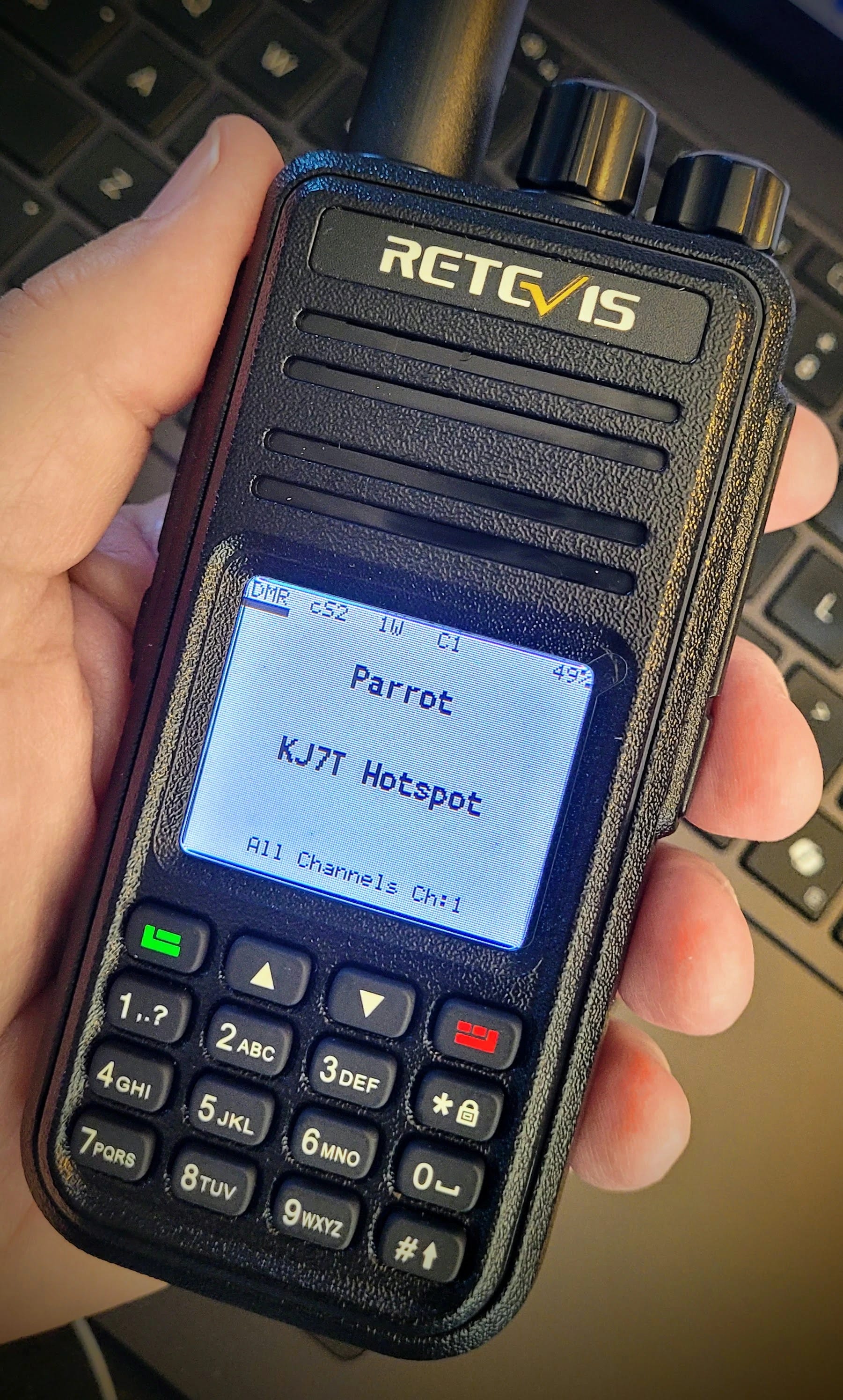
It’s a long article, so if you want the answer to the question “does the Retevis RT3S DMR radio work when programmed with OpenGD77,” the answer is yes:
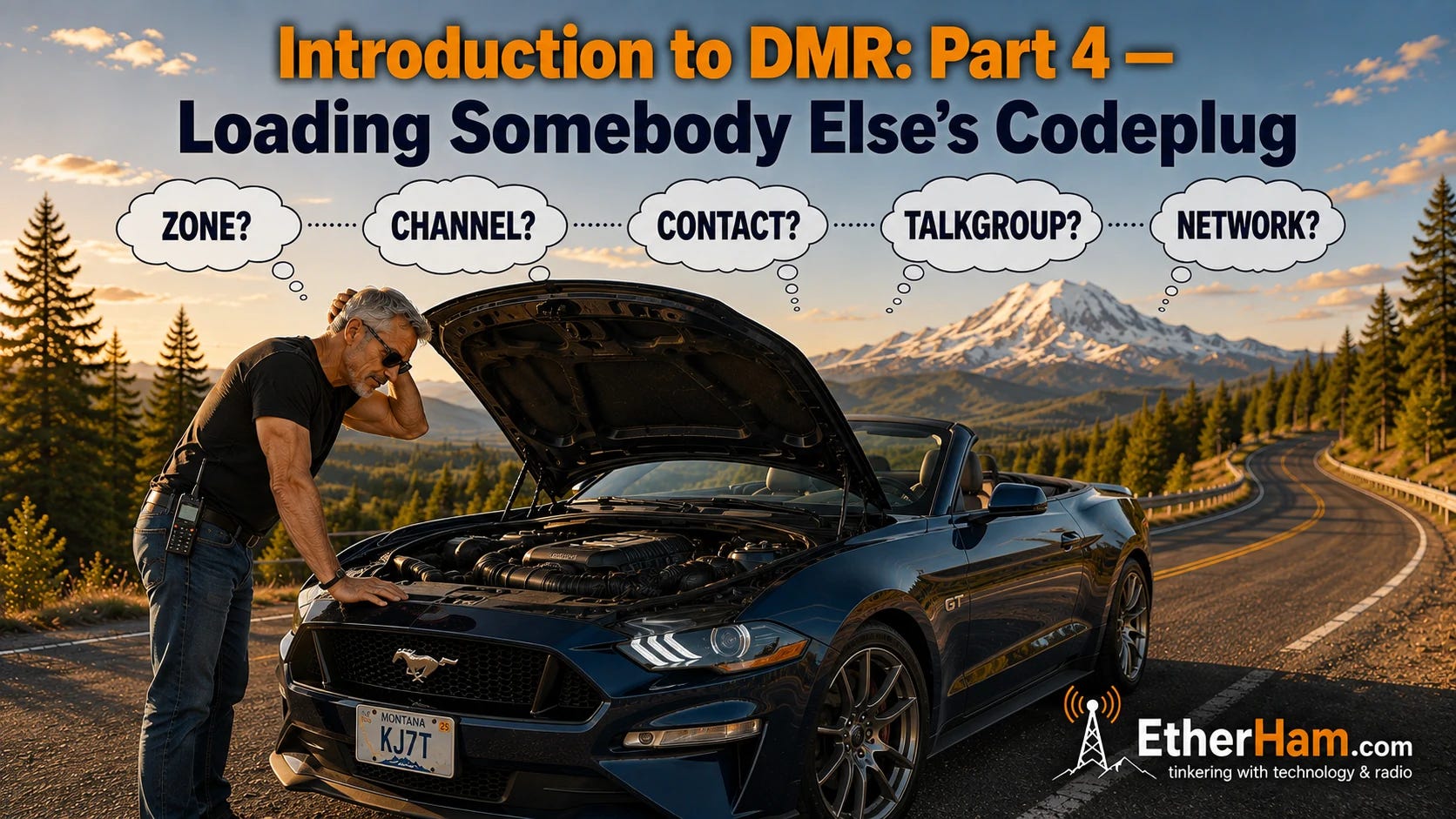
Introduction to DMR, Part 4: Loading Somebody Else’s Codeplug — Part 4 of the Introduction to DMR series takes the opposite approach from Part 3: instead of building a codeplug from scratch, I downloaded PNWDigital’s ready-made OpenGD77 codeplug — 125 channels, seven zones, someone else’s careful work — and it took longer than building one by hand. Not because the codeplug was wrong. Because a community codeplug is built for that community’s network, and my hotspot was pointed at BrandMeister. That single unasked question sent me chasing filters, timeslots, and call types for hours while the actual problem sat one layer up.
Along the way: the CPS button that’s invisible at the wrong browser zoom, why the codeplug arrives wearing another operator’s callsign, the difference between a repeater talkgroup list and a hotspot one, and talkgroups that stay asleep until you kerchunk them awake. The piece also includes something I felt would help you picture how DMR is structured — a single diagram of how zone, channel, contact, talkgroup list, and network actually chain together, and why you should build that chain backward from the network rather than forward from the CPS.
Retevis RT3S + OpenGD77 Cheat Sheet: Every Control, Remapped from the Radioddity GD-77 — OpenGD77 was written for the Radioddity GD-77, and it runs beautifully on the Retevis RT3S — but the two radios don’t share a control layout. The GD-77 has four arrow keys; the RT3S has two buttons and a rotary knob, so the firmware reassigns them, and it reassigns them differently depending on whether you’re sitting on a main screen or inside a menu. The result is that a documented shortcut doesn’t fail cleanly, it does something else: the key combination the manual gives for changing zones will quietly change your transmit power instead. This sheet is every control translated for the RT3S, with the ones I’ve confirmed on my own radio marked as such and the rest flagged as untested.
The predicted A-index of 11 suggests we’re not entirely out of the woods yet, so keep an eye on the numbers before investing an evening in a long-haul DX session.
The MMDVM firmware for DMR received a merge (PR #362) that adds a configurable audio‑fidelity link option.
AllStarLink’s app_rpt was updated to version 3.10.4; the patch series (PR #1205‑#1207) adds a client‑disconnect helper, removes duplicated sanity checks, disables autoservice during safe‑sleep, and fixes thread‑creation leak bugs.
The LoRa APRS iGate repository received three commits on 2026‑08‑16 that update the T‑Deck hardware requirements, refresh the README, and add new image assets.
Community posts on the AllStarLink forum report connection refusals from keyed nodes, intermittent telephone‑portal operation, and general remote‑node connectivity failures.
Groups.io: 31 groups checked, 15 active, 493 total messages, 11 quiet. The most active groups in the set were Repeater Builder, APRS, and TinySA.
3. QSO One, the CGNAT Killer?
QSO One was built so hams could get on AllStarLink, EchoLink, IAX Direct, DMR, System Fusion, and M17 from a single app, without a Raspberry Pi, a radio interface, or a weekend of Linux. It’s free. Sign up with your callsign, download it for Windows or Android, and you’re on the air in about five minutes. More platforms are coming.
But one of the magical aspects of QSO One that we’re not hearing much about is that it works with CGNAT: “node mode and WT mode for AllStarLink are solid, with cellular and CGNAT handling that actually deals with carrier networks instead of just failing.”
As IPV4 addresses continue to become less available and CGNAT networks become more common, I suspect that QSO One’s secret sauce will be its ability to carry traffic through CGNAT networks.
4. APRS
#APRSThursday follow-up: the check-ins actually worked
In the previous issue, I mentioned that my #APRSThursday check-in attempts — from the LoRa tracker as KJ7T-3 and from APRSdroid as KJ7T-5 — went unanswered by ANSRVR and APRSPH. Turns out that wasn’t quite right. Digging through Sergei KJ5LOX’s APRS Observer dashboard, both check-ins are right there in the log, addressed to ANSRVR and timestamped clean. The messages went out fine; I just never got a reply back.
The reason surfaced in Michael Diturno’s weekly #APRSThursday recap: ANSRVR itself had been down, and Jeff W4JEW and the APRS Foundation rebooted it to get the net back on track for the 752 operators who checked in that week. So the silence wasn’t anything on my end — it was a server having a rough week, now fixed. Good reminder to double-check the infrastructure before assuming the bug is local.
One more thing that dashboard surfaced: KJ7T-5 (APRSdroid) is reporting altitude cleanly, but KJ7T-3 (the LoRa tracker) shows up as “Unknown” for altitude every time. Almost certainly a config setting I haven’t dug into yet — but to even get in there, I’ll need to break out the ToughBook. My regular laptop is ARM-based, and the T-Echo just won’t talk to it over USB. More on that once I sort it out.
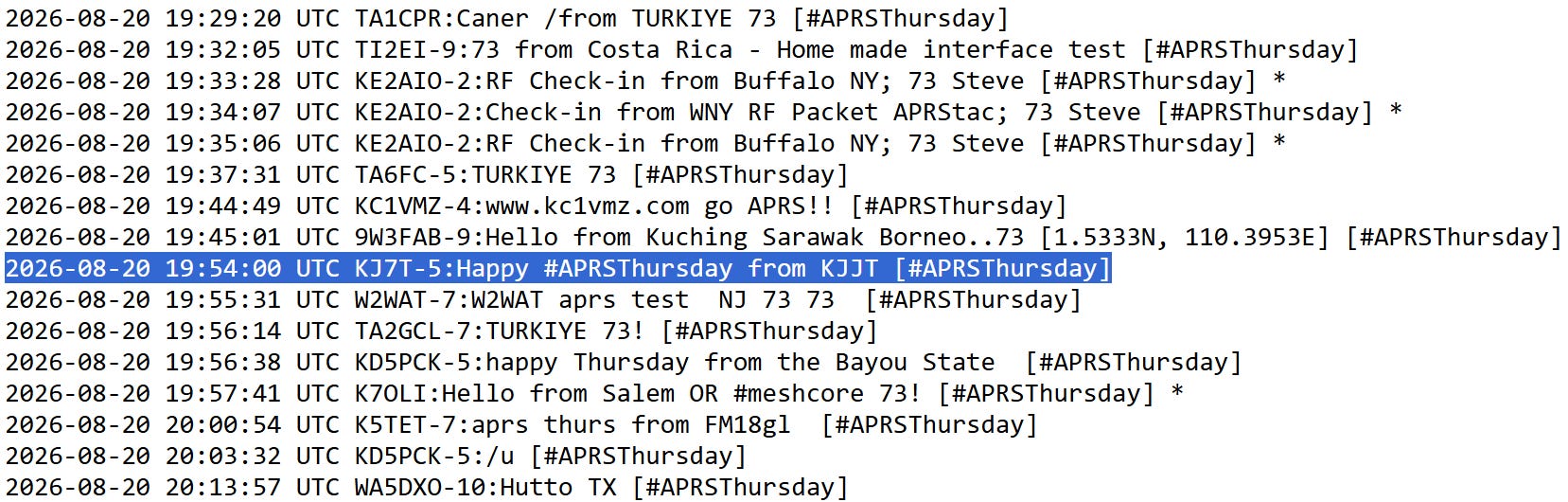
This week? I got checked in no problem:
Did you happen to notice the MeshCore checking from K7OLI? That looks interesting!
APRS OTA
A few days ago, I received a very nice email from Jared K0TFU, the ham who built https://aprsota.org. He wrote:
It’s been fun to watch hams begin to use this. One highlight for me was this string of QSOS from OE7BOE in the Tyrolean Alps https://aprsota.org/OE7BOE/ops/2.
I’ve now got a stats page up and running at https://aprsota.org/stats so everyone can see the usage of the service. We should pass 500 QSOs made using APRS OTA sometime later today, and have hams in 14 countries who have participated.
When you read his radiograms you can see this is fresh work. I predict APRS OTA will become another popular way to use radio and technology. It looks like it is off to a great start.
5. The Surprising Family Tree of Yahoo! Groups
If you’re a ham who misses the old Yahoo! Groups, here’s a piece of trivia that might reframe things: the person who built the service you’re pining for is the same person who built the one a lot of us use now.
Groups.io’s founder, Mark Fletcher, didn’t start with Yahoo! Groups — he started with a service called ONElist back in 1998, a free mailing-list host built for exactly the kind of niche system hams have always relied on. ONElist soon merged with a competitor called eGroups, and in June 2000 Yahoo! bought the combined company and rebranded it as Yahoo! Groups.
For a while it thrived. But Yahoo! management largely stopped investing in it. Over the next fifteen-plus years, the platform calcified under their watch: clunky moderation tools, a dated interface, and eventually real spam and security problems that group owners had no good way to address. Fletcher, watching from the outside as the company let his creation rot, eventually decided to build the successor himself. Groups.io launched in beta on September 23, 2014 — six years before Yahoo! finally pulled the plug on Groups on December 15, 2020.
That timing turned out to matter a lot for amateur radio. When the Yahoo! Groups shutdown was announced, hundreds of ham-related mailing lists — build groups, DX nets, kit-support forums, digital mode communities — suddenly needed somewhere to go, fast, with their years of archived messages intact. Groups.io was ready and purpose-built to catch them, and hams migrated in numbers well out of proportion to the general population of orphaned Yahoo! Groups. Today, ham radio groups punch way above their weight on the platform. By one count, 10 of Groups.io’s top 40 largest groups (out of roughly 100,000 total) are amateur radio communities, with the Softrock40 group alone landing at #4 overall with over 8,000 members, trailing only a couple of non-radio giants and IBM’s internal list. YouTuber Callum, better known as DXCommander, is often credited with giving the migration wave an extra push by publicly encouraging hold-out groups to make the jump.
We are living with the legacy of Yahoo! Groups. It didn’t vanish when Yahoo! finally killed the service in 2020. Instead, it moved, largely intact, onto Groups.io, which is why the platform now provides such outsized support to the amateur radio community specifically. The free, low-friction, member-run model that made Yahoo! Groups worth missing in the first place is exactly what its original builder set out to preserve and protect from further neglect when he built its successor.
If you’re active in a ham radio group on Groups.io today, you are standing on infrastructure with a direct lineage back to a scrappy 1998 mailing-list startup — one that Yahoo! bought, neglected for two decades, and finally killed, only for its original builder to come back and keep it going for communities like ours.
6. Old IEEE Articles on Amateur Radio & Tech
It’s been far too long since I dove into the past offerings of IEEE Spectrum. I did that this week, harvesting a handful of interesting titles for you to consider. Maybe one will spark a project idea.
Hacking Ham Radio for Texting — November 15, 2021. This is the one that piqued my interest, because instead of two chips, I could probably use a single Arduino Uno Q to run it. It would cut the two-chip serial bridge in the original design down to one board’s built-in RPC, gain Wi-Fi for APRS-IS gateway access, and get real Linux tooling for the UI/storage side. The tradeoffs would be battery life, needing to either port or replace MicroAPRS, and building a radio audio interface.
7. Gadgets
Yaesu VX-6R charging
I bought an $11 USB charging cable for my Yaesu VX-6R handheld radio. A side benefit: it also fits my Yaesu FT-70D handheld. I am finding that it works fine to charge the FT-70D battery but conversely, not with the VX-6R. I get a “NO BAT” message on the VX-6R’s screen when I try to charge with the USB cable. The radio operates as if it is on external power when I turn it on with the cable connected. When I disconnect the cable and try to turn on the radio: nothing.
So I’ve ordered a fresh battery and high-capacity charger, and neither are original Yaesu products. Fingers crossed on this purchase.
It may be that my original battery sat fully discharged too long and now the radio doesn’t even see it when it is connected. I’m guessing this might be the case. Perhaps fully charging it with the hi-cap charger will work. If not, I’ll still have a new battery.
The VX-6R is a tri-band analog FM transceiver. The 220 MHz band operates at 1.5 watts out instead of the full 5 watts out on 70 cm and 2 meters. In the U.S. market, it comes with NOAA weather channels and maritime channels. But what I like most about the VX-6R is how it feels in my hand. It is a compact radio that fits my medium-sized hands just right. The case has enough texture to feel secure in my grip. And since I live in a place with a lot of winter rain, the IPX7 rating gives me some comfort when I carry this radio on my journeys.
8. Short Stack from the Interwebs
The Short Stack from the Interwebs, pulled from the aggregated feeds on EtherHam (etherham.com/feeds/), items from August 13–19.
I’m very curious how the DMR radio will work. So far, I’ve been pleased with the Retevis RT3S DMR handheld. Discovering the differences between it and the Radioddity GD-77 radio was enlightening and helpful. I’m happy I was able to map important key combinations this week.
And if DMR traffic in my neck of the woods proves interesting, I might start looking for a mobile rig to carry in the pickup truck. The PNWDigital group has a good number of DMR repeaters in the region so I would have reasonable coverage most of the places I regularly travel to and from.
On the tech and software side of the house, I’m looking at notifier systems like Pushover and Pushbullet. It would be convenient to develop a stack of circumstances that trigger automatic notifications pushed to my smartphone. My tech stack is deep enough at the house that it’s actually hard to notice if something has gone offline or if the IP address changed because the upstream provider made changes. I have a notifier set up for some websites but those “down” notices come through as emails, meaning they get swamped by all the other emails I receive. For the sites I manage, getting those notices by SMS or pushed to an app would be helpful.
And that’s it from the great Pacific Northwe(s)t, where we are actually in a drought and experiencing a record number of wildfires. I hope all who have been affected get the help they need to recover from these disasters.