ARRL The National Association for Amateur Radio® has announced the appointment of Ray Sokola, K9RS, of Wilmington, Delaware, as Vice Director for the ARRL Atlantic Division. The appointment, made by ARRL President Rick Roderick, K5UR, fills the vacancy created in January when former Vice Director Marty Newingham, AG3I, assumed the office of Atlantic Division Director. Sokola will serve the rema…
American Radio Relay League | Ham Radio Association and Resources Read More
The Random Wire newsletter is a weekly amateur radio and tech journal by Tom KJ7T, with deeper technical content posted to EtherHam.com.
1. QRV: Are You Ready?
Welcome to Random Wire 189.
This past week was interesting as I worked on this Random Wire newsletter. The week prior, I got busy with projects while writing RW 188, including experimenting with the Arduino UNO Q. That struck a chord with about a dozen subscribers, and it was apparently not a welcome sound: they unsubscribed this week. I’m guessing about why they dropped, of course. At the same time, I welcome the several new subscribers who joined the Random Wire family this week.
As I’ve thought about this, I think it’s probably a natural outcome of how people choose to subscribe. They find something about the Random Wire newsletter in a publication or by word of mouth, and since they learn of this newsletter from amateur radio sources, they assume it’s all about amateur radio. And of course, it is about amateur radio, but it is not only about radio. I look at the modern, internet-connected, technology-focused side of amateur radio. For subscribers expecting “all RF, all the time,” this would be a disappointment.
I have my RF-only days, too. I get it. At the same time, focusing only on RF is a bit like driving a car with a manual transmission, manual steering, and roll-up windows: it works, but it isn’t as comfortable as a modern personal vehicle. We live in a technology-dominated world, and I choose to let tech augment my amateur radio play. Not everyone chooses to do that, and that’s okay.
For those of us who do marry technology and radio, you are in good company. I call us “EtherHams” and it’s why I named the workbench-focused side of this newsletter EtherHam.com.
And speaking of EtherHam.com, a big thank you to Jeff for purchasing a quality Champion-brand hoodie from the EtherHam store. Store purchases help support this newsletter and the EtherHam site. I wish I had permission to use his photo because it looks great!
2. Thank You…Paul N4FTD
Community shows up in all sizes — sometimes it’s a hoodie purchase, sometimes it’s something that changes how you see the whole hobby. This week I want to talk about the second kind.
Coming straight from the heart, this won’t be a highly polished thank you note.
I extend my sincere gratitude to Paul N4FTD who took time months ago to reach out and build a friendship with me. It turns out we share many of the same things, from caring for our spouses to how we grew up. It has been, and continues to be, a joy to recognize someone traveling alongside me, albeit on the other side of the country. You can find Paul’s radio writing in ROTA-Radio.
As radio amateurs, we usually talk with our radio friends about radios, antennas, and technology. But much of this hobby is really about connecting in a meaningful way with other radio amateurs. I’m reminded of how COVID impacted some of our most vulnerable amateurs who, it turned out, didn’t just look forward to being with like-minded people at their monthly ham radio club meeting — they needed that contact. When COVID took that away, they suffered. Socializing at the monthly meeting was vital for their well being. When meetings resumed, they made sure to attend each one. I noticed their joy at being back in the room with other amateurs.
We are important to each other in ways we may not always see or understand, but it is real and impactful. I hope you’ll choose to reach out to someone new to you in our wide, far-reaching amateur radio community, even if only to say hello.
That kind of connection is the reason I do any of this. But most of my hours this week were spent somewhere less sentimental — the workbench.
3. New on EtherHam
I didn’t do any original coding this week. Instead, I’ve been fixing code, testing my Arduino devices, and starting a few more projects.
LightAPRS Gateway 1.0 — First Impressions — There are updates posted at the end of the article, because while I thought I solved the issue, it turns out I had not. RF beaconing has been reliable, igating has not. It does not appear to be a fault with the device but I’m not sure yet what the problem is. I worked on this for three days before reaching out to LightAPRS support for help. We’ve been changing parameters, letting the device run, then looking at logs. Hopefully this will get resolved very soon.
4. In The Shack
While the LightAPRS mystery simmers, a new radio showed up that deserves its own writeup.
4.1 Retevis RA89R: Very First Impressions
I saw a review of the Retevis RA89R radio and was intrigued. The $65 Retevis RA89R arrived Wednesday evening and I immediately put it on the charger. Thursday, I turned it on for the first time.
My very first impression? Solid build. The radio with the battery installed has some heft to it. The battery back is rounded, making it fit nicely in your hand. The two PTT buttons take a moment to get used to, because if you are trying to use VFO B but are pressing the VFO A push-to-talk button, it’s not going to work (more on this in a moment).
When I went into the menu, I immediately noticed the radio was set to a wider frequency range than my license allows. I changed the start and end frequency to 144-148 MHz for VHF and 420-450 MHz for UHF, per the ARRL band plan.
I was able to set frequencies through the radio keypad but my CTCSS tone did not stick when I saved it (probably user error). So I cranked up the Retevis app on my Android phone, connected to the radio over Bluetooth, and set the tone there. Once saved to the radio, that worked fine.
In a few minutes, I was checking my audio on my duplex AllStar node 588418. That node intakes RF on 431.180 MHz and transmits to my radio on 147.47 MHz. The 431.180 frequency also requires a CTCSS tone. I have the RX frequency (147.47) in VFO A and TX (431.18) in VFO B. While testing and not having any success, I realized I was pressing the VFO A PTT instead of the VFO B PTT. It’s a simple thing, but it will trip you up if you’re not used to having two PTT buttons. (Note that the manual calls these Band A and Band B buttons.)
Here’s another counterintuitive “aha” moment: it doesn’t matter which VFO is active on the radio. If the arrow is pointing at VFO A and you push the VFO B PTT, you will transmit on VFO B.
The display is easy to read…indoors. Outside in the sunshine, it fades and is hard to read, even set to the brightest setting.
The radio sounds good…maybe not quite as nice as my BTECH UV-PRO, but the audio is clear and has plenty of volume for me.
USB-C charging is a welcome feature, with a USB-C charging port on the battery and on the desktop charger. This makes it easy to grab the radio and go, knowing you can recharge it in the field. However, I noticed that none of my Power Delivery-capable chargers would charge the radio. Instead, I had to use a small “dumb” wall wart like we used to get when we bought a Kindle e-reader. One advertisement indicates it requires a 5V 2A charger, and that agrees with my experience.
The belt clip attaches to the battery. I’m not a fan of this arrangement. The base of the radio is large enough and flat enough that it stands nicely on a desk or shelf.
The product page says it has airband receive, FM broadcast receive, and NOAA weather alerts, but I have not yet tested those capabilities.
One ad says the radio is “moisture resistant” but without an IP rating, I can’t determine what this means.
One other slight gripe is the functions associated with keypad buttons are not labeled on the radio. You have to look at page 6 in the manual to know what they do. Nobody wants to carry a manual with them. Fortunately, the manual is not just a sheet of paper — it’s a real mini-manual that is well written.
So two strikes right out of the gate are: dim display in sunlight and the belt clip attaches to the battery instead of the radio body. But on the plus side, this dual band radio has a solid build, good audio, and a 2800MAh battery, at a very attractive price point. If you need a tough analog VHF/UHF radio and don’t want to spend much money, consider the Retevis RA89R.
The Retevis will need more bench time before I trust a verdict. The other project living on my bench this week has already earned mine: the UNO Q ASL node.
4.2 The UNO Q ASL Node is Working Well
Last week I went all-in on the Arduino UNO Q, and after setting up and using a couple of different Q devices, I’m still a fan. They are working delightfully well. Unlike my Raspberry Pi devices, I worry much less about the Q-based devices because they use durable eMMC storage instead of damage-prone microSD cards.
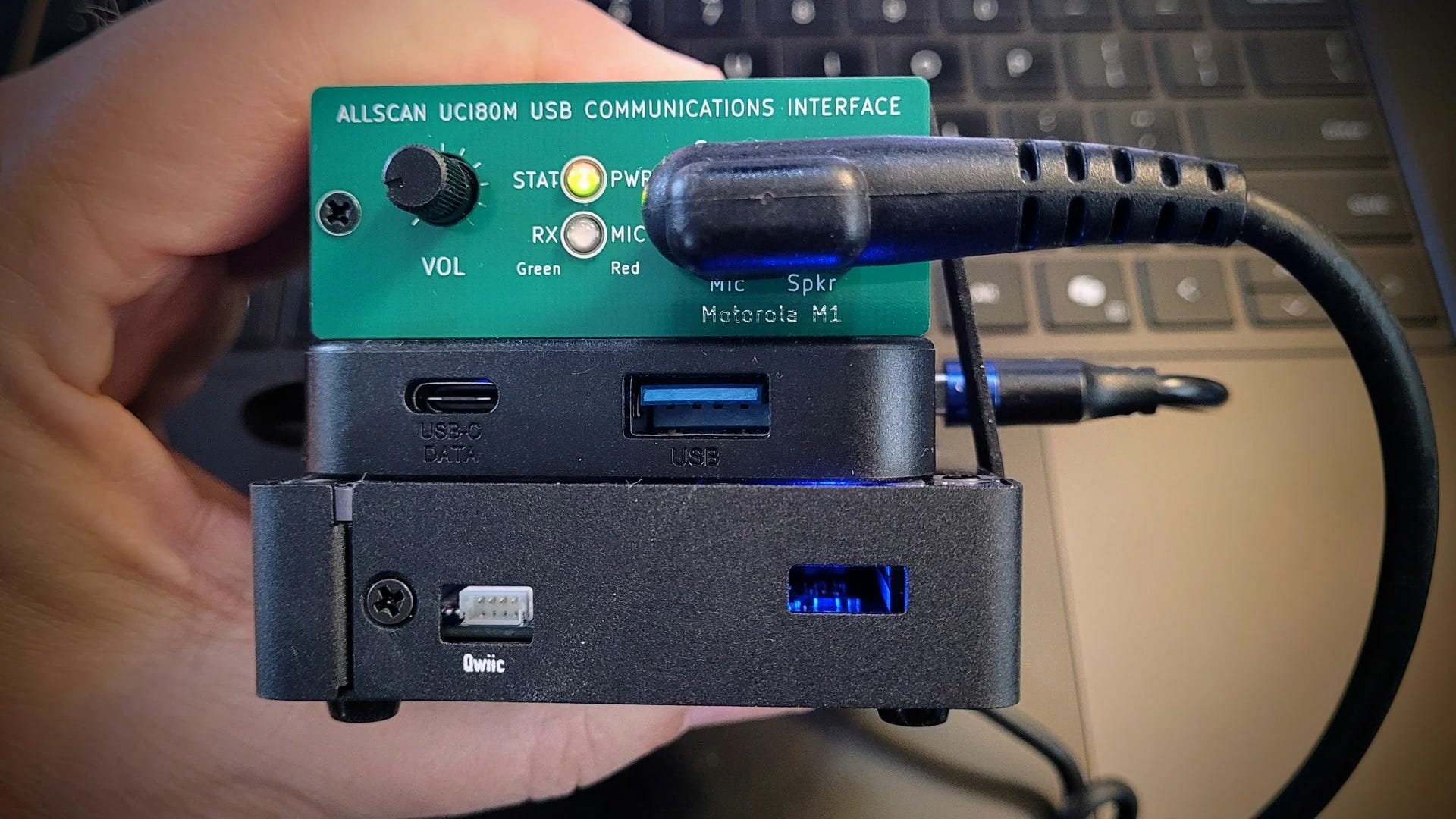
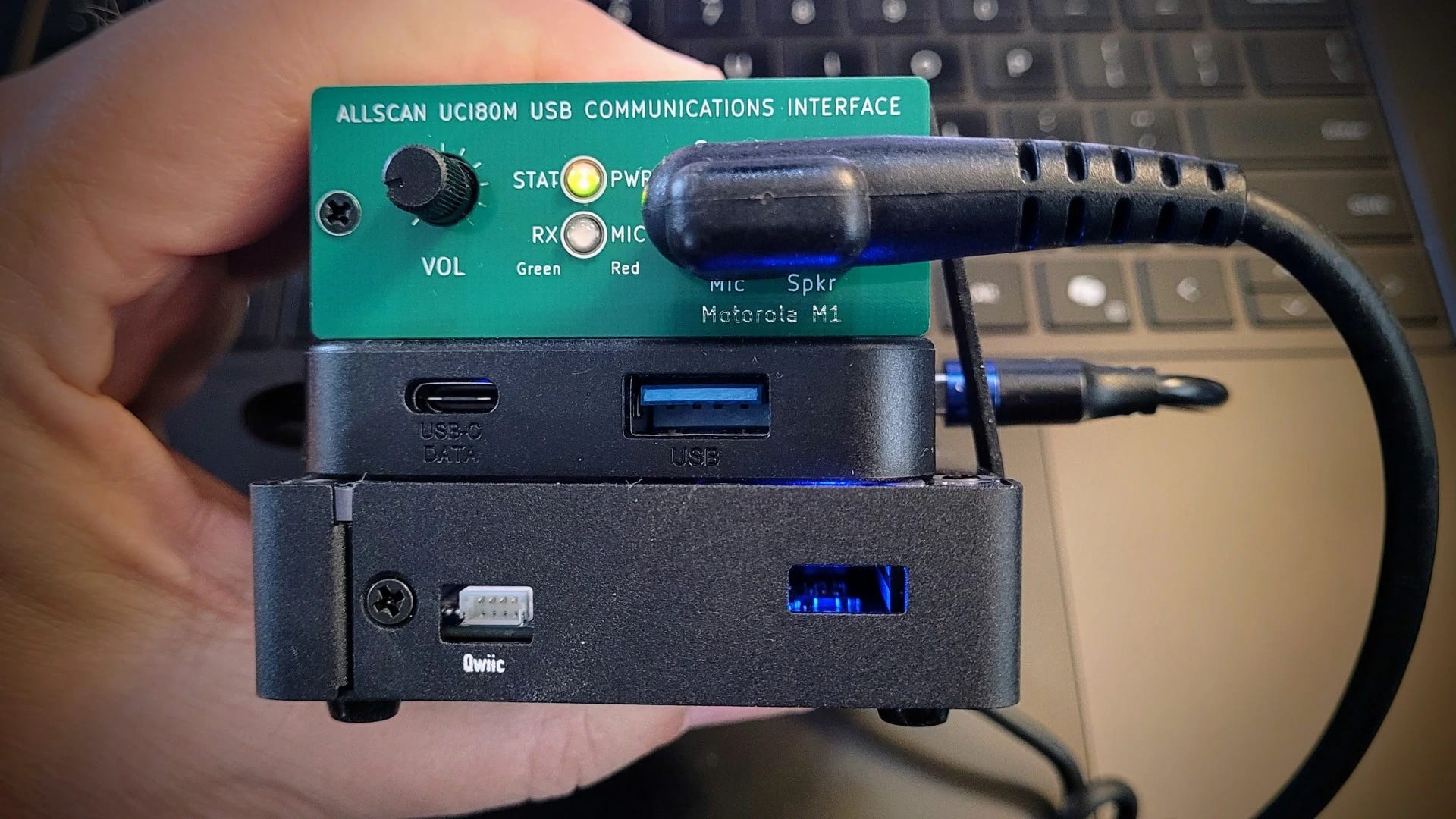
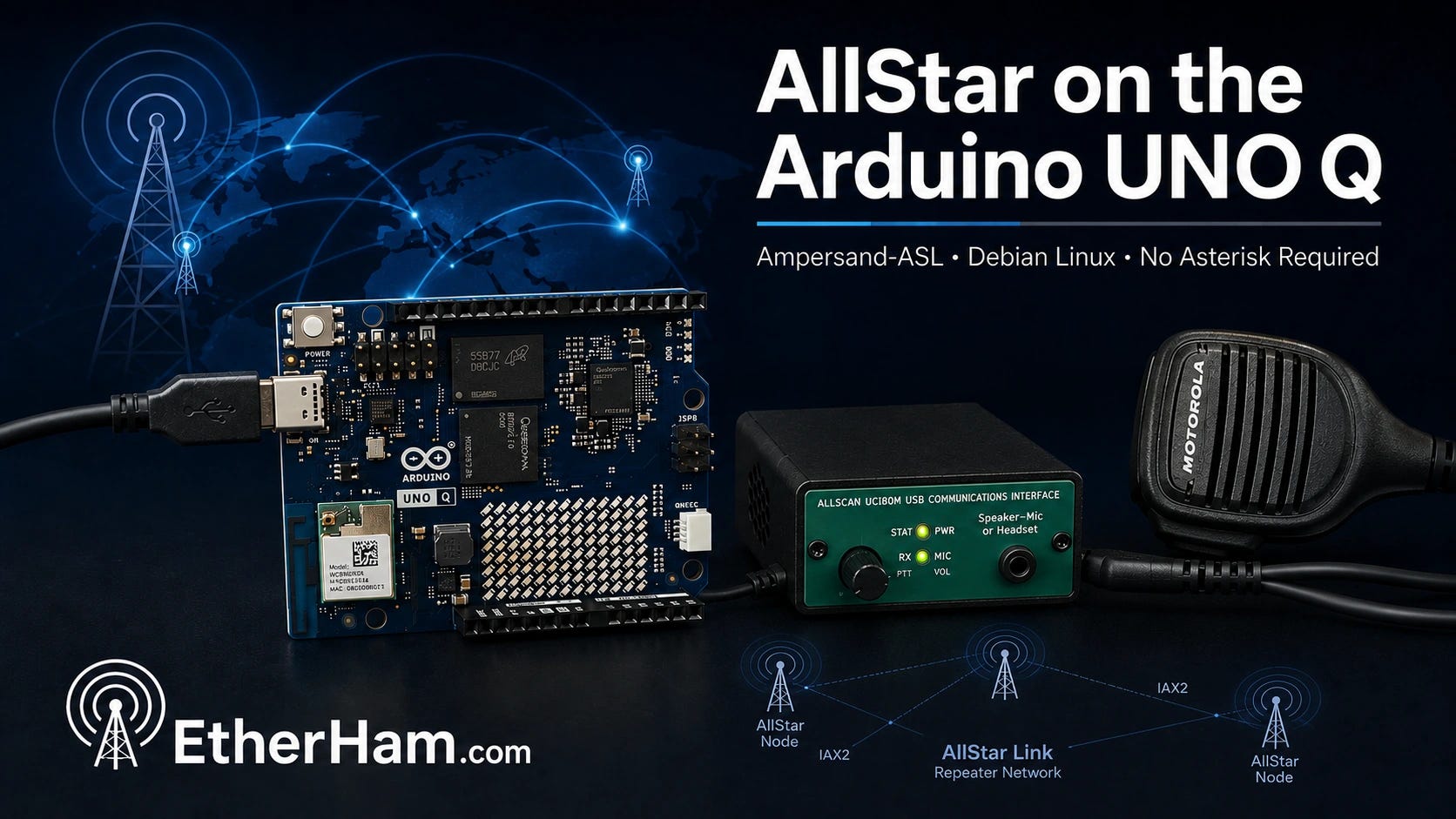
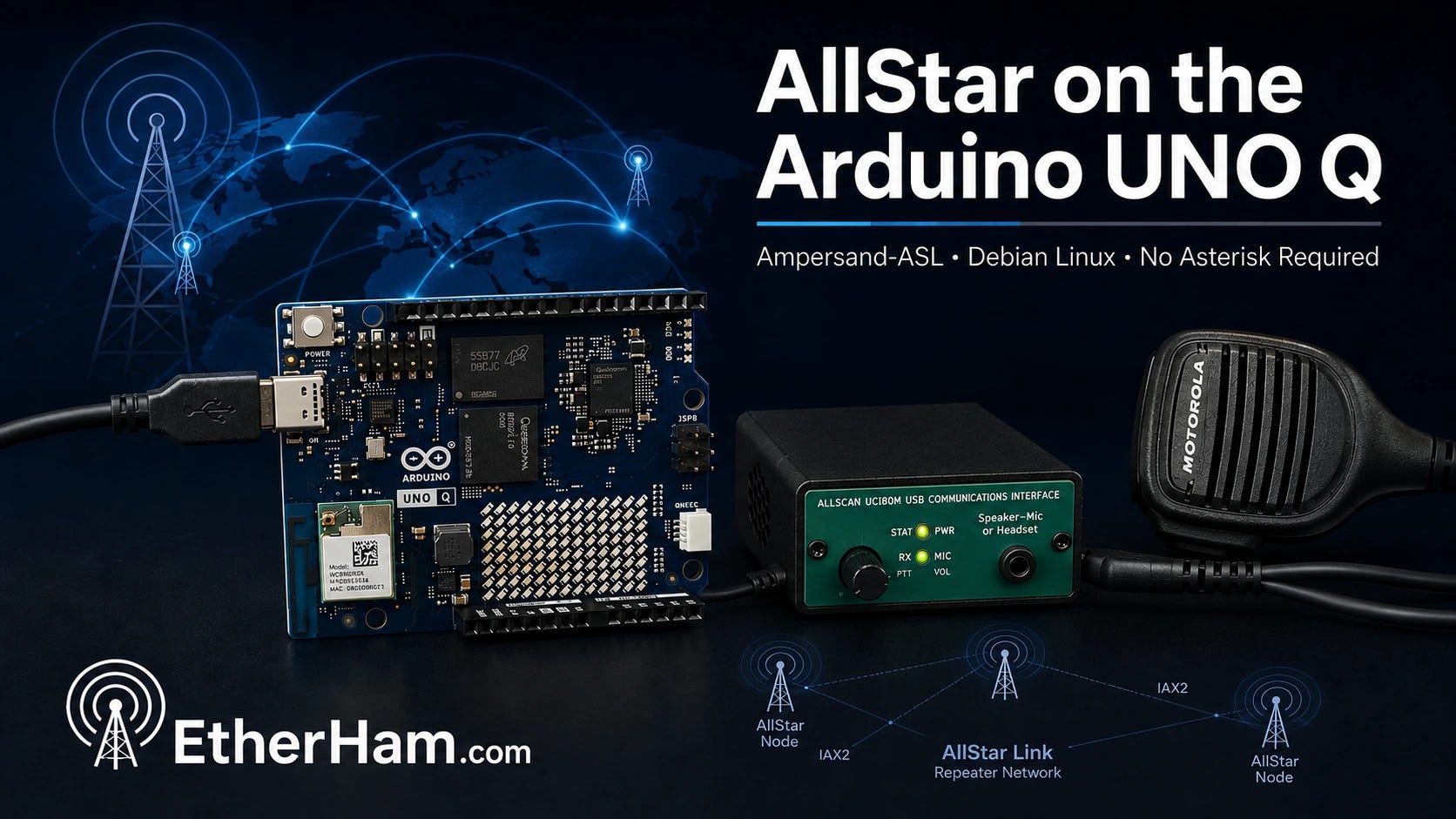
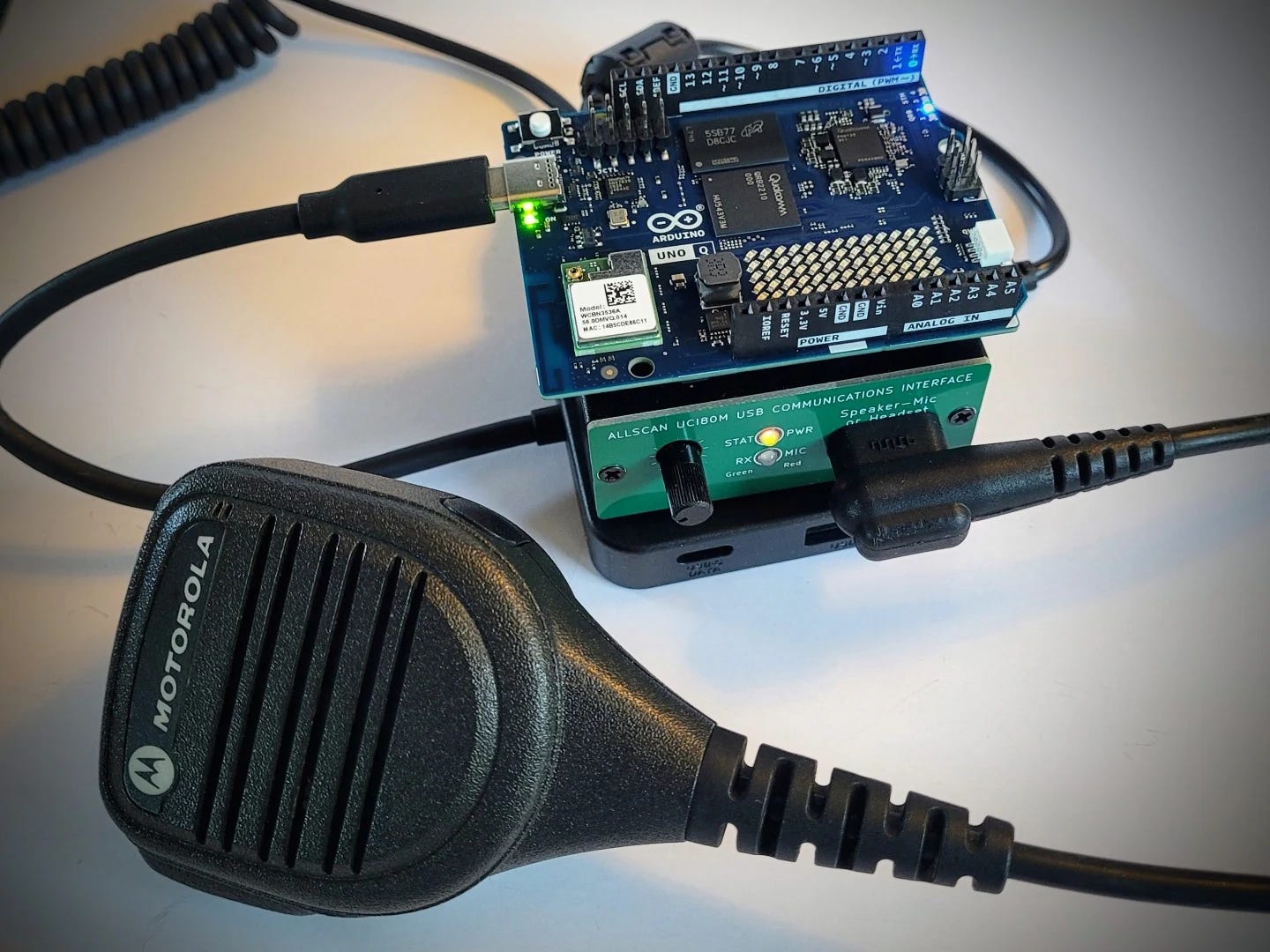
The AllStar node I’m running on a UNO Q uses Ampersand-ASL for AllStarLink connectivity and an AllScan USB Communications Interface for audio. It’s a very compact package:
In the view above, the UNO Q is in a metal case, forming the bottom layer of this little cake. A small USB-C hub is the next layer up, and the AllScan UCI80M tops the pile.
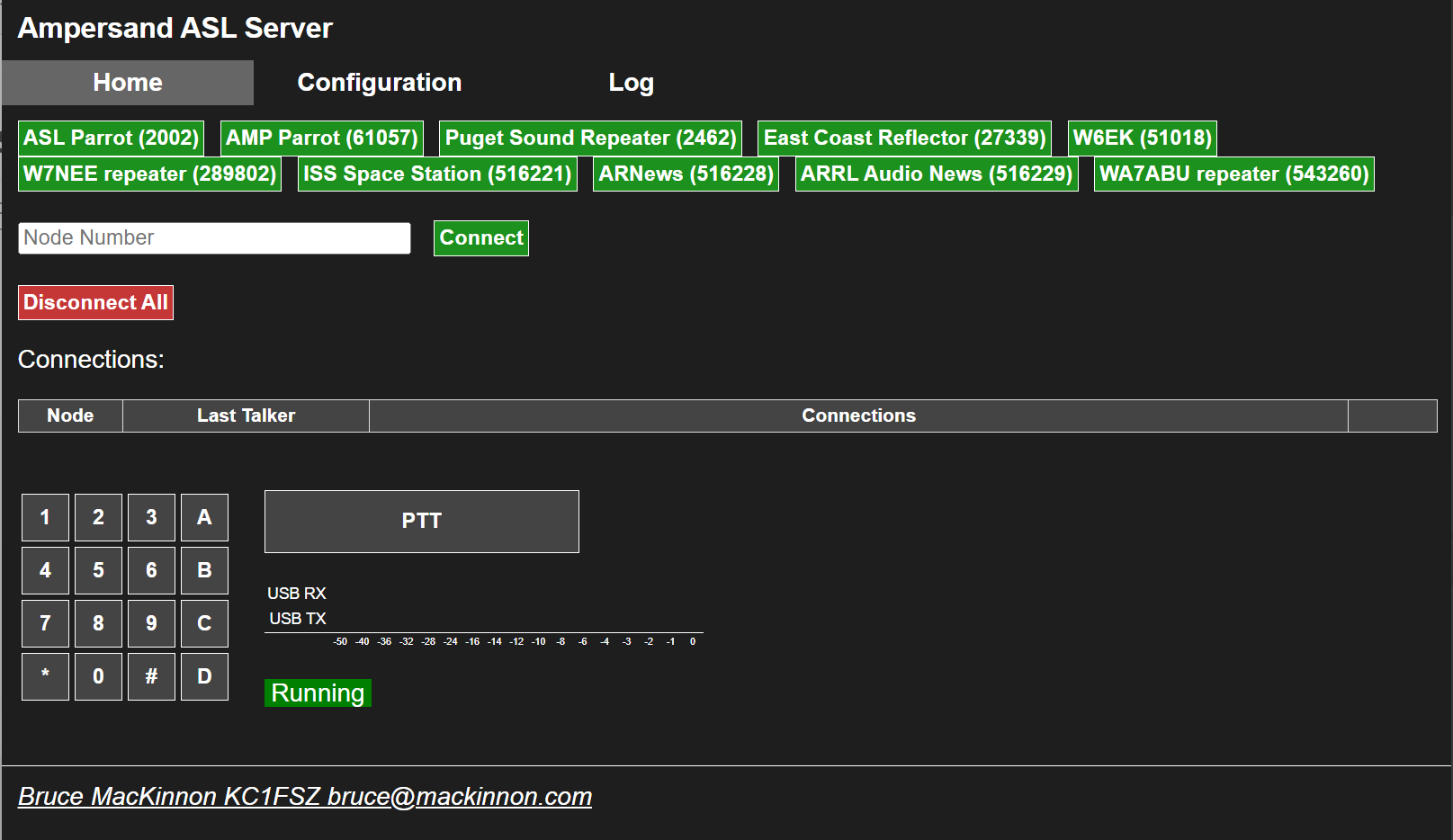
The user interface (UI) for Ampersand-ASL looks different than what you may be used to. You add favorite nodes on the Configuration screen, then on the Home page, you select one of those nodes to connect to it. In the screenshot below, you can see the favorites (green buttons) I’ve set for node 588414 on the UNO Q:
Ampersand-ASL node home screen
A quick note about the two different parrots. Node 2002 (ASL Parrot) is a standard parrot node running on the conventional ASL3/Asterisk and app_rpt stack. That stack has a hard-coded 8kHz sample rate. Node 2002 is locked to 8K audio because that’s simply what Asterisk/app_rpt does everywhere, including in parrot mode.
Node 61057 (AMP Parrot) runs on Ampersand-ASL, Bruce MacKinnon KC1FSZ’s from-scratch C++ reimplementation of the AllStarLink protocol that implements the IAX2 protocol directly, uses ALSA natively for audio, and does not use Asterisk at all. Because it was built from the ground up rather than inheriting Asterisk’s legacy code, it was easy to support 16Ksps codecs — that’s the whole point of the project’s design freedom. (16Ksps is 16,000 samples per second — a sampling rate of 16kHz. In contrast, standard telephone-quality audio that Asterisk-based systems use is 8,000 samples per second.)
4.3 Ampersand-ASL Gets an Update
Bruce MacKinnon KC1FSZ isn’t done improving Ampersand-ASL. He pushed a fresh update to Ampersand-ASL this week, and I applied it to my AllStar node without a hitch. The update tidies up compile warnings, fixes the sluggishness that had been making the Configuration tab painful to use, and folds the boot race condition workaround — the ExecStartPre=/bin/sleep 10 fix I documented on EtherHam — into the official user documentation. The full update procedure and what changed is covered in the updated EtherHam article, How to Run AllStar on the Arduino UNO Q.
I also discovered this week that Bruce was kind enough to mention KJ7T on the main Ampersand project documentation page — both as a link to the EtherHam article and in the project’s contributor acknowledgements. That’s genuinely appreciated. Bruce is doing interesting work, he’s responsive to feedback, and he’s building something that matters to the ham community. If you’re running an AllStarLink node — or curious about running one on hardware that ASL3 doesn’t yet support — the Ampersand project is worth your attention.
4.4 Amp-ASL and the Pi Zero 2 W — A Quick Experiment
I looked down on my bench and saw TomStick, a Pi Zero 2 W in a Geekworm USB dongle case, and wondered: could Ampersand-ASL by Bruce KC1FSZ run on this single-board computer? The Zero 2 W is arm64, Debian-capable, and a lot of hams have one sitting around. If it worked, it would be a compelling option for a low-cost, low-footprint AllStarLink node using hardware you might already own.
The short answer: you can’t build Amp-ASL on a Pi Zero 2 W. The compiler ran out of memory twice trying to compile WebUi.cpp, even with a 512MB swap file added. The second time, the OOM (out of memory) killer was aggressive enough to terminate the SSH session along with the compiler. TomStick was fine afterward, but the message was clear: you can’t build Amp-ASL on this platform.
This isn’t really a knock on Amp-ASL — it’s a build-time constraint, not a runtime one. On my Arduino UNO Q node, the running amp-server process uses about 4.2MB of RAM. The Zero 2 W would probably run Amp-ASL if you could get the binary onto it. The problem is getting there: WebUi.cpp is simply too large to compile on 512MB of RAM, and the OOM killer has the final say.
Could you cross-compile on a more capable machine and copy the binary over? Probably — but that’s a different project for a different afternoon.
The practical takeaway: if you want to build and run Amp-ASL on arm64 hardware, you need more than 512MB RAM. It’s worth noting that Bruce’s documented test platforms are a Raspberry Pi 5 and a Dell Wyse 3040 mini-PC — both with substantially more RAM than the Zero 2 W’s 512MB. I knew when I started this little side trip that the Pi Zero 2 W was going to be outside the tested envelope.
The UNO Q with 4GB RAM had no trouble at all. A Pi 3B+ (1GB) or Pi 4 (2GB or better) would be worth trying, and those results would be interesting. If you try it, let me know how it goes.
4.5 LightAPRS Digipeater: Hold the Phone
Not every experiment this week ended cleanly — and the LightAPRS saga from last issue still isn’t over.
The LightAPRS Gateway I mentioned last week turned out to have a subtle reliability problem: it was beaconing to APRS-IS once on startup and then going silent. I thought I fixed it with a watchdog script to restart Direwolf if it stopped sending packets. However, the timer interval was too short, creating a doom loop that prevented the 60-minute scheduled beacon from firing.
As I continued to monitor the device, I discovered my watchdog script didn’t really fix the problem. Even with the fix, Direwolf’s iGate beacons were reaching APRS-IS on startup but subsequent scheduled beacons were silently disappearing. They appeared in the local journal as sent, the APRS-IS connection shows as verified, and yet neither aprs.fi nor findU.com shows they were received.
The most telling clue is that packets marked qAR — those received via RF and gated by other iGates in the area — appear on aprs.fi consistently. Only packets marked qAC, sent directly from this gateway to APRS-IS, go missing after the initial startup beacon. I have reproduced this using different APRS-IS servers and can rule out local network issues. I’ve submitted a detailed bug report to LightAPRS support and am working with them on a solution.
4.6 GitHub, git, and Me
Bug reports and waiting rooms aside, I’ve been fighting a different kind of frustration this week: GitHub.
I am discovering that I don’t speak GitHub at all well. If you want to post some code on GitHub.com, there are several sequential steps you must follow. I’m sure for experienced coders who have adapted to GitHub, it all makes sense. For me? Not so much. The sequence to accomplish anything strikes me as a bit convoluted and arcane. The interface and sequential process were crafted by coders for coders, and it is taking me some time to get used to it.
It’s getting better, though. I still look at my “GitHub recipe card” when I’m updating code in my GitHub EtherHam space or creating a new repository, but I’m starting to think ahead of the recipe.
Behind the scenes, I’m also using git. If I thought GitHub was oblique, git doubles down on that. However, git is ultimately made simpler to use and understand because there is no graphical user interface like GitHub uses: git is 100% through the terminal. That means I don’t have to split my brain between terminal and GUI, and I do find that a bit simpler.
One thing I am certain of: it’s going to take me a while — months, maybe years — to really grok GitHub and git. These systems do not align with how my brain processes information and procedures. But as with all things about amateur radio, part of the joy is in learning new things, and GitHub and git are definitely stimulating learning! They no longer feel quite as new and raw when I use them.
4.7 Panasonic ToughBook CF54 Media Bay
GitHub isn’t the only thing that fought me this week. My ToughBook did too — just with screwdrivers instead of a terminal.
The batteries in my ToughBook appeared to be original and were no longer holding much of a charge, so I replaced the main battery. Talk about a night and day difference! Where I would get about an hour out of the main battery, now I get at least five hours.
The ToughBook’s media bay held a similarly worn-out accessory battery. Replacing it would be expensive at about twice the price of the main battery so instead I ordered a multi-drive.
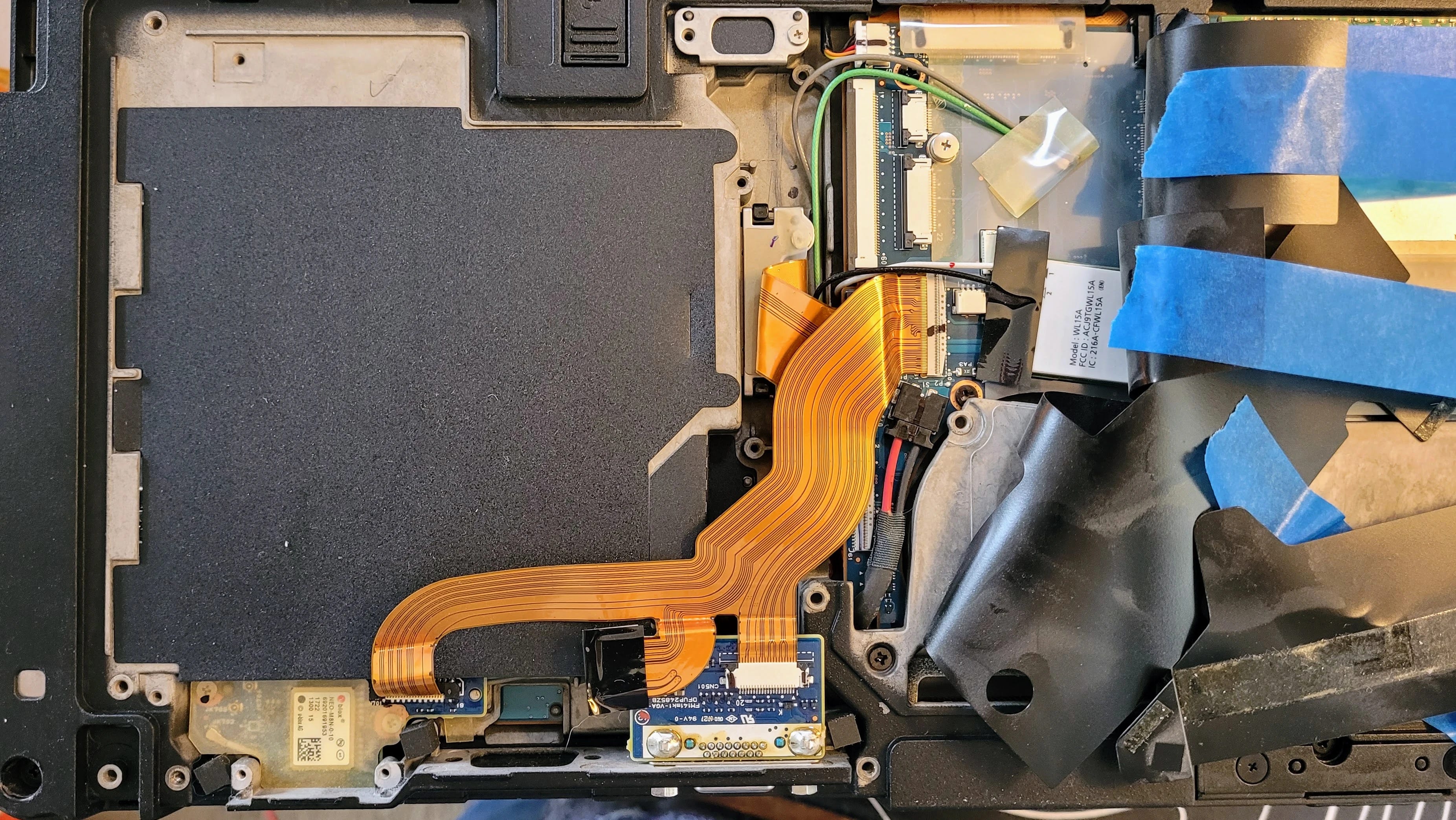
Well. Installing the DVD multi-drive proved to be more complicated than I expected. It isn’t plug-and-play. Instead, the bottom plate on the laptop must be removed, then several bits of black plastic shielding need to be pulled back or removed to expose the socket. It takes a ribbon cable that is attached to the back of the drive. Once the drive is inserted, the ribbon cable goes in the matching socket…but this one looked odd. No release levers on it. No cover over it. It was not like any ZIF (zero insertion force) socket I’ve seen.
The multi-drive socket is underneath the wide ribbon cable
I tried sticking the ribbon cable under the socket — nope, no space. No place for it to go in the socket, either. Trying to manipulate the socket I could feel how brittle the plastic was. It wasn’t going to accept much force before breaking. I concluded that the cover on the socket had previously been broken off, so this was never going to work.
I backed out of this and reassembled the bits, then ordered a dummy plug to seal the media bay from dust and foreign objects. That will be good enough. I have an external USB drive for CDs and DVDs, and that will have to do. Once everything was buttoned up again, I tested to make sure the computer booted up cleanly…and it did.
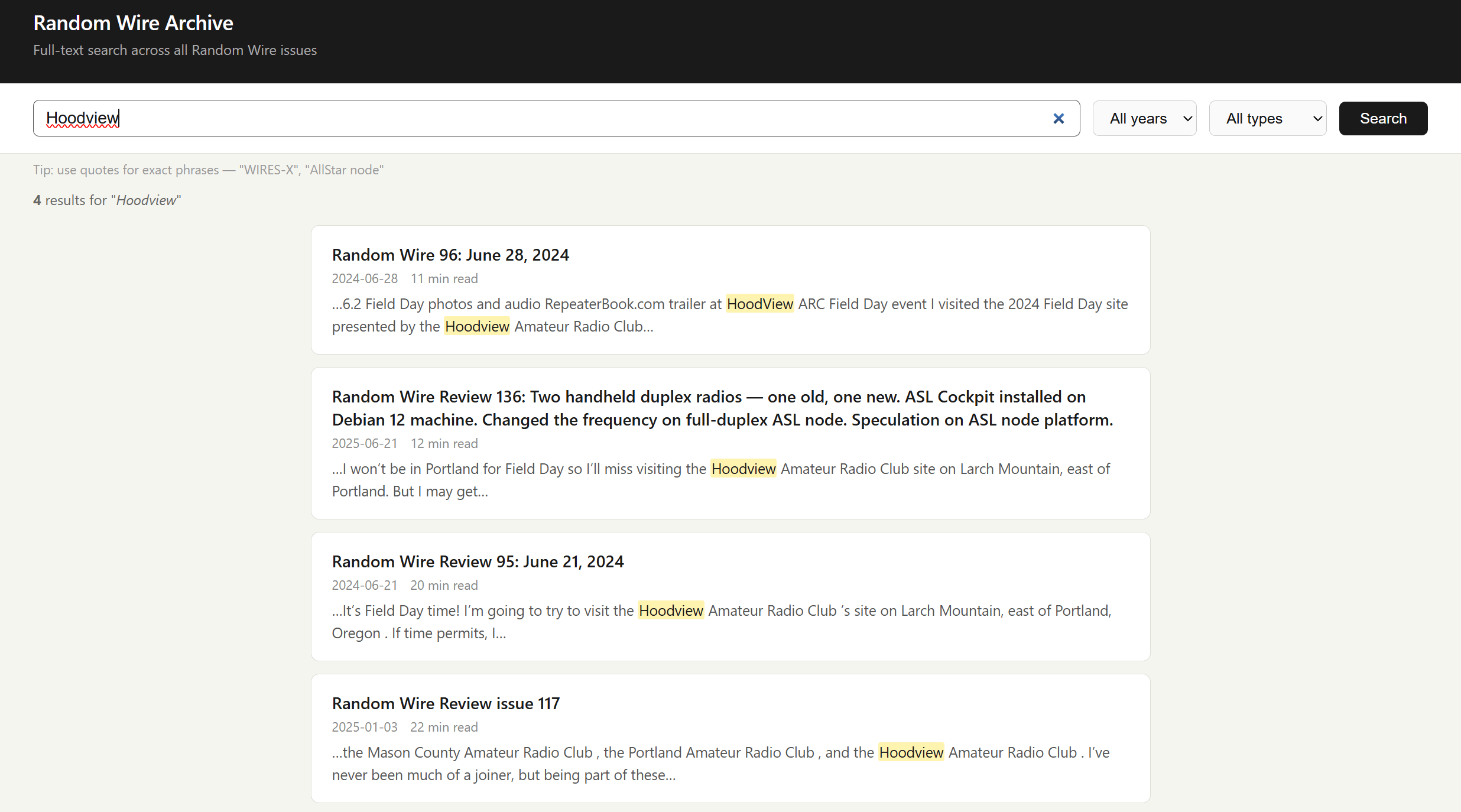
4.8 Try the Random Wire Archive Search
After all that hardware wrangling, it was nice to end the week with a piece of software I wrote that just worked.
If you are a Substack author, you already know how abysmal is Subtack’’s search capability. I wrote Substack Search to be a full-text search index for your Substack archive, self-hosted on your own web server. The code and instructions are available in my EtherHam GitHub space.
The interface is very simple. If you want to search on a phrase, enclose it in parentheses.
I’ve updated the code a couple of times to address update and search issues. All should be working well now, but if you encounter problems, please do let me know.
5. Are ESP32 Processors Used in F1 Racing?
Not everything on my bench this week was a repair or a tool, though. Some of it was just a question I couldn’t let go of.
While watching the Formula 1 Austrian Grand Prix race, I wondered: do the sensors on the race cars use ESP32 boards? The short answer: definitely not in actual F1 cars, but surprisingly, ESP32s show up around F1 in some really fun hobbyist ways. Here’s the full picture.
On the actual cars
Real F1 cars are a world apart from consumer microcontrollers. An F1 car has around 300 sensors, and the standard ECU — the TAG-320B — monitors over 4,000 parameters. Those sensors connect either through analog systems to the ECU, or through a series of CAN buses (Controller Area Network — an automotive-standard network bus). There are 17 separate CAN buses on a car in its typical configuration, each communicating with many different devices. (More: Feature: Data and Electronics in F1, Explained!)
Today’s F1 cars generate on the order of 1 terabyte of data per car per race weekend. Teams use high-bandwidth radio systems to send telemetry in real time to the garage, where engineers monitor car health and performance on multiple screens. The central data logger runs on an Intel Atom-based unit on a Linux RTOS, with 1 GB of integrated logging memory, GPS, and an integrated telemetry unit. (More: How Many Sensors Does Formula 1 Have?)
So the electronics are custom aerospace-grade hardware — nothing close to an ESP32 in terms of specs, hardening, or regulatory approval.
Where ESP32s show up
The hobbyist/maker community has embraced the ESP32 for F1-adjacent projects:
Makers have built F1 pit wall displays using an ESP32 CYD (a ~€10 board with a built-in 320×240 touchscreen and Wi-Fi) consuming live timing data from the OpenF1 API. The architectural lesson from that project is telling: the ESP32 works best as a display device, not a data processor — a Raspberry Pi or other server handles the API aggregation, and the ESP32 makes a single HTTP request for pre-digested data. (More: Build an F1 Pit Wall Display with ESP32 CYD and OpenF1 API)
Sim racing enthusiasts use ESP32s to parse the UDP telemetry packets that the F1 video game series broadcasts, building physical dashboard displays for their rigs.
So ESP32s are great tools for watching F1, but the actual cars run purpose-built, FIA-regulated electronics at a scale and spec where a $5 Espressif chip would be completely out of its depth.
What about radios?
As I was diving headfirst into ESP32s and Formula 1, I also wondered: what radios are used in F1 racing? Are they anything we are familiar with? It turns out there are two distinct radio systems at work.
Vehicle telemetry data
According to a former F1 engineer, the telemetry system uses a proprietary WiMAX 802.16 implementation managed by McLaren Applied for all teams, based on technology from former startup Picochip. It runs on 3.5 GHz spectrum that’s virtually available worldwide. For each circuit, temporary base stations are built so the mesh provides complete coverage. (More: F1 telemetry dissected: from sensor to strategy in milliseconds)
Data is sent using 1,000 to 2,000 telemetry channels, transmitted wirelessly at around 1.5 GHz or a frequency allowed by local authorities. All data is sent in encrypted form, and the typical delay between data collection and reception at the garages is 2 milliseconds.
So the telemetry is operating in the 1.5–3.5 GHz range, depending on the source. The discrepancy in this range isn’t fully explained by what I found, but let’s agree these are outside the frequency ranges most radio amateurs use.
Team voice communications
Voice communications use a completely separate system. The vast majority of F1 teams and officials use a single TETRA digital trunked radio system provided by Riedel Communications, operating in the 420–430 MHz range (downlink) and 410–420 MHz (uplink). Some teams use alternate systems — Williams and McLaren switched to a Kenwood NXDN Nexedge system operating in the 446–473 MHz range. (More: Formula 1 (F1) by TheRadioReference Wiki)
In amateur radio terms: voice comms are solidly in the 70 cm UHF band, while the data telemetry is up in the microwave range — much more like 802.11 Wi-Fi territory.
REMINDER: RadioID.net to require annual verification — “Beginning July 1, 2026, RadioID.net will implement an annual verification process. On the anniversary of each account’s creation, RadioID.net will send an email to the account holder requesting confirmation that the assigned ID(s) are still needed and that the account information remains accurate and up to date.”
Overview of Retevis RA89R and RA89G — I’m intrigued by the RA89R as it advertises dual bands with cross-band repeat, suggesting that it might actually have independent VFOs. I doubt it, especially at this price point. I believe it is actually a half-duplex radio. But I do think it might work for pseudo-duplex use with a full-duplex AllStar node by configuring one VFO for transmitting and one for receiving, but I won’t know until I try it. With USB-C charging, Bluetooth programming, and up to 10 watts of output, it’s worth gambling $65 on this.
7. June 17, 1936: The Day Radio Heard Itself Clearly
One story from ninety years ago felt worth pulling out of the noise…literally.
On June 17, 1936 — ninety years ago this month — Edwin Howard Armstrong walked into the Federal Communications Commission headquarters and changed what radio sounded like. He played a jazz record over conventional AM radio, then switched to an FM broadcast. A reporter in the room wrote that if the fifty engineers present had closed their eyes, they would have believed the jazz band was playing in the same room. No static. No hiss. No interference. Just music.
Armstrong had been working toward that moment for years. Frustrated by AM’s vulnerability to static and interference — a physics problem baked into amplitude modulation itself — he pursued a different approach: instead of varying the strength of the radio wave to carry sound, he varied its frequency. The result was a signal that natural static simply couldn’t touch. FM didn’t reduce interference. It eliminated it. The silence between the notes was actually silent.
You would think that kind of demonstration would change everything immediately but it didn’t. RCA’s David Sarnoff, who had been Armstrong’s friend, saw FM not as a breakthrough but as a threat. Thousands of AM transmitters and millions of AM receivers could become obsolete. The broadcast networks had enormous investments in AM. And Sarnoff had his eye on television — he didn’t have the bandwidth to also champion a new radio system. So RCA used its considerable influence to slow FM down: lobbying the FCC, disputing Armstrong’s patents, and eventually developing their own FM technology while refusing to pay royalties on his.
The fight consumed the last years of Armstrong’s life. By 1954 he was financially exhausted from the legal battles and deeply depressed. He died by suicide in January of that year, never knowing how the story ended. His wife Marion continued the patent fight after his death, and in 1967 the Supreme Court ruled that Armstrong had indeed invented FM. He was right all along — he just didn’t live to hear the verdict.
Every time you tune an FM radio, every time a silent passage is actually silent, you’re experiencing what Armstrong proved in that FCC hearing room in 1936. He didn’t get the recognition or the royalties he deserved, but he got the physics right. For radio amateurs, his story is a reminder that the people who build the tools don’t always get to enjoy the world those tools create. We work the bands they made possible, often without a second thought about who fought to make them available.
8. Gadgets: Headphones, DAC, and Player
I found myself thinking about Armstrong and audio fidelity again this week for a much lighter reason: new headphones.
I bought a pair of SENNHEISER HD 599 Open Back Headphones on special during Amazon Prime Days. They were roughly one-half their normal price. I’ve paired them with a Fosi Audio K5 Pro DAC. My digital music catalog is stored on my Beelink network-attached storage box, and I play that library with MusicBee on my laptop. Player Preferences in MusicBee is set to WASAPI (Exclusive) to bypass the Windows sound system.
If you’re a basshead, these are probably not the headphones for you. They deliver a flatter response across audible frequencies and present a more open, airy soundscape. Of course, you can dial up the bass with an equalizer or with the DAC. If I dial up the bass all the way on the DAC, audio is still clear but the deep tones overpower mid and high frequencies, at least for my ears.
I am not an audiophile but I do like clear audio where I can separate instruments and voices, and where I can feel like I’m in the hall with the performers. The open back headphones provide a wonderfully open sound without the sound pressure that some closed headphones can project. The funny thing about saying “I’m not an audiophile” is good quality recordings and equipment provide an experience that is viscerally and audibly better than poorer equipment. You don’t have to be an audiophile to appreciate good sound.
On the DAC, I have the bass and treble controls set at the one o’clock position. To me, this moves the sound stage a bit forward, as if the performance is closer to me. Need more bass? Try setting the DAC bass control to three o’clock or more. In MusicBee, I’ve set the equalizer to the Acoustic profile, which I find most pleasing for the music I listen to.
One of the wonderful things about this combination is the silence. Silence during pieces, and between songs, have no hiss, no hum, no thrumming sound, nothing. Just silence. That really plays well with The High Kings when they punctuate their tight harmonies with moments of silence before the next attack.
I would describe this combination of headphones, DAC, and player as a solid mid-tier setup for someone who likes to hear parts and harmonies. As I write this, I’m listening to acoustic sounds by The Wailin’ Jennys (40 Days album) and The High Kings (Grace & Glory, and The High Kings). Also, The Corrs, as well as Chris Botti.
Acoustic Highway by Craig Chaquico sounds amazing. I can hear the left and right background instruments clearly. There is more texture to his music than you might hear over a radio. And Jazz Samba by Stan Getz and Charlie Byrd is astounding: very present, very clear.
It’s not all quiet stuff. Earth Wind and Fire’s punchy, percussive music sounds delightfully crisp. The overtones of Eddie Van Halen’s high notes on Eruption come through with clear brilliance, and Ain’t Talkin’ ‘Bout Love sounds like it is being played on a wide sound stage. If you like that song but also like musical interpretations, I invite you to compare it with Ain’t Talkin’ ‘Bout Love by Scott Bradlee’s Postmodern Jukebox on the Lounge Language Models album.
9. QRT: End Transmission
Good sound isn’t the only thing that’s mattered to me this week.
Earlier this week, two women who taught alongside my wife for fifteen years came to visit her. My wife can no longer speak, but she was present in every way that mattered — attentive, tracking the conversation, trying to engage. Watching her with her friends, I was reminded of what I wrote earlier in this issue about Paul: we are important to each other in ways we may not always see or understand.
That evening, she looked over at me and said, “Hi Tom.”
This was more meaningful than it might appear, because twice in the past month, she has looked at me and asked: “Who are you?” So you’ll understand why two words — my name, spoken by her — stopped me cold.
I’m glad she knew me in that moment. I’m glad her friends came. Some things matter more than radio.
Attention: Full ARRL members in the ATLANTIC, DAKOTA, DELTA, GREAT LAKES, and MIDWEST Divisions. You have the opportunity to choose a Director and Vice Director to represent you for 3-year terms beginning January 1, 2027.
ARRL is governed by its Board of Directors. A voting Director is chosen by ballot by the full (licensed) ARRL members in each of its 15 divisions. Vice Directors who serve in t…
American Radio Relay League | Ham Radio Association and Resources Read More
Solar activity has remained at low levels, with frequent C-level activity in the SE quadrant of the solar disk. The largest flare of the period was a C3.8 on June 24 from Region 4478, which is the large sunspot that Solar Orbiter had been tracking across the Sun’s far side.
While the majority of the flaring activity this period came from 4478, Region 4475 also produced several small C-flares as…
American Radio Relay League | Ham Radio Association and Resources Read More
This was the week of Q — no, not the Q from the James Bond franchise, but a tiny Arduino-based computer board. The UNO Q is featured in three articles about using it for amateur radio use. One is a comparison with other platforms, one details an AllStar build with Ampersand-ASL, and the other describes setting up a Q with WSJT-X and GridTracker2 for HF digital work.
It’s ARRL Field Day weekend! Enjoy yourself on the air, and hopefully you’ll be able to attend a local Field Day event. For some, it’s a contest. For others, it’s a party. For many of us, it is a fine excuse to visit with our radio friends.
01 Thank You…ARISS
Some things lodge themselves in your memory so firmly that you can still feel them sixty years later.
I was almost six years old on February 20, 1962, when John Glenn became the first American to orbit the Earth. I remember sitting transfixed, listening to his voice coming live from space. I didn’t fully understand what I was hearing, but I understood that a human being was up there, and his voice was coming down to us through the air. That moment planted something.
The Mercury program didn’t involve amateur radio, but the connection between space and radio has deepened considerably since then. Through ARISS — Amateur Radio on the International Space Station — astronauts have been talking to schoolchildren from orbit for decades. A kid with a handheld transceiver and lightweight beam antenna can have a two-minute conversation with a crew member on the ISS. I can’t think of a better recruitment tool for this hobby, or a better use of the radio spectrum.
So: thank you, John Glenn, for planting the radio bug in me. And thank you to everyone at ARISS who turned that wonder into something kids can still experience today. You bring the magic of radio into young hearts and minds.
02 New on EtherHam
With three new articles this week about the Arduino UNO Q board, it is apparent that I’m quite taken with this little ARM-based computer.
Resurrecting a Forgotten HSR-USB as an AllStar Node — A forgotten HSR-USB board in the back of the drawer had no documentation and I had no memory of what frequency it was programmed on. Eventually, I was able to interrogate the SA818 chip to determine frequencies and CTCSS tones. The device is rescued from the drawer and back in service as AllStar node 578498.
How to Run AllStar on the Arduino UNO Q — Seeing that this had been done by a few others, I dove in and documented how to get Ampersand-ASL running on the UNO Q platform.
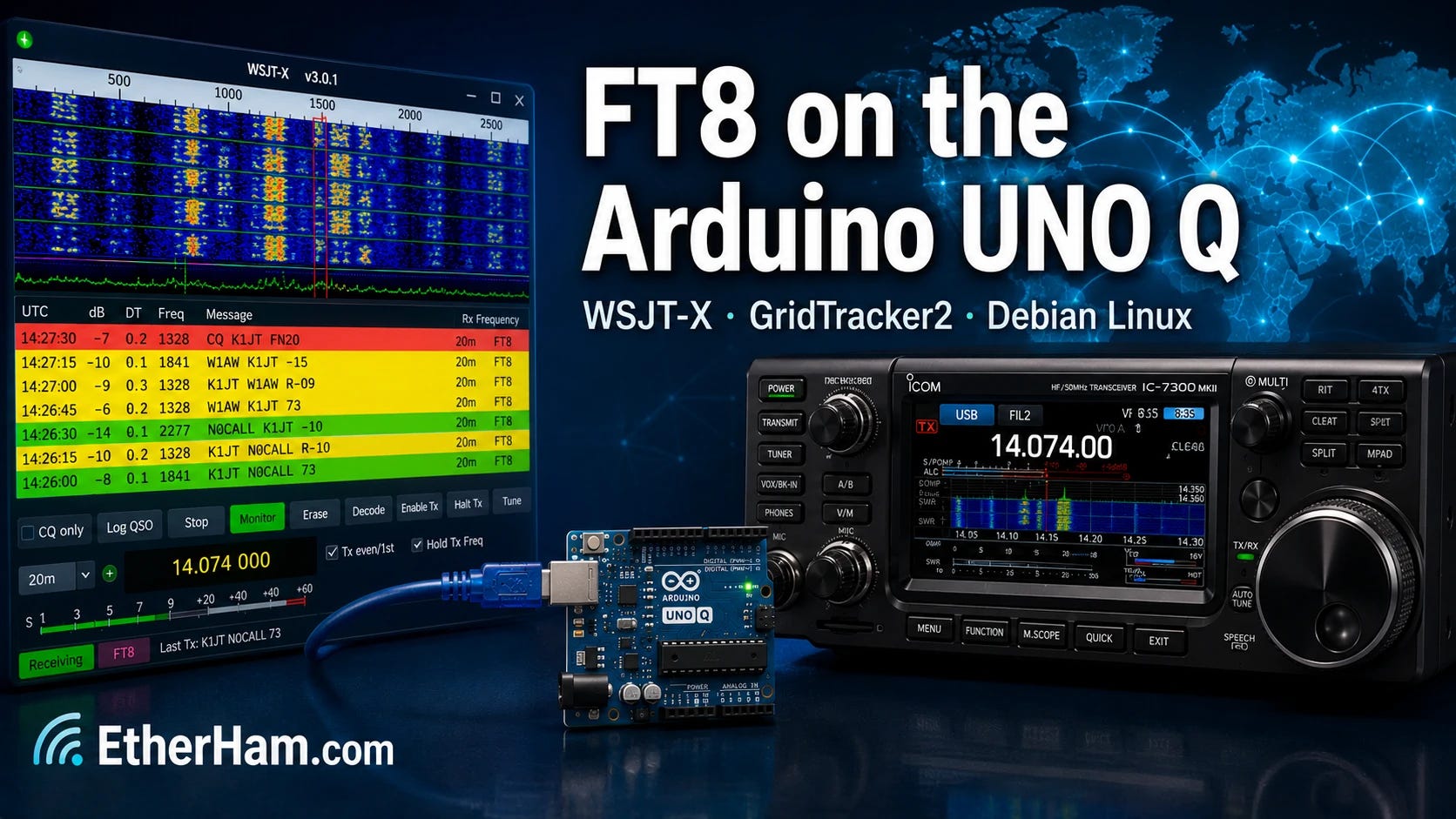
FT8 Digital Modes on the Arduino UNO Q: Installing WSJT-X and GridTracker2 — This was a big little project this week and a quite satisfying one, at that. The result? I have a dedicated WSJT-X/GridTracker2 platform attached to my Icom IC-7300MK2 transceiver. I no longer have to set up my ham radio laptop to do FT8 work, and even better, I can run FT8 remotely from another part of the house.
Build Your Own Substack Archive Search — I started publishing on Substack in 2022, and over the years, I’ve grown more and more frustrated by the truly abysmal search capability on that platform. So I did something about it with my own search system.
Weekly Reports: June 25, 2026 — The 20 and 17-meter bands should be reliable workhorses this coming week. Digital radio news was very light this cycle. On the Groups.io front, I checked 26 groups with 465 messages.
03 Built and Working: AllStar with an Arduino
I’ve been wanting to try building an AllStarLink node with an Arduino UNO Q board for a while. The UNO Q runs full Debian Linux on a Qualcomm ARM64 processor, costs around $60, and fits in your hand. If you’ve been eyeing a Raspberry Pi 4 or 5 for a project like this and balking at current prices and availability, the UNO Q is worth a serious look.
Getting AllStar running on it turned out to be more interesting than I expected. The mainstream ASL3 software stack doesn’t quite work on the UNO Q yet — the board’s custom Qualcomm kernel is missing an audio interface that ASL3 depends on. That’s being worked on, and it might be resolved by the time you read this. But today, the proven path is a project called Ampersand-ASL, written by Bruce MacKinnon KC1FSZ. Bruce built a complete AllStar node implementation from scratch in C++ — no Asterisk, no DAHDI, no kernel module compilation. Just clean code that speaks IAX2 natively and connects to the AllStarLink network the same as any other node.
I named my ASL node the QNode. It’s running on the AllStarLink network as node 588414 under KJ7T, connected via a USB radio interface and a Motorola speaker-mic. The audio quality is solid — I pulled a clip from ARRL Audio News through the node and it came back clean and clear. You can hear it below:
(For the audio fade in and out, I used Tenacity, a fork of Audacity.)
ASL node 588414 on Arduino UNO Q
The software build itself took an afternoon, mostly because I ran into three non-obvious gotchas that anyone attempting this will hit: a HID device permissions issue that silences PTT, a missing group membership for the arduino user, and a systemd race condition that causes silent audio on every boot until you add a ten-second startup delay. None of them are hard to fix once you know what you’re looking at.
I’ve written it all up in detail over at EtherHam, including the ASL3 situation, the full build walkthrough, and the troubleshooting steps. If you want to put an AllStar node together on a budget and don’t mind building from source, this is a genuinely satisfying project. The article is titled How to Run AllStar on the Arduino UNO Q and it’s live now at EtherHam.com.
04 SuzieQ Gets a Job: FT8 with an Arduino
A subscriber sent me a note a few weeks ago saying he’d gotten WSJT-X and GridTracker2 running on an Arduino UNO Q. That was enough for me.
I spent a Saturday getting it working on my own UNO Q (named SuzieQ) which now lives next to the IC-7300MK2 in the sun room. The short version: it works, and it works well, with WSJT-X decoding signals, GridTracker2 painting stations on a world map, QSOs logging automatically to QRZ. All this runs headless on a board half the size of a playing card, accessible from anywhere in the house via RustDesk. I made the first confirmed QSO from the other side of the house, which felt like the right way to prove the point.
The total hardware cost — UNO Q, case, power supply, and USB hub — came to $120. For comparison, a 4GB Raspberry Pi 4B kit with storage runs $130 and up today, and with that you are stuck with a microSD card instead of the UNO Q’s soldered eMMC. I’m not saying the Pi isn’t a fine machine. I’m saying the math has changed.
The full write-up is at EtherHam.com, with all the commands, settings tables, and gotchas documented in enough detail that you should be able to follow along with your own hardware. If you have a radio with USB connectivity and you’ve been thinking about a dedicated digital modes platform, this is worth your time: FT8 Digital Modes on the Arduino UNO Q: Installing WSJT-X and GridTracker2
05 Code Fix: Substack Search
In continued testing of the Substack Search tool, I discovered I didn’t code it right the first time. Searches for common terms like “Meshtastic” were returning HTTP 500 errors instead of results. The error log told the story: fts5: missing row 63 from content table. The full-text search index and the posts database had gotten out of sync.
The culprit was the update tool — the web page that lets me upload a fresh Substack export zip to add new issues to the index. The original code was doing incremental updates: deleting each post’s entry from the search index and reinserting it. That approach scrambled the internal row numbering that SQLite’s FTS5 search engine depends on, and searches started failing.
The fix was straightforward once the problem was clear. Instead of updating the search index one post at a time, the new code processes all the posts first and then rebuilds the entire index in a single clean pass. The result is the same — all posts indexed and searchable — but the internal bookkeeping stays consistent no matter how many times you run it.
If you grabbed the code from the EtherHamRadio/substack-search repository before this week, pull the updated update.php. If you built your initial database using Claude as described in the article, you may also need to rebuild the database from a fresh Substack export — the corruption only affects databases that have been through the update tool at least once.
06 In the Shack
Some Trouble with WPSD
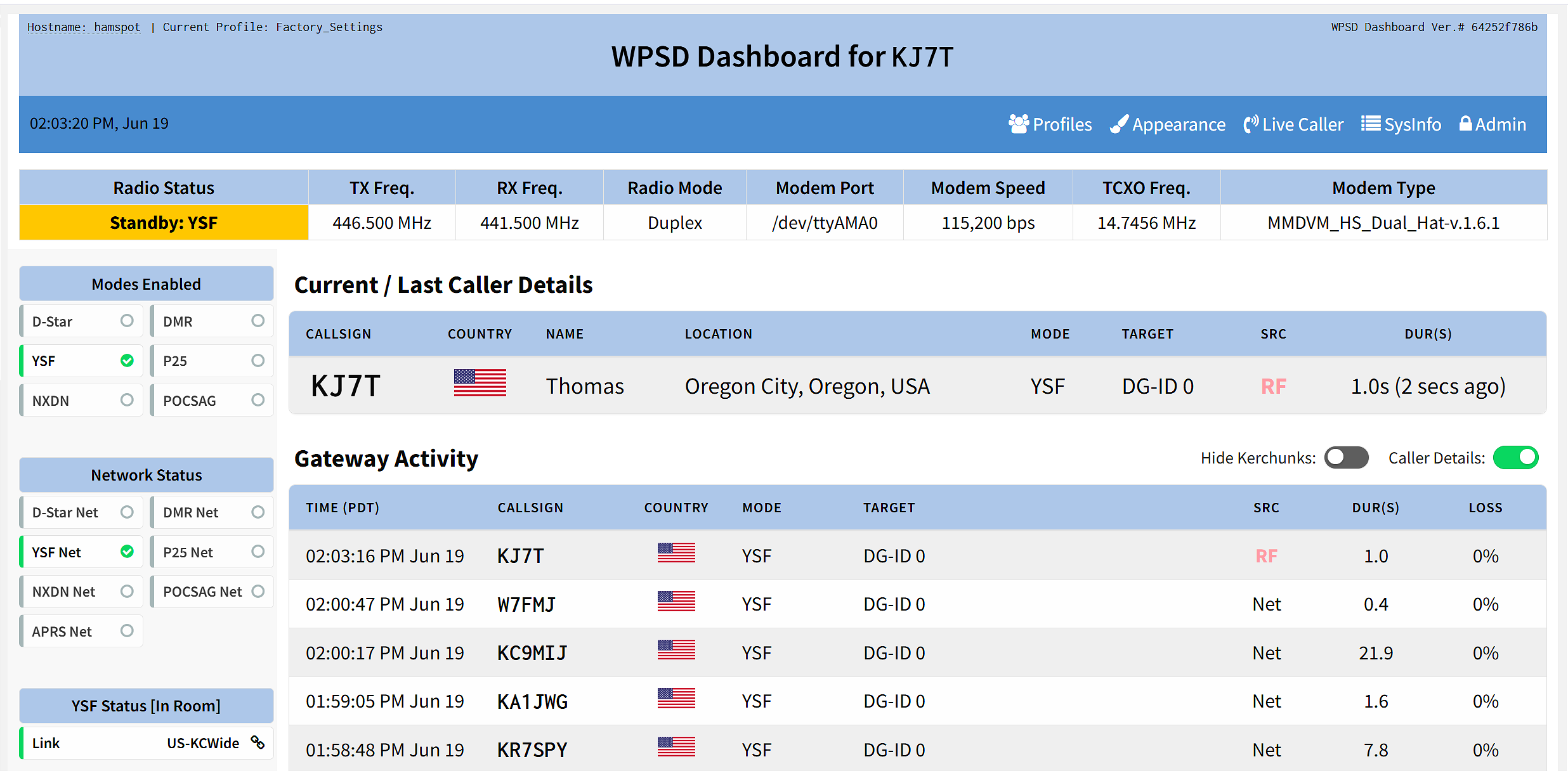
I had some trouble with my Raspberry Pi 5 hotspot running the great WPSD software. My Wi-Fi would no longer connect and the region showed AD (Andorra), not US. When I reconfigured and hit save, nothing actually saved. I could boot up with the Ethernet cable connected and all was well. But I had no Wi-Fi connection: my router didn’t see the device and my settings wouldn’t save.
I downloaded a backup of the configuration and burned a fresh image, then booted up while connected via Ethernet. That gave me the opportunity to configure Wi-Fi, and this time, it saved it. Then I disconnected the Ethernet cable and rebooted again. After a few minutes, the dashboard came up. I restored my saved backup and the hotspot was functioning once again over Wi-Fi.
At first I thought: did I find a bug? But as I ran through the logic chain in my mind, I realized it was more likely the microSD card had become corrupted. To eliminate that possibility, I started over fresh. It turns out this was the right move.
WPSD working again
If your Wi-Fi settings aren’t saving and your region keeps reverting, don’t waste time troubleshooting — just burn a fresh image. It’s faster than chasing a corrupted filesystem.
A few days later, it wouldn’t boot. Eventually, I removed the cover and pulled off the MMDVM hat. Then it booted cleanly. While it was running, I put the MMDVM hat back on and suddenly there was my display. I suspect a bad connection on one of the GPIO pins…could be due to heat, could be oxidation. In any event, once I re-seated the hat, my problem went away.
And then I noticed my Raspberry Pi 4-based WPSD was set on simplex, not duplex. The modem version matched, so I wondered: if I restored my saved RPi 5 hotspot configuration to the RPi 4 machine, would it work? It should, since the hats were the same. At least that’s what I postulated, so I tried it. And it did work. My separate frequencies for TX and RX came in on the RPi 4 machine after restoring the RPi 5 backup to it. One gotcha, though: the hostname carried over from the RPi 5 backup to the RPi 4. This was easy to correct in the configuration screen.
Now I have two hotspots with frequencies programmed exactly the same, meaning one is now turned off and waiting in the wings in case my primary hotspot bites the dust.
ToughBook Battery, Part 2
I mentioned last week that the batteries in my old Panasonic ToughBook MK2 laptop appeared to be (a) original and (b) worn out. Accordingly, I bought a generic replacement battery and crossed my fingers that it would work. Well, it worked great. After charging it in the laptop, I got several hours of operating time from the battery. I ran it until the laptop shut down to condition it (although new tech batteries probably don’t need it like the older ones did).
The cost of the battery for the media bay is rather high — about twice the cost of the main battery for only 2/3 of the contained watts. The better play is to buy a media drive for that bay (done!) and buy a second main battery as a spare (not done). One main battery plus a spare will give me plenty of cushion for a long POTA session with the ToughBook.
Just Arrived: APRS Digipeater
My APRS device is being shipped from halfway across the planet, from Mugla, Turkey, to be exact. Surprisingly, it took just seven days for this to arrive on my doorstep.
I like small, capable devices. And I like listening to music while I work, often with headphones rather than earbuds. My Surface Laptop 7 computer has a 3.5mm audio jack but not all of my computers are so equipped, so several months ago, I bought a USB-C digital audio converter:
I can’t actually tell the difference in sound between the two devices. Both work well to convert from USB-C to a 3.5mm headphone connection. They even work with my cell phone that has no headphone jack. Both sound great. Oh, and if you have an inline microphone with your headphones, both of these USB-C devices pass transmitted audio, too.
If you need separate lines for RX and TX, try this Creative Labs product for $19:
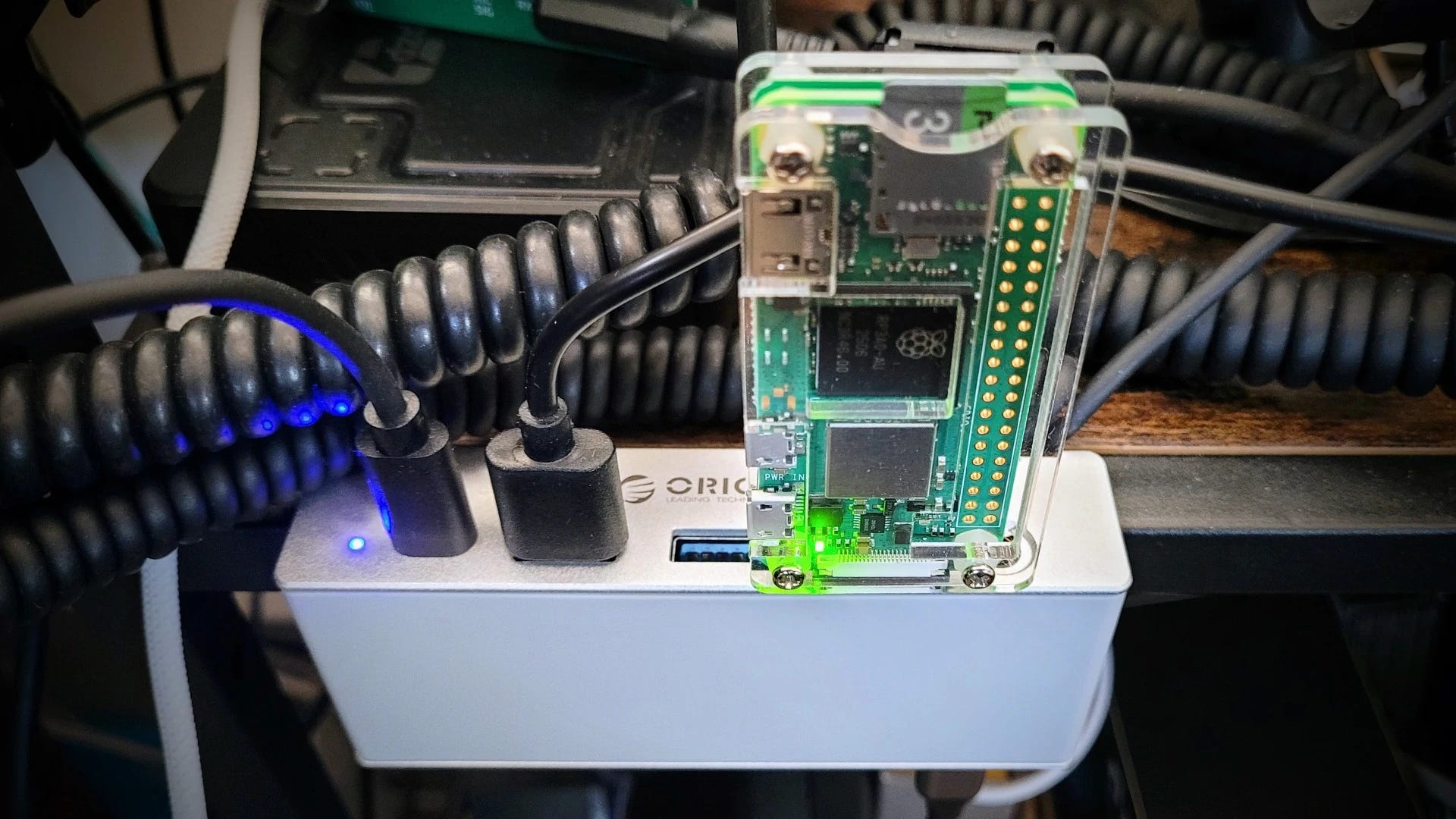
As I was digging through the parts drawer, I found a GeekWorm USB Dongle Board (this is an affiliate link) stuffed all the way in the back. Apparently, I bought it in 2025, mounted it to a Raspberry Pi Zero 2W, and then it migrated to the dark recesses of the drawer. The dongle costs $8.
What does it do? The Geekworm USB Dongle Board converts a Raspberry Pi Zero or Zero 2 W into a USB stick form factor by adding a full-size USB-A connector, allowing it to plug directly into any USB-A port. When configured for USB gadget mode, the Pi can present itself to the host computer as a network adapter, serial device, or keyboard — or it can simply draw power from the port while communicating wirelessly over WiFi.
I did not configure it in gadget mode. Instead, I have it plugged into my ORICO USB hub ($34, this is an affiliate link) where it is running as a utility Debian Linux machine over Wi-Fi on my home network.
My first test? Install uCareSystem to automate system updates. Unfortunately, OpenPGP verification failed, and the alternative methods to install the key also failed. The good news? I didn’t impact one of my working systems with this test!
07 Opinion: Just Read the Manual
For years, I’ve been seeing the same response when someone asks a question about how to operate a specific feature of an amateur radio: just read the manual. I saw it again this week when someone on Facebook asked a question I didn’t know the answer to — despite having read the manual myself, more than once.
It used to be easier. Fewer configuration choices meant the radio had buttons and dials instead of deeply nested menus. Manuals were logically organized and clearly written. Those days are largely gone, at least for the handheld transceivers that arrive at my door from distant lands.
Today, the manual is often poorly written in English — sometimes a translation, sometimes written by someone whose language skills don’t quite meet the demands of clear technical writing. And since many of us are now above a certain age, our memory may not retain information the way it once did. I recognize that the sponge in my head is simply not as absorbent as it used to be.
So there are three real problems with “just read the manual” advice: manuals that are poorly organized — or in the case of at least one radio brand I’ve wrestled with, nonexistent; English that isn’t up to the task of technical guidance; and the perfectly normal fact that human memory fades over time.
Telling someone to “just read the manual” solves nothing. I don’t think the people who say it realize how they come across to others.
The good news is that they’re easy to ignore — and doing so leaves more room to appreciate the hams who genuinely want to help others learn. That community is larger, and it’s the one I choose to spend my time with.
08 Short Stack of Internet Finds
There’s just not a lot for the Short Stack this week, which is a surprise, considering Amazon Prime Day sales and Field Day events.
DokuWiki Markdown Support — This may only matter to me, but… DokuWiki is a flat-file wiki system that I truly love. Except for the DokuWiki editor which does not match standard Markdown formatting. It looks like Markdown support will soon be baked into the core, and I think this is a tremendous thing.
09 QRT: End Transmission
I began crafting Random Wire 188 on Sunday, June 21: Father’s Day. It was a bittersweet moment as I recalled my father who walked on some years ago. This week, I replaced the mailbox Dad put up by the road oh, about 20 years ago. The metal bracket had become weakened due to rust and the wooden bits had grown quite soft. Frankly, I’m surprised the postal delivery person didn’t complain. It was a rickety thing.
But what I found endearing as I deconstructed Dad’s construction were the several generations of fixes Dad had implemented. I could see the first installation: a couple of lag bolts to secure the bracket to the 4×4 post and a couple of machine bolts to hold the mailbox to the bracket. And then there was a plywood bracket he added as the lag bolts lost their purchase, apparently to try to stabilize the main bracket. Finally, there were several applications of deck screws, inserted at various angles, to hold things together as the whole assembly began to weaken.
He would have installed the mailbox around age 70. As he and the mailbox aged, his reasoning got softer just as the mailbox support system did. I could see that by how he tried to use deck screws — probably in his 80s — to hold it all together. As I removed Dad’s work and replaced it with my own, I felt very close to him. Happy Father’s Day, Dad.
ARRL The National Association for Amateur Radio® has reported that the nomination period for the 2026 summer season election cycle concluded on Friday, June 5.
There will be one balloted election this summer in Southern Florida. ARRL members in the Southern Florida Section will receive ballots and candidate information via postal mail in July. Daniel Fisher, AI4GK, and incumbent Barry Porter, KB…
American Radio Relay League | Ham Radio Association and Resources Read More
ARRL The National Association for Amateur Radio® has announced the appointment of Robert Ronk, W9AP, of Winneconne, Wisconsin, as Vice Director for the ARRL Central Division. The appointment, made by ARRL President Rick Roderick, K5UR, fills the vacancy created in April when former Vice Director Joshua Long, W9HT, assumed the office of Central Division Director. Ronk will complete a term that e…
American Radio Relay League | Ham Radio Association and Resources Read More
While many teenagers spend their evenings playing video games or scrolling social media, 14-year-old amateur radio (also known as “ham radio”) operator Micah Sandoval, KB4MPS, was busy this past week making radio contacts across the US. Sandoval participated as part of a special event station supporting the ARRL America250 Worked All States (WAS) Award program, a year-long operating event celeb…
American Radio Relay League | Ham Radio Association and Resources Read More