Notice for HamClock Users
I found a message from N0LSR in my junk mail folder yesterday, and it was important. It’s about the failing Clear Sky Institute server. If you are an Inovato or N0LSR HamClock customer, “all users must switch to the new OHB (Open HamClock Backend) to ensure continued updates and reliable operation.” Find more information on the N0LSR home page.
There’s a quick way to tell if you are on the correct server: “If you are currently on any version below 4.26 and do not get the upgrade offered to 4.27 then you are on the wrong backend server.”

Once upgraded, the version will say 4.27 and you’ll see an envelope just below the version number. Click on the envelope icon for a status message.

1. QRV: Are You Ready?
It may seem as if there is little radio content in this issue, but that’s because the bulk of my radio work landed on EtherHam.com this week. Specifically, I took several days to develop a detailed hands-on look at my new Talk2Me push-to-talk over cellular radio. The pointer for that is below in the New on EtherHam section. If you’re interested in PoC radios, you’ll find this worth your time.

After looking at how these radios and services are marketed, how the ordering and fulfillment process actually happens from the end-user point of view, and how the radio and service function, I’ve concluded: this is not a mature market. Several companies are vying for your dollars. The actual hardware and services offered are in a state of continuous change, so I think it is very difficult for a vendor to keep up with onboarding information, documentation, and even fulfillment steps. This shouldn’t dissuade you from entering this space if you are interested in PoC radio, but do be prepared for a rockier process, from start to finish, than you may be used to experiencing with mainstream amateur radio products. Why would you do this? Because PoC radios can offer an unprecedented level of connectivity and convenience.
2. New on EtherHam
-
Push-to-Talk Over Cellular: Hands-On with a Modern PoC Radio — Part 3 in a series. My radio arrived with no instructions. I learned how to use it by pushing every button and chasing every menu. Thirty minutes to enter a WiFi password. An SOS mode hiding behind the flashlight button. A Bluetooth pairing that is not obvious how to undo. And when I finally found the official manual online, it described a radio with no WiFi and no Bluetooth — not the radio I bought. The device itself works, and it puts Kansas City Wide in my pocket, at home on my network and while I’m on the road. Should you buy it? Overall, I’m happy with the device and the service.
-
Building a LoRa APRS iGate/Digipeater — Part 1: Why, What, and How — I already run conventional VHF APRS from the lake house, so when I heard about LoRa APRS, I wanted to see what it would take to get a station on the air. (LoRa APRS is a newer parallel network built on chirp spread-spectrum instead of classic AFSK packet.) When I checked the LoRa APRS live map, I found exactly one LoRa APRS station in the whole area, and it hadn’t heard anything over RF in over two months. Here’s how I turned a LilyGo T-Deck Plus into KJ7T-2 — a live 433.775 MHz iGate and digipeater — including recovering from installing the wrong firmware and the hidden BOOT button.
-
Weekly Report: July 23, 2026 — Band Conditions, Digital Radio News, Groups.io Digest.
3. New on the Bench
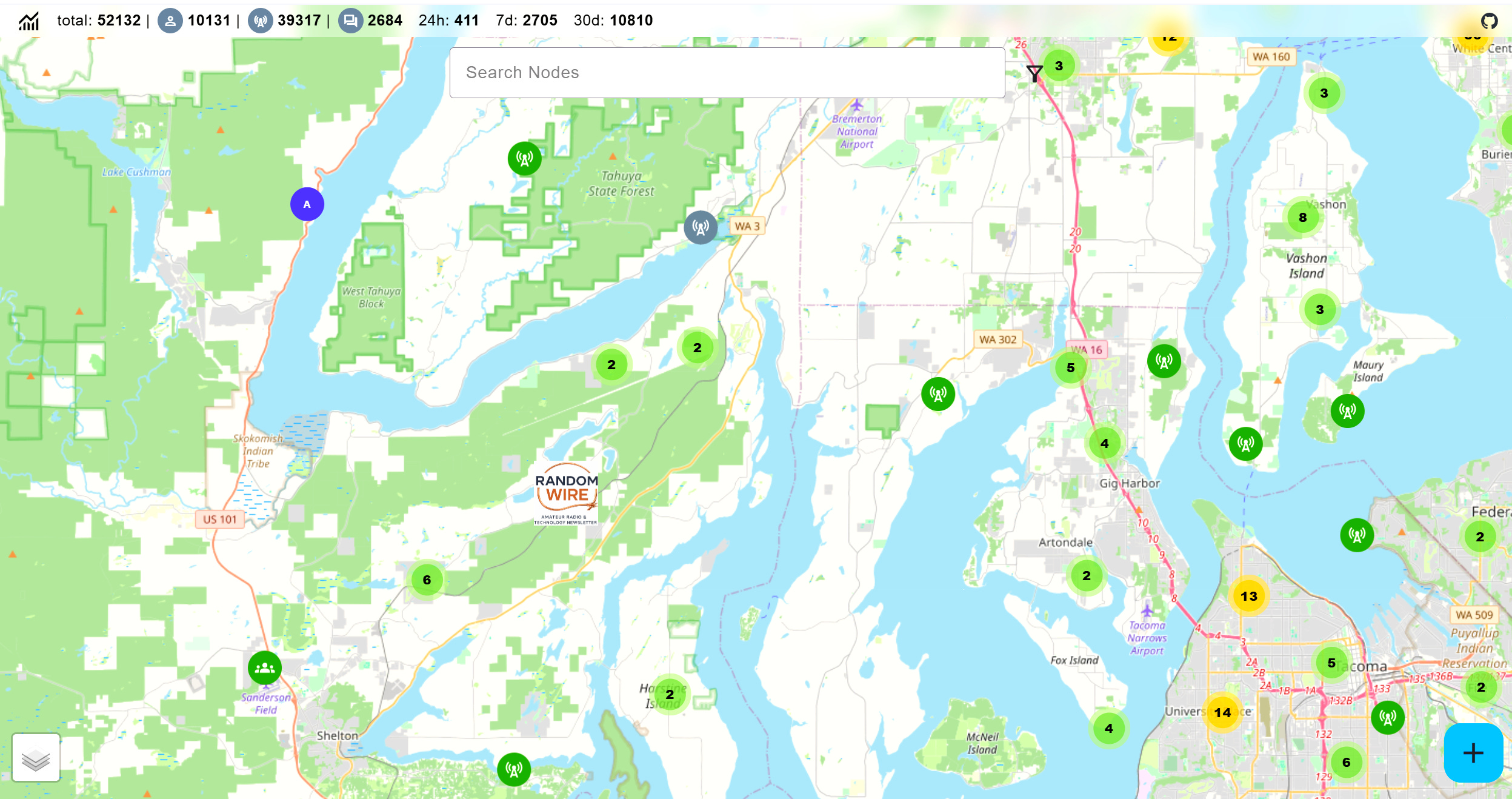
MeshCore Repeater — I bought a MeshCore repeater from an Etsy seller. It is solar-powered with a single 18650 battery inside to keep it running in the dark times. I am halfway between two other MeshCore devices, each about 15 miles away. You can explore the worldwide MeshCore map at https://map.meshcore.io. In the screenshot below, I’ve placed a Random Wire sticker on my location. You can see I have stations to the southwest and to the northeast.
I’ve magnetically attached the repeater to the steel chimney cap.
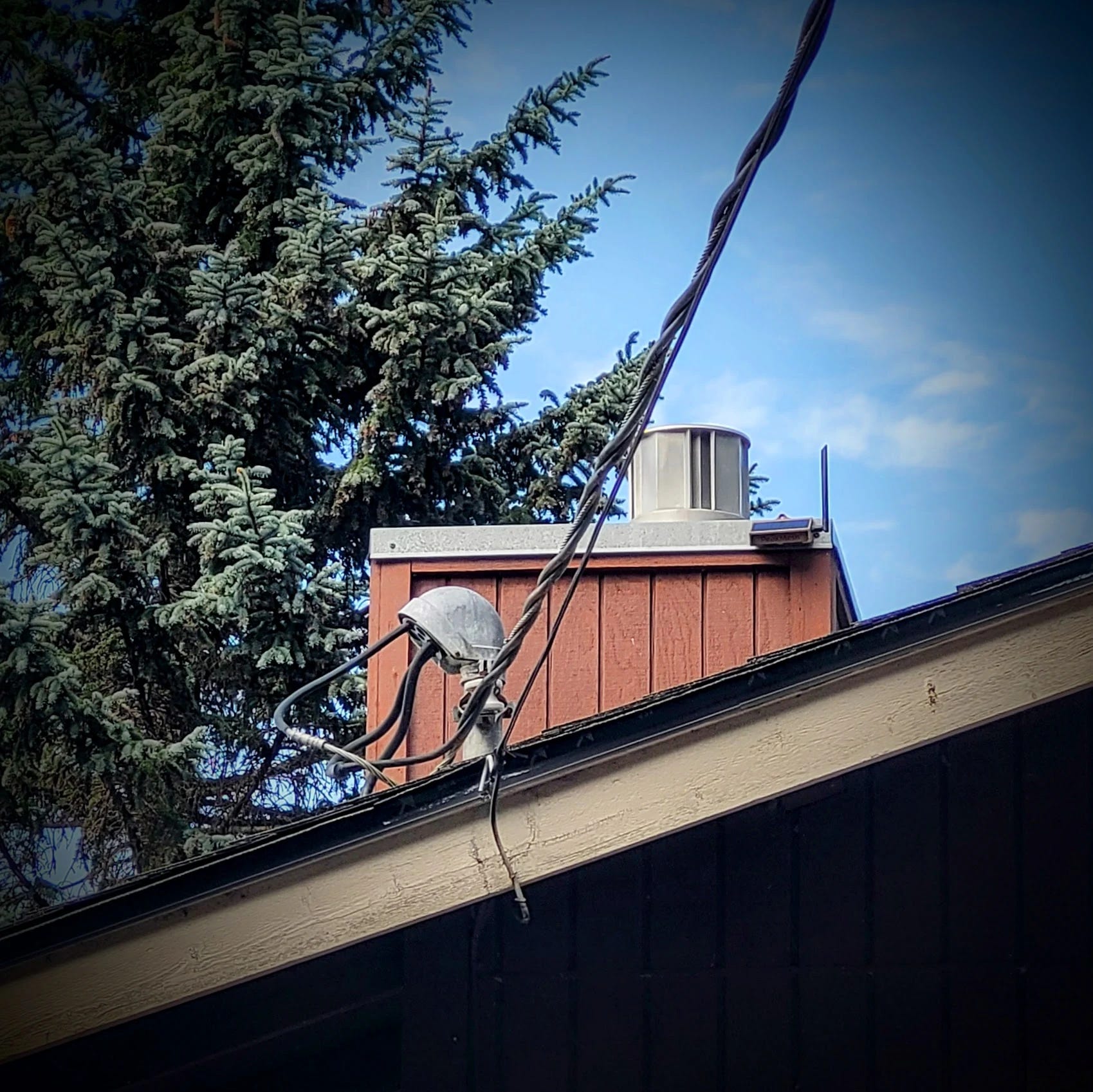
Even though my device is up above the roofline, I’m on a lake, and that means I occupy a topographic low. I do have a 915MHz mag-mount antenna coming that I hope will extend the reach of this device, but I’m not optimistic. Still, it’s an interesting device and system to explore.
T-Deck Plus — This LilyGo device will probably arrive the day after this Random Wire issue publishes. This is a 915MHz device that I plan to flash with MeshCore firmware so I can talk to my repeater and perhaps get that repeater onto the MeshCore map. If MeshCore doesn’t work out, I can flash it with Meshtastic. I might also try a T-Echo Tracker on 915MHz, too.
T-Echo Tracker — This is a second T-Echo, but this one is configured for 433MHz. It should connect to my LoRa APRS igate/digipeater running as KJ7T-2. I want to use the T-Echo to see how far KJ7T-2 will reach.
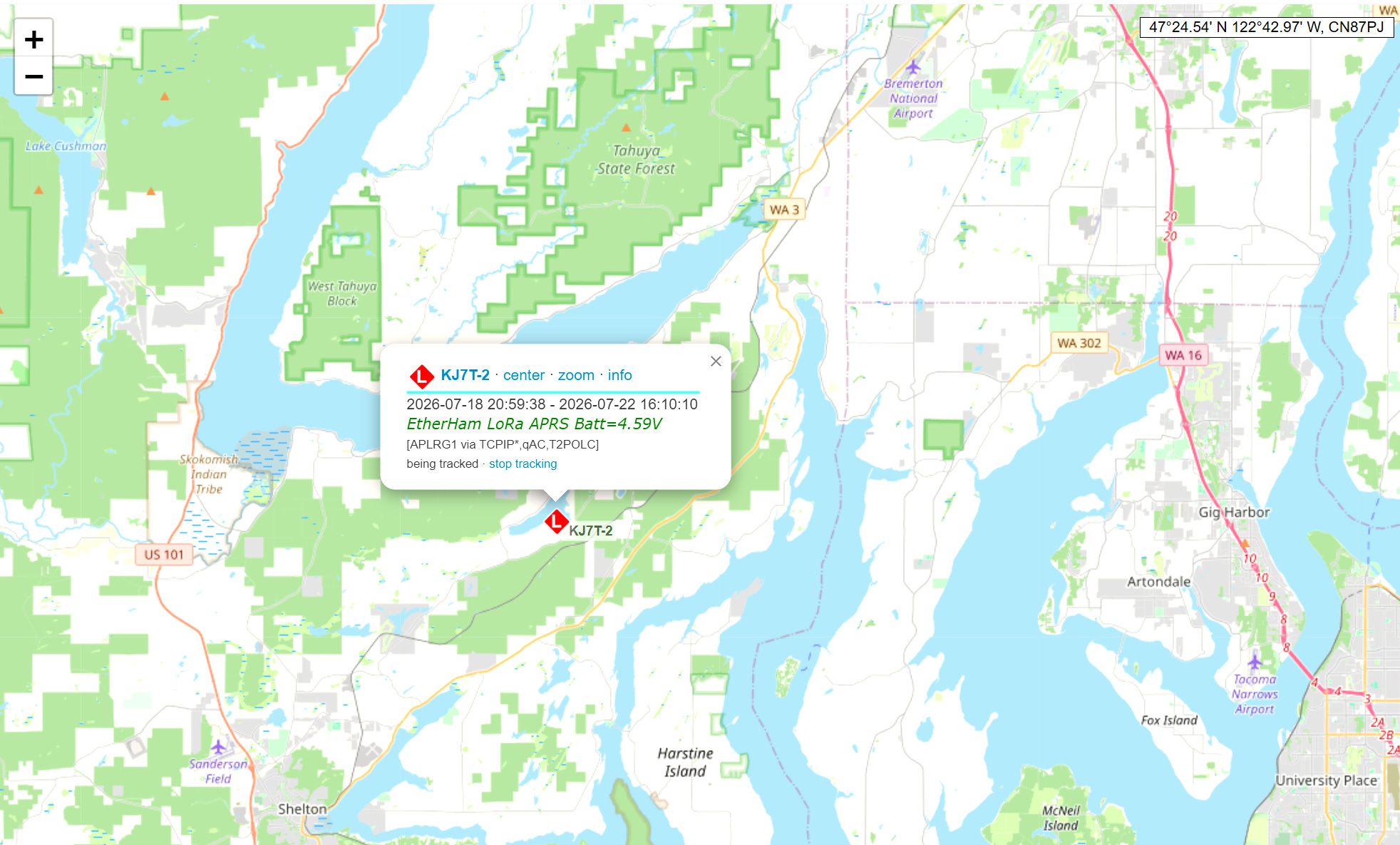
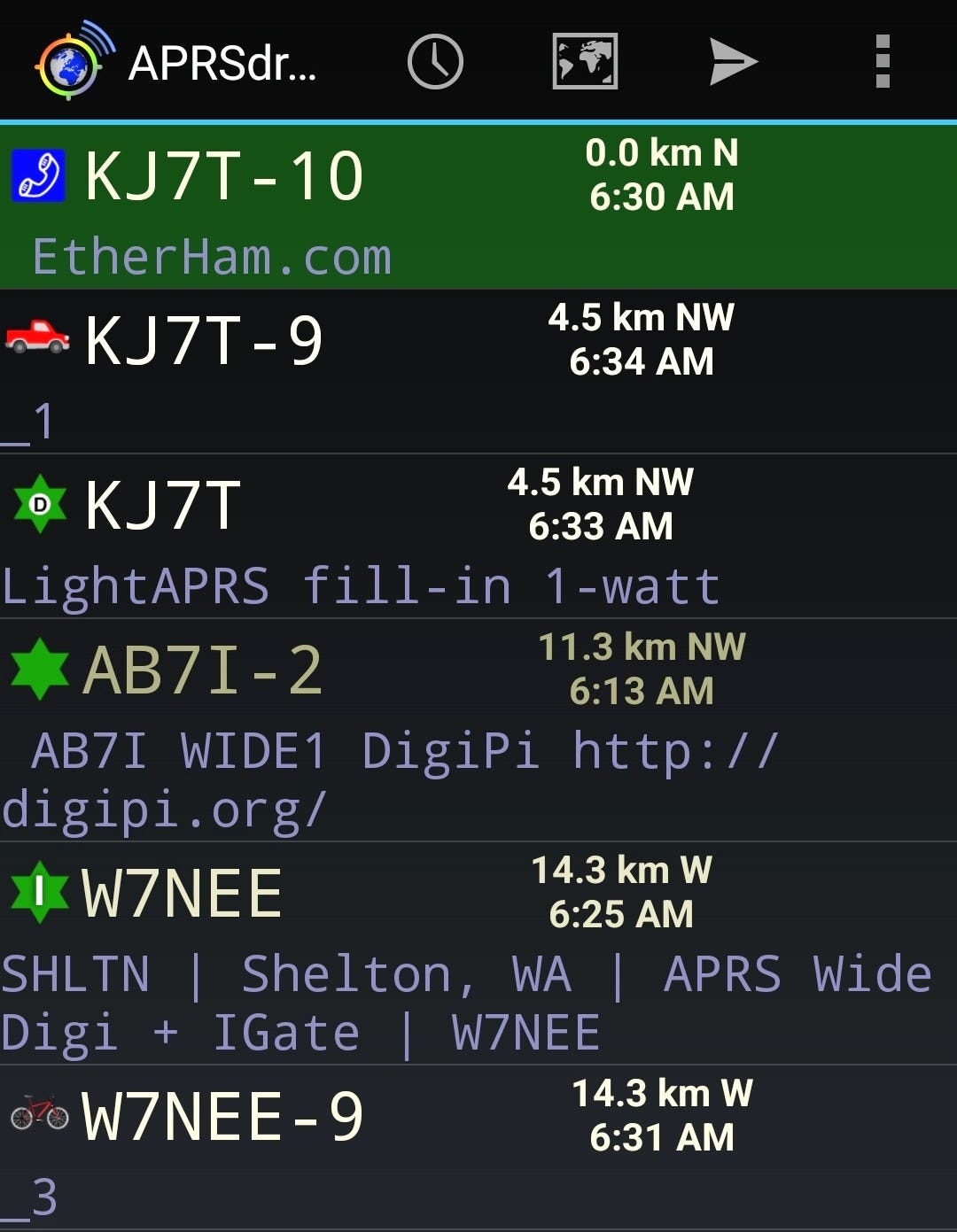
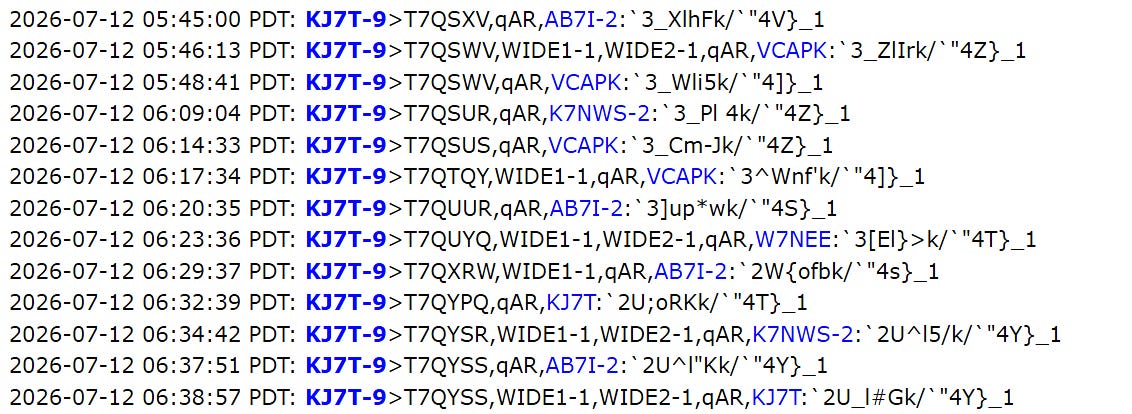
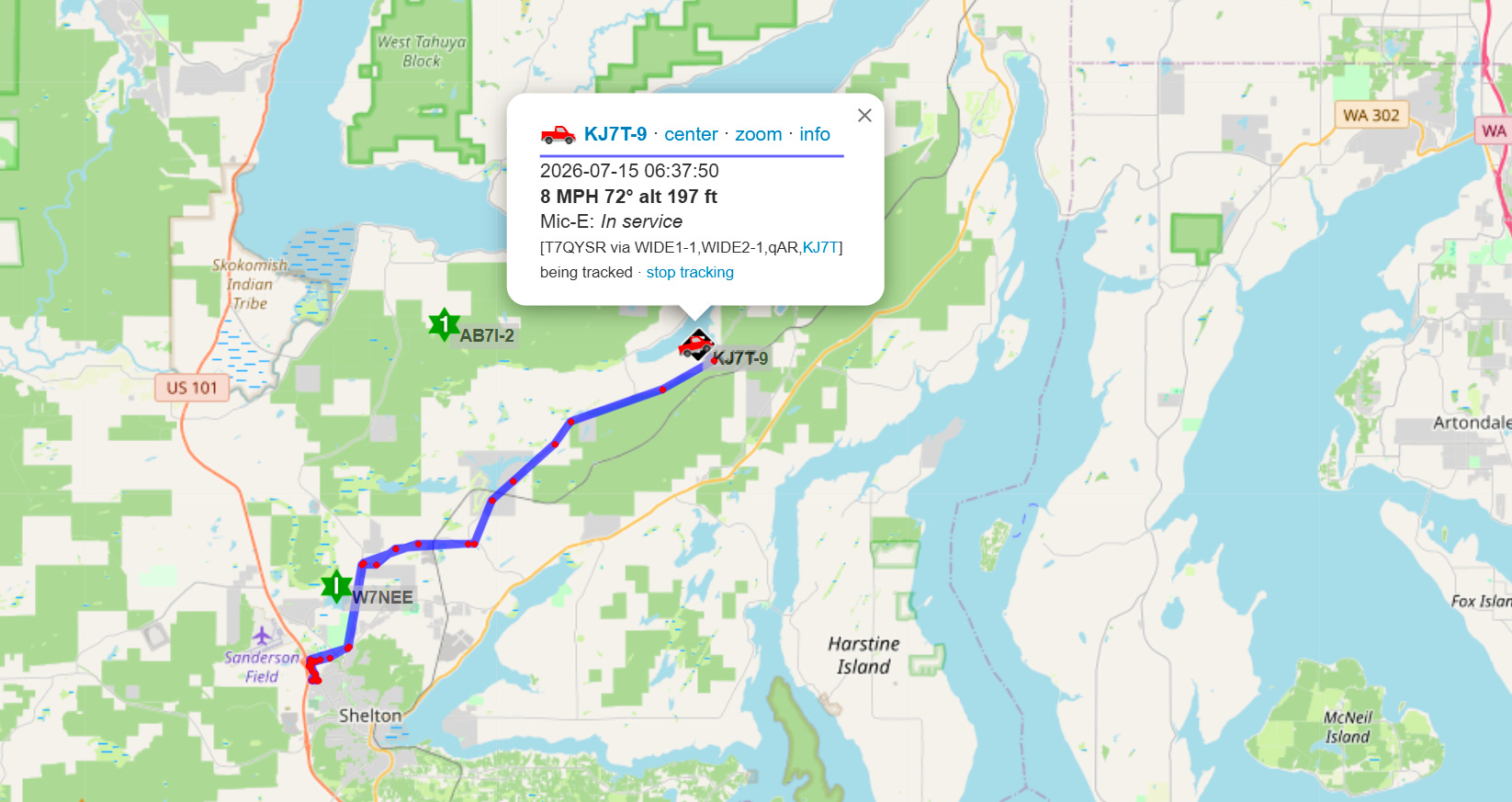
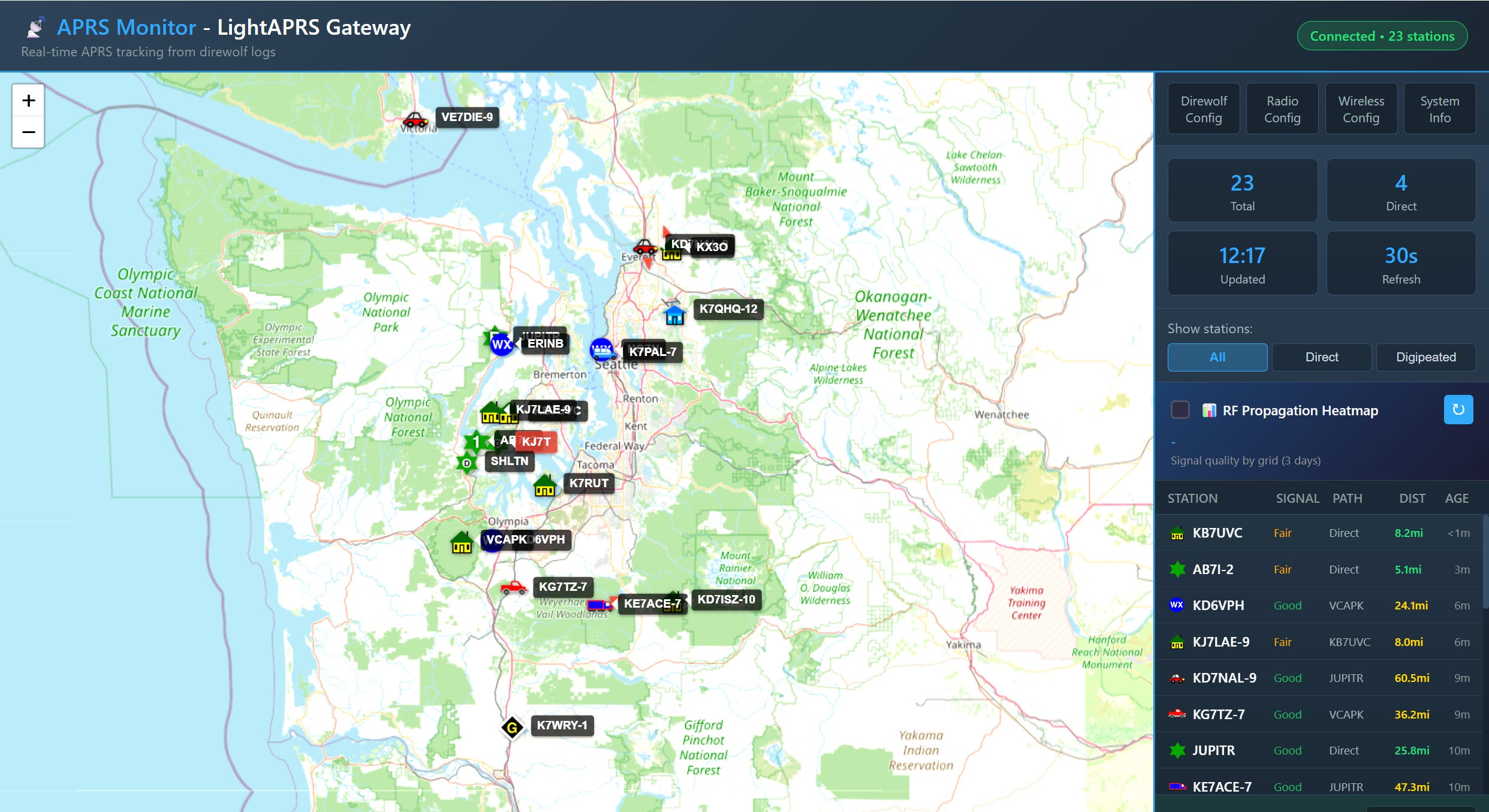
APRS testing — I’ve been monitoring APRS on APRSdroid, aprs.fi, and my mobile radio, wanting to see if those were picking up my KJ7T LightAPRS Gateway device…and they are. What surprised me was that my LoRa APRS box, running as KJ7T-2, is also picked up by aprs.fi.
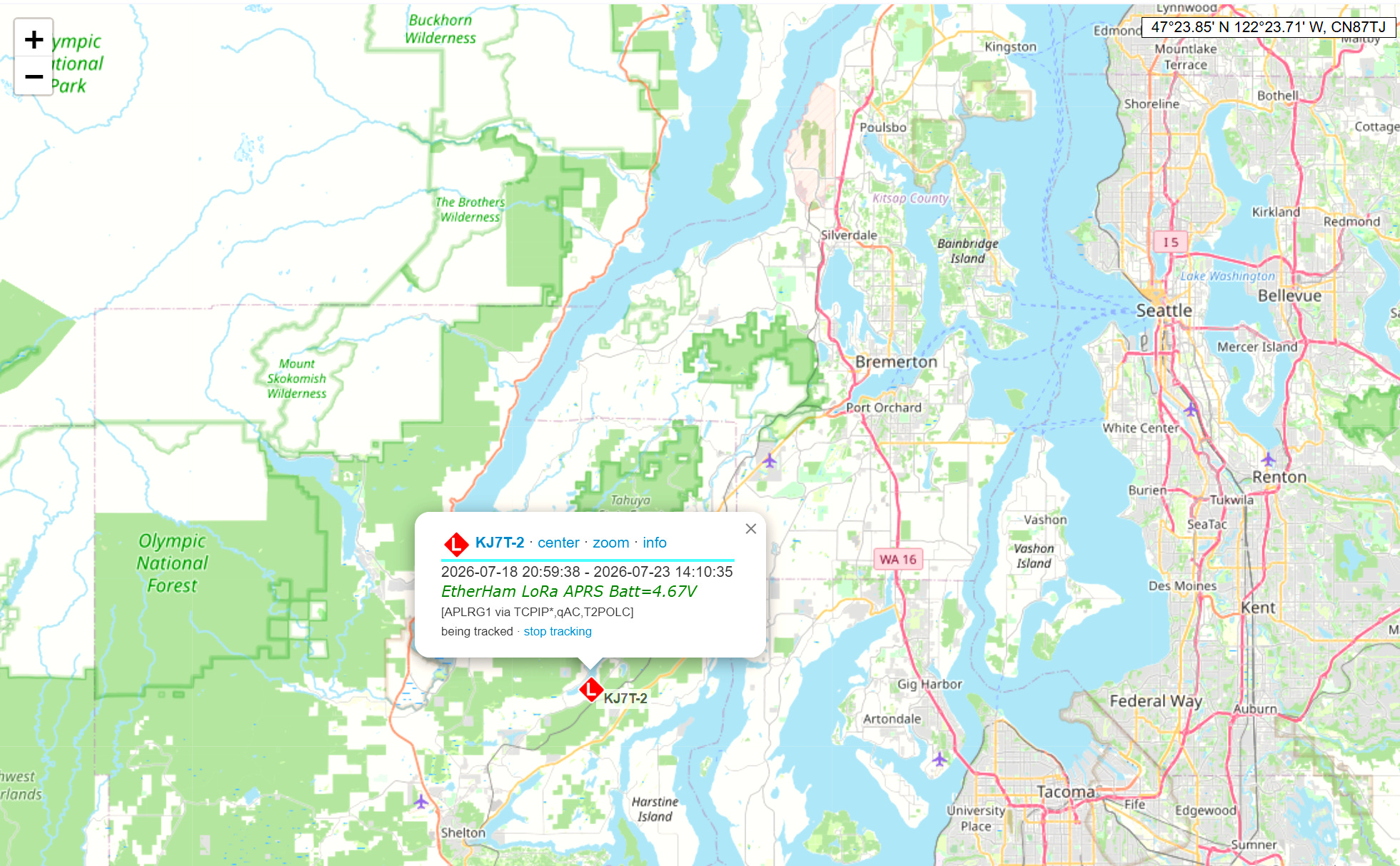
I also see that my internal battery voltage on the LightAPRS Gateway device has come up from the 4.5V range to nearly 4.7V. That’s because I changed the 1A wall charger to a 2A device.
4. Website: EtherHam CSS Cleanup with Claude
This may only be of interest to other webmasters. If you don’t manage a website, read this as: Claude can help you handle some mundane tasks…and feel free to skip it if the idea of cleaning up CSS code makes your eyes cross!
When I was first setting up EtherHam.com, I chose to use WordPress as the content management system. I’ve been working with WordPress for years. While it is a bit bloated for my needs, I know it inside and out. Just like using a favorite radio, there is a certain comfort in that.
I worked my way through several block themes, each requiring some Cascading Style Sheet (CSS) customization. Many fragments got orphaned along the way — leftover CSS doing nothing but cluttering the file.
I’d read that Claude could help manage a WordPress site, but hadn’t trusted it enough to try. This week, I decided to give it a try. First, I backed up the entire site, including making a copy of the CSS file I was about to change. Then I asked Claude for help.
I installed the Claude in Chrome extension when prompted, and after that, Claude had direct access to what I had open in the browser. This process worked well. We cleaned up the CSS settings, and along the way, I identified a few plugins that I had tried but never used, so those got removed.
Since I was on a roll, I asked Claude for help making formatting consistent between the home page, sub pages, and posts. In just a few minutes, we aligned formatting in these different views.
I posted the exact CSS file Claude helped me clean up on EtherHam, if you’re interested. It is nicely organized and well commented.
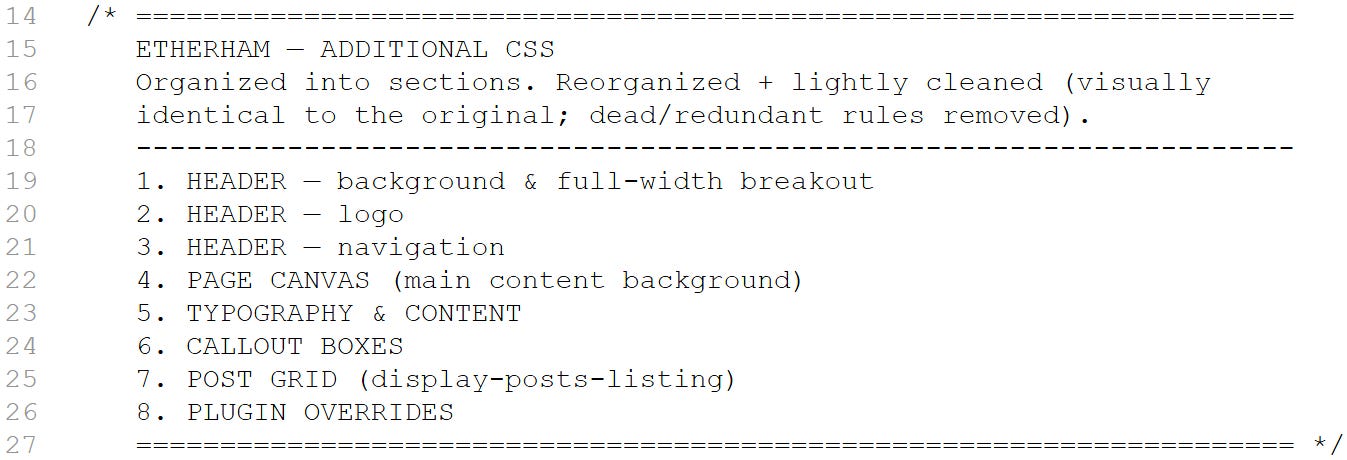
If you’re curious, you can download a copy as a text file.
Bottom line: EtherHam.com looks fine and the styling is cleaned up and consistent throughout the site.
5. Vehicle Super Starter: Why I Didn’t Buy It
This isn’t amateur radio, but it could intersect with licensed operators if they run a mobile radio in their rig.
What is this about? I thought about buying a super capacitor for my truck. The sales messaging I’ve been seeing seemed compelling and I find the concept quite clever, so I gave it more than a cursory look.
Ancel sells a device called the Super Starter — a permanently installed super capacitor that wires into your battery terminals and sits under the hood, taking over most of the cranking load every time you start the engine. The pitch is straightforward: your battery stops absorbing the punishing current spike of a cold start, wear and tear drops, and the battery lasts longer. No cables, no remembering to charge a separate pack, no getting out of the truck. Connect it once, forget it exists, and let it quietly do its job for years.
I’ve had dying and weak vehicle batteries, so I really like the concept. I like anything that takes a known failure mode — batteries dying at the worst possible moment — and tries to engineer it away rather than just selling you a booster with a flashlight and jumper cables.
But a few things stopped me before I clicked buy. First, the fit-to-cost problem: the base model is rated for engines up to 3.0 liters, and my Ridgeline runs a 3.5L V6. The unit that actually matches my truck runs closer to $220 than the $150 headline price on the smaller model — a detail that’s easy to miss if you’re moving fast.
Second, the marketing language has a familiar look to it. If you’ve watched the push-to-talk-over-cellular space the way I have, you’ve seen this pattern before: a genuinely interesting piece of engineering wrapped in urgency — limited-time pricing, breathless “why didn’t this exist sooner” copy, glowing coverage that reads like it was written by someone with an affiliate link. None of that makes the underlying tech bad. But it’s usually a sign the vendor wants you to make the purchase decision before you’ve had time to ask the boring questions, like whether the battery-life claims hold up after a real winter under the hood. This product launched this year. There’s no multi-year data available yet, independent or otherwise.
However, there is a review published by Car and Driver that touches on the utility of the device for cold winter vehicle starts. It sounds solid, and it is a real-world, hands-on kind of review. If you’re interested in this tech, this is worth a read: This Clever Supercapacitor Accessory Is a Smart Fix for Cold Car Starts.
Third, and this is the part that’s specific to the Random Wire audience: if you’ve got a mobile rig hardwired into your vehicle’s electrical system, this device is doing something to your crank and start-up voltage profile that nobody’s characterized yet. It’s not a fuse-blowing concern in the classic sense — the Super Starter probably doesn’t add current through your radio’s own power leads, so an overcurrent trip on that circuit isn’t the likely failure mode. The more concerning question is voltage transients on the 12V bus itself. During the crank event, the capacitor is absorbing most of the starter’s draw and then handing off to the battery and alternator; right after start, it’s pulling current back from the alternator to refill itself. Either transition could produce a brief dip or overshoot on the bus that a normally-fed rig wouldn’t otherwise see — and mobile radios are already notoriously sensitive to exactly that kind of thing, which is why so many of us add extra transient suppression to a hardwired install in the first place. I haven’t found research measuring the 12V bus with and without one of these installed, from Ancel or anyone independent. Until someone runs that test, I wouldn’t want it anywhere near several hundred dollars of mobile radio gear.
Fourth, and the part that actually killed it for me: the thing only helps the vehicle it’s bolted to. I have kids with vehicles in various states of mechanical health, and I’m the guy who often gets the call when one of them won’t start. A device clamped to my own battery terminals is no use to them. This means I’d still need to carry a portable lithium booster in the truck regardless of whether I installed the Super Starter. And if I’m already carrying a booster that covers every situation the Super Starter covers plus the ones it doesn’t, the case for spending another $220 on a single-purpose, single-vehicle install gets thin fast.
So here’s where I landed: it’s a legitimately clever idea, and I like the concept. If you’ve got a vehicle that sits for long stretches, hauls a heavy accessory load, or otherwise chews through batteries, I understand the appeal. But for a daily-driven rig with a battery in decent shape, and a household where “helpful” means being able to jump anyone’s vehicle, not just your own, a $60 portable booster under the seat does more for less money — and doesn’t ask you to trust a new product category on faith. I’ll keep an eye on this space. If the independent, multi-season reviews start showing up and the numbers hold, I may revisit it. For now, my jumper cables and a charged lithium pack are in the truck.
6. Short Stack from the Interwebs
Pulled from the aggregated feeds on EtherHam (etherham.com/feeds/), items from July 20–23.
Antennas
-
The Crown Antenna: A Wire Loop That Hugs the Roof and Works the World — Hamradio.my — A roof-hugging wire loop design for HF. Worth a look if you’re antenna-restricted.
-
Part 2 of… Antenna solve one problem to only create another — Amateur Radio Weekly — the classic antenna-tinkering trap: fix one issue, discover a new one. Relatable.
Propagation & Science
-
HamSCI Ray Tracing Working Group — HAMSCI.org — HamSCI’s group working on ray-tracing tools for ionospheric propagation modeling.
-
The ARRL Solar Update — ARRL News — Latest solar/propagation conditions rundown.
Satellites
-
UmKA-1 (RS40S) Satellite to Transmit SSTV, Audio Clips — Amateur Radio Daily — New satellite planning SSTV and audio transmissions — worth tracking if you’re into satellite work.
APRS & Digital
-
APRSdroid 9M2PJU Mod: The Enhanced APRS Companion for Android, Built by Hams, for Hams — Hamradio.my — A ham-built mod to APRSdroid. Given the LoRa APRS iGate work on EtherHam right now, this is a natural companion piece.
DIY / Gadgets
-
Flash a $2 Pi-hole From Your Browser: The 9M2PJU ESP32-C3 AdBlocker — Hamradio.my — Browser-flashable ad-blocker on a $2 ESP32-C3. Not radio, but exactly the kind of cheap-hardware hack that fits the workbench.
History & Culture
-
How Amateur Radio Built the Indonesian Internet: PaguyubanNet, Packet Radio and the Pioneers of 1986–1994 — Hamradio.my — Deep history on how ham packet radio bootstrapped Indonesia’s early internet. Genuinely excellent long-read, easily the standout item this week — from both the curated and mega feeds.
Reference
-
DXing Techniques for Amateur Radio: A Complete Guide to Working the World — Amateur Radio Today — Solid DXing primer, good bookmark-and-share material.
Community / Silent Keys
-
DXer and DXpeditioner Kan Mizoguchi, JA1BK, Silent Key — ARRL News —Passing of a notable DXpeditioner.
Also Noted
-
San Diego Section of IEEE Invited Talk Intersects ORI’s Antenna Work — Open Research Institute
-
VHF for Parks On The Air? — Amateur Radio Weekly
-
The W9IMS Brickyard 400 Special Event: Third Time’s a Certificate — The SWLing Post
-
Records with Soul and a WAVE — The SWLing Post
7. Ported Scripts to My Proxmox Server
This week, I moved a few scripts to my Proxmox box. The backstory? The Raspberry Pi where those scripts lived…died. And it wasn’t just any Pi — it was the one that handled my home lab tracker and processed the Digital Radio News Gatherer script every week.
I had been planning to move those scripts to my Proxmox server — someday — so the failure of the Pi changed that to right now. Fortunately, I was keeping regular backups of the scripts and data on a USB thumbdrive, in ext4 format. Proxmox can read ext4, so my backups provided the smoothest way to transfer scripts, settings, and data to Proxmox containers.
The Pi’s death wasn’t quiet. First it was a service crash-looping on the lab tracker. It turned out a routine apt autoremove had quietly pulled Flask out from under a process that had been running fine for weeks, and nobody noticed until the next reboot forced it to reload a dependency that was no longer there. In other words, it was already broken, I just didn’t know it.
Then the real trouble started: the case ran hot, SSH sessions began dropping mid-command, and one by one, services stopped responding. Cockpit, gone. Docker, gone. The web apps stayed technically alive but started throwing I/O errors the moment they tried to touch the disk. That’s the signature of a filesystem giving up, not just a CPU getting warm. A fan and a reboot bought some time, but a few hours later it came back worse — even basic commands like tail and sudo started failing. The NVMe drive, a budget no-name unit, may well be on its way out…or is possibly underpowered by the HAT. Pi 5 NVMe bases are known to be stingy on current under sustained load, which can look exactly like a failing drive without one actually being bad.
By the time I went to grab the backup drive, every way I had of reaching the Pi remotely had stopped working — the usual command-line connection, the web-based control panel, even the official remote-access tool. I pulled the thumbdrive and plugged it into my Proxmox box. After that, recovery was almost anticlimactic: I could read straight from the drive without disturbing anything, and there sat every night’s backup, the program and its database both untouched. From there, I built a new home on the Proxmox server: a small, self-contained slice of the machine, running its own private copy of the software it depends on instead of sharing whatever happens to be installed system-wide. That last part matters more than it sounds like it should — it’s the difference between a routine cleanup silently breaking your service, and your service carrying its own dependencies with it, immune to whatever else happens on the machine.
The Digital Radio News Gatherer had its own separate gremlin — a Groq API key that looked fine in its config file but wasn’t actually making it into the running process, because the cron job launching it never sourced the environment file, and even after fixing that, the file itself was missing an export in front of the key. Two small, easy-to-miss mistakes stacked on top of each other, neither one loud enough to point straight at the cause. That is sorted now, and worth remembering for anyone else running scripts out of cron with secrets tucked into a separate file.
These are lessons for anyone running similar infrastructure off a Pi — and I know plenty of you are: back up more than just your data. A solid backup process is what saved me here, not a database export. (All of my Proxmox containers are backed up weekly to an external target.) And if you can move a service that matters onto something with real redundancy, consider doing that before the hardware makes the decision for you.
8. Open Notebook on Proxmox Server
I’m starting to play with an open source project called Open Notebook. So far, it looks interesting and seems to run fine on my Proxmox server. I’m going to use it for capturing meeting agendas and notes, and then see if that kind of content proves useful.
I installed it several weeks ago and already an update was waiting. Updating it was very easy — much easier than I expected. It runs in a Docker container, so just three commands took care of the version upgrade:
docker compose down
docker compose pull
docker compose up -d
Docker Compose makes it pretty painless — three commands and your data stays untouched since it lives in the mounted volume, not in the container. I wish all updates were so easy!
9. QRT: End Transmission
Plumbing, part 2. We’re still dealing with the plumbing leak I reported last week. We now have a new faucet that works well. I had to add a plug to the unused hole in the sink top, but that was not much money and only a quick trip to Ace Hardware. The continuing issue is the water that seeped under the kitchen floor tiles. That lifted several tiles along the edges. I’ve been running a fan and a dehumidifier constantly since then to try and dry the moisture out from under the floor. A new moisture meter is arriving this week: pinless, so I can take relative measurements, comparing dry, unaffected spots with the parts that did receive some seepage. I need to make sure that wood won’t grow mold when I fix some of those tiles.
Frustrated with bad UI. I’m trying to configure an events plugin for my work website, and the user interface is full of labels that don’t mean what they say. Example: “configure calendar” is actually a shortcode generator. Or two labels that sound identical, one above the other. A “configure” link hiding under the “other data” label. An unlabeled, bright orange button in the usual “submit” position with an arrow on it…that doesn’t appear to actually do anything. If you couldn’t tell, I really, really don’t like poorly designed UIs!
And that’s enough to close Random Wire 192. I hope you had a productive, interesting radio week.
73, and remember to touch a radio every day!